
T.I.P. Maxima 350 IPX DUO 30274
T.I.P. Maxima 350 IPX DUO 30274 Dirty Water Pump Instruction Manual
Model: Maxima 350 IPX DUO 30274 | Brand: T.I.P.
1. はじめに
The T.I.P. Maxima 350 IPX DUO is a powerful and versatile combination submersible pump designed for various water drainage tasks. Its extendable pump base allows for quick conversion between a high-performance dirty water pump and a clean water pump with ultra-flat suction. This manual provides essential information for safe and efficient operation, setup, and maintenance of your pump.

Image: The T.I.P. Maxima 350 IPX DUO pump, showcasin堅牢な設計とコンポーネントを備えています。
2. 安全に関する注意事項
ポンプを操作する前に、すべての安全に関する指示をよく読んで理解してください。これらの指示に従わない場合、感電、火災、重傷、または物的損害が発生する可能性があります。
- メンテナンスや清掃を行う前に、必ずポンプを電源から外してください。
- Ensure the power cable and plug are in perfect condition. Do not use if damaged.
- The pump is designed for pumping water only. Do not use it for flammable, corrosive, or explosive liquids.
- Do not operate the pump in swimming pools or areas where people are in the water.
- 操作エリアに子供や関係者以外の人を近づけないでください。
- 密閉された空間で作業する場合は適切な換気を確保してください。
- The maximum liquid temperature for operation is 35 °C.
3. パッケージ内容
パッケージにすべてのアイテムが揃っていることを確認します。
- T.I.P. Maxima 350 IPX DUO Submersible Pump with connection cable
- Connection elbow with union nut
- Multi-dimensional connection piece
- 取扱説明書
4. セットアップ
4.1 排出ホースの接続
The pump features a 47.80 mm (1.5 inch external thread) pressure connection. Use the provided connection elbow and multi-dimensional connection piece to attach your discharge hose.
- オプション1: Hose with Ø 40 mm. Secure with a hose clamp.
- オプション2: Hose with 1 1/4" internal thread. Remove the upper part of the connector.
- オプション3: Hose with Ø 32 mm. Secure with a hose clamp.
- オプション4: Hose with 1" internal thread. Remove the upper part of the connector.
- オプション5: Hose with 1 1/2" internal thread. Use the supplied connection elbow.

Image: Diagram showing various hose connection options and sizes for the pump.

Image: The supplied connection elbow for attaching a 1 1/2" internal thread hose.
An optional C-Storz coupling can also be used for the discharge hose (not included).
4.2 Adjusting the Pump Base for Water Type
The Maxima 350 IPX DUO features an extendable pump base to switch between dirty water and clean water modes.
- Dirty Water Mode: For water with particle sizes up to 30 mm. The pump base is extended, allowing for a residual water level of 35 mm.
- Clean Water Mode (Flat Suction): For clear water with particle sizes up to 1 mm. The pump base is retracted, enabling an ultra-flat suction down to 1 mm residual water level.

Image: The T.I.P. Maxima 350 IPX DUO pump, highlighting its extendable pump base for different water types.

Image: The pump operating in dirty water, showing the water level at 125 mm for activation.
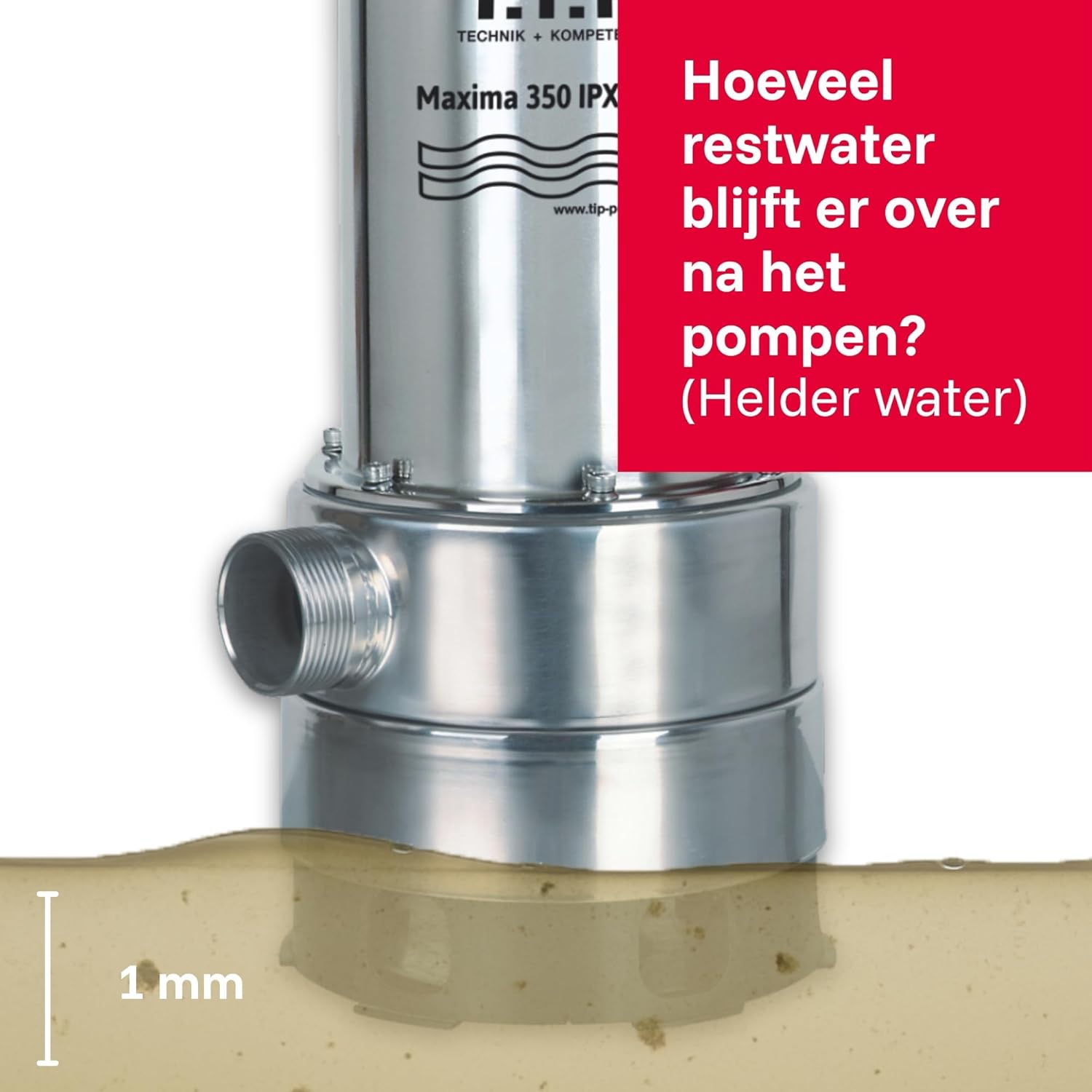
Image: The pump after draining dirty water, showing a residual water level of 35 mm.

Image: The pump operating in clean water, showing the water level at 100 mm for activation.

Image: The pump after draining clean water, showing an ultra-flat residual water level of 1 mm.

Image: Illustration of the maximum particle sizes the pump can handle: 1 mm for clear water and 30 mm for dirty water.
4.3 フロートスイッチの調整
The pump is equipped with a variable adjustable float switch for automatic operation. The switch points depend on whether the pump is configured for clean or dirty water.
- Clean Water Mode: Switch-on point at 24 cm, switch-off point at 14 cm.
- Dirty Water Mode: Switch-on point at 27.5 cm, switch-off point at 17.5 cm.

Image: Diagram illustrating the float switch activation and deactivation points for clean water pumping.

Image: Diagram illustrating the float switch activation and deactivation points for dirty water pumping.
5. ポンプの操作
Once the pump is set up with the correct hose and pump base configuration for your application, plug it into a suitable power outlet (230V). The float switch will automatically activate the pump when the water level reaches the switch-on point and deactivate it when it drops to the switch-off point.
ポンプは以下に適しています:
- Pumping and draining clear water.
- Pumping dirty water with particle sizes up to 30 mm.
- Dry drainage down to 1 mm.
- Emergency dewatering during floods.

Image: The pump being used in a construction pit and for draining a flooded basement, demonstrating its versatility.
5.1 パフォーマンス曲線
The transport curve illustrates the relationship between the delivery head (Opvoerhoogte [m]) and the flow rate (Stroomsnelheid Q [m³/u]). This helps in understanding the pump's performance under different conditions.

Image: Graph showing the pump's performance curve, detailing flow rate versus head height.
5.2 Vortex Impeller
The pump is equipped with a vortex impeller, which helps prevent clogging and ensures low-maintenance operation, especially when handling dirty water.

画像: 詳細 view of the pump's components, including the vortex impeller designed to prevent clogging.
6. メンテナンス
Regular maintenance ensures the longevity and optimal performance of your T.I.P. Maxima 350 IPX DUO pump.
- クリーニング: After each use, especially with dirty water, rinse the pump with clean water to remove any debris.
- 検査: Periodically check the power cable, plug, and float switch for any signs of damage.
- ストレージ: 長期間使用しない場合は、ポンプを乾燥した霜の降りない場所に保管してください。
- インペラチェック: If performance drops, check the impeller for blockages or wear.
7。 トラブルシューティング
ポンプに問題が発生した場合は、次の一般的なトラブルシューティング手順を参照してください。
| 問題 | 考えられる原因 | 解決 |
|---|---|---|
| ポンプが始動しない | 電源がありません。フロートスイッチが作動していません。インペラが詰まっています。 | Check power connection; Ensure water level is above switch-on point; Clean impeller. |
| Reduced pumping capacity | Hose kinked or blocked; Impeller partially blocked; Pump base clogged. | Check and clear hose; Clean impeller and pump base. |
| ポンプは連続運転 | Float switch stuck or faulty; Water level not dropping below switch-off point. | Check float switch for obstructions; Ensure proper water drainage. |
If the problem persists, contact T.I.P. customer support or a qualified technician.
8. 仕様
| 特徴 | 価値 |
|---|---|
| メーカー | T.I.P. |
| モデル番号 | 30274 |
| 製品寸法 | 16.9 x 19.8 x 39.1 cm |
| 重さ | 7キロ |
| 材料 | Stainless Steel (Acier inoxydable) |
| 電源 | コード式電気 |
| 巻tage | 230ボルト |
| ワットtage | 800ワット |
| 最大流量 | 20,000時間あたりXNUMXリットル |
| 最大頭高 | 8メートル |
| 最大浸水深度 | 7メートル |
| 最大粒子サイズ | 30 mm (dirty water) / 1 mm (clean water) |
| Minimum Suction Height | 35 mm (dirty water) / 1 mm (clean water) |
| 最高培地温度 | 35℃ |
| 接続ケーブルの長さ | 10 m, H07RN8-F |
| 圧力接続 | 47.80 mm (1.5 inch external thread) |
9. 公式製品ビデオ
Watch these official videos for additional guidance on using your T.I.P. pump.
T.I.P. Extrema 300/10 Pro Waste Water Submersible Pump
Video: This video demonstrates the features and operation of the T.I.P. Extrema 300/10 Pro, a similar waste water submersible pump, providing a visual guide to handling and usage.
10. 保証とサポート
T.I.P. provides high-quality and durable products. For any issues or questions regarding your Maxima 350 IPX DUO pump, please refer to the warranty information provided with your purchase or contact T.I.P. customer support.
T.I.P. offers a 10-year guarantee on the availability of spare parts, ensuring long-term support for your product.

Image: T.I.P. guarantees 10 years of spare parts availability for their products.
Ask a question about this manual
Ask about setup, troubleshooting, compatibility, parts, safety, or missing instructions. Manuals+ will review the question and use this page’s manual context to help answer it.