
1. はじめに
ご購入ありがとうございますasing the EARISE D61 Plus Bluetooth Speaker. This manual provides important information regarding the safe operation, setup, and maintenance of your device. Please read it thoroughly before use and retain it for future reference.

Image 1.1: The EARISE D61 Plus Bluetooth Speaker, showcasing its portable design and integrated RGB lighting.
2. 重要な安全情報
- Do not expose the speaker to water or excessive moisture, as it is not waterproof.
- 極端な温度、直射日光、熱源を避けてください。
- 本装置を分解、修理、改造しないでください。すべてのメンテナンスは資格を持った担当者にご依頼ください。
- 指定された充電ケーブルと電源アダプターのみを使用してください。
- スピーカーを子供やペットの手の届かない場所に保管してください。
- 聴覚障害を防ぐため、スピーカーを長時間にわたって過度に大きな音量で操作しないでください。
3. パッケージ内容
パッケージに以下の項目が含まれているか確認してください。
- EARISE D61 Plus Bluetooth Speaker
- USB充電ケーブル
- ユーザーマニュアル(このドキュメント)
不足または破損した商品がある場合は、カスタマー サポートにお問い合わせください。
4.製品オーバーview
スピーカーのコンポーネントとコントロールについて理解しておきましょう。
画像4.1:正面 view of the EARISE D61 Plus speaker, highlighting the control panel and speaker grille.
4.1 コントロールパネルとポート

Image 4.2: Diagram illustrating the various input options and features of the speaker, including USB, TF card, AUX, Microphone, Bluetooth, and FM radio.
- MODE/LIGHTボタン: Short press to switch between input modes (Bluetooth, AUX, USB, TF, FM). Long press to change light effects.
- M-/V- Button: Short press for previous track (in music modes) or previous station (in FM mode). Long press to decrease volume.
- MSCAN/TWS Button: Short press to Play/Pause (in music modes) or auto-scan FM stations (in FM mode). Long press to activate TWS pairing.
- M+/V+ Button: Short press for next track (in music modes) or next station (in FM mode). Long press to increase volume.
- USBポート: USBフラッシュドライブの再生用。
- TFカードスロット: TF(MicroSD)カードの再生用。
- AUX入力: 3.5mmオーディオケーブルを介して外部オーディオデバイスを接続します。
- マイク入力: マイクを接続します。
- 充電ポート: スピーカーの内蔵バッテリーを充電します。
5. セットアップ
5.1 スピーカーの充電
Before first use, fully charge the speaker. Connect the provided USB charging cable to the speaker's charging port and the other end to a USB power adapter (not included) or a computer's USB port. The charging indicator will illuminate during charging and turn off when fully charged.

Image 5.1: Visual representation of the speaker being charged, indicating battery status.
5.2 電源のオン/オフ
Press and hold the Power button (often integrated with the MODE button or a separate switch, refer to physical device for exact location) to turn the speaker ON or OFF. A sound prompt will indicate the power status.
5.3Bluetoothペアリング
- Ensure the speaker is powered on and in Bluetooth mode (indicated by a voice prompt or flashing LED). If not, short press the MODE/LIGHT button to switch to Bluetooth mode.
- モバイルデバイス(スマートフォン、タブレットなど)で Bluetooth を有効にします。
- 検索する available Bluetooth devices. You should see "EARISE D61 Plus" in the list.
- Select "EARISE D61 Plus" to connect. Once paired, a confirmation sound will be heard.
- The speaker will automatically reconnect to the last paired device when in Bluetooth mode, if the device is within range and Bluetooth is enabled.
5.4 TWS(トゥルーワイヤレスステレオ)ペアリング
To achieve stereo sound, you can pair two EARISE D61 Plus speakers together.

Image 5.2: Illustration of two EARISE D61 Plus speakers connected via TWS for a stereo audio experience, controlled by a single smartphone.
- Ensure both EARISE D61 Plus speakers are powered on and in Bluetooth mode, but not yet connected to any device.
- On one of the speakers (this will be the primary speaker), long press the MSCAN/TWS button. You will hear a prompt indicating TWS pairing mode.
- 2つのスピーカーは自動的に互いを検索し、接続します。TWSペアリングが成功すると、確認音が鳴ります。
- Once paired, the primary speaker will be ready for Bluetooth connection to your mobile device. Follow the steps in "5.3 Bluetooth Pairing" to connect your device to the primary speaker.
- オーディオは両方のスピーカーからステレオで再生されるようになります。
- To disconnect TWS, long press the MSCAN/TWS button on either speaker.
6. 操作手順
6.1 モード選択
を短く押す モード/ライト button to cycle through available input modes: Bluetooth, AUX, USB, TF Card, FM Radio.
6.2 Audio Playback (Bluetooth, USB, TF Card, AUX)
- 再生/一時停止: を短く押す MSCAN/TWS ボタン。
- 次のトラック: を短く押す M+/V+ ボタン。
- 前のトラック: を短く押す M-/V- ボタン。
- ボリュームアップ: 長押し M+/V+ ボタン。
- ボリュームダウン: 長押し M-/V- ボタン。
6.3 FMラジオの操作
- FMモードに切り替えるには、 モード/ライト ボタン。
- を短く押す MSCAN/TWS button to automatically scan and save available FM stations. The speaker will play the first saved station.
- ショートプレス M+/V+ or M-/V- 保存したステーション間を移動します。
6.4 RGBライト効果
The speaker features dynamic RGB lighting. Long press the モード/ライト ボタンを押すと、さまざまなライト モードが切り替わったり、ライトがオフになったりします。
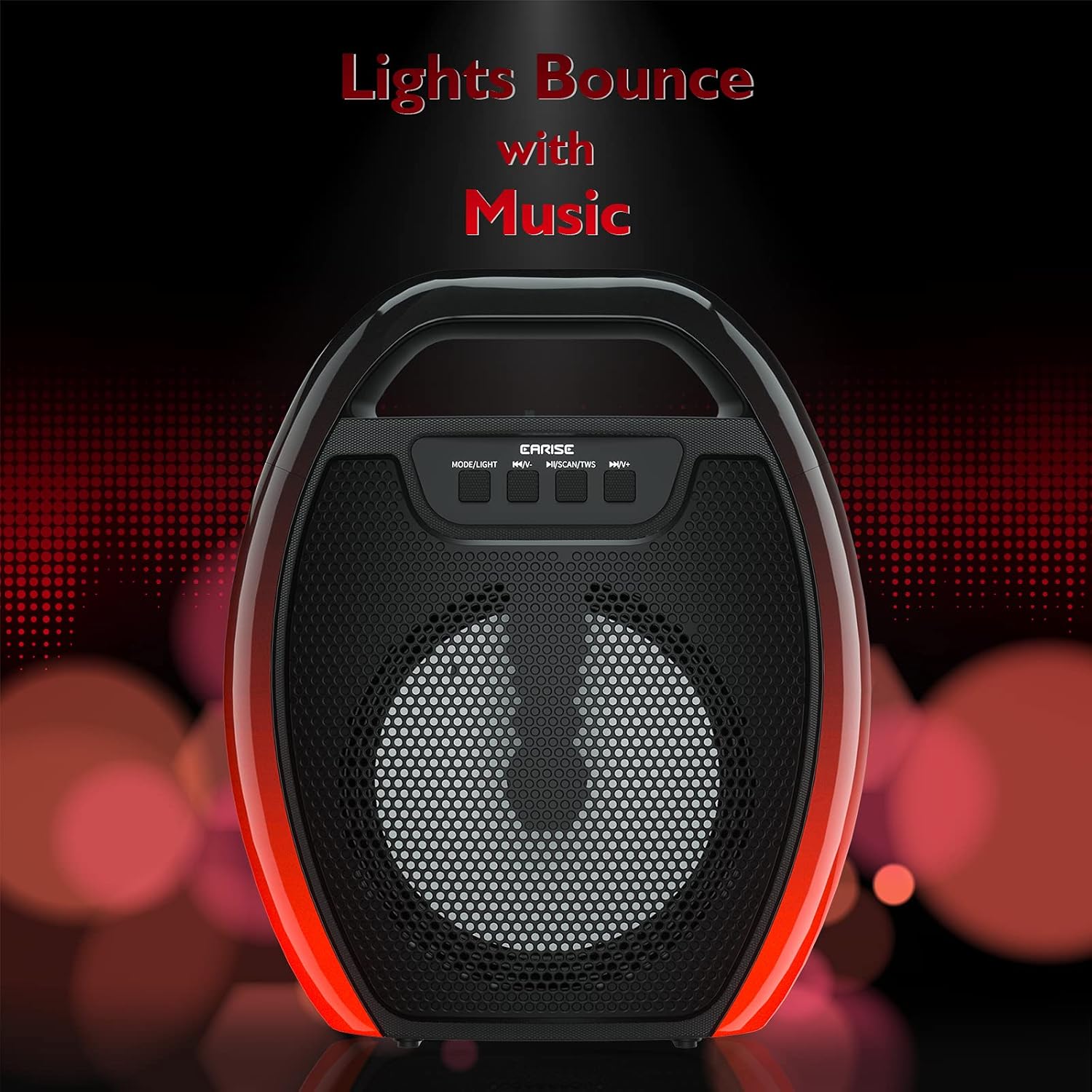
Image 6.1: The speaker displaying its light effects, which can synchronize with music playback.
6.5マイク入力
Connect a wired microphone (not included) to the MIC input port for karaoke or public address functions. Adjust the microphone volume using the connected microphone's controls or the speaker's main volume controls.
7. メンテナンス
- クリーニング: Use a soft, dry cloth to clean the speaker. Do not use liquid cleaners or aerosols.
- ストレージ: スピーカーは直射日光や極端な温度を避け、涼しく乾燥した場所に保管してください。
- バッテリーのケア: To prolong battery life, fully charge the speaker before long periods of inactivity and recharge it at least once every three months. Avoid completely draining the battery frequently.
8。 トラブルシューティング
| 問題 | 考えられる原因 | 解決 |
|---|---|---|
| スピーカーの電源が入りません。 | バッテリー残量が少ない。電源ボタンが正しく押されていません。 | Charge the speaker; Press and hold the Power button for a few seconds. |
| Bluetooth経由でペアリングできません。 | スピーカーがペアリング モードになっていません。デバイスの Bluetooth がオフになっています。スピーカーがデバイスから離れすぎています。すでに別のデバイスに接続されています。 | Ensure speaker is in Bluetooth pairing mode; Turn on Bluetooth on your device; Move device closer to speaker; Disconnect from other devices. |
| 音が出ません。 | 音量が低すぎる。入力モードが正しくない。デバイスがオーディオを再生しない。 | Increase speaker and device volume; Switch to correct input mode (Bluetooth, AUX, etc.); Ensure audio is playing on your device. |
| TWSペアリングに失敗します。 | Speakers too far apart; One speaker already paired to a device; Not in TWS pairing mode. | Ensure speakers are close; Disconnect both speakers from any devices; Long press MSCAN/TWS on one speaker to initiate TWS pairing. |
| RGB ライトが動作しません。 | ライトが消えた。故障。 | Long press MODE/LIGHT button to cycle through light modes; If issue persists, contact support. |
9. 仕様
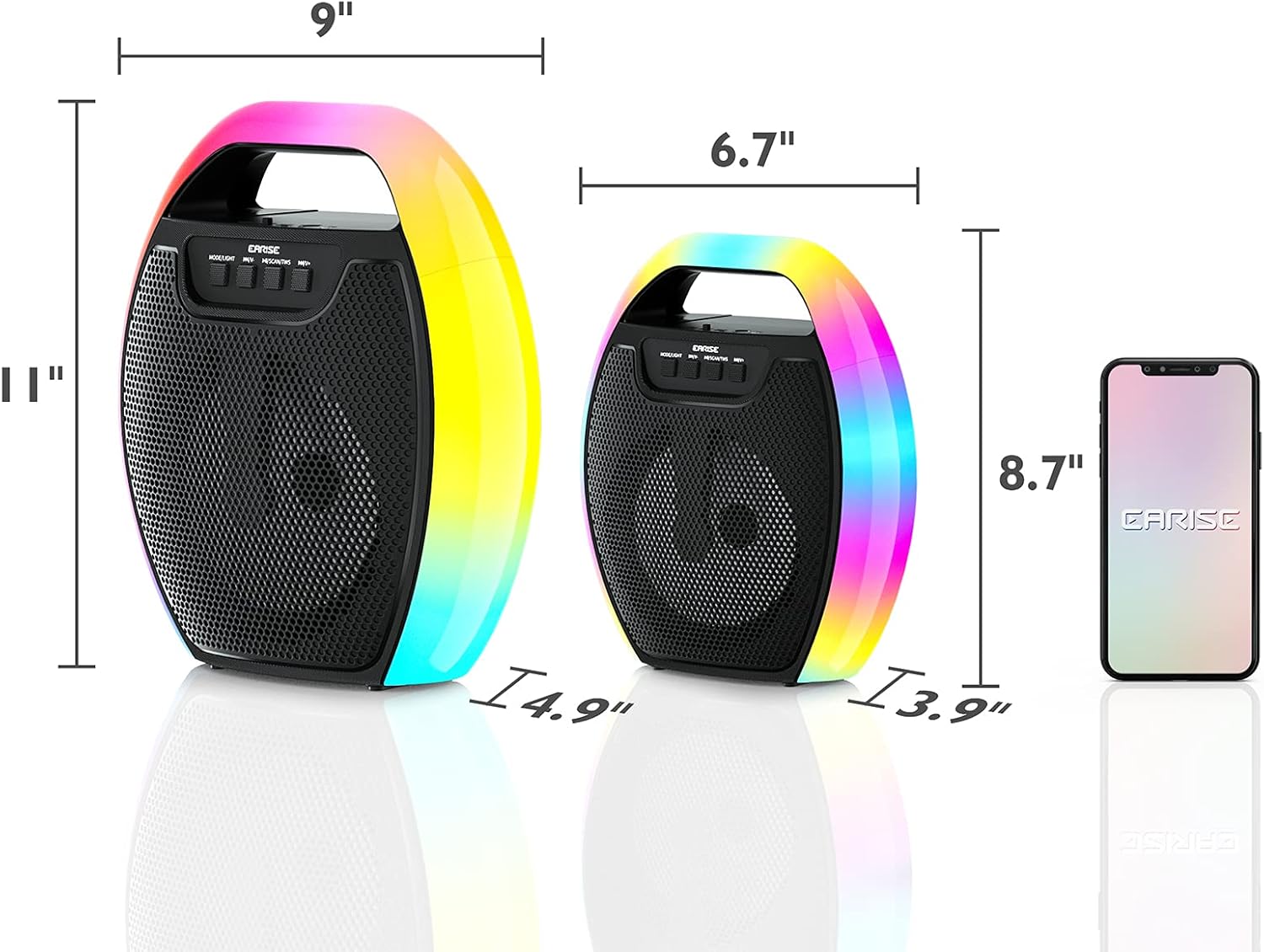
Image 9.1: Product dimensions of the EARISE D61 Plus speaker.
| 特徴 | 詳細 |
|---|---|
| モデル名 | D61プラス |
| ブランド | イーライズ |
| 接続技術 | Bluetooth, Auxiliary (3.5mm), USB, TF Card, FM Radio |
| オーディオ出力モード | ステレオ(TWS付き) |
| スピーカータイプ | ポータブル屋外スピーカー |
| スピーカーサイズ | 4インチ |
| 電源 | 電池駆動 |
| バッテリー寿命 | Up to 12 Hours (actual playtime varies with volume and light usage) |
| 防水 | いいえ |
| 製品寸法 | 9 x 5 x 11インチ(L x W x H) |
| アイテム重量 | 2.28ポンド |
| 特集 | RGB Lights, TWS Pairing, Portable |
10. 保証とサポート
EARISE products are designed and manufactured to the highest quality standards. For information regarding warranty coverage, technical support, or service inquiries, please refer to the warranty card included with your purchase or visit the official EARISE webサイト。
保証請求のために購入証明書を保管してください。