
1.製品オーバーview
The Desktronic HOME-ONE Electric Height Adjustable Desk is designed to enhance your workspace ergonomics, allowing seamless transitions between sitting and standing positions. This desk promotes a healthier work routine by reducing prolonged sitting and encouraging movement throughout the day.

Image 1.1: The Desktronic HOME-ONE Electric Height Adjustable Desk, showcasing its clean design and spacious white tabletop.

Image 1.2: Illustrating the ergonomic benefit of standing while working at the Desktronic desk.
主な特徴:
- 人間工学に基づいたデザイン: Easily switch between sitting and standing to reduce discomfort and improve well-being.
- 堅牢な安定性: Engineered with an extra-strong frame to ensure stability at all heights, minimizing wobbling.
- 幅広い高さ範囲: Adjustable from 72 cm (sitting) to 119 cm (standing), accommodating users up to 1.93 m tall.
- 安全機能: Equipped with an anti-collision system and a secure lock function to prevent accidents.
- 簡単な組み立て: Designed for quick and straightforward installation, typically under 20 minutes.

Image 1.3: Detail of the desk's stable frame construction.
2. セットアップと組み立て
Follow these instructions carefully for a smooth and correct assembly of your Desktronic HOME-ONE desk. It is recommended to have a second person assist with lifting and positioning the tabletop.
2.1 開梱と検査
- パッケージを慎重に開けて、すべてのコンポーネントを取り出してください。
- Verify that all parts listed in the packing list are present and undamaged. Note that the desk may arrive in two separate packages.
- Keep all packaging materials until assembly is complete, in case any parts need to be returned or replaced.
2.2組み立て手順
The desk is designed for quick assembly, typically within 20 minutes. Tools required for assembly are included.
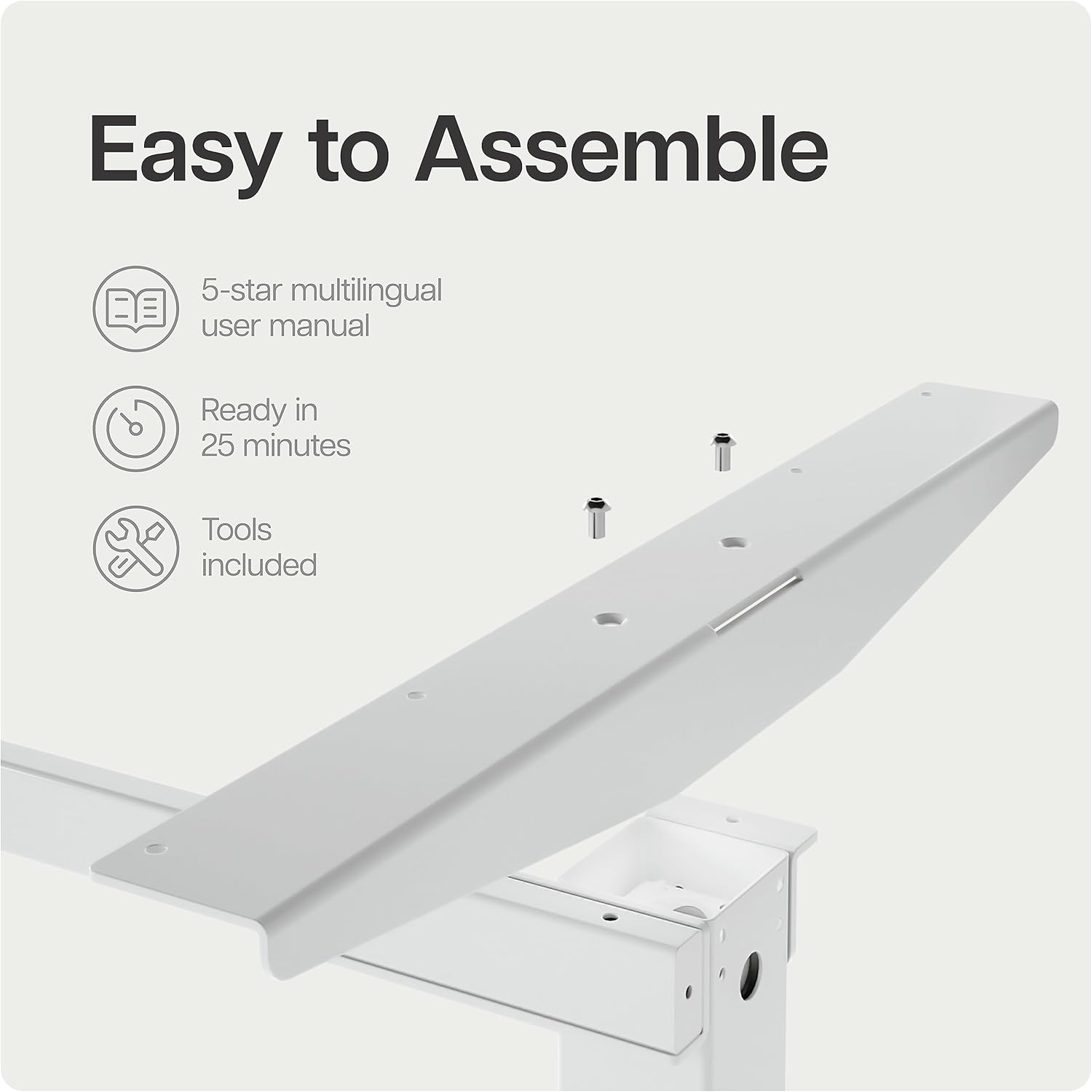
Image 2.1: Desk frame components with pre-drilled holes, illustrating the ease of assembly.
- リフティングコラムを取り付けます。 Secure the lifting columns to the crossbar using the provided screws. Ensure correct orientation as per the included manual diagram.
- 脚を取り付ける: デスクの脚をリフティングコラムの下部に取り付けます。
- コントロールボックスを取り付けます。 Secure the control box to the designated area under the desk frame.
- ケーブルを接続する: Connect the motor cables from the lifting columns to the control box. Connect the control panel cable to the control box.
- テーブルトップを取り付けます。 Carefully place the tabletop onto the assembled frame. Align the pre-drilled holes on the tabletop with the frame. Secure the tabletop using the provided screws. Note: Some users have reported that pre-drilled holes may be tight; ensure you use appropriate tools for secure fastening.
- 接続電源: 電源ケーブルをコントロールボックスに差し込み、壁のコンセントに差し込みます。
3. 操作手順
Your Desktronic HOME-ONE desk features an intuitive control panel for easy height adjustment and memory settings.
3.1 コントロールパネル機能

Image 3.1: The touchscreen digital display control panel with integrated USB and USB-C charging ports.
- 上/下矢印: 上矢印または下矢印を押し続けると、デスクの高さを連続的に調整できます。希望の高さでボタンを放すと停止します。
- メモリプリセット(1、2、3):
- 座ったり立ったりするときに好みの高さに机を調節します。
- Press the "M" button (Memory) followed by the desired preset number (1, 2, or 3). The display will confirm the setting.
- To recall a saved height, simply press the corresponding preset number (1, 2, or 3). The desk will automatically move to that height.
- USB充電ポート: The control panel includes integrated USB and USB-C ports for convenient charging of your devices.
3.2 安全機能
- 衝突防止システム: The desk is equipped with an anti-collision sensor. If the desk encounters an obstacle during adjustment, it will stop and reverse slightly to prevent damage or injury.
- チャイルドロック機能: To activate the child lock, press and hold the "M" button for 5 seconds until a lock icon appears on the display. To deactivate, repeat the process.

Image 3.2: Illustrates the desk's height adjustment range from 72 cm (sitting) to 119 cm (standing).
4. メンテナンス
Regular maintenance ensures the longevity and optimal performance of your Desktronic HOME-ONE desk.
- クリーニング: テーブルトップとフレームを柔らかくて乾いた布で拭いてください。amp 布で拭いてください。表面を傷つける可能性のある研磨剤入りの洗剤や刺激の強い化学薬品は使用しないでください。
- ケーブル管理 Periodically check all cables for wear or damage. Ensure cables are neatly organized and not pinched or stretched.
- ファスナーチェック: Every few months, check all screws and fasteners to ensure they are tight. Retighten if necessary.
- モーターケア: 電動モーターはメンテナンスフリーです。モーターユニットの分解は避けてください。
5。 トラブルシューティング
If you encounter any issues with your Desktronic HOME-ONE desk, refer to the following common troubleshooting steps.
5.1 デスクの高さが調整できない
- 電源接続を確認してください: Ensure the power cable is securely plugged into both the desk's control box and a working wall outlet.
- システムのリセット: Unplug the desk from the power outlet for 10-15 seconds, then plug it back in. This can often resolve minor electronic glitches.
- 障害物の確認: Ensure there are no objects blocking the desk's movement, especially under the tabletop or near the lifting columns.
5.2 高さ調整の不均一性
- 再調整: Refer to your detailed product manual for specific recalibration instructions. Generally, this involves lowering the desk to its lowest point and holding the down button for a few seconds until it resets.
- 損傷の確認: Inspect the lifting columns for any visible damage or obstructions.
5.3 ディスプレイに表示されるエラーコード
- If an error code appears, consult the full user manual provided with your product for specific code meanings and solutions.
- Often, a power cycle (unplugging and replugging) can clear temporary error codes.
If these steps do not resolve the issue, please contact Desktronic customer support for further assistance.
6. 仕様
| 特徴 | 詳細 |
|---|---|
| ブランド | デスクトロニック |
| モデル番号 | HOME-ONE |
| 色 | ホワイトフレーム + ホワイトトップ |
| 製品寸法 | 160 x 80 x 72-119 cm (Length x Width x Height) |
| 製品重量 | 40キロ |
| フレーム素材 | 金属 |
| 上部の材質の種類 | エンジニアリングウッド |
| 高さ調整範囲 | 72cm~119cm |
| 特集 | Adjustable Height, Anti-Collision System, Memory Presets, USB/USB-C Charging Ports |
| 推奨用途 | Office, Home Office, Living Room |
7. 保証とサポート
7.1 保証情報
The Desktronic HOME-ONE Electric Height Adjustable Desk comes with a comprehensive 5年間保証 covering both the frame and electronics. This warranty ensures peace of mind regarding the quality and durability of your product.

Image 7.1: Desktronic's 5-Year Full Warranty and product certifications.
7.2 カスタマーサポート
Desktronic is committed to providing excellent customer service. If you have any questions, require assistance with assembly, or encounter any issues with your desk, please do not hesitate to contact our support team.
- Our support team is based in Europe, ensuring quick and efficient resolution of any concerns.
- For contact information, please refer to the documentation included with your purchase or visit the official Desktronic webサイト。