
1. はじめに
ご購入ありがとうございますasing the GOWIN Colossus Mini 8-inch Bluetooth Speaker. This manual provides essential information for the safe and efficient operation of your device. Please read it thoroughly before use and retain it for future reference.
2. 安全情報
一般的な安全上の注意事項
- スピーカーを水、湿気、または極端な温度にさらさないでください。
- スピーカーを落としたり、強い衝撃を与えたりしないでください。
- スピーカーをご自身で分解したり修理したりしないでください。資格のあるサービス担当者にご相談ください。
- スピーカーを熱源や直射日光から遠ざけてください。
- 過熱を防ぐために適切な換気を確保してください。
バッテリーの安全性
- 付属の充電ケーブルのみを使用してください。
- Do not dispose of the battery in fire or expose it to high temperatures.
- If the battery leaks, avoid contact with skin and eyes. Seek medical attention if contact occurs.
- バッテリー端子をショートさせないでください。
3. パッケージ内容
パッケージにすべてのアイテムが揃っていることを確認します。
- GOWIN Colossus Mini 8-inch Bluetooth Speaker
- 3.5 mm補助ケーブル
- 電源ケーブル
- リモートコントロール
- ユーザーマニュアル(このドキュメント)
4.製品オーバーview
The GOWIN Colossus Mini is a portable Bluetooth speaker designed for versatile audio playback.
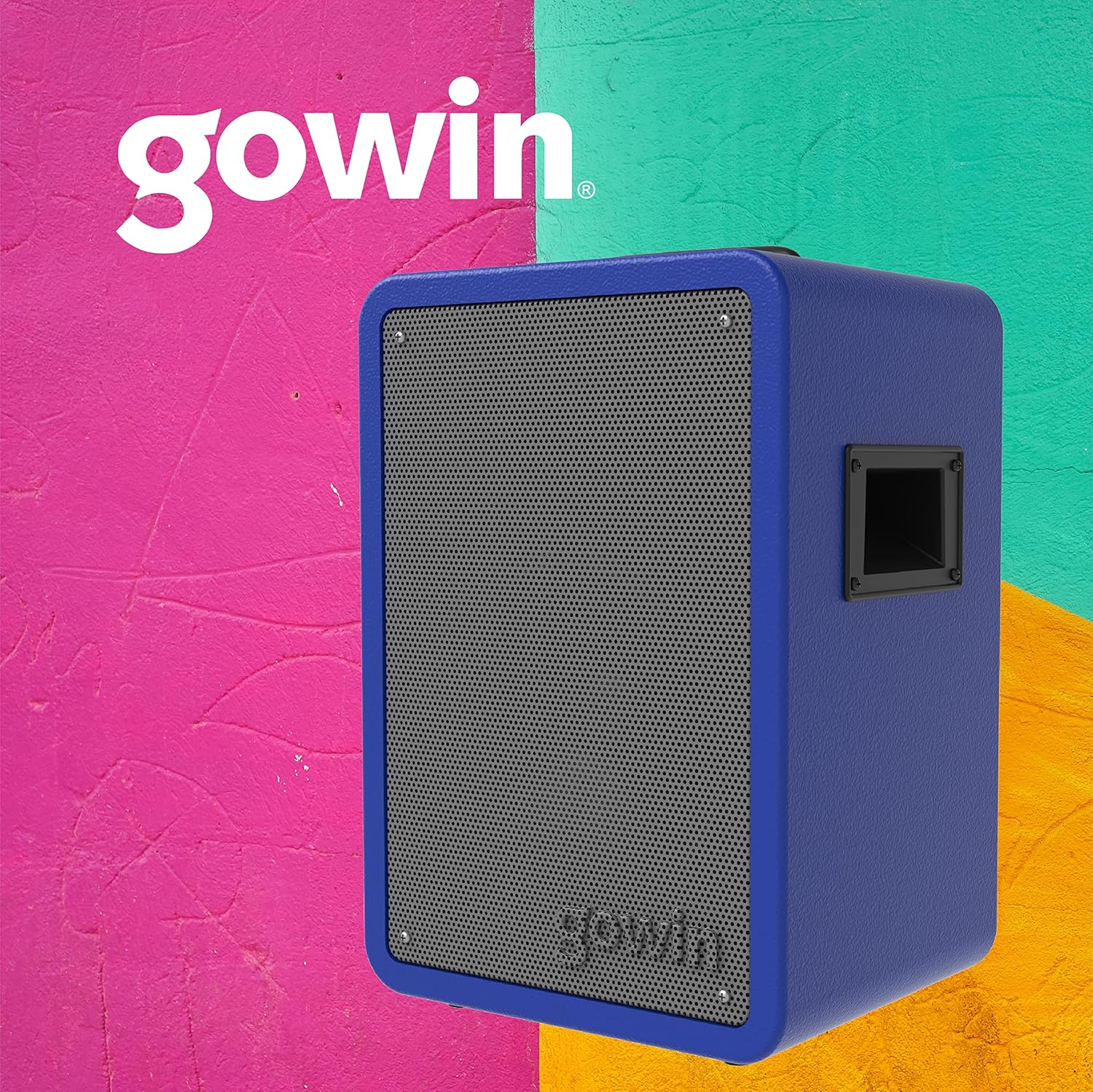
図4.1: 前面 view of the GOWIN Colossus Mini Speaker.
コントロールパネル
The control panel is located on the rear of the speaker and provides access to various functions and inputs.

Figure 4.2: Rear control panel with USB, Micro SD, Aux, and Microphone inputs.
- 電源スイッチ: スピーカーをオンまたはオフにします。
- モードボタン: Switches between Bluetooth, USB, Micro SD, FM Radio, and Auxiliary input modes.
- USB入力: USB フラッシュ ドライブからオーディオを再生します。
- マイクロSD入力: Micro SD カードからオーディオを再生します。
- 補助入力(3.5mm): Connect external audio devices using the provided 3.5mm cable.
- マイク入力: Connect a microphone for karaoke or public address functions.
- Volume/Control Knobs: Adjust master volume, microphone volume, and echo effects.
- LEDディスプレイ: 現在のモード、トラック情報、または FM 周波数を表示します。
- 充電ポート: 充電するには電源ケーブルを接続します。
5. セットアップ
初期充電
Before first use, fully charge the speaker for approximately 10 hours. Subsequent charging time is about 2 hours for up to 4 hours of usage.
- Connect the power cable to the speaker's charging port.
- 電源ケーブルのもう一方の端を適切な電源コンセントに差し込みます。
- LEDインジケーターが充電状態を示します。充電が完了したら、ケーブルを外してください。
電源のオン/オフ
コントロールパネルの電源スイッチを見つけてください。スイッチを「ON」の位置にするとスピーカーの電源がオンになり、「OFF」の位置にすると電源がオフになります。
6. 操作手順
Bluetoothペアリング
Bluetooth 経由でデバイスを接続するには:
- Power on the speaker. The speaker will automatically enter Bluetooth pairing mode, indicated by a flashing Bluetooth icon on the LED display.
- モバイル デバイス (スマートフォン、タブレットなど) で Bluetooth を有効にし、利用可能なデバイスを検索します。
- デバイスのリストから「GOWIN Colossus Mini」を選択します。
- Once paired, the speaker will emit a confirmation sound, and the Bluetooth icon on the LED display will stop flashing.
- You can now play audio from your device through the speaker. The wireless range is up to 10 meters.
USB/マイクロSD再生
To play audio from a USB flash drive or Micro SD card:
- コントロール パネルの対応するスロットに USB フラッシュ ドライブまたは Micro SD カードを挿入します。
- スピーカーは自動的にUSBまたはMicro SDモードに切り替わり、オーディオの再生を開始します。切り替わらない場合は、「モード」ボタンを押して正しい入力を選択してください。
- Use the control panel buttons or remote control to play, pause, skip tracks, and adjust volume.
FMラジオ
FMラジオ機能を使用するには:
- Press the "Mode" button until "FM" appears on the LED display.
- 再生/一時停止ボタンを長押しすると、利用可能な FM 局が自動的にスキャンされて保存されます。
- 保存したステーション間を移動するには、[前のトラック]/[次のトラック] ボタンを使用します。
補助入力
To connect an external audio device via the auxiliary input:
- Connect one end of the 3.5mm auxiliary cable to the speaker's "AUX IN" port.
- ケーブルのもう一方の端を外部デバイスのヘッドフォン ジャックまたはオーディオ出力に接続します。
- Press the "Mode" button until "AUX" appears on the LED display.
- Play audio from your external device. Adjust volume using the speaker's controls or your device's volume.
マイク入力
To use a microphone with the speaker:
- Connect a microphone (not included) to the "MIC IN" port on the control panel.
- コントロール パネルの専用ノブを使用して、マイクの音量とエコー効果を調整します。
リモコンの使用
The included remote control allows for convenient operation of the speaker from a distance. Functions include power, mode selection, volume control, track navigation, and play/pause.
7. メンテナンス
クリーニング
- 清掃する前に必ずスピーカーの電源をオフにし、プラグを抜いてください。
- 柔らかく乾いた布を使用してスピーカーの外側を拭いてください。
- 研磨剤入りの洗剤、ワックス、溶剤は使用しないでください。
ストレージ
- スピーカーは直射日光や極端な温度を避け、涼しく乾燥した場所に保管してください。
- 長期間保管する場合は、バッテリーの寿命を維持するために定期的に充電してください。
8。 トラブルシューティング
スピーカーに問題が発生した場合は、次の一般的な問題と解決策を参照してください。
| 問題 | 考えられる原因 | 解決 |
|---|---|---|
| スピーカーの電源が入りません。 | Battery is depleted. Power cable not connected. | Charge the speaker. Ensure power cable is securely connected. |
| 音が出ません。 | Volume is too low. Incorrect mode selected. Device not paired (Bluetooth). | Increase volume. Press 'Mode' button to select correct input. Re-pair Bluetooth device. |
| Bluetoothデバイスをペアリングできません。 | スピーカーがペアリングモードではありません。デバイスが遠すぎます。干渉があります。 | Ensure speaker is in Bluetooth mode. Move device closer (within 10m). Avoid obstacles. |
| USB/Micro SDが再生されません。 | 正しくない file フォーマット。カード/ドライブが正しく挿入されていません。 | 音声を確認する files are compatible (e.g., MP3). Reinsert the USB drive or Micro SD card. |
9. 仕様
| モデル名 | Colossus Mini |
| モデル番号 | RED-783 |
| ブランド | ゴーウィン |
| スピーカーサイズ | 8インチ |
| ドライバーサイズ | 2インチ |
| ワットtage (Max Output) | 700ワット |
| インピーダンス | 3オーム |
| 周波数応答 | 100 Hz - 18 KHz |
| 接続技術 | ブルートゥース |
| ワイヤレス範囲 | 10メートル |
| 電池のタイプ | Rechargeable Lithium Ion (1800 mAh / 7.4 V) |
| 充電時間 | 2 hours (initial charge 10 hours) |
| 平均バッテリー寿命 | 最大4時間 |
| 入力 | USB, Micro SD, 3.5mm Aux, Microphone |
| 材料 | 木材 |
| 製品寸法(長さ x 幅 x 高さ) | 29 x 34 x 46 cm(約11.4 x 13.4 x 18.1インチ) |
| 製品重量 | 7 kg(約15.4ポンド) |
| 特集 | High-resolution audio, Bass boost, FM Radio, LED Display |
10. 保証とサポート
保証情報
This GOWIN product comes with a 1年間保証 from the date of purchase. The warranty covers manufacturing defects and malfunctions under normal use. It does not cover damage caused by misuse, accidents, unauthorized modifications, or normal wear and tear.
保証請求のために購入証明書を保管してください。
カスタマーサポート
For technical assistance, warranty claims, or any questions regarding your GOWIN Colossus Mini speaker, please contact GOWIN customer support through the official GOWIN webサイトまたは小売業者。
訪問する GOWIN Store on Amazon.com.mx 詳細についてはこちらをご覧ください。