
SAMOTECH SM202-BT
Samotech® Mini Adapter User Manual
型式:SM202-BT
1. はじめに
The Samotech® Mini Adapter (SM202-BT) is specifically designed to integrate your Philips Hue Smart Button seamlessly with the Samotech SM223-UK Light Switch Surround. This adapter provides a clean, integrated appearance for your smart home controls, eliminating cluttered walls and tangled wires. It is compatible with standard 86x86mm UK light switches, offering a practical and aesthetic solution for smart lighting control.
2. 安全情報
- Ensure all power is disconnected from the main electrical supply before attempting any installation or maintenance.
- This product is an adapter and does not carry electrical current. However, it is designed to be installed near live electrical components (light switches).
- Do not expose the adapter to excessive moisture or extreme temperatures.
- お子様の手の届かない場所に保管してください。
- 設置手順のいずれかの部分について不明な点がある場合は、資格のある電気技師に相談してください。
3. パッケージ内容
パッケージに以下の項目が含まれているか確認してください。
- Samotech® Mini Adapter (SM202-BT)
Note: The SM223-UK Light Switch Surround and Philips Hue Smart Button are sold separately and are required for full functionality.
4. セットアップとインストール
The Samotech Mini Adapter is designed for easy integration with the SM223-UK Light Switch Surround and your existing UK light switch.
4.1 コンポーネント以上view
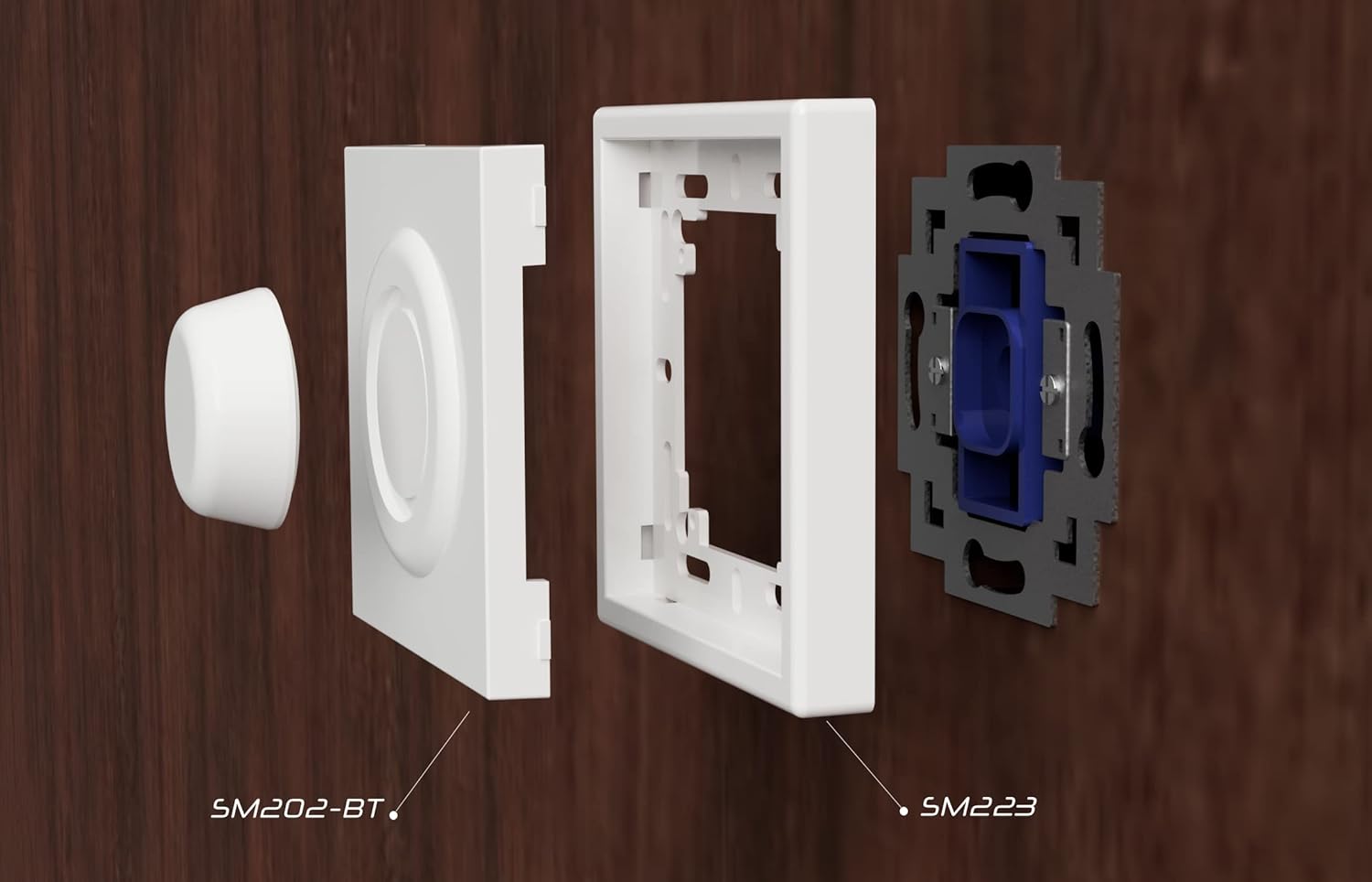
4.2 インストール手順
- Prepare the Light Switch: Ensure the power to your light switch is turned off at the main circuit breaker. Remove the existing faceplate of your UK light switch.
- Install the SM223-UK Surround: Position the SM223-UK Light Switch Surround over your existing light switch mechanism. Secure it using the original screws or the screws provided with the surround. Ensure it is flush and stable.
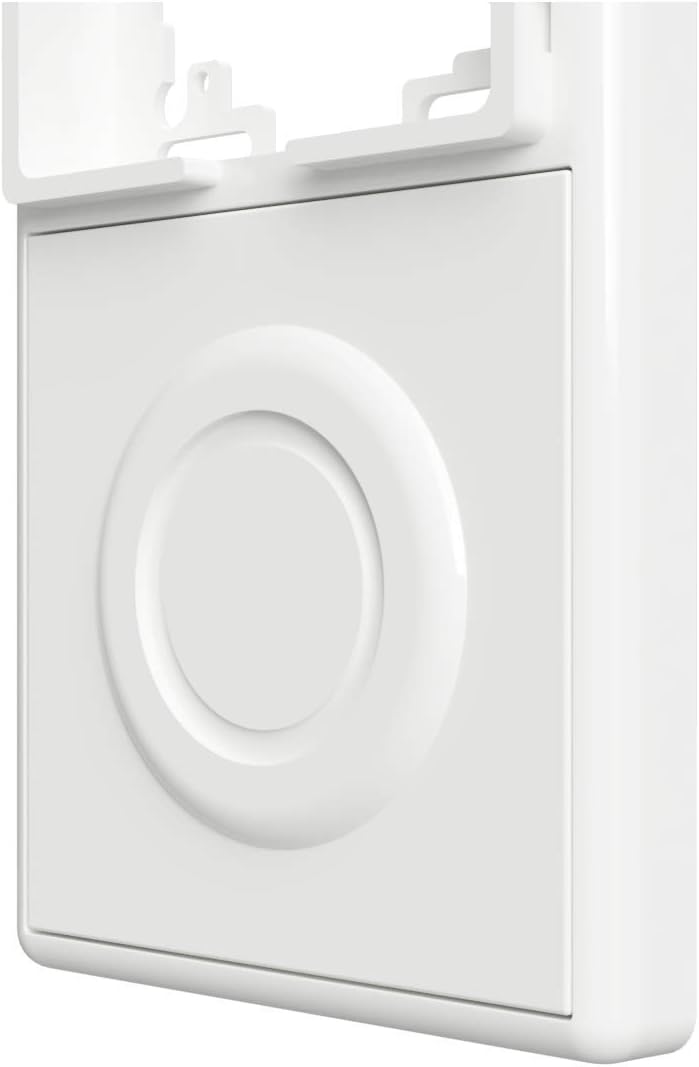
- Insert the Mini Adapter: Take the Samotech Mini Adapter (SM202-BT). Align it with the opening in the SM223-UK Light Switch Surround. The adapter is designed to fit snugly into this opening.
- アダプタを固定する: Gently push the SM202-BT adapter into the surround until it clicks into place or sits firmly. It should create a seamless surface with the surround.
- Insert Philips Hue Smart Button: Once the adapter is in place, insert your Philips Hue Smart Button into the circular recess of the SM202-BT adapter. The button should fit securely.
- 電力を回復する: Turn the power back on at your main circuit breaker.


5. アダプタの操作
The Samotech Mini Adapter is a passive component designed to hold your Philips Hue Smart Button securely and aesthetically. Once installed, the adapter itself does not require any operation. The functionality of your smart lighting system will be controlled directly through the Philips Hue Smart Button as per its own instructions.
The adapter ensures that the physical light switch remains in the 'ON' position, preventing accidental power cuts to your smart bulbs and maintaining continuous power for your smart lighting system.
6. メンテナンス
The Samotech Mini Adapter requires minimal maintenance.
- クリーニング: To clean the adapter, gently wipe it with a soft, dry cloth. For stubborn marks, a slightly damp 布で拭いてすぐに乾燥させることもできます。
- 避ける: Do not use abrasive cleaners, solvents, or harsh chemicals, as these may damage the material and finish.
- 検査: Periodically check that the adapter remains securely seated within the SM223-UK surround and that the Philips Hue Smart Button fits snugly.
7。 トラブルシューティング
- Adapter does not fit into the surround: Ensure you have the correct Samotech SM223-UK Light Switch Surround. The SM202-BT adapter is specifically designed for this surround. Check for any obstructions or debris in the opening.
- Philips Hue Smart Button does not fit into the adapter: Verify that you are using an official Philips Hue Smart Button. The adapter is precisely molded for this specific button. Do not force the button into the recess.
- アダプタが緩んでいるように感じる: Re-check the installation of the SM223-UK surround to ensure it is securely fastened to the wall switch. The adapter should snap firmly into the surround.
- Smart lights are not responding: This issue is typically related to the Philips Hue Smart Button or your Hue Bridge, not the adapter itself. Ensure your Hue system is powered, connected, and the button is properly paired. Check the battery in your Philips Hue Smart Button.
8. 仕様
| ブランド | サモテック |
| モデル番号 | SM202-BT (AK3-AT1-GL-M-X) |
| 材料 | アクリロニトリルブタジエンスチレン(ABS) |
| 色 | Black (Note: Product images may show white variant) |
| アイテム重量 | 20グラム |
| パッケージ寸法 | 7.3 x 7.2 x 1.2 cm |
| インストール方法 | Screw-In (via surround) |
| スイッチタイプの互換性 | 1-way, electronic push button (Philips Hue Smart Button) |
| プラグプロfile | 表面実装 |
| 認証 | IP44 |
| 電池付属 | いいえ |
| 電池が必要 | いいえ |
9. 保証とサポート
Samotech products are manufactured to high-quality standards. For information regarding warranty coverage and terms, please refer to the documentation provided with your purchase or visit the official Samotech webサイト。
If you encounter any issues or have questions about your Samotech Mini Adapter, please contact Samotech customer support through their official channels. Provide your product model (SM202-BT) and a detailed description of your query for efficient assistance.
オンラインサポート: Visit the SAMOTECH Store on Amazon or their official webFAQ および連絡先情報のサイト。
Ask a question about this manual
Ask about setup, troubleshooting, compatibility, parts, safety, or missing instructions. Manuals+ will review the question and use this page’s manual context to help answer it.