
1. はじめに
This manual provides instructions for the ELECROW 8-inch Portable Monitor, Model DIS00008R. This compact monitor features a 1280x800 resolution, a 16:10 aspect ratio, and built-in dual speakers. It is designed for compatibility with various HDMI-enabled devices, including Raspberry Pi, PCs, and game consoles. The monitor supports VESA mounting for flexible installation options.

Image 1.1: The ELECROW 8-inch Portable Monitor displaying a colorful image.
2. 箱の中身
パッケージに次のすべてのコンポーネントが含まれていることを確認します。
- 1 x ELECROW 8-inch Portable Monitor
- HD-Mini HDケーブル×1
- 1 x USB Power Cord (USB A to Micro USB)
- 1×メタルスタンド
- ユーザーマニュアル (本書) x 1

画像 2.1: 製品パッケージに含まれるすべてのアイテム。
3. セットアップ手順
3.1 モニターの接続
To set up the monitor, connect the mini HD port for video signal transmission and the USB port for power. Only two cables are required for operation.
- Connect one end of the provided HD to Mini HD cable to your source device (e.g., PC, Raspberry Pi, game console) and the other end to the mini HD port on the monitor.
- Connect the USB power cord to the monitor's USB port and the other end to a USB power source (e.g., PC USB port, USB wall adapter, power bank).

Image 3.1: The monitor is powered via a USB cable, compatible with various USB power sources.
3.2 VESA マウント
The monitor supports VESA mounting for alternative installation options. Refer to the VESA mounting standard for compatible brackets and installation procedures.

Image 3.2: The monitor offers wide compatibility with devices outputting HD signals.
4. 操作手順
4.1 基本操作
Once connected to a power source and a video input, the monitor will automatically display the input signal. Use the buttons on the monitor (typically labeled Menu, +, -, Auto) to navigate the on-screen display (OSD) menu and adjust settings such as brightness, contrast, and color.
4.2 Resolution Adjustment
The optimal resolution for this monitor is 1280 x 800. If you experience display issues such as white lines or flickering, adjust the output resolution of your connected device to 1280 x 800.

Image 4.1: The monitor's native resolution is 1280x800.
4.3 Horizontal and Vertical Modes
The monitor can be used in both horizontal (landscape) and vertical (portrait) orientations, depending on your application needs. Adjust the display settings on your connected device to match the desired orientation.

Image 4.2: The monitor supports both horizontal and vertical display modes.
4.4 ワイド View角度
The IPS screen technology provides a wide 178-degree viewさまざまな角度から一貫した画質を確保します。

Image 4.3: The monitor offers a wide 178-degree view角度。
4.5 内蔵スピーカー
The monitor includes built-in dual speakers for audio output. Ensure your source device is configured to send audio through the HDMI connection.
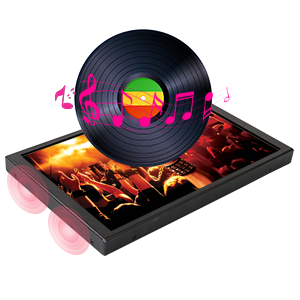
Image 4.4: The monitor features built-in speakers.
5. メンテナンス
To ensure the longevity and optimal performance of your ELECROW 8-inch Portable Monitor, follow these maintenance guidelines:
- 画面の掃除: 電子機器専用の柔らかく糸くずの出ない布を使用してください。頑固な汚れには、軽く拭いてください。amp布に水または画面洗浄液を含ませてください。刺激の強い化学薬品や研磨剤の使用、画面への直接のスプレーは避けてください。
- Cのクリーニングasing: Wipe the monitor's metal casin柔らかく乾いた布で拭いてください。
- ストレージ: 使用していないときは、モニターを直射日光や極端な温度を避け、涼しく乾燥した場所に保管してください。
- 取り扱い: Handle the monitor carefully to prevent drops or impacts, which can damage internal components or the screen.
6。 トラブルシューティング
このセクションでは、モニターで発生する可能性のある一般的な問題について説明します。
6.1 Display Flickering or White Lines
If the display flickers or shows white lines, the output resolution from your source device may not be optimal for the monitor.
- 解決: Adjust the output resolution of your connected device (PC, Raspberry Pi, etc.) to the monitor's native resolution of 1280 x 800.
6.2 Washed-Out Colors
If the colors appear washed out, check the monitor's OSD settings for color adjustments (brightness, contrast, saturation). If the issue persists after adjusting settings, the unit may be faulty. Contact customer support if necessary.
6.3 信号なし
If the monitor displays "No Signal", ensure the HD cable is securely connected to both the monitor and the source device. Verify that the source device is powered on and configured to output video.
6.4 Raspberry Pi Specific Display Issues (e.g., Black Border, Flickering)
For Raspberry Pi users experiencing issues like a black border around the screen or intermittent flickering, specific configuration adjustments may be required in the Raspberry Pi's `config.txt` file.
- 解決: Access the Raspberry Pi's terminal and run the command: sudo leafpad /boot/config.txt
- Locate the following entries. If present, remove the '#' character at the beginning of the line to uncomment them, and set their values as shown:
- HDMI_force_hotplug=1 ホットプラグを有効にする
- hdmi_drive = 1
- HDMI_モード=16
- disable_overscan=1
- Save the changes to the `config.txt` file and reboot your Raspberry Pi.
7. 仕様
Detailed technical specifications for the ELECROW 8-inch Portable Monitor:
| 特徴 | 仕様 |
|---|---|
| ブランド | エレクトロクロウ |
| モデル名 | DIS00008R |
| 画面サイズ | 8インチ |
| 解決 | 1280x800 |
| アスペクト比 | 16:10 |
| 表示タイプ | 液晶(IPS) |
| リフレッシュレート | 60Hz |
| コントラスト比 | 800:1 |
| 輝度 | 300ルーメン |
| View角度 | 170度 |
| 応答時間 | 16ミリ秒 |
| 接続性 | Mini HDMI, USB Type C (for power) |
| オーディオ | 内蔵デュアルスピーカー |
| 取り付けタイプ | Desk Mount, Wall Mount (VESA compatible) |
| 商品の寸法(奥行き x 幅 x 高さ) | 奥行き0.6インチ x 幅7.7インチ x 高さ4.8インチ |
| アイテム重量 | 0.71キログラム |
| 巻tage | 5ボルト |

Image 7.1: Physical dimensions of the monitor.
8. 保証とサポート
8.1 保証情報
This ELECROW monitor comes with a 1年間のメーカー保証保証請求のために購入証明書を保管してください。
8.2 カスタマーサポート
For technical assistance, troubleshooting, or warranty inquiries, please contact ELECROW customer support. Refer to the contact information provided on the official ELECROW webサイトまたは購入書類をご覧ください。