
1. はじめに
This manual provides essential information for the safe and efficient operation, maintenance, and troubleshooting of your Leitz IQ Autofeed Small Office 50 P4 Shredder. Please read these instructions carefully before using the appliance and retain them for future reference.
The Leitz IQ Autofeed Small Office 50 P4 is designed for shredding confidential documents, sensitive paperwork, old financial records, and other personal or proprietary information in small office environments. It features an automatic feed mechanism for convenience and a P4 security level for cross-cut shredding.
2. 安全に関する注意事項
Always follow these safety precautions to prevent injury or damage to the shredder:
- Keep children and pets away from the shredder. The shredder has sharp blades and moving parts that can cause injury.
- Keep loose clothing, jewelry, hair, and ties away from the paper entry slot.
- 用紙挿入口に指や体の一部を入れないでください。
- シュレッダー内に可燃性製品や潤滑剤を噴霧しないでください。
- Do not shred metal objects, hard plastics (other than credit cards), or adhesive labels, as these can damage the cutting mechanism.
- シュレッダーを移動、清掃、またはゴミ箱を空にする前には、必ずシュレッダーのプラグを抜いてください。
- Do not operate the shredder if the power cord is damaged or if the appliance is malfunctioning. Contact customer support for assistance.
- シュレッダーが安定した水平な面に設置されていることを確認してください。
- Do not overload the shredder beyond its specified sheet capacity.
3. セットアップ
- 開梱: シュレッダーを梱包から慎重に取り出してください。梱包材は、今後の輸送や保管のために保管しておいてください。
- 配置: Place the shredder on a flat, stable surface near a power outlet. Ensure there is adequate space around the unit for ventilation and access to the waste bin.
- ゴミ箱: ゴミ箱がシュレッダー本体に正しく挿入されていることを確認してください。ゴミ箱が正しく装着されていないと、シュレッダーは作動しません。
- 電源接続: 電源コードを標準の電源コンセントに差し込みます。
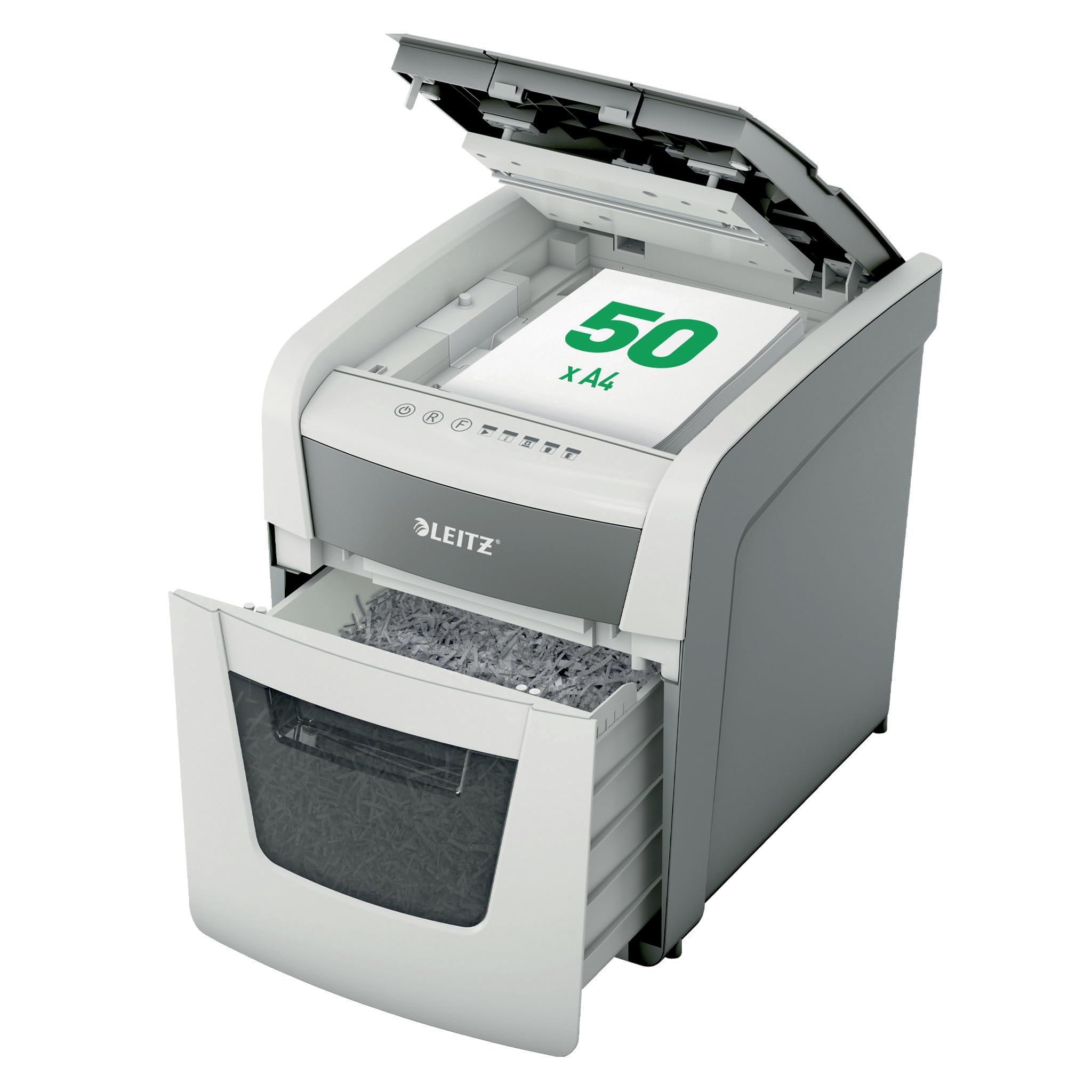
Image 1: Leitz IQ Autofeed Small Office 50 P4 Shredder. This image shows the overall design of the shredder, highlighting its compact size and modern aesthetic suitable for small office environments.
4. 操作手順
The Leitz IQ Autofeed Small Office 50 P4 shredder offers both automatic and manual shredding modes.
4.1コントロールパネルオーバーview
The control panel typically includes buttons for Power On/Off, Reverse, Forward, and indicators for bin full, overheat, or door open.
4.2 Automatic Feed Shredding
- Open the autofeed tray cover.
- Stack up to 50 sheets of A4 paper neatly into the autofeed tray. Ensure there are no staples or paper clips on the documents for optimal performance, although the shredder can handle small staples and paper clips.
- Close the autofeed tray cover. The shredder will automatically detect the paper and begin shredding.
- The shredder will stop automatically once all paper in the tray has been shredded.
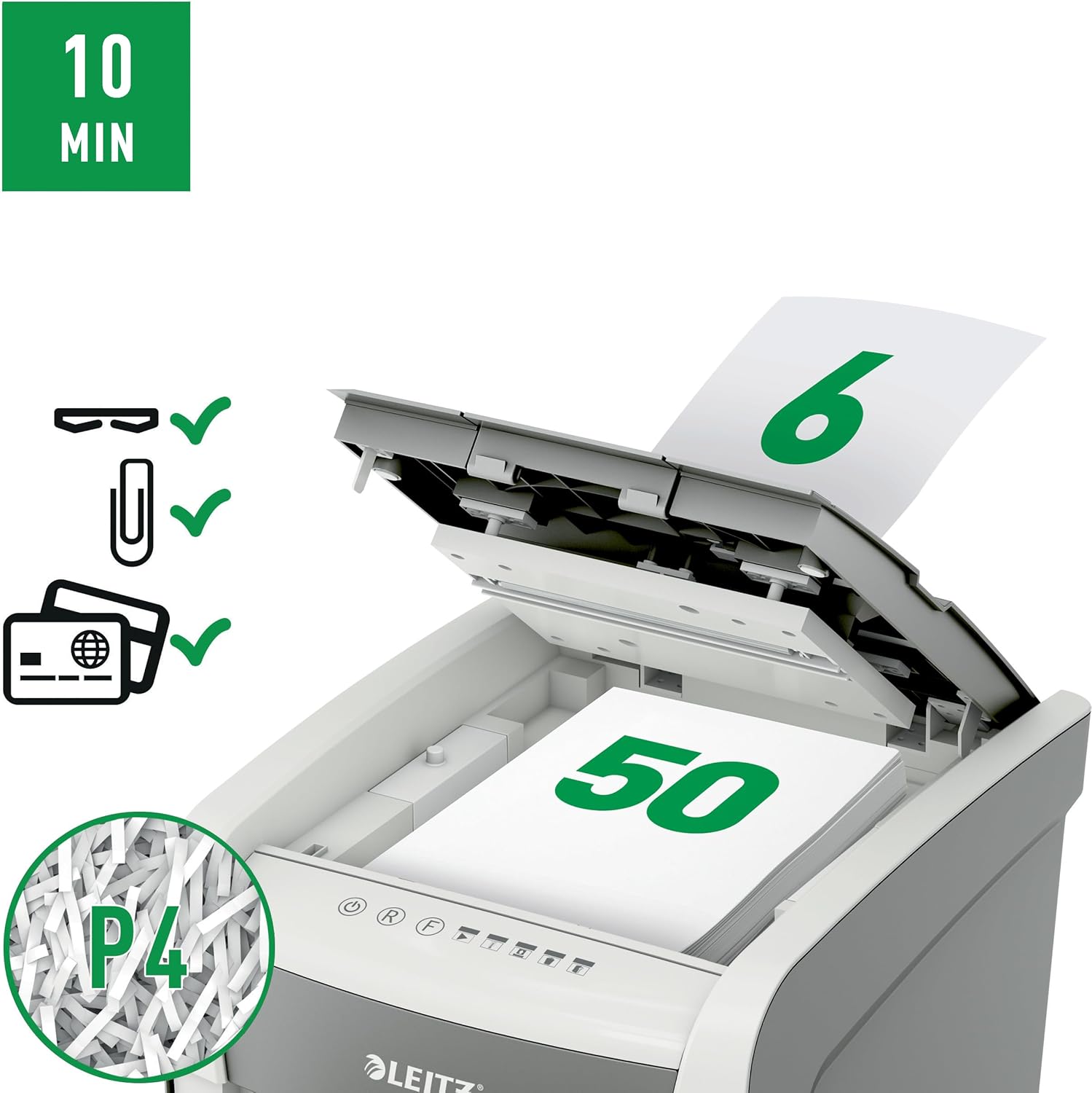
Image 2: Autofeed mechanism and P4 security. This image illustrates the autofeed tray loaded with paper, indicating its capacity and the P4 security level for cross-cut shredding.
4.3 Manual Feed Shredding
- For a few sheets of paper (typically up to 6-8 sheets, refer to specifications for exact capacity) or credit cards, use the manual feed slot.
- Insert the paper or credit card into the manual feed slot. The shredder will automatically detect the item and begin shredding.
- Remove your hand immediately after the shredder grips the item.
4.4 連続稼働時間
The shredder is designed for intermittent use. It has a continuous run time of approximately 10 minutes, after which it will enter a cool-down period to prevent overheating. Allow the shredder to cool down before resuming operation.
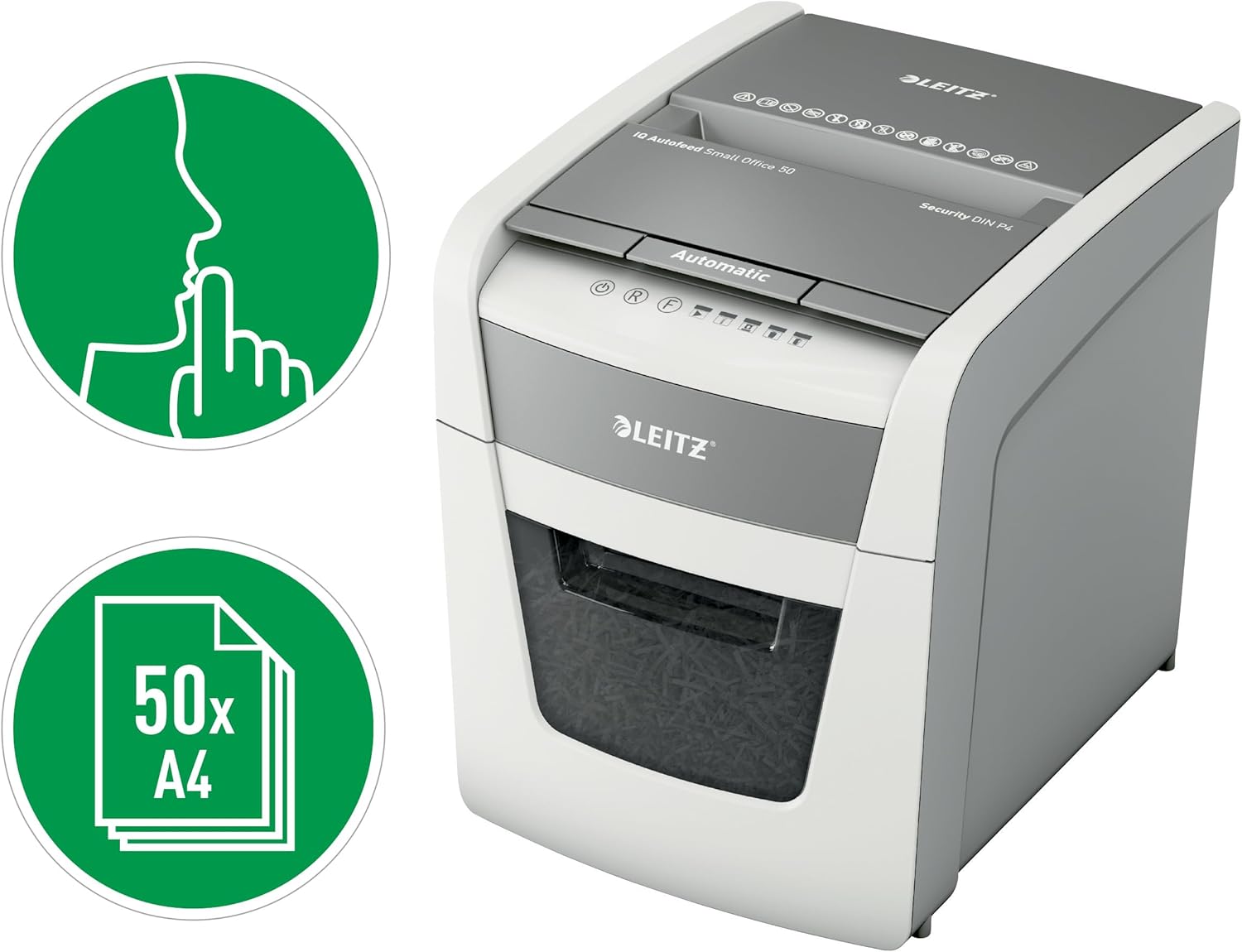
Image 3: Quiet operation and 50-sheet autofeed. This image highlights the shredder's quiet operation (indicated by the finger over lips icon) and its capacity to shred up to 50 A4 sheets automatically.
5. メンテナンス
定期的なメンテナンスにより、最適なパフォーマンスが保証され、シュレッダーの寿命が延びます。
5.1ゴミ箱を空にする
- シュレッダーの電源プラグをコンセントから抜きます。
- ゴミ箱を引き出します。
- 細断した紙は廃棄してください。
- Reinsert the waste bin firmly until it clicks into place. The shredder will not operate if the bin is not correctly seated.

Image 4: 20-liter waste bin capacity. This image shows the shredder with its waste bin pulled out, illustrating the 20-liter capacity for shredded material.
5.2 Oiling the Shredder
To maintain cutting performance and reduce wear, it is recommended to oil the shredder blades regularly, especially after emptying the waste bin 2-3 times or after heavy use. Use shredder oil sheets or liquid shredder oil specifically designed for paper shredders.
- 紙の投入口にシュレッダーオイルを薄く塗ります。
- Run the shredder in manual feed mode for a few seconds to distribute the oil.
5.3 クリーニング
シュレッダーの外装は、柔らかく乾いた布で拭いてください。研磨剤入りの洗剤や溶剤は使用しないでください。清掃する前に、シュレッダーの電源プラグを抜いてください。
6。 トラブルシューティング
シュレッダーで問題が発生した場合は、次の一般的な問題と解決策を参照してください。
| 問題 | 考えられる原因 | 解決 |
|---|---|---|
| シュレッダーがオンになりません。 | No power; waste bin not fully inserted; overheat protection activated. | Check power connection; ensure waste bin is correctly seated; allow shredder to cool down. |
| 紙詰まり。 | Too much paper inserted; paper not inserted straight. | Press the reverse button to clear the jam. If unsuccessful, unplug, carefully remove paper, then plug in and try reverse again. |
| シュレッダーが動作中に停止します。 | Waste bin full; overheat protection activated; door open sensor triggered. | Empty waste bin; allow shredder to cool down; ensure waste bin is fully inserted. |
| シュレッダーはうるさいです。 | 刃には油を差す必要があります。 | メンテナンス手順に従ってシュレッダーブレードにオイルを差してください。 |
If the problem persists after attempting these solutions, please contact Leitz customer support.
7. 仕様
| 特徴 | 仕様 |
|---|---|
| モデル番号 | 50 P-4 |
| シュレッドタイプ | クロスカット |
| セキュリティレベル | P4 (DIN 66399) |
| Autofeed Sheet Capacity | Up to 50 sheets (A4, 80gsm) |
| Manual Feed Sheet Capacity | Up to 6-8 sheets (A4, 80gsm) |
| ゴミ箱容量 | 20リットル |
| 騒音レベル | 35デシベル |
| 連続実行時間 | 10 minutes |
| クールダウン時間 | Approximately 30-40 minutes (varies with ambient temperature) |
| 寸法(D x W x H) | 43D x 40.7W x 36.4Hセンチメートル |
| 重さ | 9キロ |
| 電源 | コード式電気 |
| 材料 | Metal and durable plastic |

Image 5: Shredder dimensions. This image provides a visual representation of the shredder's physical dimensions (height, width, depth) in millimeters.
8. 保証とサポート
Your Leitz IQ Autofeed Small Office 50 P4 Shredder comes with a manufacturer's warranty. Please refer to the warranty card included with your purchase for specific terms and conditions. For technical support, spare parts, or warranty claims, please contact Leitz customer service through their official webサイトまたは保証書に記載されている連絡先情報を参照してください。