1. はじめに
Thank you for choosing the Commax Doorbell and Intercom Set. This manual provides detailed instructions for the proper installation, operation, and maintenance of your new intercom system. Please read this manual thoroughly before installation and use to ensure optimal performance and safety.
2. 安全情報
- This product operates on electrical power and does not require batteries.
- すべての配線は、地域の電気規則に従って資格のある電気技師によって行われるようにしてください。
- Do not expose the outdoor unit to direct water spray or extreme weather conditions beyond its intended design.
- This product is not classified as hazardous material.
- インストール、メンテナンス、トラブルシューティングを実行する前に、電源を切断してください。
3. パッケージ内容
パッケージを開封したら、すべてのコンポーネントが揃っていて損傷がないことを確認してください。
- Indoor Intercom Unit
- 屋外ドアベルユニット
- 取り付けネジとアンカー
- ユーザーマニュアル(このドキュメント)
4. セットアップとインストール
Proper installation is critical for the functionality of your Commax Doorbell and Intercom Set. Follow these steps carefully.
4.1 コンポーネントの識別
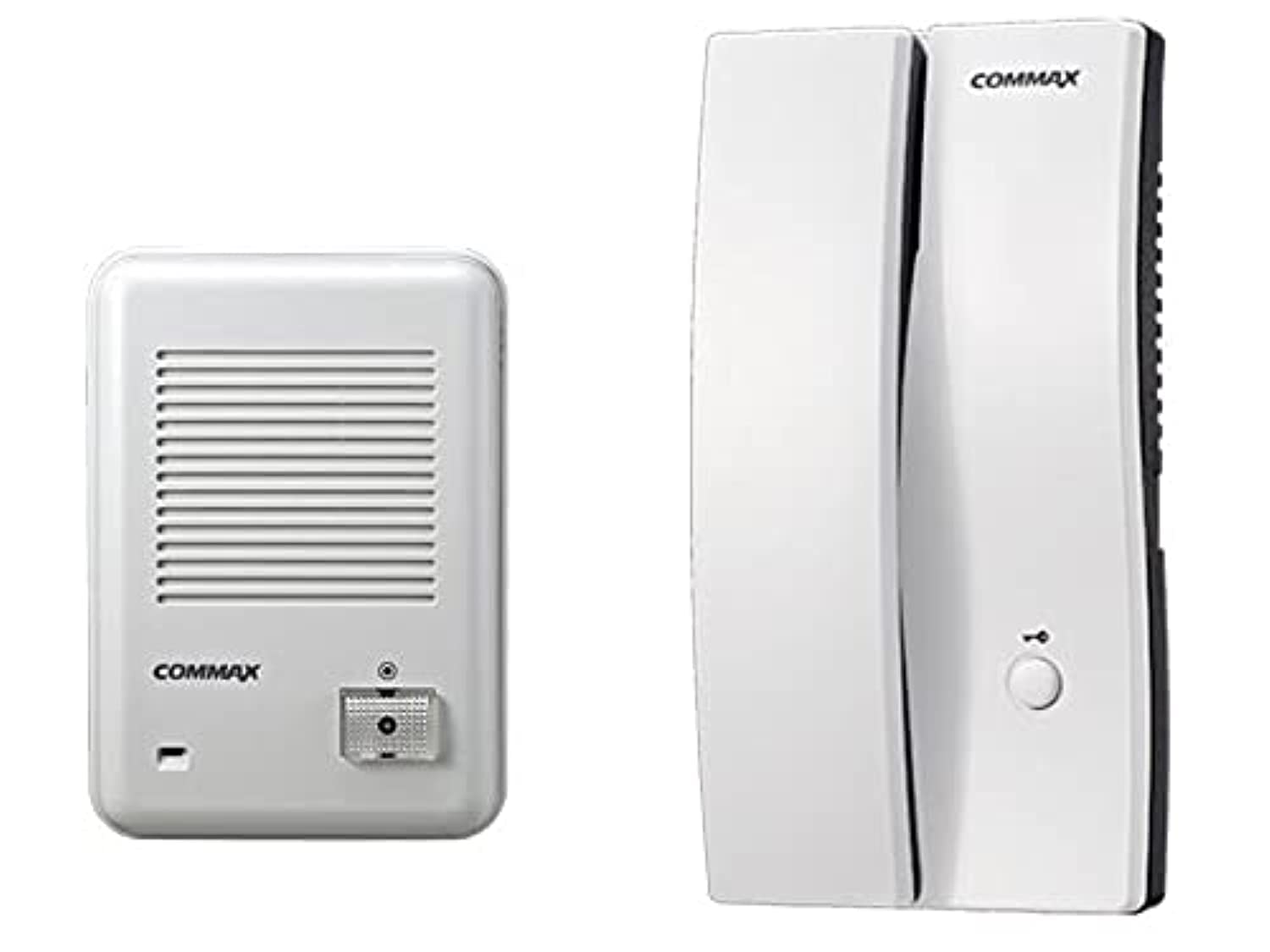
図1: Commax Indoor Intercom Unit. This unit is typically mounted inside the building and features a handset for communication and a button for door release (if connected).
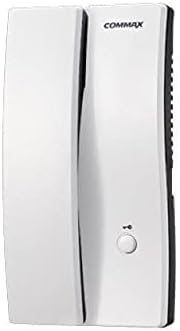
図2: Commax Outdoor Doorbell Unit. This unit is installed outside the door and includes a call button and a speaker/microphone for two-way communication.
4.2 配線図
Refer to the following diagram for connecting the indoor and outdoor units. Ensure power is disconnected before wiring.

図3: Wiring Diagram. This diagram illustrates the connections between the outdoor unit (left), the indoor unit (right), and an optional electric door strike with its power source. The green line (labeled '2') represents the communication and power line between the outdoor and indoor units. The blue and black lines connect the indoor unit to the optional electric door strike and its power source.
- ステップ1: Mount the outdoor unit at a suitable height near the entrance.
- ステップ2: Mount the indoor unit in a convenient location inside the building.
- ステップ3: Connect the outdoor unit to the indoor unit using the appropriate wiring (represented by the green line in Figure 3). This typically carries both power and audio signals.
- ステップ4(オプション): If using an electric door strike, connect it to the indoor unit and its dedicated power source as shown by the blue and black lines in Figure 3.
- ステップ5: すべての接続が安全になったら、システムの電源を復元します。
5. 操作手順
5.1 Making a Call from Outdoor Unit
- A visitor presses the call button on the outdoor doorbell unit (refer to Figure 2).
- The indoor intercom unit will ring, indicating an incoming call.
5.2 Answering a Call and Communication
- When the indoor unit rings, lift the handset (refer to Figure 1).
- You can now speak with the visitor at the outdoor unit.
- 会話を終了するには、受話器を戻します。
5.3 Door Release (Optional)
If an electric door strike is connected and powered:
- During a conversation, press the door release button on the indoor intercom unit (refer to Figure 1).
- This will momentarily unlock the connected electric door strike, allowing the visitor to enter.
6. メンテナンス
- クリーニング: 両ユニットの表面を拭く際は、柔らかく乾いた布をご使用ください。研磨剤入りの洗剤や溶剤は使用しないでください。
- 検査: Periodically check wiring connections for any signs of wear or damage.
- 室外機: Ensure the outdoor unit's speaker/microphone grille is free from obstructions like dirt or spiderwebs.
7。 トラブルシューティング
| 問題 | 考えられる原因 | 解決 |
|---|---|---|
| No sound from indoor unit when doorbell is pressed. | No power to the system; Loose wiring connection; Faulty outdoor unit. | Check power supply; Verify all wiring connections are secure (refer to Figure 3); Contact customer support if problem persists. |
| Cannot hear visitor or visitor cannot hear me. | Loose wiring connection; Obstruction in speaker/microphone; Volume too low (if adjustable). | Check wiring; Clear any obstructions from speaker/microphone grilles; Ensure handset is properly lifted. |
| ドアのリリースが機能しません。 | Electric door strike not connected; No power to door strike; Faulty door strike or indoor unit. | Verify door strike is correctly wired and powered (refer to Figure 3); Test door strike independently if possible; Contact customer support. |
8. 仕様
- ブランド: コマックス
- モデル: Doorbell and Intercom Set
- 色: 白
- 材料: プラスチック
- 商品の重量: 850グラム
- 配送サイズ: 34 x 19.2 x 7 cm
- ASIN: B09238JPML
- 初回利用可能日: 8年2021月XNUMX日
9. 保証とサポート
Specific warranty information for this product is not provided in the available data. Please refer to your purchase documentation or contact your retailer for details regarding warranty coverage.
For technical support or further assistance, please contact Commax customer service or your local distributor. Contact information can typically be found on the product packaging or the official Commax webサイト。