
AGM AGM-Sliver
AGM ミニエクササイズバイク ユーザーマニュアル
Model: AGM-Sliver
導入
This manual provides essential instructions for the safe and effective use of your AGM Mini Exercise Bike. This compact pedal exerciser is designed for both arm and leg workouts, featuring an LCD screen to track your progress. Please read this manual thoroughly before assembly and operation.
安全情報
- 特に既存の健康状態に問題がある場合は、新しい運動プログラムを開始する前に医師に相談してください。
- Ensure the exerciser is placed on a stable, flat surface during use. Use the included non-slip mat to prevent movement.
- 操作中は、子供やペットをエクササイズマシンから遠ざけてください。
- エクササイズマシンの上に立たないでください。座った状態での使用のみを目的として設計されています。
- Check all components for wear or damage before each use. Do not use if any parts are loose or damaged.
- Adjust resistance gradually to avoid strain.
- 痛み、めまい、不快感を感じた場合は、直ちに運動を中止してください。
パッケージ内容
組み立て前にすべてのコンポーネントが揃っていることを確認してください。
- Main Exerciser Unit
- フロントスタビライザーバー
- リアスタビライザーバー
- ペダル(左右)
- 滑り止めマット
- Assembly Tools (Wrench, Screws, Washers)
- ユーザーマニュアル

Image: All components of the AGM Mini Exercise Bike, including the main unit, stabilizer bars, pedals, non-slip mat, and assembly tools.
セットアップと組み立て
Follow these steps to assemble your AGM Mini Exercise Bike:
- スタビライザーバーを取り付けます。 Secure the front and rear stabilizer bars to the main unit using the provided screws and washers. Ensure they are tightened firmly for stability.
- ペダルを取り付ける: Identify the left (L) and right (R) pedals. The left pedal screws counter-clockwise, and the right pedal screws clockwise. Thread each pedal into its corresponding crank arm until secure. Do not overtighten.
- Place Non-slip Mat: Position the non-slip mat on the floor where you intend to use the exerciser. Place the assembled Mini Exercise Bike on top of the mat.
Video: A detailed assembly guide for the AGM Mini Exercise Bike, demonstrating how to attach the stabilizer bars and pedals.
操作手順
脚のエクササイズ
For leg workouts, place the exerciser on the floor in front of your chair. Sit comfortably with your feet securely placed in the pedal straps. Begin pedaling in a smooth, controlled motion. The compact design allows it to fit under most desks, enabling exercise while working.

Image: A person seated at a desk, using the AGM Mini Exercise Bike for leg exercise, demonstrating its compact size.
腕の運動
To use as an arm exerciser, place the unit on a sturdy table. Sit in front of it and grasp the pedals with your hands. Secure your hands with the straps if desired. Rotate the pedals using your arms. This can help improve arm strength and flexibility.
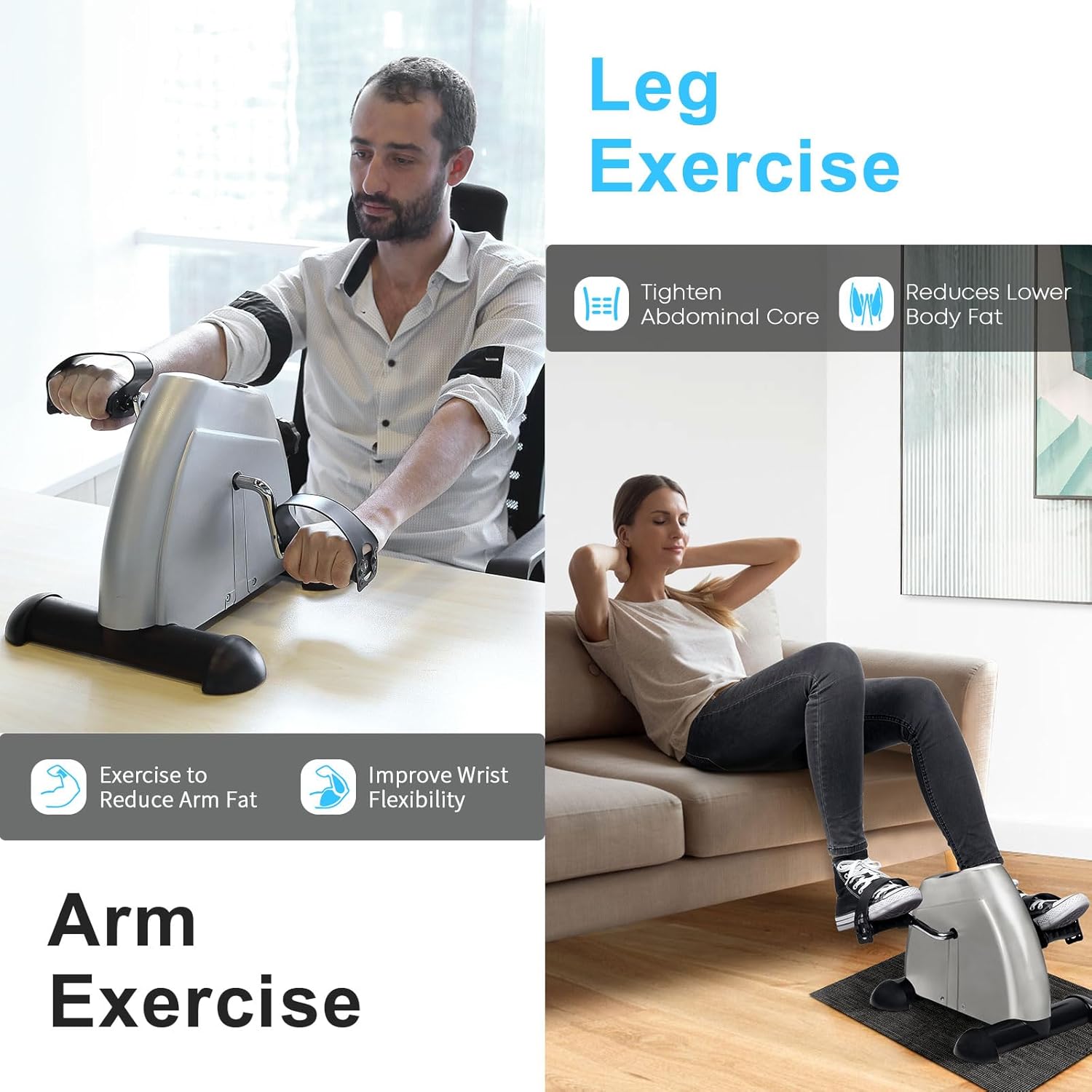
Image: A person using the AGM Mini Exercise Bike on a tabletop for arm exercise, illustrating its versatility.
ビデオ: オーバーview of the AGM Mini Exercise Bike, showcasing its use for both arm and leg exercises in various settings.
抵抗の調整
The AGM Mini Exercise Bike features an adjustable tension knob to customize your workout intensity. To increase resistance, turn the knob clockwise. To decrease resistance, turn it counter-clockwise. Start with a low resistance and gradually increase as your strength improves.

画像: クローズアップ view of the resistance knob on the AGM Mini Exercise Bike, with arrows indicating clockwise for increased resistance and counter-clockwise for decreased resistance.
LCDディスプレイの使用
The integrated LCD display tracks your exercise data. Press the red button to cycle through different metrics:
- 時間(T): 現在のトレーニング セッションの継続時間。
- Distance (D): 走行距離の推定値。
- Count (C): Number of pedal rotations in the current session.
- Total Count (T-Count): Total number of pedal rotations over all sessions.
- Calories (CA): 推定消費カロリー。
- スキャン: すべてのメトリックを自動的に循環します。
To reset the display, press and hold the red button for a few seconds.

Image: The LCD display of the AGM Mini Exercise Bike, showing various tracked metrics such as time, distance, count, total count, and calories burned.
メンテナンス
- クリーニング: 広告でエクササイズを拭き取りますamp 使用後は毎回布で拭いてください。研磨剤入りの洗剤は使用しないでください。
- 潤滑: Periodically apply a small amount of silicone-based lubricant to the pedal axles and moving parts to ensure smooth operation and prevent squeaking.
- ストレージ: エクササイズ器具は直射日光や極端な温度を避け、涼しく乾燥した場所に保管してください。
- バッテリー交換: If the LCD display becomes dim or unresponsive, replace the battery (typically a button cell battery, refer to the battery compartment for type).
トラブルシューティング
| 問題 | 考えられる原因 | 解決 |
|---|---|---|
| Pedals are not smooth or feel jerky. | Insufficient lubrication; loose components; resistance set too high. | Apply lubricant to pedal axles. Check and tighten all assembly screws. Reduce resistance setting. |
| 使用中にきしみ音がする。 | 可動部品の潤滑不足。 | Apply silicone-based lubricant to pedal connections and internal moving parts. |
| Exerciser slides on the floor. | Not using the non-slip mat; unstable surface. | Ensure the non-slip mat is correctly placed. Use on a flat, stable surface. |
| LCD ディスプレイが空白または暗い。 | バッテリー切れです。 | LCDユニットの電池を交換してください。 |
仕様
- ブランド: 年次総会
- モデル番号: AGM-Sliver
- 商品の重量: 7.7ポンド
- 色: 銀
- 材料: アクリロニトリルブタジエンスチレン(ABS)、金属、プラスチック
- 製品寸法(奥行き x 幅 x 高さ): 12.2インチ x 15.75インチ x 7.09インチ
- コントロールタイプ: プッシュボタン
- 画面: 液晶
- 抵抗レベルの数: 6 (Adjustable via tension knob)
- 電源: バッテリー駆動(LCD用)
- 最大重量推奨: 150ポンド
保証とサポート
For warranty information or technical support, please refer to the contact details provided with your purchase or visit the official AGM website. The manufacturer provides spare part availability for 7 years in the EU.
さらにサポートが必要な場合は、AGM カスタマー サービスにお問い合わせください。
関連文書AGM-Sliver


Ask a question about this manual
Ask about setup, troubleshooting, compatibility, parts, safety, or missing instructions. Manuals+ will review the question and use this page’s manual context to help answer it.