
アブコ K560
ABKO Hacker K560 メカニカルゲーミングキーボード ユーザーマニュアル
モデル: K560
1. はじめに
ご購入ありがとうございますasing the ABKO Hacker K560 Mechanical Gaming Keyboard. This keyboard is designed for an enhanced gaming and typing experience, featuring hotswappable mechanical switches, vibrant Rainbow Moving LED lighting, and durable dual injection keycaps. This manual provides detailed instructions for setup, operation, maintenance, and troubleshooting to ensure optimal performance and longevity of your device.
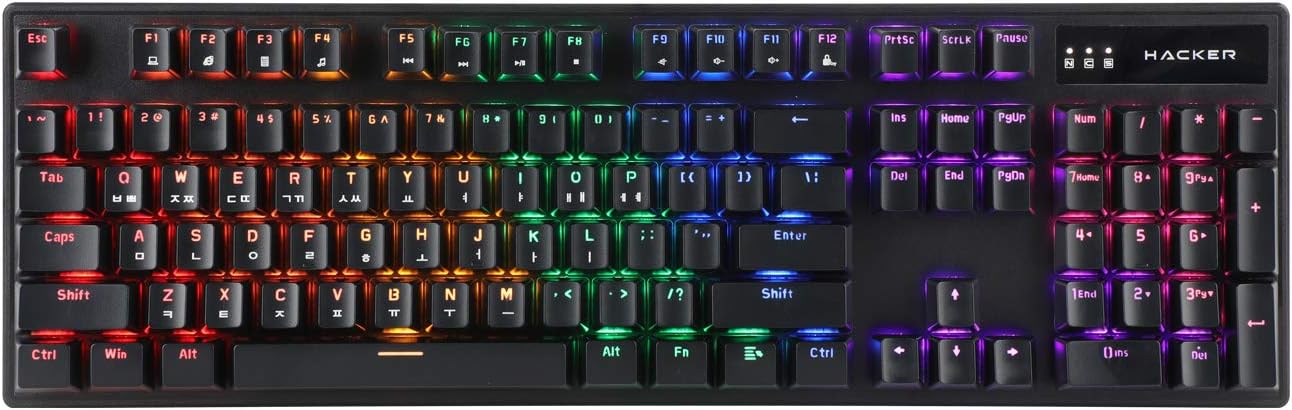
Figure 1.1: ABKO Hacker K560 Mechanical Gaming Keyboard (Top View)
This image displays the full layout of the ABKO Hacker K560 keyboard from a top-down perspective, showcasing its 104-key design and the vibrant rainbow LED backlighting illuminating each key. The Korean-English layout is visible on the keycaps.
2. 主な特徴
- Viki Type: Unique keycap profile 快適なタイピングを実現します。
- Rainbow Moving LED: Dynamic and customizable RGB lighting effects.
- メカニカルスイッチ: Equipped with durable and responsive mechanical switches (Brown Switch variant).
- Cherry Stabilizer: Enhanced stability for larger keys like Spacebar, Shift, and Enter.
- 104キーレイアウト: Full-size keyboard layout for comprehensive functionality.
- ダブルインジェクションキーキャップ: Legends are molded into the keycap, preventing wear and fading.
- Hotswap Capability: はんだ付けなしでスイッチを簡単に交換できます。
- 耐水性: Designed to withstand minor spills.

Figure 2.1: ABKO Hacker K560 Keyboard (Angled View)
This image provides an angled perspective of the keyboard, showcasing the ergonomic Viki Type keycap profile and the vibrant illumination of the Rainbow Moving LED backlighting from the side.
3.セットアップガイド
3.1. パッケージ内容
続行する前に、パッケージにすべてのアイテムが揃っていることを確認してください。
- ABKO Hacker K560 Mechanical Gaming Keyboard
- ユーザーマニュアル(このドキュメント)
- Keycap Puller (may be included for hotswap functionality)
- Switch Puller (may be included for hotswap functionality)
3.2. キーボードの接続
- Locate an available USB port on your computer (PC, Laptop, Gaming Console).
- Plug the USB connector of the ABKO Hacker K560 keyboard into the USB port.
- オペレーティングシステムは必要なドライバーを自動的に検出し、インストールします。この処理には数分かかる場合があります。
- Once installation is complete, the keyboard's LED lighting will illuminate, indicating it is ready for use.
4. 操作手順
4.1. 基本的な使い方
The ABKO Hacker K560 functions as a standard 104-key keyboard. Simply begin typing or using the keys as you would with any other keyboard.
4.2. LED Lighting Control (Rainbow Moving LED)
The keyboard features various dynamic LED lighting modes. Use the following key combinations to control the lighting:
- Fn + F1-F12: (Specific functions may vary, refer to keyboard legends for media controls, volume, etc.)
- Fn + スクロールロック: Cycle through different Rainbow Moving LED lighting effects.
- Fn + プリントスクリーン: Adjust LED brightness (usually multiple levels).
- Fn + 一時停止 休憩: Change LED lighting direction or speed (for moving effects).
- Fn + 矢印キー: Some models allow fine-tuning of specific lighting zones or effects.
Experiment with these combinations to find your preferred lighting mode and brightness.
4.3. Hotswap Switch Replacement
The ABKO Hacker K560 supports hotswappable mechanical switches, allowing you to change switches without soldering. This feature is useful for customizing typing feel or replacing faulty switches.
- 電源を切る: Disconnect the keyboard from your computer before attempting any switch replacement.
- キーキャップの取り外し: 付属のキーキャップ プーラーを使用して、必要なキーキャップを慎重に取り外します。
- スイッチを削除: 付属のスイッチプーラーを使用して、スイッチの上部と下部のクリップを慎重につかみ、まっすぐ上に引きます。
- 新しいスイッチを挿入: 新しいスイッチのピンをPCBの穴に合わせます。カチッと音がするまでスイッチをゆっくりと押し下げます。ピンが曲がっていないことを確認してください。
- キーキャップの交換: キーキャップを新しいスイッチにしっかりと固定されるまで押し込みます。
- テスト: キーボードを再接続し、新しいスイッチをテストします。
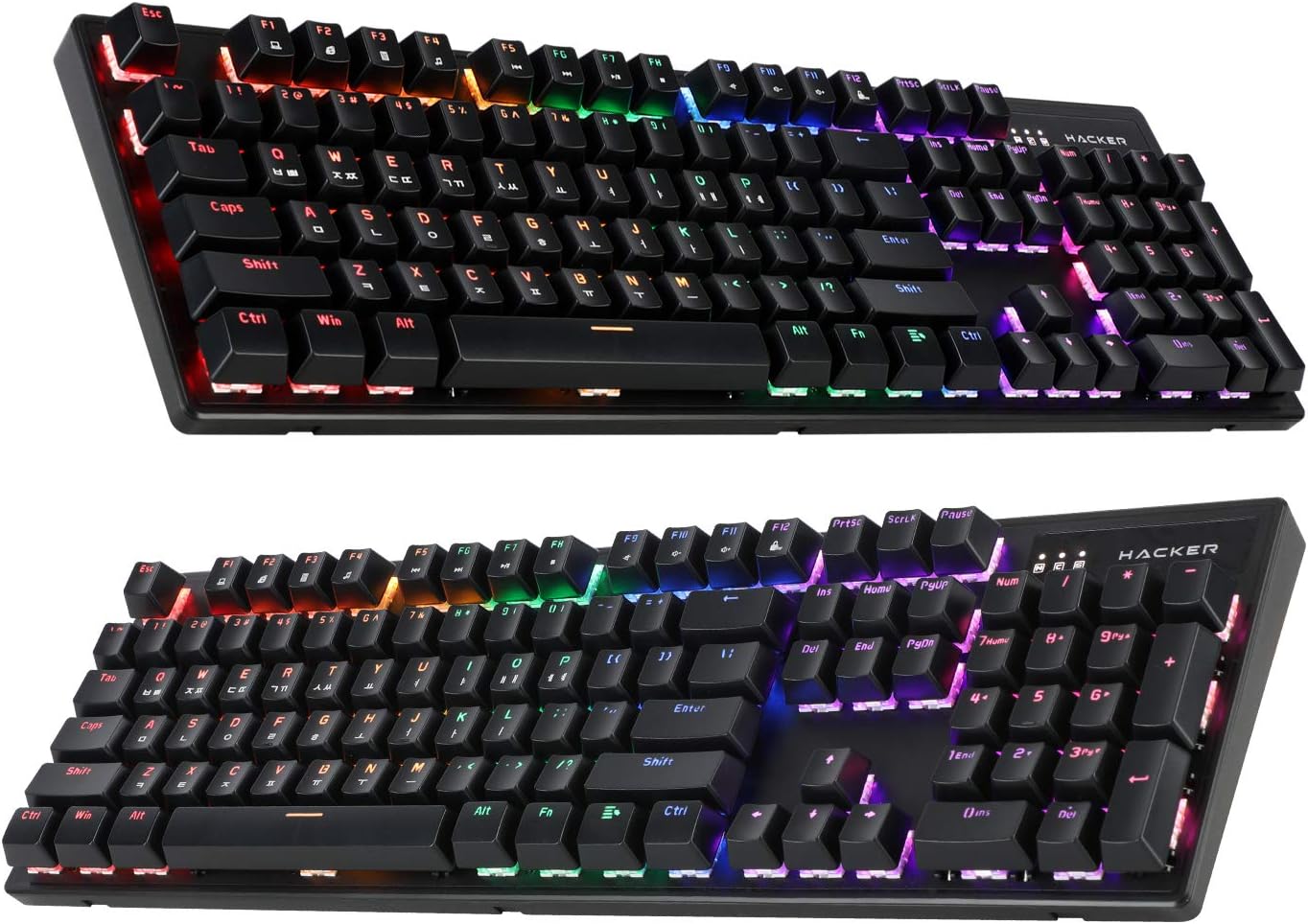
Figure 4.1: ABKO Hacker K560 Keyboard (Dual Angled View)
This image presents two different angled views of the ABKO Hacker K560 keyboard, providing a comprehensive look at its full 104-key layout and the distinct dual injection keycap design, which contributes to its durability and aesthetic.
5. メンテナンス
5.1. キーボードのクリーニング
定期的にクリーニングすると、キーボードの外観と機能性を維持するのに役立ちます。
- ほこりの除去: 圧縮空気缶を使用して、キーキャップ間のほこりやゴミを吹き飛ばします。
- 表面洗浄: Wipe the surface of the keycaps and frame with a soft, slightly damp糸くずの出ない布で拭いてください。湿気を避けてください。
- ディープクリーニング(オプション): For thorough cleaning, keycaps can be removed using a keycap puller and washed with mild soap and water. Ensure they are completely dry before reattaching.
注意: Always disconnect the keyboard from your computer before cleaning. Do not immerse the keyboard in water, despite its water-resistant feature, as this is for minor spills, not submersion.
5.2. ストレージ
長期間使用しない場合は、キーボードを直射日光や極端な温度を避け、涼しく乾燥した場所に保管してください。
6。 トラブルシューティング
If you encounter issues with your ABKO Hacker K560 keyboard, refer to the following common solutions:
| 問題 | 考えられる原因 | 解決 |
|---|---|---|
| キーボードが反応しない / 入力できない | USB 接続が緩んでいる、USB ポートに障害がある、ドライバーに問題がある。 |
|
| LED lights are off or not working correctly | LED mode turned off, brightness set to minimum, software conflict. |
|
| 特定のキーが機能しない | キーキャップの下にゴミがあり、スイッチに不具合があります。 |
|
これらの解決策を試しても問題が解決しない場合は、カスタマー サポートにお問い合わせください。
7. 仕様
| 特徴 | 詳細 |
|---|---|
| モデル名 | Hacker K560 |
| ブランド | アブコ |
| キーボードタイプ | 機械式ゲーム用キーボード |
| スイッチタイプ | Tactile (Brown Switch) |
| レイアウト | 104 Keys (Full-size, Korean-English Layout) |
| キーキャップ素材 | ダブルインジェクション |
| バックライト | Rainbow Moving LED (RGB) |
| 接続性 | 有線(USB) |
| 特集 | Hotswappable Switches, Cherry Stabilizer, Viki Type Keycaps, Water Resistant |
| 対応デバイス | ノートパソコン、ゲーム機、PC、タブレット、スマートフォン |
8. 保証とサポート
ABKO products are manufactured to the highest quality standards. For information regarding warranty coverage, technical support, or service inquiries, please refer to the warranty card included with your product or visit the official ABKO webサイト。
保証請求のために購入証明書を保管してください。
Ask a question about this manual
Ask about setup, troubleshooting, compatibility, parts, safety, or missing instructions. Manuals+ will review the question and use this page’s manual context to help answer it.