1. はじめに
The COMPUTHERM T-32 room thermostat is designed for controlling most boilers and air conditioners available in the EU. It can be easily connected to any gas boiler with a two-wire thermostatic connection point, and to all air conditioning systems or electrical appliances, whether they have a 24V or 230V control circuit.
This digital thermostat allows for more precise temperature measurement and adjustment compared to traditional thermostats. It helps reduce energy costs while maintaining comfort by regulating the connected appliance (e.g., a gas boiler or pump) based on the measured and set temperatures.
主な特徴:
- 正確な温度制御: Easily set desired temperature between 5°C and 30°C in 0.5°C increments.
- Constant Indoor Temperature: Switching sensitivity of ±0.2°C or 0.1°C ensures a uniform and stable room temperature.
- 多彩な互換性: Suitable for boilers with a two-wire connection and various HVAC systems (24V or 230V).
- 暖房および冷房モード: Supports both heating and cooling functions.
- デジタルディスプレイ: Provides clear and accurate temperature readings.
2. セットアップとインストール
重要: 装置は有資格者によって設置されなければなりません。
2.1 パッケージ内容
すべてのコンポーネントが存在することを確認します。
- 1x COMPUTHERM T-32 Digital Room Thermostat
- 単2電池XNUMX本
- 取り付け用ハードウェア(ネジと壁プラグ)

Figure 1: Package contents including the thermostat, batteries, and mounting hardware.
2.2 バッテリーの取り付け
- Carefully remove the back cover of the thermostat.
- 正しい極性 (+/-) を確認して、2 本の AAA 電池を電池室に挿入します。
- 背面カバーを元に戻します。
2.3 取り付けと配線
The thermostat is designed for wall mounting in a room. Choose a location away from direct sunlight, drafts, or heat sources that could affect temperature readings.
- Separate the front panel from the back plate.
- 壁に希望の取り付け位置をマークします。
- 穴を開けて壁プラグを挿入します。
- 付属のネジを使用してバックプレートを壁に固定します。
- Connect the two-wire control circuit from your boiler or HVAC system to the terminals on the back plate. Refer to the wiring diagram on the back of the thermostat for correct connections.
- Carefully reattach the front panel to the back plate.

図2:背面 view of the thermostat with wiring terminals and battery compartment details.
3. 操作
3.1ディスプレイオーバーview
The digital display shows the current room temperature and the set desired temperature. The thermostat features three control buttons below the display.

図3: 前面 view of the COMPUTHERM T-32 thermostat with its digital display and three control buttons.
3.2 希望温度の設定
Use the temperature control buttons (typically marked with up and down arrows or similar symbols) to adjust the desired temperature. Each press changes the temperature by 0.5°C within a range of 5°C to 30°C.
- を押す 上矢印 ボタンを押して希望の温度を上げます。
- を押す 下矢印 ボタンを押して希望の温度を下げます。
The thermostat will automatically regulate the connected heating or cooling appliance to maintain the set temperature within its switching sensitivity of ±0.2°C.
3.3 Heating Mode Operation
In heating mode, if the measured room temperature falls below the set temperature minus the switching sensitivity (e.g., 22°C - 0.2°C = 21.8°C), the thermostat will activate the heating appliance. It will deactivate the heating when the room temperature rises above the set temperature plus the switching sensitivity (e.g., 22°C + 0.2°C = 22.2°C).
3.4 Cooling Mode Operation
In cooling mode, the operation is reversed. If the measured room temperature rises above the set temperature plus the switching sensitivity, the thermostat will activate the cooling appliance. It will deactivate cooling when the room temperature falls below the set temperature minus the switching sensitivity.
Note: After a temperature change using the thermostat's adjustment buttons, the switching sensitivity is temporarily not considered, allowing the thermostat to react to a difference of ±0.1°C for immediate response.
4. メンテナンス
- クリーニング: サーモスタットは柔らかく乾いた布で拭いてください。研磨剤入りの洗剤や溶剤は使用しないでください。
- バッテリー交換: ディスプレイに電池残量低下のインジケーターが表示されたら、電池を交換してください。必ず新しい単4アルカリ電池をご使用ください。
- 障害物を避けてください: Ensure no objects block the thermostat's ventilation slots or sensor, as this can affect temperature accuracy.
5。 トラブルシューティング
| 問題 | 考えられる原因 | 解決 |
|---|---|---|
| サーモスタットのディスプレイが空白です。 | 電池が切れているか、正しく取り付けられていない。 | 正しい極性を確認して電池を交換してください。 |
| 暖房/冷房システムが応答しません。 | Incorrect wiring; system power off; thermostat in wrong mode. | Check wiring connections (consult a professional); ensure system power is on; verify thermostat is set to appropriate mode (heating/cooling). |
| 温度の読み取りが不正確です。 | Thermostat located near heat source/draft; sensor obstructed. | Relocate thermostat if possible; ensure no obstructions around the sensor. |
| Temperature fluctuates too much. | High switching sensitivity setting (not applicable for T-32 as it's fixed). | The T-32 has a fixed sensitivity of ±0.2°C. Ensure proper placement and insulation of the room. |
6. 仕様
- モデル: T32
- 電源: 2x AAA 1.5V Alkaline Batteries (included)
- コントロールVol。tage: 24V ACまたは230V AC
- 耐荷重: 8 Ampエルス
- 温度測定範囲: 5℃~30℃
- 温度設定範囲: 5℃~30℃
- 温度設定の増分: 0.5℃
- スイッチング感度: ±0.2°C (or ±0.1°C after manual adjustment)
- 寸法(長さ×幅×高さ): 8.5 x 8.5 x 2.8 cm
- 重さ: 160グラム
- 接続性: 有線
- 色: 白


Figure 4: Dimensions of the COMPUTHERM T-32 thermostat.
7. 保証
The COMPUTHERM T-32 Digital Room Thermostat comes with a 5年間のメーカー保証保証請求のために購入証明書を保管してください。保証は、通常の使用における材料および製造上の欠陥を対象とします。
8. サポート
For further assistance or if you encounter issues not covered in this manual, please refer to the official COMPUTHERM website or contact your retailer. Always ensure that any electrical work is performed by a qualified professional.
詳細については、メーカーの webサイト: www.calorsol.de
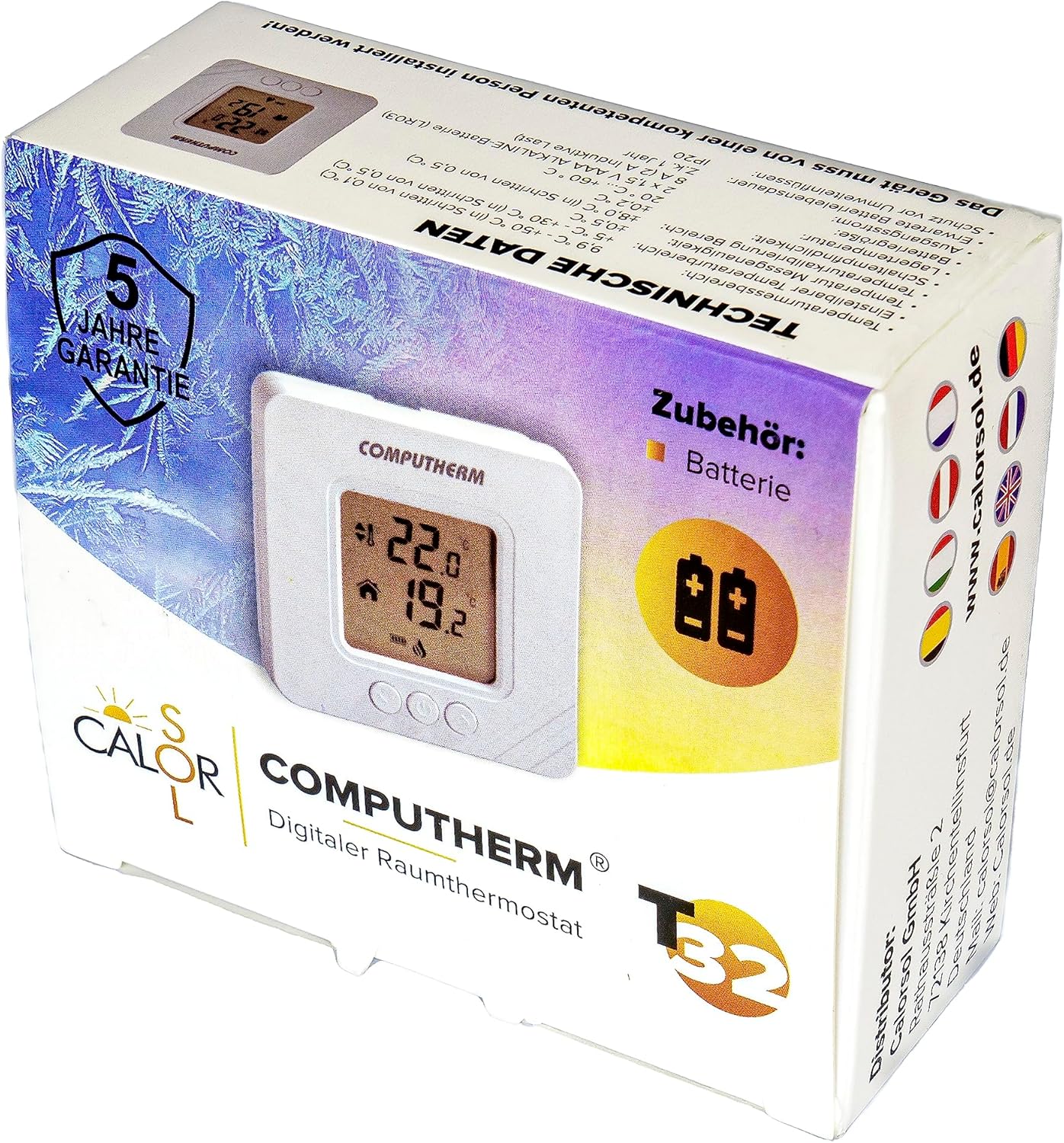
Figure 5: Product packaging displaying warranty information and technical data.