
ZIPRO 6299206
Zipro Flame Exercise Bike User Manual
Model: 6299206 | Brand: ZIPRO
導入
This manual provides essential information for the safe and effective use of your Zipro Flame Exercise Bike. Training on the ZIPRO FLAME stationary bike strengthens abdominal and leg muscles and promotes weight loss. It features an advanced computer that connects to your phone via Bluetooth, offering a reliable and quiet fitness experience thanks to reinforced bearings and a robust resistance system. For an enhanced experience, download the iConsole+ and Kinomap applications.

図1: 前面 view of the Zipro Flame Exercise Bike.
安全情報
本製品をご使用になる前に、すべての説明書をよくお読みください。このマニュアルは、今後の参考のために保管してください。
- 運動プログラムを開始する前に、医師に相談してください。
- 使用する前に、すべての部品が正しく組み立てられ、締め付けられていることを確認してください。
- エクササイズバイクを平らで安定した場所に置きます。
- 動作中は子供やペットを装置に近づけないでください。
- 最大使用者体重150kgを超えないようにしてください。
- 適切な運動用の服装と靴を着用してください。
- 気分が悪くなったり、めまいがしたり、痛みを感じたりした場合は、直ちに運動を中止してください。
- 機器の摩耗や損傷がないか定期的に点検してください。損傷がある場合は使用しないでください。
パッケージ内容
すべての部品が揃っていて、損傷がないことを確認してください。部品が不足または損傷している場合は、カスタマーサポートにお問い合わせください。
- メインフレームアセンブリ
- ハンドルバーとコンソールのアセンブリ
- サドルとシートポスト
- ペダル(左右)
- フロントとリアのスタビライザー
- ハードウェアキット(ボルト、ワッシャー、ナット、工具)
- 電源アダプター
- ユーザーマニュアル
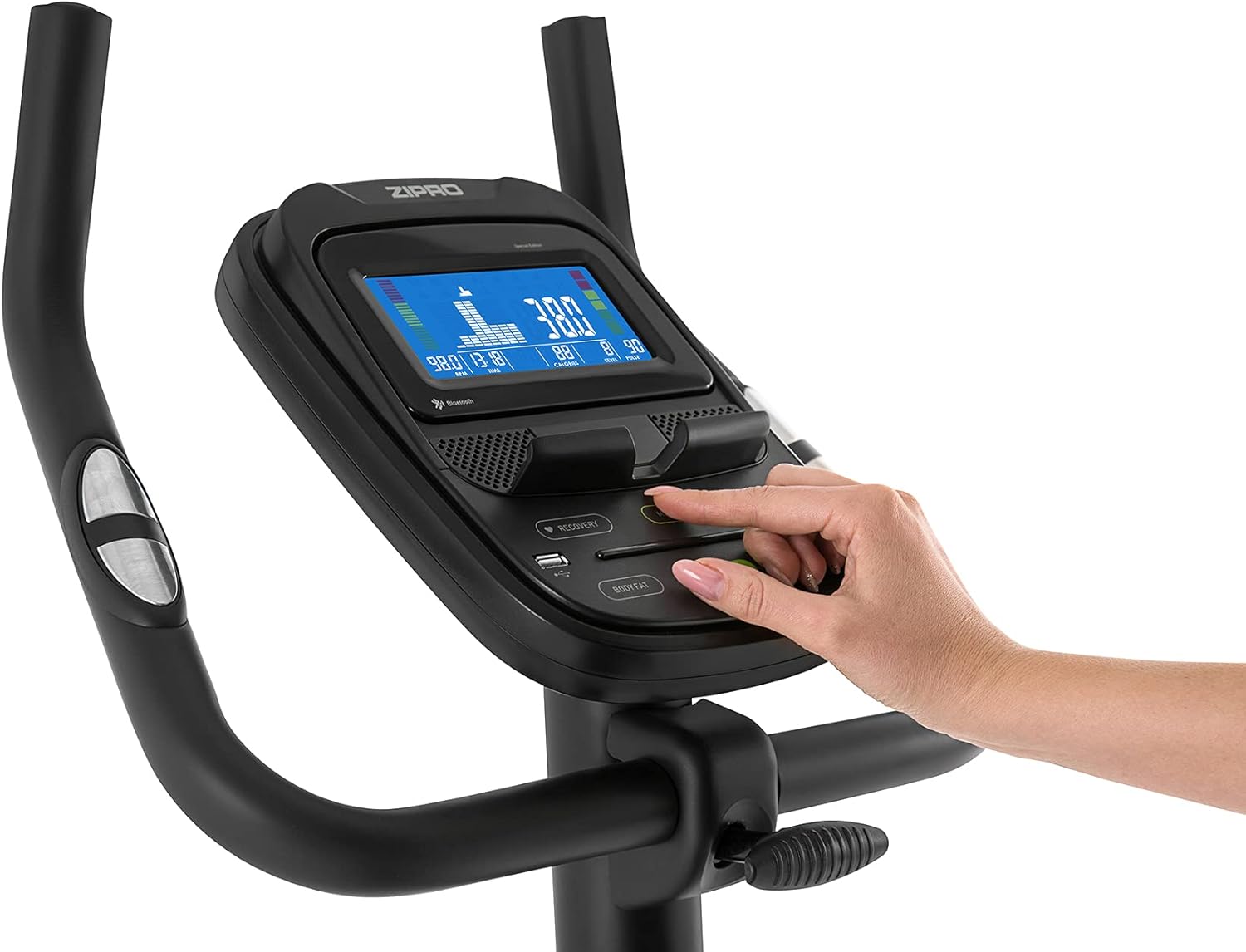
Figure 2: User manual and power adapter.
セットアップと組み立て
Follow these steps to assemble your Zipro Flame Exercise Bike. It is recommended to have two people for assembly.
- 付属のボルトとワッシャーを使用して、フロントスタビライザーとリアスタビライザーをメインフレームに取り付けます。
- Secure the seat post and saddle to the main frame. Adjust the saddle height and distance for comfort.
- Install the handlebar and console assembly onto the main frame. Ensure all cables are connected properly.
- Attach the left and right pedals. Note that the left pedal is reverse-threaded.
- Connect the power adapter to the bike and a suitable power outlet.

Figure 3: Saddle adjustment for personalized comfort.

Figure 4: Non-slip pedals with adjustable straps for secure footing.
操作手順
コンソール機能
The advanced computer console provides real-time workout data and various programs.
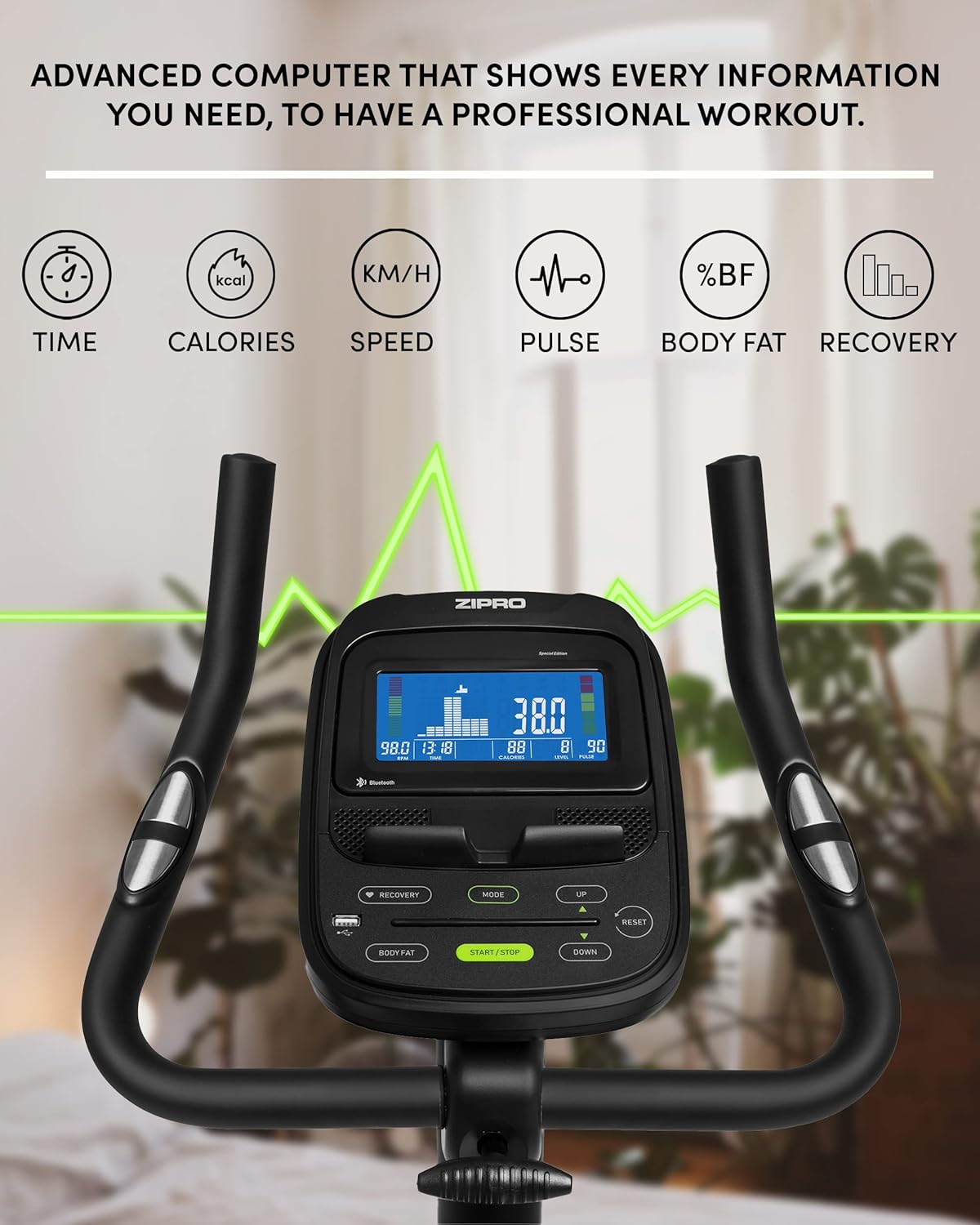
Figure 5: Advanced computer display showing workout metrics.

Figure 6: User interacting with the console controls.
- 電源オン/オフ: Press the START/STOP button to turn the console on or off.
- モード: Press the MODE button to cycle through display functions (Time, Calories, Speed, Pulse, Body Fat, Recovery).
- 抵抗調整: Use the UP/DOWN buttons to adjust the 32-step electric-magnetic resistance level.
- 脈拍測定: Grip the pulse sensors on the handlebars to measure your heart rate.
- 体脂肪測定: Follow the instructions on the console to perform a body fat measurement.
- HRC Training: The bike supports Heart Rate Control (HRC) training, automatically adjusting resistance based on your target heart rate.
Mobile Device Integration
The Zipro Flame Exercise Bike is designed for seamless integration with your mobile devices and fitness applications.

Figure 7: Integrated stand for mobile devices.
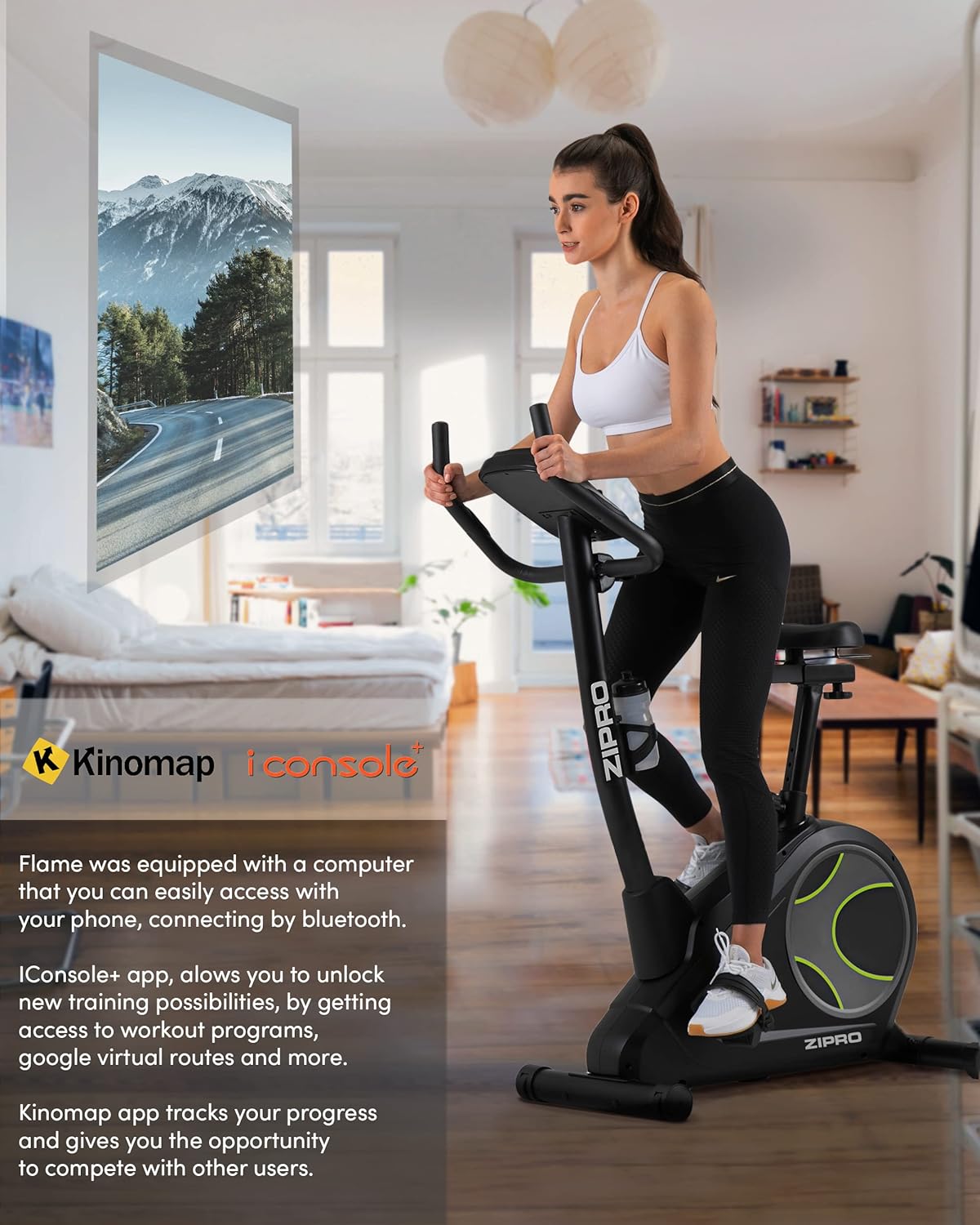
Figure 8: Bluetooth connectivity with Kinomap and iConsole+ apps.
- Bluetooth接続: Connect your smartphone or tablet to the bike via Bluetooth to use compatible fitness apps.
- iConsole+ App: Download the iConsole+ app to unlock new training possibilities, access workout programs, and track your progress.
- Kinomap App: The Kinomap app allows you to experience virtual routes and compete with other users, enhancing your workout engagement.
- Mobile Device Stand: Utilize the integrated stand on the console to securely hold your mobile device while exercising.
製品終了view ビデオ
Watch this video for a general presentation of the ZIPRO product range, showcasing the brand's commitment to quality fitness equipment.
Video 1: Presentation of the ZIPRO product range. This video provides a general overview of the brand's fitness equipment, including various exercise types.
メンテナンス
定期的なメンテナンスにより、エクササイズバイクの寿命が長くなり、最適なパフォーマンスが確保されます。
- クリーニング: 広告で自転車を拭くamp 使用後は毎回布で汗やほこりを拭き取ってください。研磨剤入りの洗剤は使用しないでください。
- 潤滑: Periodically check and lubricate moving parts as recommended in the full manual (if applicable).
- 締め付け: Check all bolts and nuts regularly and tighten them if necessary to ensure stability and safety.
- ストレージ: When not in use, store the bike in a cool, dry place. The integrated transport wheels facilitate easy relocation.

Figure 9: Compact dimensions for easy storage and transport.
トラブルシューティング
| 問題 | 考えられる原因 | 解決 |
|---|---|---|
| コンソールに電源が入らない | Power adapter not connected; outlet issue | Ensure adapter is fully plugged in; try a different outlet. |
| 不安定な自転車 | Loose bolts; uneven surface | Tighten all assembly bolts; adjust leveling feet on stabilizers. |
| きしみ音や擦れる音 | Loose parts; lack of lubrication | Check and tighten all connections; apply lubricant to moving parts as per manual. |
| Pulse reading inaccurate | Hands not firmly on sensors; dry hands | Ensure firm, consistent contact with both sensors; moisten hands slightly if dry. |
| Bluetooth接続の問題 | Bluetooth off on device; app not updated | Ensure Bluetooth is enabled; restart bike and device; update fitness app. |
仕様
| 特徴 | 詳細 |
|---|---|
| モデル番号 | 6299206 |
| ブランド | ジプロ |
| 色 | 黒 |
| スタイル | 炎 |
| 駆動システム | ベルト |
| 主な材質 | プラスチック |
| 電源 | Requires external power for console and electromagnetic resistance control. |
| 特集 | Modern computer with clear screen, wide feet with stabilizing pads, two-level saddle adjustment, mobile device tray, continuous handlebar adjustment, iConsole+ and Kinomap compatibility, integrated transport wheels, soft non-slip foam handlebars, cup holder, reinforced bearing, noise-dampening casing, touch-sensitive pulse sensors, non-slip pedals with straps. |
| 最大重量容量 | 150キログラム |
| 製品寸法(長さ x 幅 x 高さ) | 118 x 49 x 140 cm |
| アイテム重量 | 27.3キログラム |
| 抵抗メカニズム | 磁気 |
| 推奨用途 | Home, Gym, Studio, Indoor |
保証とサポート
For warranty information, technical support, or to order replacement parts, please contact ZIPRO customer service. Refer to your purchase documentation for specific warranty terms and contact details.
オンラインサポート: Visit the official ZIPRO webFAQ、トラブルシューティング ガイド、お問い合わせフォームのサイト。
メーカー: Morele.net Sp。 z oo
Ask a question about this manual
Ask about setup, troubleshooting, compatibility, parts, safety, or missing instructions. Manuals+ will review the question and use this page’s manual context to help answer it.