
ZIPRO 6299209
ZIPRO Flame VM Magnetic Fitness Bike
ユーザーマニュアル

以上view of the ZIPRO Flame VM Magnetic Fitness Bike.
1. はじめに
Thank you for choosing the ZIPRO Flame VM Magnetic Fitness Bike. This manual provides essential information for the safe assembly, operation, and maintenance of your new fitness equipment. Please read this manual thoroughly before first use and keep it for future reference.
The ZIPRO Flame VM is designed to provide an effective and enjoyable indoor cycling experience, helping you achieve your fitness goals from the comfort of your home. Its magnetic resistance system ensures smooth and quiet operation, while the integrated computer and app compatibility offer advanced tracking and training options.
2. 安全ガイドライン
警告:運動プログラムを開始する前に、必ず医師にご相談ください。特に35歳以上の方、または既存の健康問題を抱えている方は、医師に相談してください。
- Always place the fitness bike on a flat, stable surface. Ensure adequate space around the bike for safe operation.
- 使用中は子供やペットを装置に近づけないでください。
- Inspect the bike before each use for any loose parts, wear, or damage. Do not use if damaged.
- 適切な運動着と運動靴を着用してください。可動部に巻き込まれる可能性のあるゆったりとした服装は避けてください。
- 使用者の最大体重容量 150 kg (330 ポンド) を超えないようにしてください。
- トレーニングを始める前に、シートとハンドルバーを快適で安全な位置に調整してください。
- 痛み、めまい、息切れなどの症状が現れた場合は、直ちに運動を中止し、医師に相談してください。
- Ensure the power adapter is correctly connected to the bike and a suitable power outlet.
3. 組み立て手順
The assembly of the ZIPRO Flame VM fitness bike is designed to be straightforward. Please follow these steps carefully. It is recommended to have two people for certain assembly steps.
3.1 開梱と部品の識別
Carefully remove all components from the packaging. Lay them out and compare them with the parts list provided in the separate assembly diagram. Ensure all parts are present and undamaged.

The user manual and power adapter included with your fitness bike.
3.2 メインフレームアセンブリ
Attach the front and rear stabilizers to the main frame using the provided bolts and washers. Ensure they are securely tightened to provide a stable base for the bike.
3.3 ペダルの取り付け
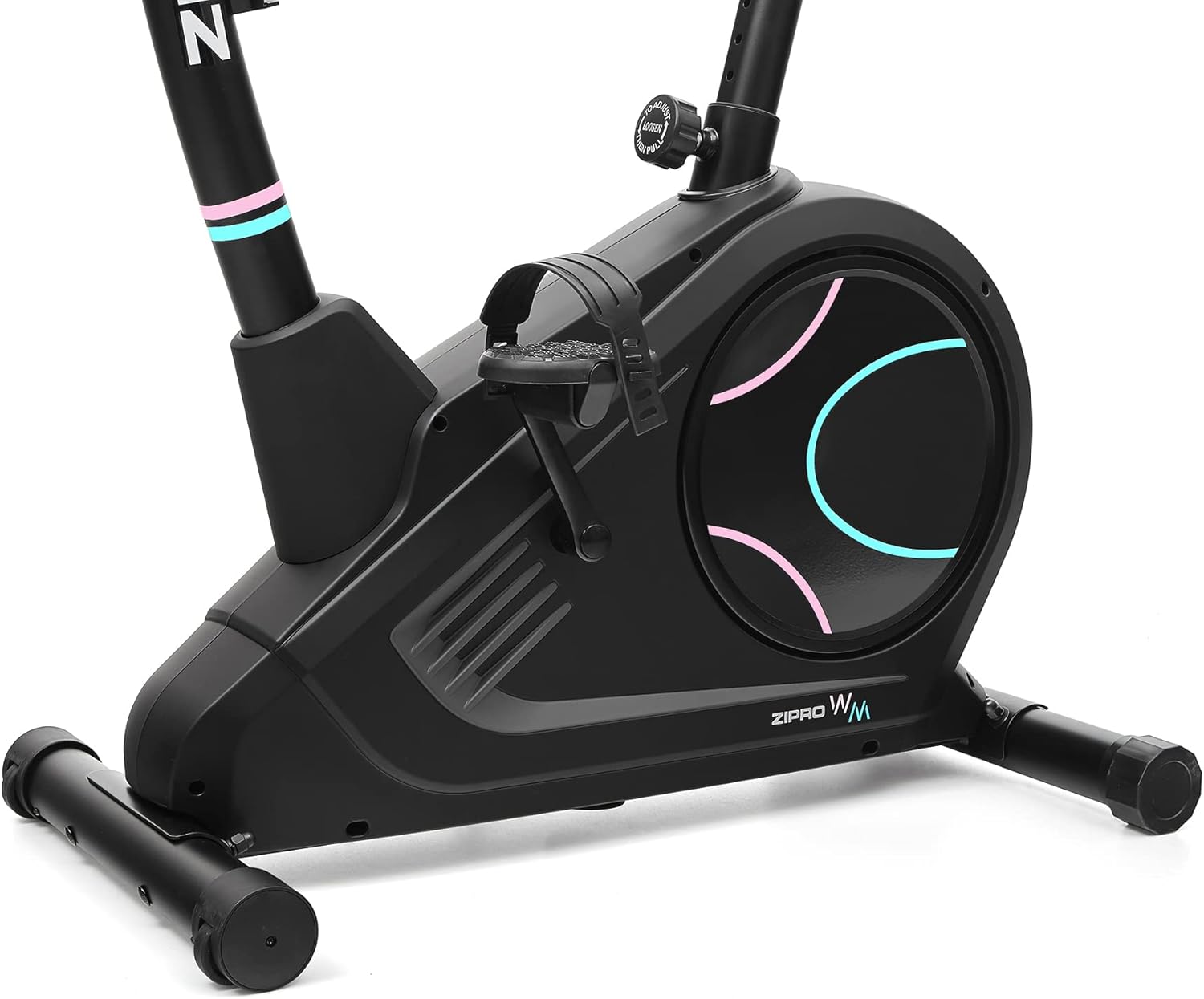
Identify the left (L) and right (R) pedals. The left pedal screws counter-clockwise, and the right pedal screws clockwise. Ensure they are threaded correctly and tightened firmly to prevent loosening during use.

Detail of the non-slip pedals with adjustable straps for secure foot placement.
3.4 Seat and Handlebar Post Installation
Insert the seat post into the main frame and secure it with the adjustment knob. Similarly, insert the handlebar post and attach the handlebars. Ensure all connections are firm.
3.5 Console and Wiring Connection
Connect the console wires to the corresponding cables from the handlebar post. Carefully mount the console onto the handlebar post. Ensure all wires are properly routed and not pinched.
The power connection port, located at the bottom rear of the bike, for connecting the electrical cable.
4.コンポーネントの識別
Familiarize yourself with the main components of your ZIPRO Flame VM fitness bike:
- コンソール: Displays workout data, allows program selection, and connects to apps.
- ハンドルバー: Provide grip and include pulse sensors.
- シート: Adjustable for height and horizontal position.
- ペダル: Non-slip with adjustable straps for secure foot placement.
- 抵抗ノブ: Adjusts the magnetic resistance level.
- 安定剤: Front and rear bases for stability, with transport wheels on the front.
- ウォーターボトルホルダー: 運動中の水分補給に便利な場所にあります。

側 view illustrating the main components of the fitness bike.

前面 view highlighting the console, handlebars, and main body.
5. 操作手順
5.1 電源のオンとコンソールの機能
Connect the power adapter to the bike and a wall outlet. The console will power on automatically. The easy-to-use computer with its clear screen allows you to select programs and monitor your workout progress.

The advanced computer display showing various workout metrics like time, calories, speed, and pulse.

A hand pressing a button on the console, demonstrating user interaction.

A user making adjustments on the fitness bike's console, highlighting its user-friendly interface.
5.2抵抗の調整
The Flame VM features 32 levels of electric-magnetic resistance. Use the UP/DOWN buttons on the console to increase or decrease the resistance level according to your workout intensity needs.
5.3 脈拍測定
Grasp the pulse sensors on the handlebars with both hands. Your pulse will be displayed on the console. Maintaining the correct pulse rate can make your workout more effective.
5.4 Using iConsole+ Training and Kinomap Apps
The Bluetooth connectivity allows you to use popular fitness applications like iConsole+ Training and Kinomap. Place your mobile device on the integrated stand and connect via Bluetooth to enhance your training experience with virtual routes and additional programs.

The integrated stand for mobile devices, allowing you to enjoy digital content during your workout.

A smartphone securely placed on the console's media tray, ready for app integration.

A tablet positioned on the console's stand, demonstrating compatibility with larger mobile devices for an immersive workout.

A user actively exercising on the bike, with a virtual route from the Kinomap app displayed, enhancing the training experience.
5.5 Seat and Handlebar Adjustments
The adjustable seat and handlebar inclination allow you to find the safest and most comfortable position during your ride. Adjust the seat height and horizontal position using the knobs below the seat. The handlebar angle can also be adjusted for optimal comfort.

A user on the fitness bike, illustrating proper foot placement on pedals and interaction with the console.
5.6 水分補給
Stay hydrated during your workout. The included water bottle and holder allow you to quench your thirst without interrupting your exercise session.
6. メンテナンスとケア
Regular maintenance will ensure the longevity and optimal performance of your ZIPRO Flame VM fitness bike.
- クリーニング: 広告で自転車を拭くamp 使用後は毎回布で汗やほこりを拭き取ってください。研磨剤入りの洗剤や溶剤は使用しないでください。
- 潤滑: The magnetic resistance system is generally maintenance-free. However, occasionally check for any squeaks or unusual noises from moving parts and apply a silicone-based lubricant if necessary.
- 気密性チェック: すべてのボルト、ナット、接続部がしっかりと固定されているか定期的に点検してください。緩んでいる留め具があれば締め直してください。
- ストレージ: 自転車は直射日光や極端な温度を避け、乾燥した涼しい場所に保管してください。
7。 トラブルシューティング
If you encounter any issues with your fitness bike, refer to the following common problems and solutions:
| 問題 | 考えられる原因 | 解決 |
|---|---|---|
| Console not turning on | Power adapter not connected; loose wiring; power outlet issue. | Ensure power adapter is securely plugged into bike and outlet. Check outlet with another device. Verify console wiring connections. |
| 抵抗変化なし | Console not communicating with resistance mechanism; mechanical issue. | Check console wiring. If problem persists, contact customer support. |
| 不正確な脈拍測定 | 手をセンサーにしっかりと当てていない、手が乾いている、干渉がある。 | Ensure firm, consistent contact with both sensors. Lightly moisten hands if too dry. |
| きしみ音や擦れる音 | Loose parts; lack of lubrication (rare for magnetic systems); internal component issue. | 目に見えるボルトをすべて点検し、締め付けてください。異音が続く場合は、カスタマーサポートにお問い合わせください。 |
8. 技術仕様
| 特徴 | 仕様 |
|---|---|
| モデル名 | Flame WM |
| モデル番号 | 6299209 |
| ブランド | ジプロ |
| 抵抗メカニズム | 磁気 |
| 抵抗レベル | 32-step Electric-Magnetic |
| 最大ユーザー重量 | 150キログラム(約330ポンド) |
| 寸法(長さ×幅×高さ) | 118 x 49 x 140 cm(約46.5 x 19.3 x 55.1インチ) |
| 製品重量 | 27.3キログラム(約60.2ポンド) |
| 電源 | 電気ケーブル |
| 材料 | Plastic (main material) |
| 特集 | Modern computer with clear screen, pulse sensors, non-slip pedals, adjustable seat/handlebar, mobile device tray, iConsole+ and Kinomap compatibility, transport wheels. |

Detailed dimensions of the ZIPRO Flame VM fitness bike: 118 cm length, 49 cm width, 140 cm height.
9. 保証とサポート
Your ZIPRO Flame VM Magnetic Fitness Bike is covered by a manufacturer's warranty. Please refer to the warranty card included with your purchase for specific terms and conditions.
For technical support, spare parts, or any questions not covered in this manual, please contact ZIPRO customer service. When contacting support, please have your product model number (6299209) and purchase information ready.
Thank you for choosing ZIPRO. We wish you many effective and enjoyable workouts!
Ask a question about this manual
Ask about setup, troubleshooting, compatibility, parts, safety, or missing instructions. Manuals+ will review the question and use this page’s manual context to help answer it.