
導入
ご購入ありがとうございますasing the Hoco HC4 5.0 Wireless Bluetooth Sport Speaker. This manual provides detailed instructions for the proper setup, operation, and maintenance of your device. Please read this manual thoroughly before use to ensure optimal performance and to prevent damage.
製品終了view
The Hoco HC4 is a portable wireless speaker designed for outdoor and sport use, featuring Bluetooth 5.0 connectivity, multiple playback options, and a robust design.
パッケージ内容:
- Hoco HC4 Wireless Bluetooth Speaker
- USB充電ケーブル
- ユーザーマニュアル
コントロールとポート:
スピーカーのボタンと接続ポートについて理解しておきましょう。

画像: Close-up of the Hoco HC4 speaker showing the AUX port, DC-5V charging port, USB port, TF card slot, and control buttons.
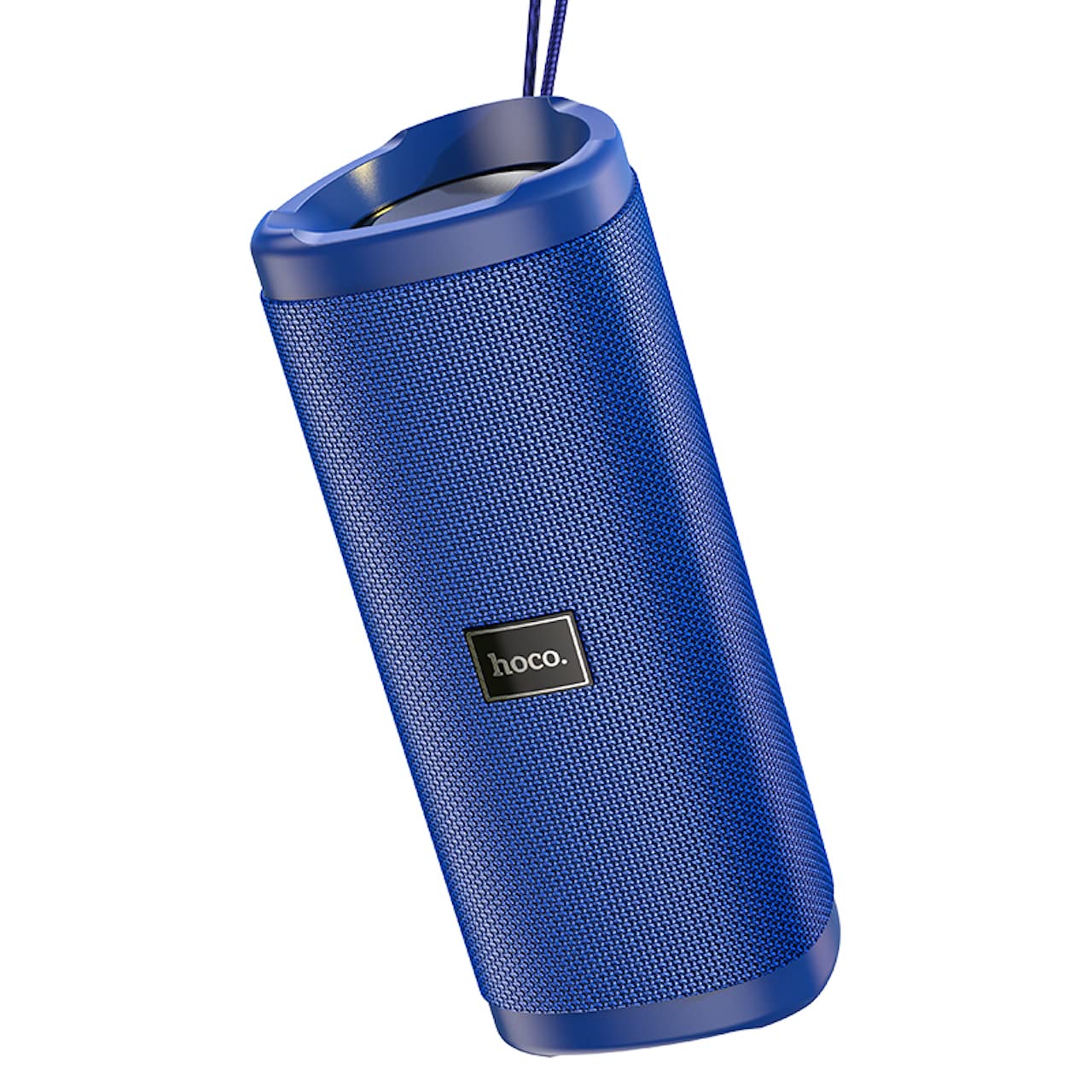
画像: 角度のついた view of the Hoco HC4 blue wireless speaker, highlighting its cylindrical design and fabric mesh.
- 電源ボタン: 長押しすると電源のオン/オフ、短く押すと再生/一時停止になります。
- モードボタン(M): 短く押すと、Bluetooth、FM ラジオ、TF カード、USB、AUX モードを切り替えます。
- 音量を下げる/前のトラックボタン (-): 短く押すと前のトラックに移動し、長く押すと音量が下がります。
- 音量アップ/次のトラックボタン(+): 短く押すと次のトラックに移動し、長く押すと音量が上がります。
- AUXポート: 3.5mmオーディオケーブルを使用した有線オーディオ接続用。
- DC-5Vポート: 付属のUSBケーブルを使用してスピーカーを充電します。
- USBポート: USB フラッシュ ドライブからオーディオを再生します。
- TFカードスロット: TF (MicroSD) カードからオーディオを再生します。
設定
初期充電:
- 初めて使用する前に、スピーカーを完全に充電してください。
- Connect the small end of the USB charging cable to the DC-5V port on the speaker.
- Connect the larger end of the USB cable to a USB power adapter (5V/1A recommended) or a computer's USB port.
- 充電中は充電インジケータライトが点灯し、完全に充電されると消灯します。
操作手順
電源オン/オフ:
- 電源を入れるには: 電源ボタンを約3秒間押し続けます。音声プロンプトが聞こえます。
- 電源を切るには: 電源ボタンを約3秒間押し続けます。音声プロンプトが聞こえます。
Bluetoothのペアリング:
- Ensure the speaker is powered on and in Bluetooth mode (indicated by a flashing blue LED and an audible prompt). If not, short press the 'M' (Mode) button to switch to Bluetooth mode.
- モバイルデバイス(スマートフォン、タブレットなど)で Bluetooth を有効にします。
- 検索する available Bluetooth devices. Select "HC4" from the list.
- Once paired, the blue LED will stop flashing and remain solid, and you will hear a confirmation sound.
- これで、デバイスからのオーディオをスピーカーから再生できるようになりました。
FMラジオモード:
- Short press the 'M' (Mode) button until you hear the FM radio prompt.
- To auto-scan and save available stations, short press the Power button. The speaker will scan and store stations automatically.
- Use the '-' and '+' buttons to navigate between saved stations.
TFカード/USB再生:
- Insert a TF (MicroSD) card or USB flash drive into the respective slot.
- スピーカーは自動的にTFカードまたはUSBモードに切り替わり、オーディオの再生を開始します。 files. If not, short press the 'M' (Mode) button to select the correct mode.
- Use the Power button to play/pause, and the '-' and '+' buttons for track navigation and volume control.
AUXモード:
- 3.5mm オーディオ ケーブル (付属していません) の一方の端をスピーカーの AUX ポートに接続します。
- もう一方の端をデバイス (ラップトップ、MP3 プレーヤーなど) のオーディオ出力に接続します。
- Short press the 'M' (Mode) button to switch to AUX mode.
- Audio will now play through the speaker. Volume can be controlled via the speaker or your connected device.
トゥルーワイヤレスステレオ(TWS)機能:
The TWS function allows you to pair two Hoco HC4 speakers together for a stereo sound experience.
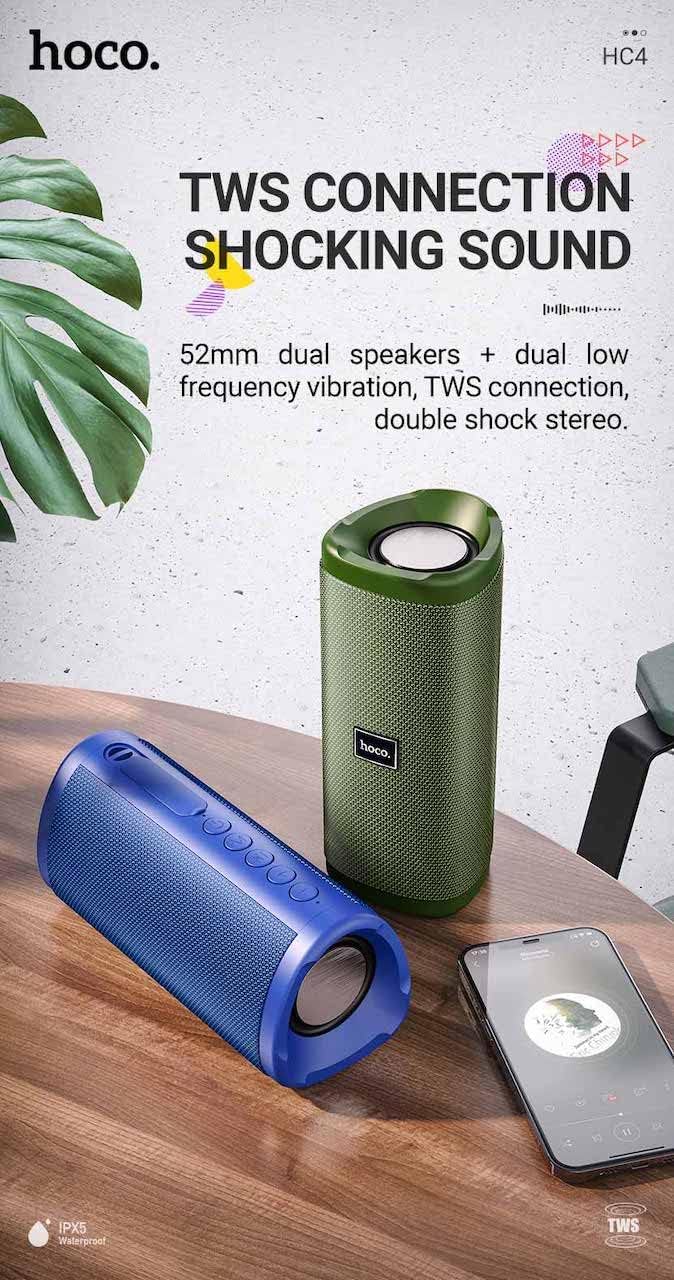
画像: A promotional image showing two Hoco HC4 speakers (blue and green) connected via TWS, with a smartphone playing music. The image also highlights 'IPX5 Waterproof'.
- Ensure both HC4 speakers are powered on and in Bluetooth pairing mode (flashing blue LED).
- On one of the speakers (this will be the primary speaker), double-press the Power button. You will hear a tone indicating it is searching for another speaker.
- The two speakers will automatically connect to each other. Once connected, you will hear a confirmation sound, and the LED on the primary speaker will flash, while the secondary speaker's LED will be solid.
- 次に、「Bluetooth ペアリング」セクションで説明されているように、モバイル デバイスを Bluetooth 経由でプライマリ スピーカーに接続します。
- オーディオは両方のスピーカーからステレオで再生されるようになります。
充電
When the battery is low, the speaker will emit an audible warning. Connect the speaker to a power source using the provided USB cable to recharge. A full charge takes approximately 2-3 hours. The speaker provides up to 3 hours of playtime on a full charge, depending on volume level and usage.
メンテナンス
クリーニング:
スピーカーは柔らかく乾いた布で拭いてください。研磨剤入りの洗剤、アルコール、その他の化学溶剤は表面を傷つける可能性があるため、使用しないでください。
ストレージ:
Store the speaker in a cool, dry place away from direct sunlight and extreme temperatures. If storing for an extended period, charge the battery at least once every three months to prolong its lifespan.
耐水性(IPX5):
The Hoco HC4 speaker features an IPX5 water resistance rating, meaning it is protected against low-pressure water jets from any direction. This makes it suitable for outdoor use and resistant to splashes and light rain. スピーカーを水に浸さないでください。 Ensure the port cover is securely closed to maintain water resistance.
トラブルシューティング
| 問題 | 考えられる原因 | 解決 |
|---|---|---|
| スピーカーの電源が入らない | バッテリー残量が少ない。電源ボタンが十分に押されていない。 | スピーカーを充電します。電源ボタンを3秒間押し続けます。 |
| 音が出ない | 音量が低すぎる; モードが正しくない; デバイスが接続されていない | Increase volume; Switch to correct mode (Bluetooth, AUX, etc.); Ensure device is paired/connected |
| Bluetoothペアリングが失敗する | スピーカーがペアリングモードになっていない、デバイスの Bluetooth がオフになっている、スピーカーから遠すぎる | Ensure speaker is in Bluetooth mode (flashing LED); Turn on device Bluetooth; Move device closer (within 10m) |
| TWSペアリングが失敗する | Speakers not in TWS pairing mode; Too far apart | Ensure both speakers are in Bluetooth mode, then double-press Power button on one; Keep speakers close during TWS pairing |
仕様

画像: The Hoco HC4 speaker with its dimensions clearly marked: 20 cm in length, 8.8 cm in height, and 8.1 cm in width.
- ブランド: ホコ
- モデル: HC4
- Bluetoothバージョン: 5.0
- 出力: 10W
- スピーカーサイズ: 52mm
- バッテリー容量: 1500mAh
- プレイ時間: 約3時間(音量80%時)
- 充電時間: 約2~3時間
- 寸法: 200 x 88 x 81 mm (Length x Height x Width)
- 重さ: 540グラム
- 接続オプション: Bluetooth, FM Radio, TF Card, USB, AUX
- 耐水性: IPX5(防滴)
- コントロールタイプ: ボタン
安全情報
- スピーカーを極端な温度や直射日光に長時間さらさないでください。
- スピーカーを落としたり、強い衝撃を与えたりしないでください。
- Keep the speaker away from water and liquids, especially when ports are open.
- Do not attempt to disassemble, repair, or modify the speaker yourself. This will void the warranty and may cause damage.
- 指定された充電容量のみを使用してくださいtage (DC 5V) and the provided charging cable.
- お子様の手の届かない場所に保管してください。
保証とサポート
This product is covered by a standard manufacturer's warranty. For specific warranty terms and conditions, please refer to the warranty card included with your purchase or contact your local retailer. For technical support or service inquiries, please contact Hoco customer service or the authorized distributor in your region.