
1.製品オーバーview
The Logitech MK295 Silent Wireless Keyboard & Mouse Combo is designed for comfort, precision, and quiet operation. It features Logitech's SilentTouch technology, significantly reducing typing and clicking noises. This combo connects wirelessly via a tiny USB Nano receiver, offering a reliable connection and extended battery life for both the keyboard and mouse.
主な特徴
- Innovative SilentTouch technology for same typing and clicking feel with 90% less noise.
- Full-size keyboard with 8 convenient shortcuts and a full numpad for efficient data entry and easier navigation.
- Contoured and portable mouse with smooth, precise clicking and pointing on most surfaces.
- Strong, reliable 2.4 GHz wireless connection with a 10-meter range and a tiny USB receiver.
- Compatible with Windows or Chrome OS for plug-and-play simplicity.
- Spill-proof keyboard design, durable keys, and sturdy tilt legs with adjustable height.
- Extended battery life: up to 36 months for the keyboard and 18 months for the mouse, with on/off switches.
- One-touch access to media controls (play/pause, volume, mute) and internet.
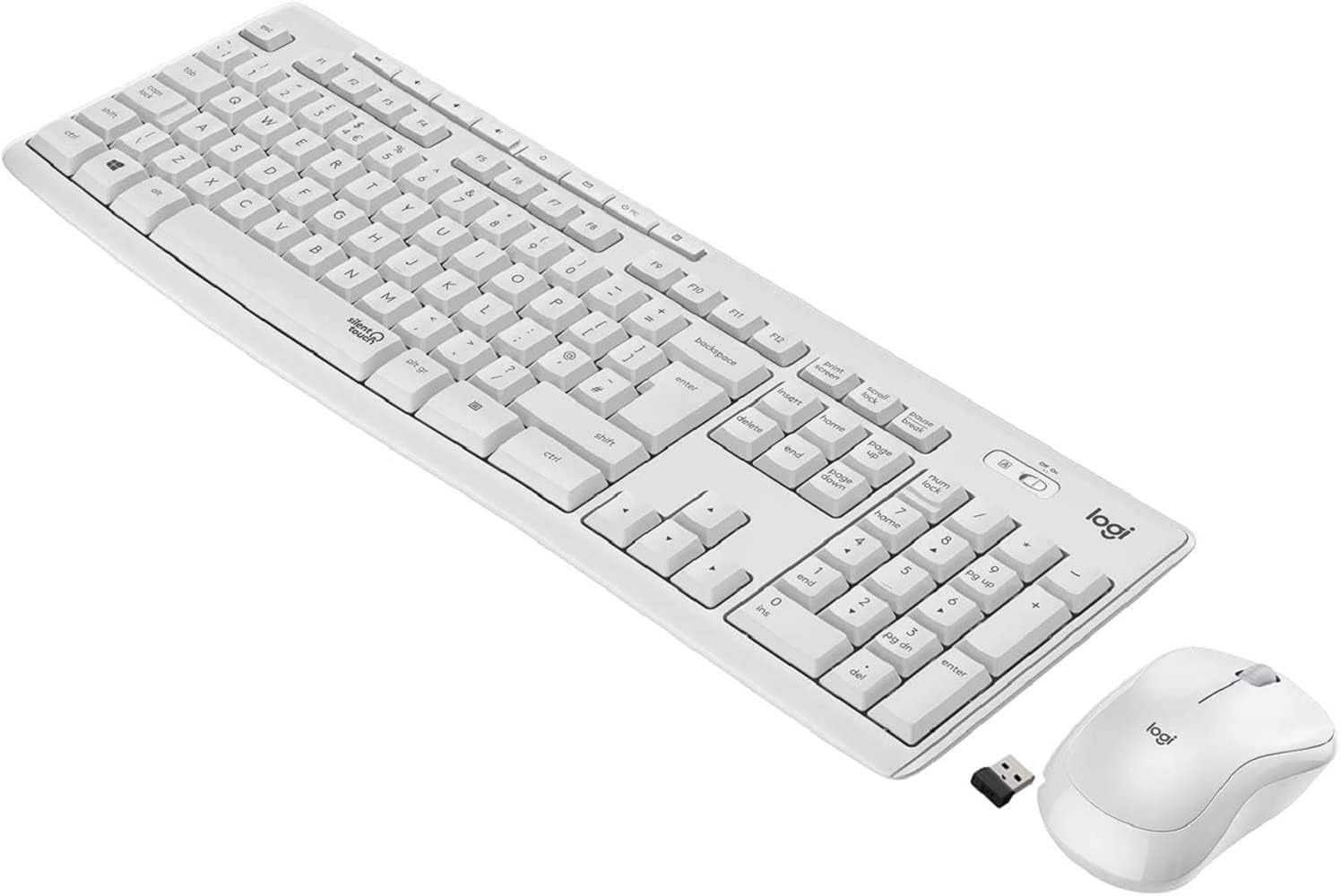
Figure 1.1: The Logitech MK295 Wireless Keyboard and Mouse Combo, including the USB receiver.
2.セットアップガイド
2.1 パッケージ内容
- ロジクール MK295 ワイヤレスキーボード
- ロジクール MK295 ワイヤレスマウス
- USB Nanoレシーバー
- 単4電池2本(キーボードにプリインストール)
- 単三電池 1 本 (マウスにプリインストール)
- ユーザードキュメント(このマニュアル)
2.2 バッテリーの取り付け
The keyboard requires two AAA batteries, and the mouse requires one AA battery. Batteries are typically pre-installed. If replacement is needed:
- キーボードとマウスの裏側にある電池ボックスを見つけます。
- バッテリーコンパートメントカバーをスライドさせて開きます。
- Insert the batteries, ensuring correct polarity (+ and - ends).
- 電池カバーをしっかりと閉じてください。
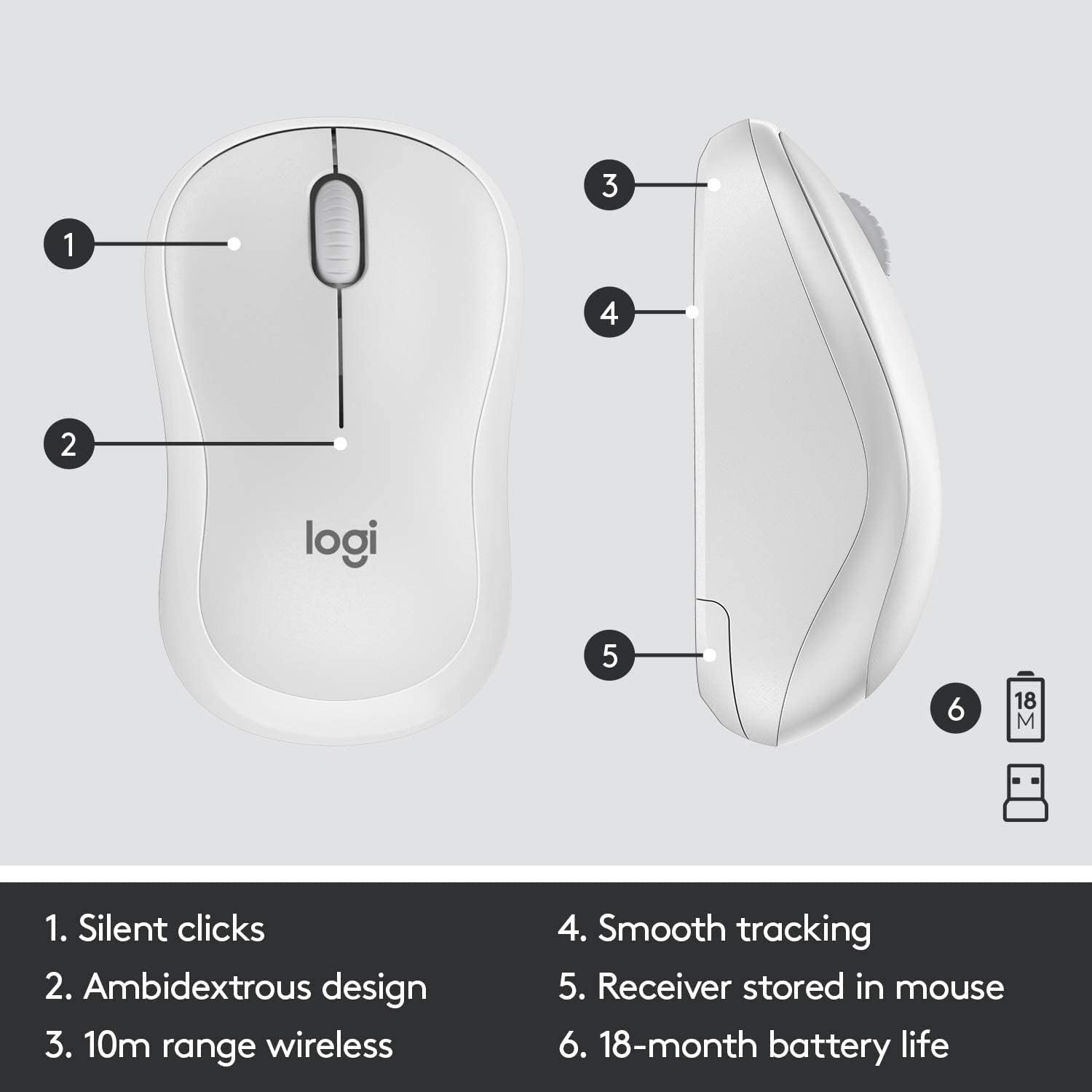
Figure 2.1: The underside of the mouse, showing the battery compartment and the storage slot for the USB receiver.
2.3 デバイスの接続
The keyboard and mouse connect to your computer using a single USB Nano receiver.
- Remove the USB Nano receiver from its storage slot in the mouse (if stored there).
- USB ナノ レシーバーをコンピューターの使用可能な USB ポートに接続します。
- Turn on the keyboard and mouse using their respective On/Off switches. The switches are located on the top right of the keyboard and the underside of the mouse.
- Your computer should automatically detect and install the necessary drivers. The devices are ready for use once detected.

Figure 2.2: The keyboard's On/Off switch, located above the numpad, and an indicator for its 10m (33ft) wireless range.
3. Operating Your MK295 Combo
3.1 キーボードの機能
The MK295 keyboard features a full-size layout for comfortable typing, including a dedicated numeric keypad for efficient data entry. It also includes several convenient shortcut keys:
- メディアコントロール: Play/Pause, Volume Up, Volume Down, Mute.
- アプリケーションショートカット: Home, Mail, Calculator, PC Sleep.
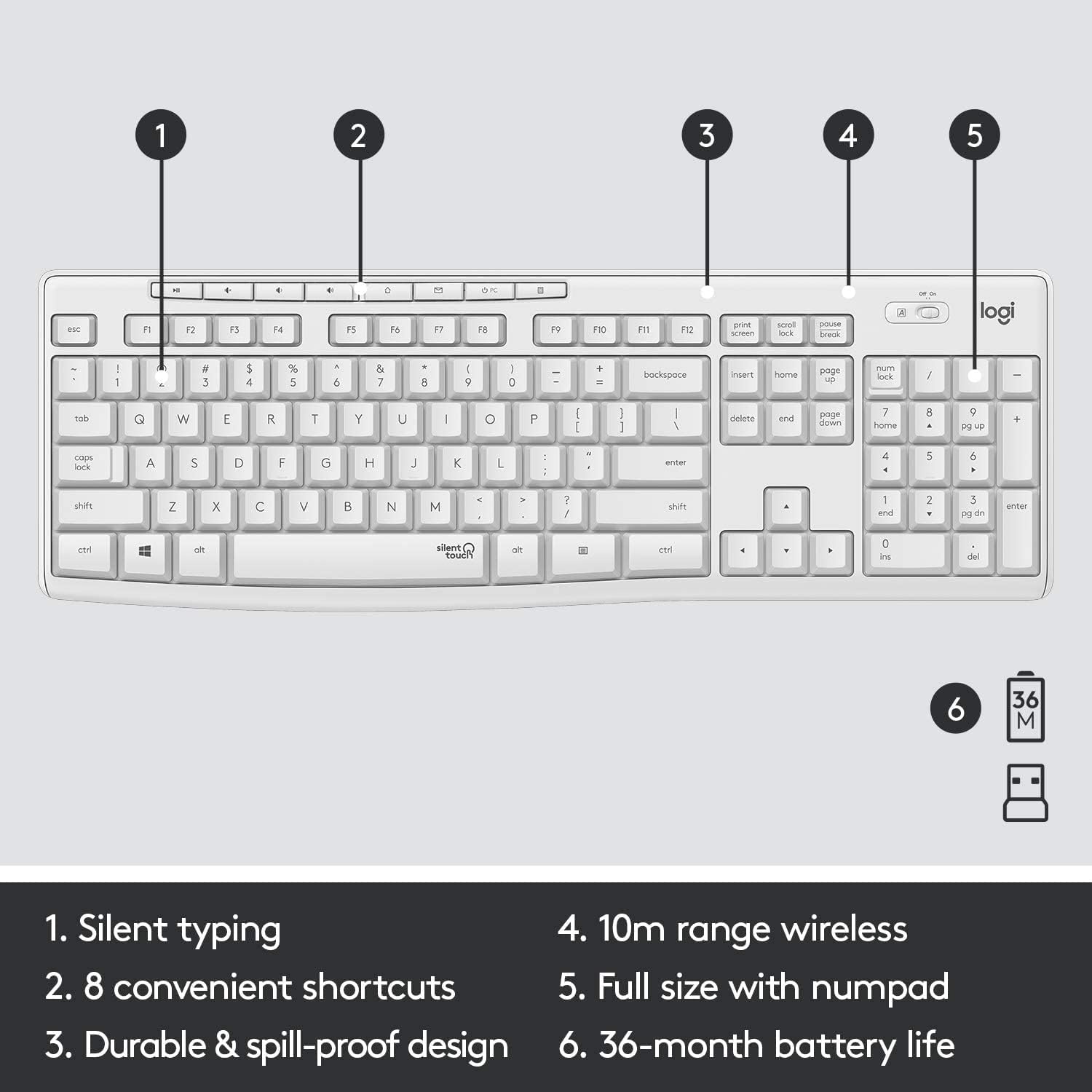
Figure 3.1: Key features of the MK295 keyboard, including its full-size layout with numpad and shortcut keys.
3.2 マウスの機能
The MK295 mouse is designed with a comfortable, contoured shape that fits well in either hand (ambidextrous design). It provides smooth and precise tracking on most surfaces, making navigation effortless.

Figure 3.2: The comfortable and compact design of the MK295 mouse in use.
3.3 SilentTouch Technology
Logitech's SilentTouch technology significantly reduces the noise from keyboard typing and mouse clicks by over 90% compared to traditional Logitech keyboards and mice. This allows for a quieter work environment without compromising the familiar typing and clicking feel.

Figure 3.3: SilentTouch technology provides a quiet user experience with 90% less noise from typing and clicking.
4. お手入れとメンテナンス
- クリーニング: 柔らかくてamp キーボードとマウスの表面を布で拭いてください。刺激の強い化学薬品や研磨剤は使用しないでください。
- こぼれ耐性: The keyboard features a spill-resistant design. In case of accidental spills, quickly wipe off the liquid. Do not immerse the keyboard in water.
- バッテリー節約: Utilize the On/Off switches on both the keyboard and mouse when not in use for extended periods to conserve battery life.
- ストレージ: When transporting or storing the combo, you can store the USB Nano receiver inside the mouse's battery compartment to prevent loss.
5. 一般的な問題のトラブルシューティング
- 接続なし/遅延:
- USB Nano レシーバーがコンピューターの動作中の USB ポートにしっかりと接続されていることを確認します。
- Verify that both the keyboard and mouse are turned On.
- バッテリーのレベルを確認し、必要に応じて交換してください。
- キーボードとマウスを USB レシーバーに近づけて、10 メートルのワイヤレス範囲内にあることを確認します。
- 干渉を引き起こす可能性のある他の電子機器(Wi-Fi ルーター、コードレス電話など)の近くに受信機を置かないでください。
- Keys Not Responding/Mouse Not Tracking:
- Replace the batteries in the affected device.
- USB レシーバーをコンピューターの別の USB ポートに接続してみてください。
- コンピュータを再起動します。
- 予期しない動作:
- If the keyboard or mouse behaves erratically, try turning it Off and On again.
- Ensure your operating system (Windows or Chrome OS) is up to date.
6. 技術仕様
| 特徴 | 仕様 |
|---|---|
| 製品寸法 | 20.08 x 6.22 x 1.81インチ |
| アイテム重量 | 2.05ポンド |
| メーカー | ロジテック |
| ASIN | B08V5LPFLZ |
| 初回利用可能日 | 27年2021月XNUMX日 |
| 色 | オフホワイト |
| 接続技術 | USB (2.4 GHz wireless via Nano receiver) |
| 特集 | Portable, SilentTouch Technology, Spill-resistant keyboard |
| 対応デバイス | Personal Computer (Windows, Chrome OS) |
| キーボードのバッテリー寿命 | 最大36か月(単4電池2本) |
| マウスの電池寿命 | 最大18か月(単3電池1本) |
| ワイヤレス範囲 | 10メートル(33フィート) |
7. 保証情報
Logitech products typically come with a limited hardware warranty. For specific warranty terms and conditions applicable to your MK295 combo, please refer to the warranty card included with your product or visit the official Logitech webサイトでご確認ください。保証請求に備えて購入証明書を保管してください。
8. カスタマーサポート
For further assistance, technical support, or to download the latest software and drivers for your Logitech MK295 Wireless Keyboard and Mouse Combo, please visit the official Logitech support webサイト:
You may also find helpful FAQs and community forums on the support site.