
導入
This manual provides detailed instructions for setting up, operating, maintaining, and troubleshooting your HP 230 Wireless Keyboard and Mouse Combo. Please read this manual thoroughly before using the product to ensure optimal performance and longevity.
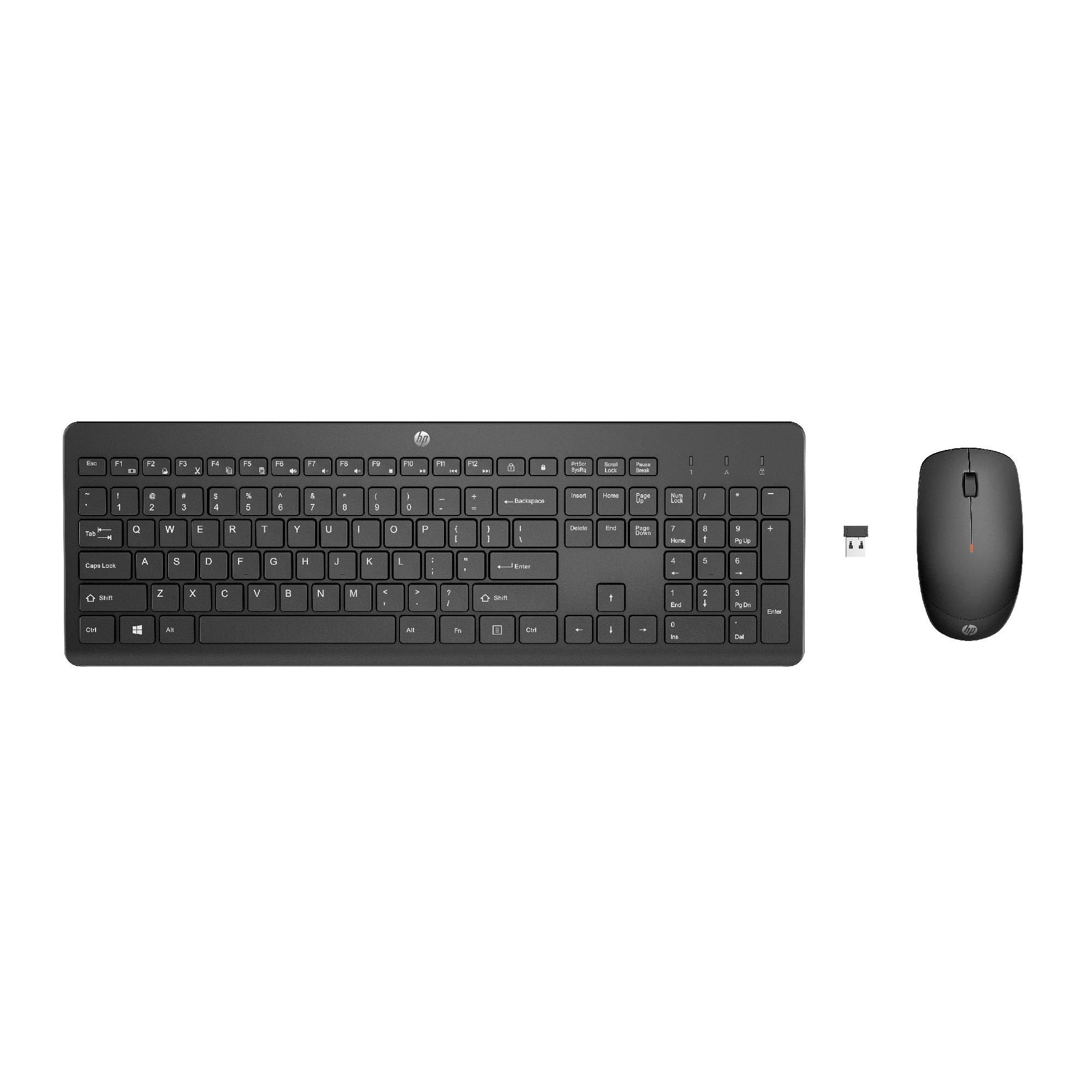
Image: The HP 230 Wireless Keyboard and Mouse Combo, showing both devices in black.
パッケージ内容
パッケージにすべてのアイテムが揃っていることを確認します。
- HP 230 ワイヤレス キーボード
- HP 230 ワイヤレスマウス
- USB-A Wireless Dongle (2.4 GHz)
- 単4電池2本(キーボード用)
- 単三電池1本(マウス用)
- Product Information and Warranty Card
セットアップ手順
1.バッテリーを取り付けます
- キーボードの場合: キーボードの裏側にある電池ボックスを見つけます。極性(+/-)に注意して、単4電池2本を挿入してください。
- マウスの場合: マウスの裏側にある電池ボックスを見つけます。極性(+/-)に注意して、単3電池1本を挿入します。
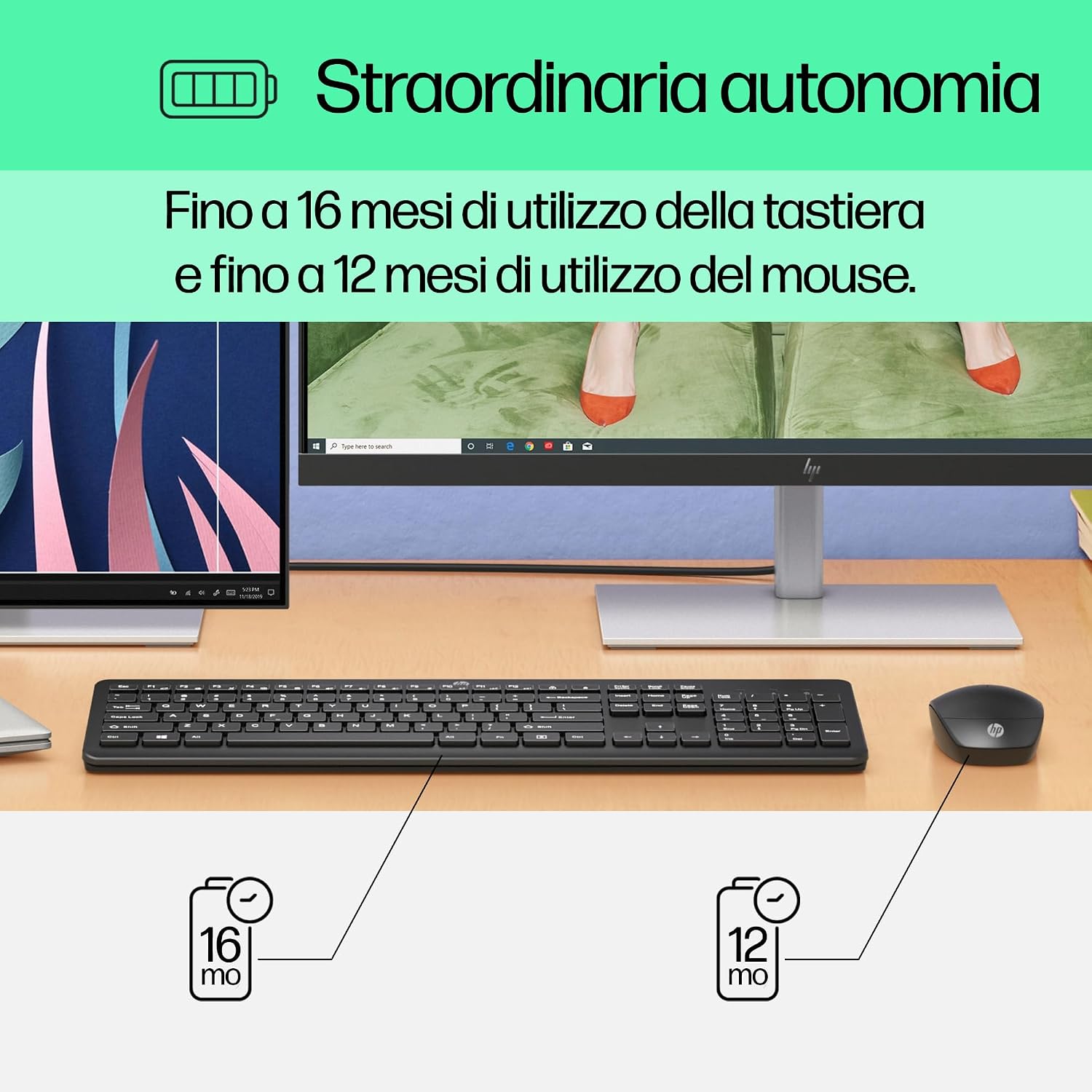
Image: Diagram illustrating battery life for the keyboard (16 months with 2 AAA) and mouse (12 months with 1 AA).
2. Connect the USB-A Wireless Dongle
- Locate the USB-A wireless dongle, typically stored in the mouse's battery compartment or included separately in the packaging.
- Insert the USB-A dongle into an available USB Type-A port on your computer (desktop, laptop, tablet, or All-in-One PC).
- Your computer should automatically detect and install the necessary drivers. This is a Plug and Play device, requiring no manual driver installation.

Image: The HP 230 wireless keyboard and mouse positioned next to a laptop, illustrating wireless connectivity.
The keyboard and mouse are pre-paired with the dongle and should be ready for use immediately after connection.
手術
キーボード機能
The HP 230 Wireless Keyboard features a full-size layout with a numeric keypad and silent chicklet keys for comfortable and quiet typing.
- サイレントタイピング: The keyboard is designed for reduced noise during typing, making it suitable for quiet environments.
- Fn Key Shortcuts: 活用する Fn key in combination with the F1-F12 function keys for quick access to various functions such as volume control, home page, bookmarks, and email.
- テンキー: 効率的なデータ入力のために専用のテンキーが付いています。

画像: 詳細 view of the HP 230 keyboard layout, highlighting function keys and silent chicklet keys, with dimensions.

Image: A close-up of the HP 230 keyboard showing the Fn keys and their associated shortcut icons, emphasizing productivity.
マウス機能
The HP 230 Wireless Mouse is designed for precise navigation and comfortable use.
- 精密トラッキング: The mouse features a 1600 DPI optical sensor for accurate and smooth cursor movement.
- スクロールホイール: Use the scroll wheel for easy vertical navigation through documents and web ページ。
- Left and Right Buttons: Standard left and right-click functionality for interaction with your computer.
- 両手利きのデザイン: 左利き、右利きどちらのユーザーにも適しています。

画像: トップダウン view of the HP 230 mouse, showing its ergonomic design, scroll wheel, and 1600 DPI specification, with dimensions.

Image: Graphic illustrating the precise movement of the HP 230 mouse with up to 1600 DPI tracking.
メンテナンス
Proper maintenance ensures the longevity and performance of your HP 230 combo.
- クリーニング:
- 柔らかく糸くずの出ない布で軽く拭き取ってください。ampキーボードとマウスの表面を水または中性洗浄液で拭いて清掃してください。
- 強力な化学薬品、研磨剤、溶剤の使用は避けてください。
- キーボードの場合は、圧縮空気を使用してキー間のほこりやゴミを取り除きます。
- バッテリー交換:
- パフォーマンスが低下したり、低電池残量インジケーター(ある場合)が点灯したりした場合は、電池を交換してください。
- 常に指定されたタイプ (キーボードの場合は AAA、マウスの場合は AA) の新しい高品質の電池を使用してください。
- 古い電池は地域の規制に従って廃棄してください。
- ストレージ: 長期間使用しない場合は、液漏れを防ぐため電池を取り外してください。機器は涼しく乾燥した場所に保管してください。
トラブルシューティング
If you encounter issues with your HP 230 Wireless Keyboard and Mouse Combo, try the following solutions:
| 問題 | 解決 |
|---|---|
| キーボードまたはマウスが反応しない |
|
| 接続の遅延または断続 |
|
| マウスカーソルが不安定またはスムーズに動かない |
|
仕様
| 特徴 | 詳細 |
|---|---|
| ブランド | HP |
| モデル番号 | 体力230 |
| 色 | 黒 |
| 接続技術 | 2.4 GHz Radiofrequency (Wireless USB-A Dongle) |
| キーボードレイアウト | QWERTY |
| キーの数(キーボード) | 104 |
| 特別なキーボード機能 | Silent Typing, Fn-key shortcuts |
| マウスDPI | 1600DPI |
| マウスのデザイン | 両利き |
| 互換性のあるオペレーティングシステム | Windows 10, Windows 11 (also Windows 7, Windows 8) |
| Minimum OS Requirement | ウィンドウズ10 |
| キーボードの電池タイプ | 単2電池XNUMX本 |
| マウスの電池タイプ | 単三電池1本 |
| Estimated Keyboard Battery Life | 最長16か月 |
| Estimated Mouse Battery Life | 最長12か月 |
| 推奨用途 | Computer typing and navigation |
保証情報
The HP 230 Wireless Keyboard and Mouse Combo comes with a 2年間の製品保証 from the date of purchase. Please retain your proof of purchase for warranty claims. For detailed terms and conditions, refer to the warranty card included in your package or visit the official HP support webサイト。
EU spare parts availability: 1 year.
サポート
For further assistance, technical support, or to access updated drivers and documentation, please visit the official HP support webサイト:
You may also find helpful information and FAQs on the product's Amazon page or by contacting HP customer service directly.