
導入
This manual provides detailed instructions for the proper use and maintenance of your Conambo Trucker Bluetooth Headset 5.0. Please read this manual thoroughly before using the device to ensure optimal performance and longevity.
パッケージ内容
パッケージを開封したら、以下のアイテムがすべて含まれていることを確認してください。
- Conambo Trucker Bluetooth Headset (Model DE-JBT9)
- USB-C充電ケーブル
- ユーザーマニュアル

Image: The Conambo Trucker Bluetooth Headset, a USB-C charging cable, and the user manual are neatly arranged in the product packaging.
製品終了view
ヘッドセットのさまざまなコンポーネントとコントロールについて理解しておきましょう。
- 調節可能なヘッドバンド: さまざまな頭のサイズに合わせてカスタマイズし、快適にフィットします。
- Soft Protein Memory-Foam Earpad: Provides comfort for extended wear.
- Flexible Gooseneck Microphone: Can be rotated 270 degrees for use on either the left or right ear, and adjusted for optimal voice pickup. Features a wind cover for clear audio.
- コントロールボタン: Located on the earpiece for easy access to power, volume, call management, and mute functions.
- USB-C充電ポート: ヘッドセットのバッテリーを充電します。

Image: A user demonstrates the adjustable headband, soft ear pad, and anti-slip pad for comfortable wear on either ear.
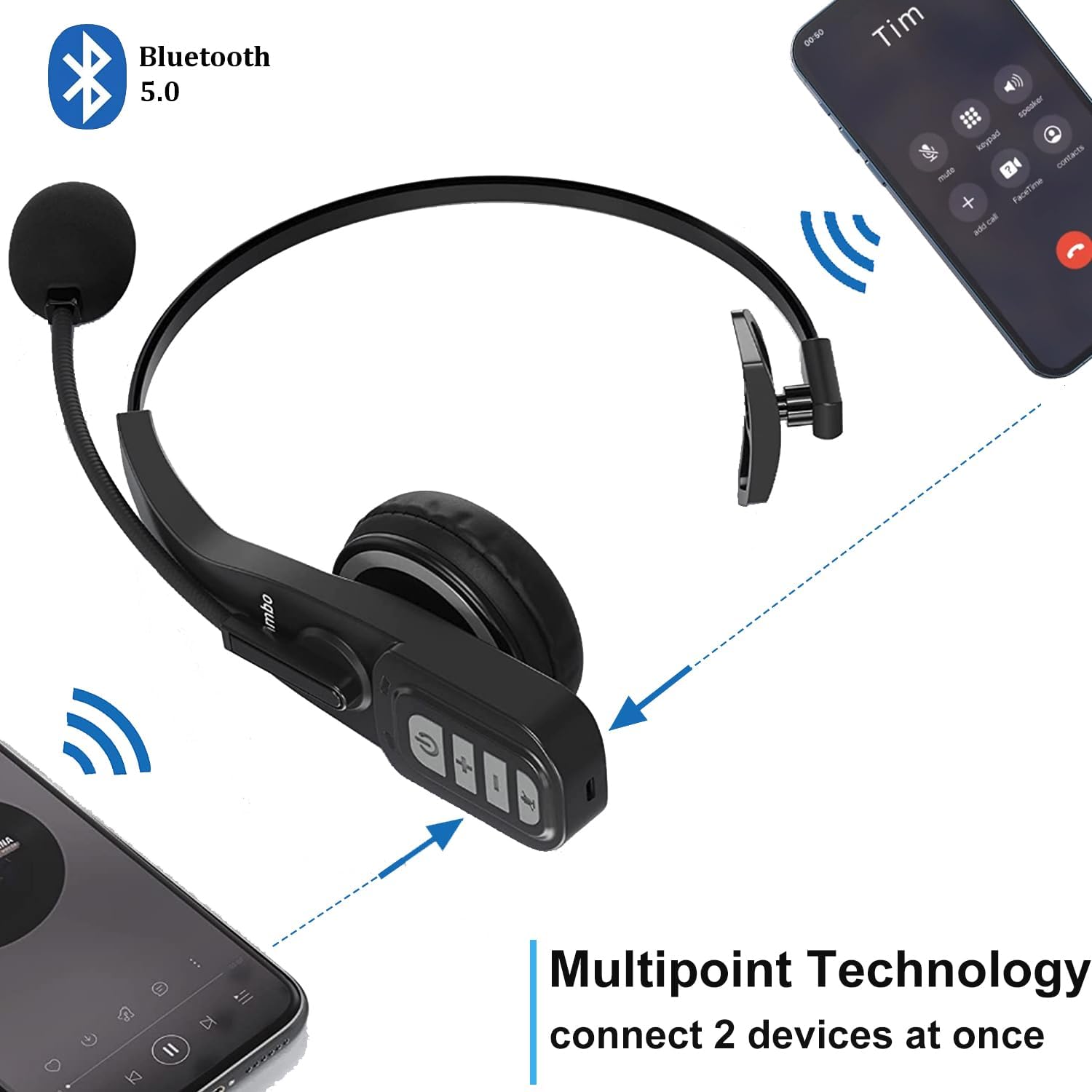
Image: Close-up of the headset's control panel, highlighting the volume up/down, power/call, and mute buttons.
設定
1. ヘッドセットの充電
Before initial use, fully charge your headset. A full charge takes approximately 4 hours.
- 付属のUSB-C充電ケーブルをヘッドセットの充電ポートに接続します。
- USB-C ケーブルのもう一方の端を互換性のある USB 電源 (コンピューターの USB ポート、壁のアダプターなど) に接続します。
- The LED indicator on the headset will show charging status (refer to the LED indicator section for details).
2. Bluetoothデバイスとのペアリング
The headset uses Bluetooth 5.0 technology for stable and fast connections. It supports multipoint connection, allowing simultaneous connection to two Bluetooth devices.
- ヘッドセットが充電されていることを確認してください。
- Slide the power switch to the "ON" position. The headset will automatically enter pairing mode, indicated by a flashing LED light.
- On your device (e.g., smartphone, laptop, PC), enable Bluetooth and search for available devices.
- Select "A19" or "Conambo JBT900" (or similar model name) from the list of found devices to connect.
- Once connected, the LED indicator will become solid, confirming successful pairing.

Image: The headset is shown connected to two different smartphones, illustrating its multipoint technology feature.
Video: A demonstration of the Conambo JBT900 Bluetooth 5.0 Headset, showcasin機能と使いやすさを評価します。
操作手順
通話管理
- 通話の応答/終了: Press the Phone Call button once.
- 通話を拒否: Press and hold the Phone Call button for 2 seconds.
- マイクのミュート/ミュート解除: During a call, press the Mute button (often the same as the Phone Call button or a dedicated button) once.
- 最後の番号にリダイヤル: Double-press the Phone Call button.

Image: A woman wearing the headset, demonstrating the mute function during a call.
音楽コントロール
- 再生/一時停止: Press the Phone Call button once.
- 音量を上げる/下げる: 専用の音量 + ボタンと音量 - ボタンを使用します。
- 次のトラック: 音量+ボタンを長押しします。
- 前のトラック: 音量 - ボタンを長押しします。
音声アシスタント(Siri/Google アシスタント)
Press and hold the Mute button to activate your device's voice assistant for hands-free commands.
快適性と調整性
The Conambo headset is designed for comfort during prolonged use.
- The headband is stretchable and can be adjusted to fit various head sizes.
- The soft protein memory-foam earpad ensures a comfortable fit on your ear.
- The microphone boom can be rotated 270 degrees, allowing you to wear the earpiece on either your left or right ear.

Image: A man wearing the headset, demonstrating the flexible microphone positioned for clear communication, highlighting its noise-cancelling capabilities.
メンテナンス
ヘッドセットの寿命を延ばし、最適なパフォーマンスを確保するには、次のメンテナンス ガイドラインに従ってください。
- Clean the earpad and microphone foam regularly with a soft, dry cloth.
- ヘッドセットを極端な温度、湿気、直射日光にさらさないでください。
- ヘッドセットを使用しないときは、涼しく乾燥した場所に保管してください。
- ヘッドセットをご自身で分解したり修理したりしないでください。サポートが必要な場合は、カスタマーサポートにお問い合わせください。
トラブルシューティング
If you encounter any issues with your headset, please refer to the following common solutions:
- ヘッドセットがオンにならない: ヘッドセットが完全に充電されていることを確認してください。
- ペアリングできません: Make sure the headset is in pairing mode (flashing LED) and your device's Bluetooth is enabled and searching. Try restarting both the headset and your device.
- 音声が出ない/音質が悪い: Check the volume levels on both the headset and your connected device. Ensure the headset is within the 33ft wireless range of your device.
- マイクが機能しません: Ensure the microphone is not muted. Adjust the microphone's position closer to your mouth.
仕様
| モデル番号 | DE-JBT9 |
| Bluetoothバージョン | 5.0 |
| 接続技術 | Bluetooth 5.0、ワイヤレス |
| ワイヤレス範囲 | 最大33フィート(10メートル) |
| 通話時間 | 最大22時間 |
| 充電時間 | 約4時間 |
| 待機時間 | Up to 360 hours (implied from images) |
| 騒音制御 | アクティブノイズキャンセリング(マイク用) |
| アイテム重量 | 0.17キログラム(5.9オンス) |
| 材料 | Leather, Soft protein memory-foam, Stretchable headband |
| 対応デバイス | Cellphones, Laptops, PC Call Center Equipment |
保証とサポート
For warranty information or technical support, please refer to the contact details provided in the included user manual or visit the official Conambo webサイト。