
導入
This instruction manual provides essential information for the proper setup, operation, and maintenance of your Como Audio Analog Turntable, Model CATA. Please read this manual thoroughly before using the product to ensure optimal performance and longevity.
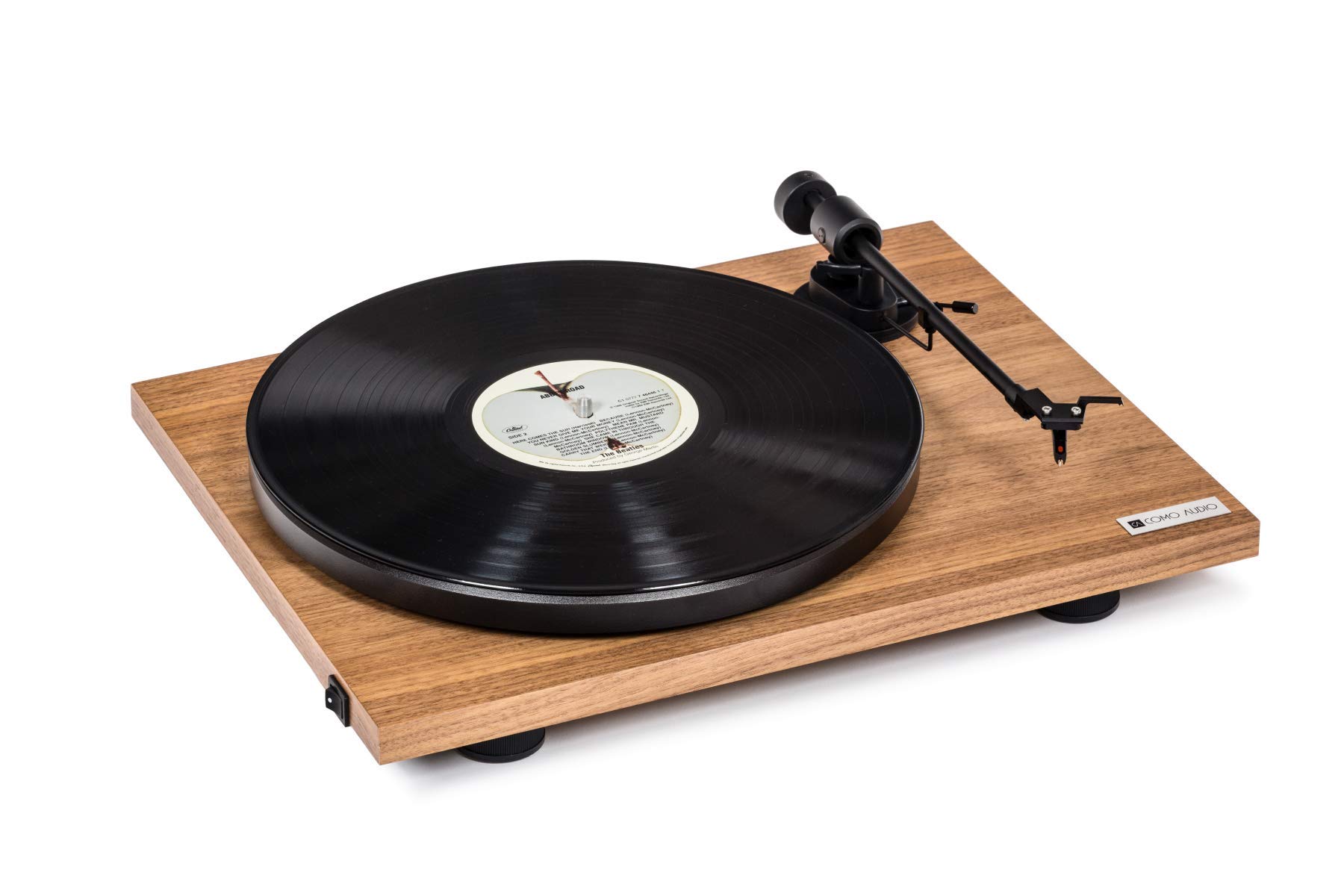
Image: The Como Audio Analog Turntable, featuring a walnut wood plinth, black platter, and tonearm.

画像: 詳細な view of the rich walnut finish on the turntable's plinth, showcasing the wood grain.
パッケージ内容
Before proceeding with setup, ensure all components are present and undamaged:
- Como Audio Analog Turntable unit
- Pre-mounted Ortofon cartridge/stylus
- 大皿
- ドライブベルト
- Removable clear dust cover
- フェルトマット
- オーディオケーブル
- Power supply (15V/0.8A, universal 110V-240V, 50-60Hz)
- 取扱説明書(本書)
セットアップ手順
1. 開梱と設置
- パッケージからすべてのコンポーネントを慎重に取り出します。
- ターンテーブルは、直射日光、熱源、過度の振動を避け、安定した水平な場所に置いてください。
2. プラッターとドライブベルトの取り付け
- Place the platter onto the spindle located on the turntable plinth.
- Locate the drive belt. Gently stretch the belt around the motor pulley (small metal cylinder) and the inner rim of the platter. Ensure the belt is not twisted.
3. カートリッジとスタイラス
The Como Audio Analog Turntable comes with a premium Ortofon cartridge and stylus pre-mounted. No adjustment of counterweight or anti-skating is required for initial setup.
4. ダストカバーの取り付け

Image: Detail of the removable clear dust cover, designed to protect the turntable from dust.
- Carefully align the hinges of the clear dust cover with the corresponding slots on the rear of the turntable plinth.
- Gently push down until the dust cover is securely in place. The dust cover is removable for cleaning or when not in use.
5. オーディオ接続
The turntable offers selectable Line output or Phono output. Choose the appropriate connection for your audio system:
- Line Output (Integrated Phono Pre-Amp): Use this option if your amplifier or music system (e.g., Como Audio music system) has an Auxiliary (AUX) input and does not have a dedicated Phono input. Connect the included audio cable from the turntable's Line Out to your system's AUX input.
- フォノ出力: Use this option if your amplifier or music system has a dedicated Moving Magnet (MM) Phono input. Connect the included audio cable from the turntable's Phono Out to your system's Phono input. Ensure your amplifier's Phono input is selected.
注記: If experiencing a humming noise, ensure proper grounding. Some audio systems may require a separate ground wire connection if available on your amplifier。
6. 電源接続
- Connect the power supply cable to the DC input jack on the rear of the turntable.
- 電源アダプタを適切な壁のコンセントに差し込みます。
操作手順
1. 電源投入と速度選択
- Locate the integrated power and speed control switch, typically on the bottom left side of the turntable plinth.
- Turn the switch to select either 33 1/3 回転 for LPs or 45 回転 for singles. The platter will begin to spin.
2. レコードの再生

Image: The turntable with a record spinning on the platter, and the tonearm positioned over the record.
- フェルトマットを大皿に置きます。
- Carefully place a vinyl record onto the felt mat.
- キューイングレバーを使用してトーンアームをゆっくりと持ち上げます。
- レコードの希望する開始溝の上にスタイラスを置きます。
- キューイングレバーをゆっくり下げて、スタイラスをレコードの上に下ろします。
- Adjust the volume on your connected audio system.
3. 再生を停止する
- レコードの終わり、または再生を停止したいときは、キューレバーを使用してトーンアームをゆっくりと持ち上げます。
- Return the tonearm to its rest position and secure it with the tonearm clip.
- Turn the power/speed switch to the "Off" position to stop the platter from spinning.
- 注記: This turntable does not feature an automatic shut-off function. The platter will continue to spin until manually turned off.
メンテナンス
1. ターンテーブルのクリーニング
- Always power off and unplug the turntable before cleaning.
- Use a soft, dry, lint-free cloth to wipe the plinth and platter. Avoid abrasive cleaners or solvents.
- ダストカバーには、必要に応じて柔らかい布と、研磨剤を含まない低刺激性のクリーナーを使用してください。
2. スタイラスのお手入れ
- Regularly clean the stylus using a dedicated stylus brush, brushing gently from back to front.
- 指でスタイラスに触れないようにしてください。
- A worn or damaged stylus can harm your records and degrade sound quality. Replace the stylus when necessary (typically after 500-1000 hours of playback, depending on usage and record condition).
3.ドライブベルト
The drive belt is a wear item. If you notice inconsistent speed or the platter not spinning, the belt may need to be inspected or replaced. Contact Como Audio support for replacement parts.
トラブルシューティング
| 問題 | 考えられる原因 | 解決 |
|---|---|---|
| 音が出ない、または非常に小さい音 |
|
|
| ハミング音 |
|
|
| Inconsistent or incorrect playback speed |
|
|
| ターンテーブルが回転しない |
|
|
仕様
| 特徴 | 詳細 |
|---|---|
| モデル番号 | カタ |
| 製品寸法(長さ x 幅 x 高さ) | 16.3 x 12.6 x 4.65インチ |
| アイテム重量 | 11.68ポンド |
| ブランド | コモオーディオ |
| 最高回転数 | 45 回転 |
| 含まれるコンポーネント | Pre-mounted Ortofon cartridge/stylus, audio cable, power supply, dust cover, felt mat |
| 特集 | Belt-Drive, Built-In Cartridge, Integrated Phono Pre-Amp, DC Motor with TPE Damping |
| 材料 | Engineered Wood (MDF), Plastic |
| 色 | クルミ |
| 対応デバイス | Speaker, Personal Computer (via appropriate audio input) |
| モータータイプ | DCモーター |
保証とサポート
For warranty information, technical support, or replacement parts, please contact Como Audio directly through their official webサイトまたはカスタマーサービスチャネルでご確認ください。購入証明として購入レシートを保管してください。
Official Como Audio Webサイト: ホームページ