
1. はじめに
Welcome to the user manual for your XOOPAR Buddy Cable XP71031. This document provides essential information on how to set up, operate, and maintain your multi-connector cable. Please read these instructions carefully to ensure proper use and longevity of your product.
2.製品オーバーview
The XOOPAR Buddy Cable is a versatile charging and data transfer solution designed for modern mobile devices. It features a unique 'Buddy' shaped design and a compact keychain format for enhanced portability. This cable integrates three common connectors:
- USB-A: For connecting to standard USB ports on computers, wall adapters, and power banks.
- USB-C: Compatible with a wide range of modern smartphones (e.g., Huawei, Google), tablets, and laptops.
- 稲妻: Designed for Apple iPhones, iPads, and other Lightning-compatible devices.

Image: The XOOPAR Buddy Cable showcasing its three integrated connectors (USB-A, USB-C, and Lightning) and its coiled cable design.
3. セットアップ
Using the XOOPAR Buddy Cable is straightforward. Follow these steps to connect your devices:
- コネクタを識別します。 Locate the appropriate connector for your power source (USB-A) and your mobile device (USB-C or Lightning).
- 電源に接続します: Plug the USB-A end of the Buddy Cable into a compatible USB port on a wall adapter, computer, or power bank.
- デバイスに接続します: Plug the USB-C or Lightning end into the charging port of your smartphone or other compatible device.
- 接続を確認します: Ensure both ends are securely connected. Your device should indicate that it is charging or connected for data transfer.
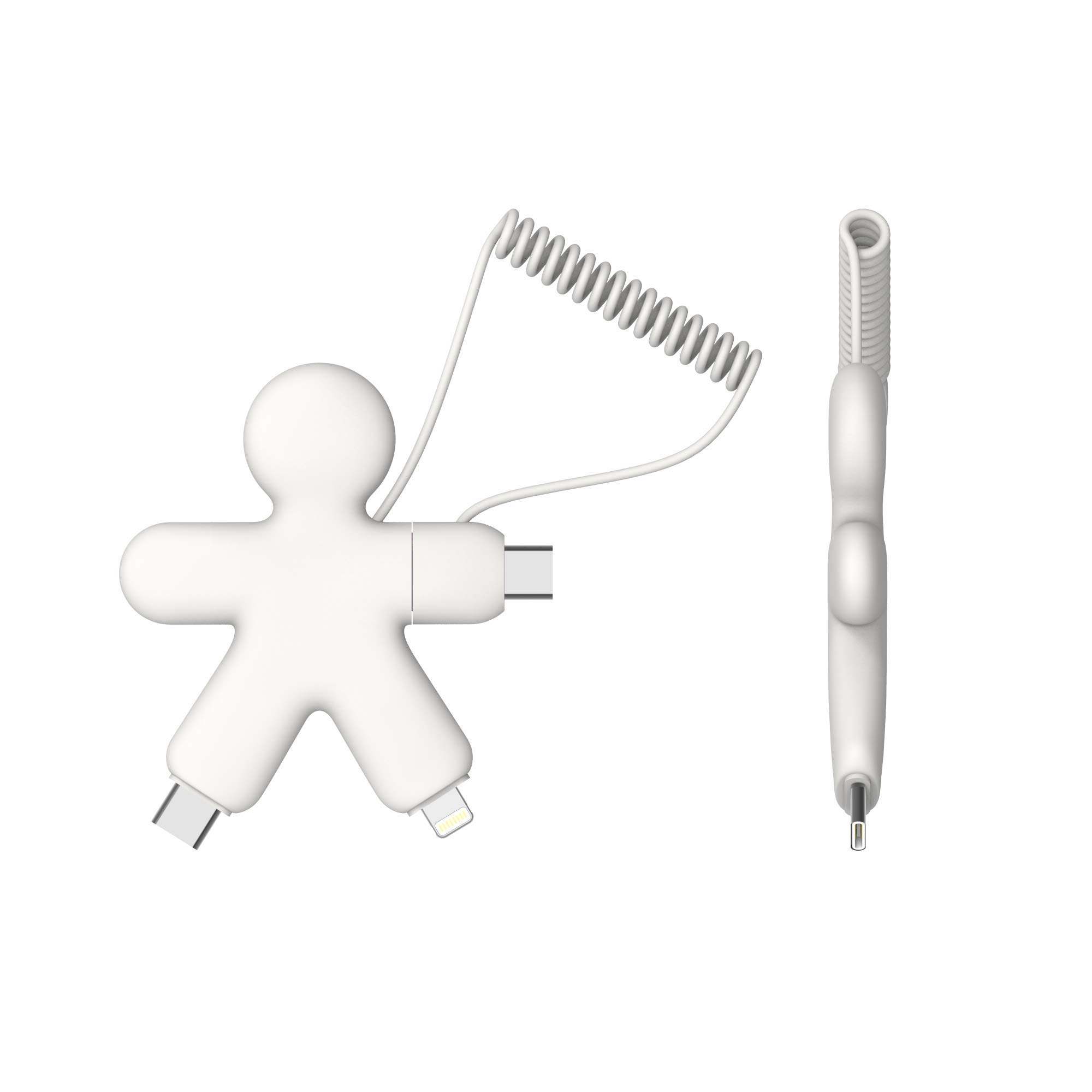
Image: The XOOPAR Buddy Cable facilitating a connection between a smartphone and a portable power bank.
4. 操作手順
The XOOPAR Buddy Cable is designed for both charging and data synchronization. Its high-speed capabilities ensure efficient performance.
4.1. デバイスの充電
Once connected as described in the Setup section, your device will begin charging. The cable supports standard charging speeds. For optimal charging, use a compatible power adapter or a powered USB port.

Image: A smartphone being charged by the XOOPAR Buddy Cable connected to a laptop's USB port.
4.2. データ転送
When connected to a computer, the XOOPAR Buddy Cable allows for data transfer between your device and the computer. Depending on your device and operating system, you may need to confirm the connection type (e.g., 'Allow' on your phone for data access).
5. メンテナンス
To ensure the longevity and optimal performance of your XOOPAR Buddy Cable, follow these maintenance guidelines:
- クリーニング: Gently wipe the cable and connectors with a dry, soft cloth. Avoid using harsh chemicals or abrasive materials.
- ストレージ: Store the cable in a cool, dry place away from direct sunlight and extreme temperatures. The coiled design helps prevent tangling.
- 取り扱い: Avoid excessive bending or pulling on the cable, especially near the connectors, to prevent internal damage. Always grasp the connector head when plugging or unplugging.
- 水分: Keep the cable away from water and other liquids. If it gets wet, ensure it is completely dry before use.
6。 トラブルシューティング
If you encounter issues with your XOOPAR Buddy Cable, try the following troubleshooting steps:
- デバイスが充電されない:
- ケーブルの両端が電源とデバイスにしっかりと差し込まれていることを確認してください。
- 別の電源アダプタまたは USB ポートを使用してみてください。
- デバイス固有の問題を除外するために、別のデバイスでケーブルをテストします。
- ケーブルまたはコネクタに目に見える損傷がないか確認します。
- 遅い充電:
- Ensure your power source provides sufficient output (e.g., a wall adapter is generally faster than a computer USB port).
- デバイス上の不要なアプリケーションを閉じます。
- データ転送の問題:
- Confirm that your device is set to allow data transfer when connected to a computer.
- デバイスとコンピュータの両方を再起動してみてください。
- コンピュータの USB ドライバーが最新であることを確認してください。
7. 仕様
| 特徴 | 詳細 |
|---|---|
| ブランド | ズーパー |
| モデル番号 | XP71031 |
| 色 | 白 |
| コネクタ | USB-A、USB-C、ライトニング |
| 特集 | High Speed, Keychain Format |
| 対応デバイス | Smartphones (Apple, Huawei, Google, etc.) |
| メーカー | XOOPAR |
| 原産国 | 中国 |
8. 保証情報
Specific warranty details for the XOOPAR Buddy Cable XP71031 are typically provided with the product packaging or can be found on the official Xoopar web包括的な保証条件については、これらのリソースを参照してください。
9. サポート
For further assistance, technical support, or inquiries regarding your XOOPAR Buddy Cable XP71031, please visit the official Xoopar webメーカーのウェブサイトをご覧いただくか、カスタマーサービス部門にお問い合わせください。連絡先は通常、製品のパッケージまたはメーカーのウェブサイトに記載されています。 webサイト。