
1. はじめに
This manual provides instructions for the Xgody Mate10+ smartphone. It covers device setup, operation, features, and maintenance to ensure optimal performance and user experience. The Mate10+ operates on Android 8.1, features a 5.5-inch HD display, dual 5MP cameras, and supports dual SIM functionality.
2. パッケージ内容
製品パッケージにすべてのアイテムが揃っていることを確認します。
- 1 x Xgody Mate10+ Smartphone
- 1 x充電器アダプター
- USBケーブル1本
- 1 x電話ケース
- 英語ユーザーマニュアル x 1
- 1 x HD Film (Screen Protector)
- 強化フィルム(スクリーンプロテクター)1枚

Image: Contents of the Xgody Mate10+ smartphone package.
3. はじめに
3.1. SIMカードとストレージカードのインストール
The Xgody Mate10+ supports dual SIM dual standby, allowing the use of two SIM cards simultaneously. It has two independent card slots: one for a Nano SIM and one for a Micro SIM or a TF (microSD) card for expandable storage.
- デバイスの側面にある SIM/TF カード トレイを見つけます。
- 付属の SIM イジェクタ ツールを使用してトレイを開きます。
- Carefully place your Nano SIM card, Micro SIM card, and/or TF card into the designated slots. Ensure correct orientation.
- トレイをデバイス内にぴったり重なるまでゆっくりと押し戻します。
3.2. デバイスの充電
Before first use, fully charge the smartphone using the provided charger and USB cable.
- USBケーブルを充電アダプタに接続します。
- 充電アダプターを電源コンセントに差し込みます。
- USB ケーブルを携帯電話の充電ポートに接続します。
- 画面上のバッテリーアイコンで充電状態が示されます。
3.3.電源のオン/オフ
- 電源をオンにするには: 画面が点灯するまで電源ボタンを押し続けます。
- 電源を切るには: 電源ボタンを長押しし、画面上のオプションから「電源を切る」を選択します。
3.4. 初期設定
初めて電源を入れるときは、画面の指示に従って、言語の選択、Wi-Fi 接続、Google アカウントの設定、セキュリティ設定などの初期設定を完了します。
4. 主な機能と操作
4.1. ディスプレイ
The Xgody Mate10+ features a 5.5-inch HD full-view display, providing a wide visual experience for view内容。

Image: The 5.5-inch full-view display of the Xgody Mate10+.

Image: The compact design of the Xgody Mate10+ for easy portability.
4.2. オペレーティングシステム(Android 8.1)
The device runs on Android 8.1, offering a user-friendly interface and enhanced performance for daily tasks.
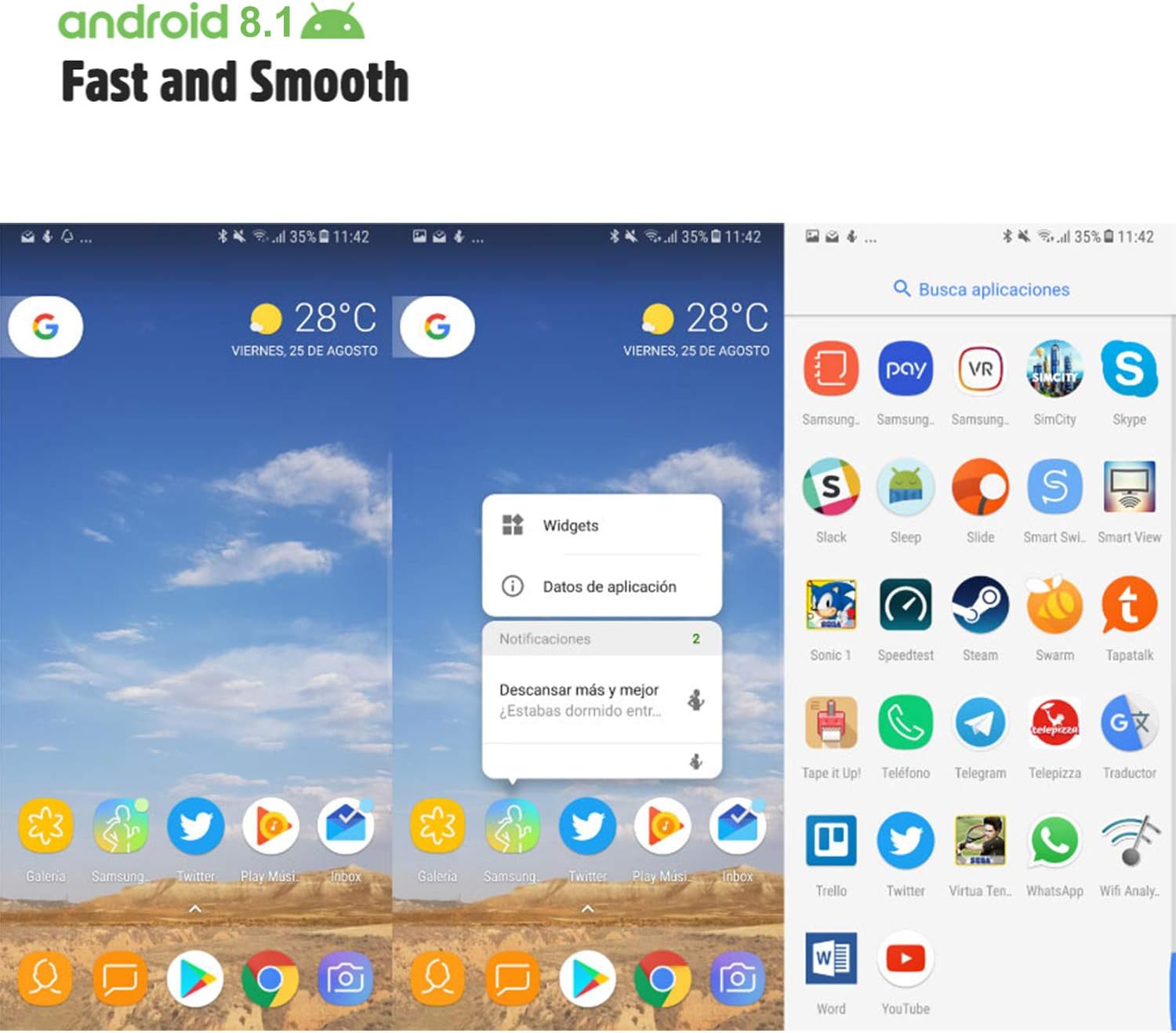
Image: Android 8.1 interface on the Xgody Mate10+.
4.3. カメラ
The Xgody Mate10+ is equipped with dual 5MP cameras, including a rear camera and a front beauty camera, for capturing photos and videos.

Image: Using the front camera for selfies.
4.4. パフォーマンスとストレージ
The device includes 1GB RAM and 8GB internal storage (ROM), expandable up to 32GB with an external SD card, providing sufficient space for applications and media.

Image: Internal components and storage capabilities.
4.5. 接続性
The Xgody Mate10+ is a 3G unlocked smartphone, supporting WCDMA 850/1900/2100MHz and GSM 850/900/1800/1900 MHz network bands. It is compatible with most WCDMA SIM carriers but not with CDMA carriers (e.g., Sprint, Verizon, Boost Mobile).
4.6. セキュリティ
The device supports Face ID for unlocking, providing a convenient and secure method to access your phone.
ビデオ: 終了view of Xgody Mate10+ features, including camera, processor, memory, Face ID, 5.5-inch screen, dual SIM, and Android 8.1 operating system.
5. 仕様
| モデル | Mate10+ |
| オペレーティング·システム | アンドロイド8.1 |
| 画面 | 5.5 inch HD Full View 画面 |
| ラム | 1GB |
| ROM(内部ストレージ) | 8GB |
| 拡張可能なストレージ | Up to 32GB (TF card) |
| リアカメラ | 5MP |
| フロントカメラ | 5MP (Beauty Camera) |
| SIMカードのサポート | Dual SIM Dual Standby (1 Nano SIM, 1 Micro SIM or TF card) |
| ネットワークバンド | 3G WCDMA 850/1900/2100MHz, 2G GSM 850/900/1800/1900 MHz |
| バッテリー容量 | 2000mAh |
| ワイヤレステクノロジー | Bluetooth, Wi-Fi, Cellular |
| 接続性 | USB |
| GPS | グロナス |
| アイテム重量 | 14オンス |
| 製品寸法 | 0.39 x 0.39 x 0.39インチ |
6。 トラブルシューティング
If you encounter issues with your Xgody Mate10+, refer to the following common solutions:
- デバイスの電源が入らない: バッテリーが充電されていることを確認してください。充電器を接続し、数分待ってから再度電源を入れてください。
- バッテリー寿命が短い: Reduce screen brightness, close unused apps running in the background, disable Wi-Fi/Bluetooth when not in use, and limit background data usage.
- ネットワーク接続の問題: Check if your SIM card is properly inserted. Verify that your SIM card supports the device's network bands (3G WCDMA 850/1900/2100MHz & 2G GSM 850/900/1800/1900 MHz). Restart the device.
- アプリケーションがフリーズまたはクラッシュする: Close and restart the application. If the issue persists, clear the app's cache and data in Settings > Apps. Consider uninstalling and reinstalling the app.
- パフォーマンスが遅い: Close unnecessary background applications. Clear cache data regularly. Ensure sufficient free storage space.
- 画面が反応しない: 電源ボタンを長押ししてデバイスを再起動します。反応しない場合は、電源ボタンを長押し(通常10~15秒)して強制的に再起動してください。
7. 保証とサポート
For warranty information and technical support, please refer to the warranty card included in your product package or contact Xgody customer service through their official website or designated support channels. Keep your purchase receipt as proof of purchase for warranty claims.