
1. はじめに
ご購入ありがとうございますasing the BESTISAN 28-inch Soundbar. This manual provides detailed instructions for setting up, operating, and maintaining your new soundbar to ensure optimal performance and an immersive audio experience. Please read this manual thoroughly before use and retain it for future reference.
2. パッケージ内容
以下にリストされているすべてのアイテムがパッケージに含まれていることを確認してください。
- サウンドバー
- リモートコントロール
- 電源アダプター
- デジタル光ケーブル
- ステレオ RCA から 3.5mm オーディオ ケーブル
- ユーザーガイド
- Mount Kits (Wall mount template, Mount screws, Wall mount brackets)

3.製品オーバーview
3.1. フロントパネルのコントロールとインジケータ

- 電源ボタン: Short press to turn on, long press for 2 seconds to turn off. Short press to switch modes (BT-HDMI-AUX-OPT-BT).
- Volume + / Next Button: Short press to increase volume step by step, long press for the next song (in Bluetooth mode).
- Volume - / Previous Button: Short press to decrease volume step by step, long press for the previous song (in Bluetooth mode).
- 再生/一時停止ボタン: Short press to play/pause songs (in Bluetooth mode).
- Mode LED Indicator: Displays the current input mode (Standby, Bluetooth, Optical, ARC, AUX, USB).
3.2.リアパネルの接続
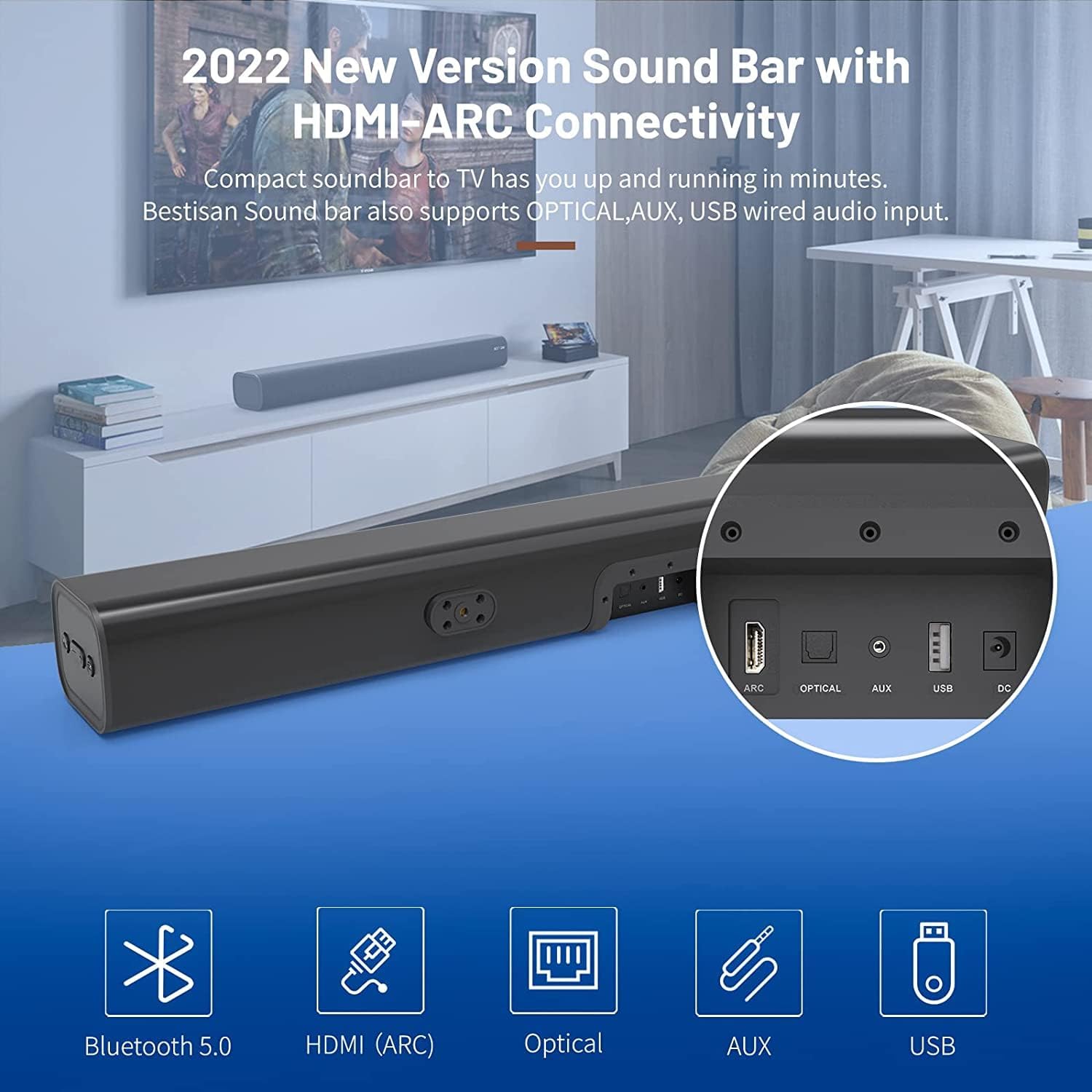
- HDMI ARC (TV): Connects to your TV's HDMI ARC port for high-quality audio transmission.
- 光学: デジタル光オーディオ入力。
- AUX入力: 3.5mm補助オーディオ入力。
- USB: メディア再生用の USB 入力。
- DC IN: サウンドバーの電源入力。
4. セットアップ
4.1. 配置オプション
The BESTISAN Soundbar offers flexible placement options to suit your home theater setup:
- デスクトップの配置: Place the soundbar on a flat surface in front of your TV. Ensure it does not obstruct the TV's remote sensor.
- 壁掛け: Use the included wall mount kit to securely attach the soundbar to the wall below your TV. A wall mounting template is provided for easy installation.


4.2. 電源オン
- Connect the power cord to the DC IN port on the back of the soundbar.
- 電源コードのもう一方の端をAC(主電源)電源コンセントに差し込みます。
- Press the Power button on the soundbar or the remote control to turn it on. The LED indicator will light up.
ビデオ1: This video demonstrates the easy setup process for the soundbar, including connecting the power adapter and turning on the device. It highlights the various input options available on the back of the soundbar.
5.テレビに接続する
The soundbar offers multiple connection options for your TV. Choose the method that best suits your TV's available ports.
5.1. HDMI ARC接続
- Connect one end of the HDMI cable (not included) to the HDMI ARC port on the soundbar.
- Connect the other end of the HDMI cable to your TV's HDMI ARC port.
- On your TV settings, set the audio output to "HDMI ARC" and the digital sound format to "PCM" or "Passthrough".
5.2. 光接続
- Connect one end of the Digital Optical Cable (included) to the OPTICAL port on the soundbar.
- Connect the other end of the Digital Optical Cable to your TV's optical audio output port.
- On your TV settings, set the audio output to "Optical" and the digital sound format to "PCM".
5.3. AUX接続
- Connect one end of the Stereo RCA to 3.5mm Audio Cable (included) to the AUX IN port on the soundbar.
- Connect the RCA ends of the cable to your TV's RCA audio output ports (usually red and white).
- On your TV settings, ensure the audio output is set to "External Speakers" or "Headset".
5.4.Bluetooth接続
- Turn on the soundbar and press the "BT" button on the remote or the mode button on the soundbar until the LED indicator flashes blue, indicating Bluetooth pairing mode.
- モバイルデバイス(スマートフォン、タブレットなど)で Bluetooth を有効にします。
- 検索する "BESTISAN" or "ST08" in the list of available Bluetooth devices and select it to pair.
- 接続されると、LED インジケータが青色に点灯します。
6. サウンドバーの操作
6.1. リモコンの使用
The included remote control provides full functionality for your soundbar:
- 力: サウンドバーのオン/オフを切り替えます。
- ミュート: Mute/unmute the sound.
- ボリューム+/-: 音量レベルを調整します。
- 再生/一時停止: Play or pause audio (Bluetooth mode).
- 前へ/次へ: Skip to the previous or next track (Bluetooth mode).
- Mode Selection (OPT, BT, ARC, AUX, USB): 入力ソースを切り替えます。
- Sound Modes (Movie, Music, Dialogue): Select optimized equalizer settings for different content types.
- 高音+/-: 高音レベルを調整します。
- 低音+/-: 低音レベルを調整します。
6.2. Sound Modes (DSP Technology)
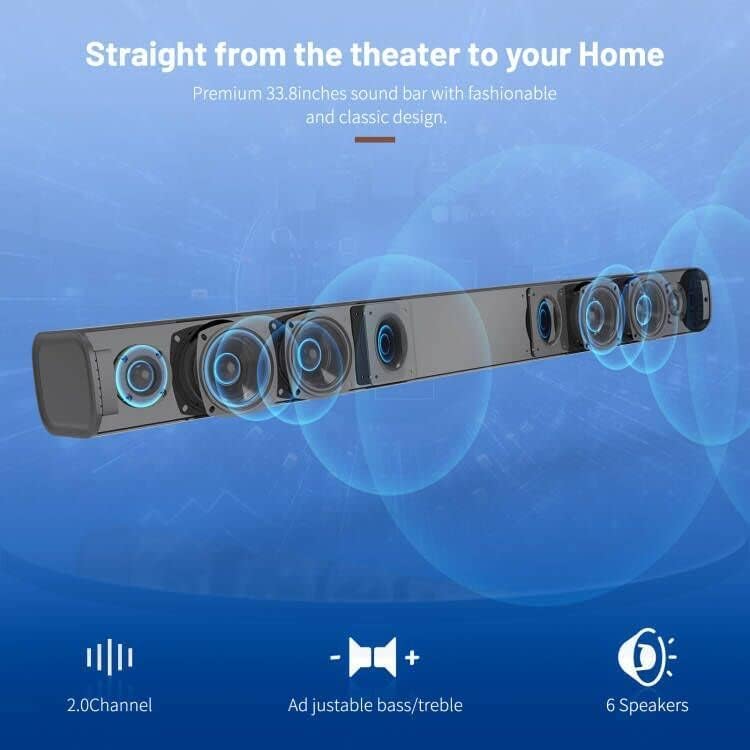
The soundbar features DSP (Digital Signal Processing) technology with three preset equalizer modes:
- 映画モード: Enhances cinematic audio with dynamic range and impactful bass.
- 音楽モード: 音楽再生用にオーディオを最適化し、バランスの取れたサウンドを提供します。
- 対話モード: Clarifies speech, making conversations easier to understand.

7. メンテナンス
- サウンドバーは柔らかく乾いた布で拭いてください。液体クリーナーやエアゾールは使用しないでください。
- サウンドバーを極端な温度、湿度、直射日光にさらさないでください。
- ご自身でユニットを分解したり修理したりしないでください。サポートが必要な場合は、カスタマーサポートにお問い合わせください。
8。 トラブルシューティング
| 問題 | 考えられる解決策 |
|---|---|
| 電源なし | 電源アダプターがサウンドバーと機能している電源コンセントにしっかりと接続されていることを確認します。 |
| 音が出ない |
|
| Bluetoothペアリングの問題 |
|
| リモコンが動作しない |
|
9. 仕様
- ブランド: ベスティサン
- モデル名: ST08, SE08
- スピーカータイプ: サウンドバー
- 接続技術: HDMI (ARC), Optical, Aux, USB, Bluetooth 5.0
- オーディオ出力モード: ステレオ
- スピーカーの最大出力: 100ワット
- 製品寸法: 奥行き3.4インチ x 幅33.79インチ x 高さ4.4インチ
- 商品の重量: 5.19ポンド
- 取り付けタイプ: 壁掛け
- 特集: Bass Boost, DSP Technology (Dialogue, Movie, Music modes)
10. 保証とサポート
For warranty information, technical support, or customer service inquiries, please refer to the contact details provided in your User's Guide or visit the official BESTISAN webサイト。
メーカー: ベスティサン
発売日: 3年2020月XNUMX日