
コビー CETW570WH
COBY True Wireless Sport Earbuds User Manual
モデル: CETW570WH
導入
Thank you for choosing COBY True Wireless Sport Earbuds. These earbuds are designed to provide a seamless audio experience with advanced features like Bluetooth 5.3 connectivity, automatic pairing, and intuitive controls, perfect for active lifestyles. This manual will guide you through the setup, operation, maintenance, and troubleshooting of your new earbuds to ensure optimal performance and longevity.
1. パッケージ内容
始める前に、パッケージにすべてのアイテムが揃っていることを確認してください。
- COBY True Wireless Sport Earbuds
- 充電ケース
- 充電ケーブル
- 2 Extra Pairs of Ear Gels (S/M)
- ユーザーマニュアル(このドキュメント)
2.セットアップガイド
2.1 イヤホンとケースの充電
For first-time use, fully charge the earbuds and the charging case. The charging case holds two extra charges, providing up to 15 hours of total battery life.
- イヤホンを充電ケースのそれぞれのスロットに挿入します。正しく装着されていることを確認してください。
- Connect the charging cable to the charging port on the case and the other end to a USB power source (e.g., wall adapter, computer USB port).
- The LED indicators on the case and earbuds will show charging status. Once fully charged, the indicators will change or turn off.

Image: Earbuds securely placed within the charging case, ready for charging.

Image: The earbuds displayed alongside their open charging case, illustrating how they fit.
2.2 Initial Pairing (Auto-Pairing)
Your COBY earbuds feature auto-pairing for convenience.
- イヤホンが充電されていることを確認します。
- 充電ケースを開けると、イヤホンは自動的にペアリングモードになります。
- デバイス(スマートフォン、タブレットなど)で Bluetooth 設定に移動し、Bluetooth を有効にします。
- 検索する available devices and select "COBY CETW570WH" (or similar name) from the list.
- 接続されると確認音が聞こえ、イヤホンが使用できるようになります。
- After the initial pairing, the earbuds will automatically connect to your last paired device when removed from the case.
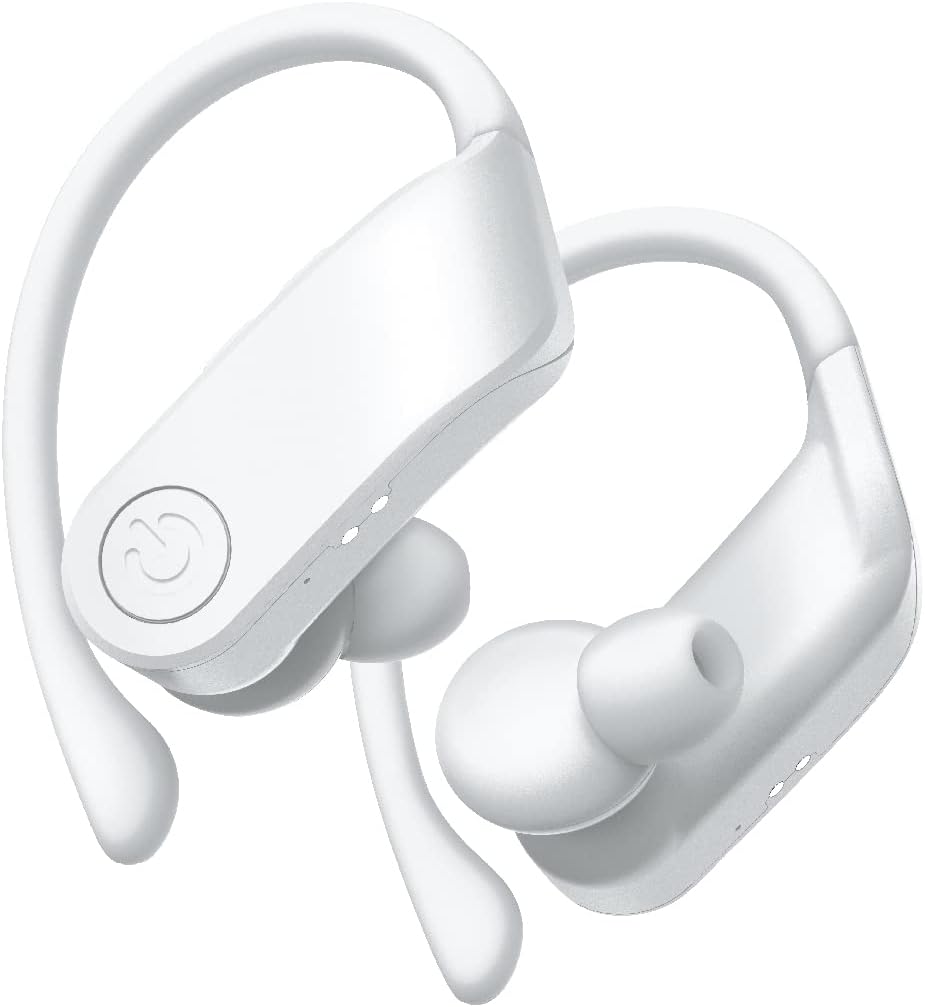
画像: クローズアップ view of the white COBY True Wireless Sport Earbuds, highlighting their design.
3. 操作手順
3.1 イヤホンの装着
These earbuds are designed with rubberized ear hooks for a secure and comfortable fit, especially during sports and exercise.
- 左 (L) と右 (R) のイヤホンを識別します。
- イヤホンを外耳道にそっと挿入します。
- Adjust the ear hook over the top of your ear until it feels snug and stable.
- Ensure a good seal in your ear canal for optimal sound quality and bass response.
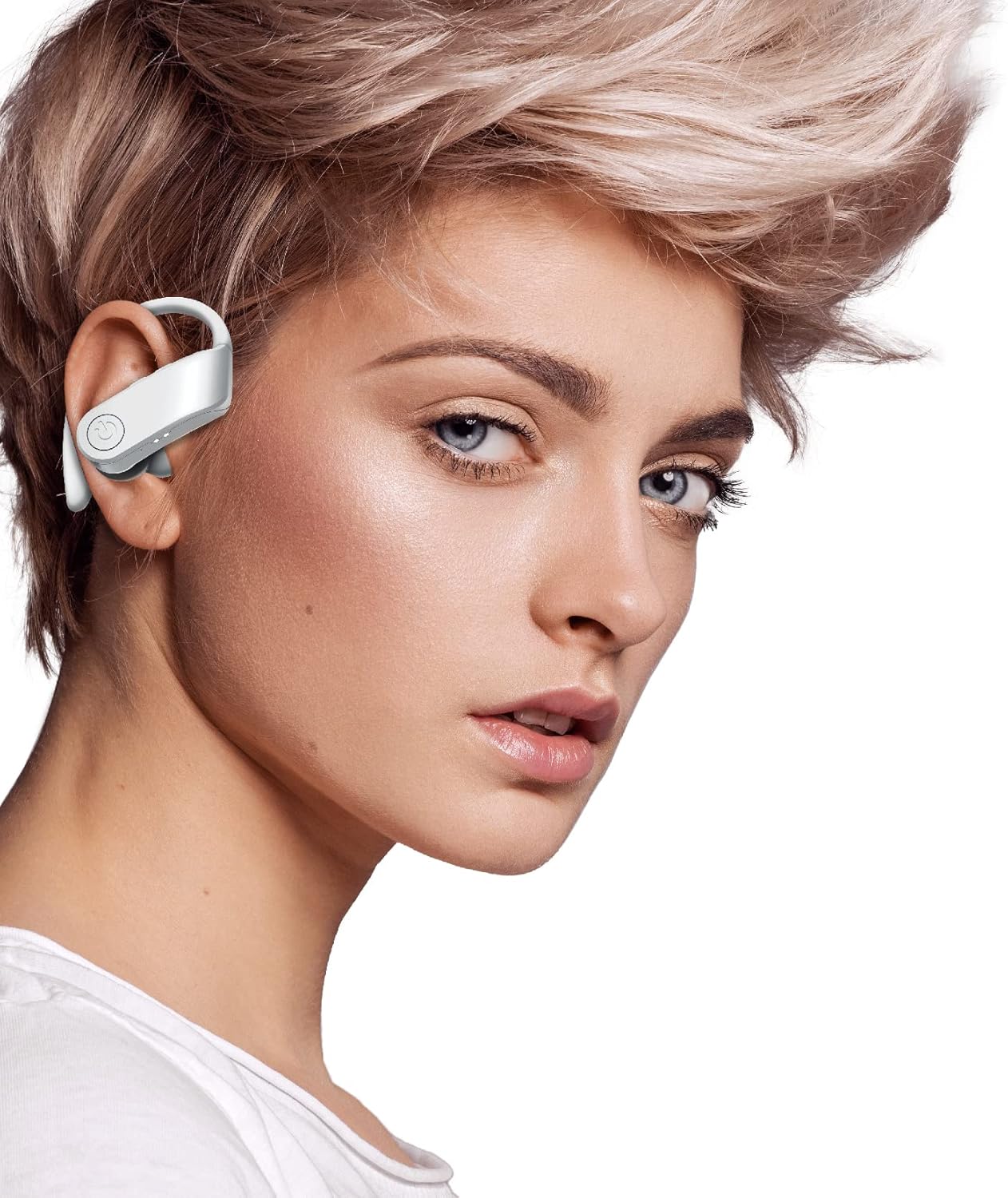
Image: A person wearing one of the COBY True Wireless Sport Earbuds, demonstrating the secure fit with the ear hook.
3.2 再生と通話のコントロール
The earbuds feature intuitive button controls for managing your audio and calls:
| アクション | コントロール |
|---|---|
| 音楽の再生/一時停止 | Single press on either earbud button |
| 次のトラック | Double press on the Right earbud button |
| 前のトラック | Double press on the Left earbud button |
| 通話の応答/終了 | Single press on either earbud button |
| 通話を拒否 | Press and hold either earbud button for 2 seconds |
| 音声アシスタント(Siri/Googleアシスタント)を有効にする | Triple press on either earbud button |
3.3 Automatic Disconnection
To disconnect the earbuds from your device and begin charging, simply place them back inside the charging case and close the lid. They will automatically power off and start charging.
4. メンテナンスとケア
Proper care will extend the life of your earbuds and ensure consistent performance.
- クリーニング: Use a soft, dry, lint-free cloth to clean the earbuds and charging case. Do not use abrasive cleaners, alcohol, or chemical solvents. Regularly clean the ear tips and charging contacts to prevent debris buildup.
- ストレージ: 使用しないときは、ほこり、汚れ、損傷から保護するために、必ずイヤホンを充電ケースに保管してください。
- バッテリーのケア: To preserve battery life, avoid fully discharging the earbuds and case frequently. Charge them regularly, even if not in constant use. Store in a cool, dry place away from extreme temperatures.
- 耐水性: While designed for sport, these earbuds are sweat-proof. Avoid submerging them in water or exposing them to heavy rain.
5。 トラブルシューティング
イヤホンに問題が発生した場合は、次の一般的な解決策を参照してください。
| 問題 | 解決 |
|---|---|
| イヤホンがデバイスとペアリングされない |
|
| 片方または両方のイヤホンから音が出ない |
|
| 充電ケースがイヤフォンを充電していない |
|
| 音質が悪い、または接続が途切れる |
|
6. 仕様
| 特徴 | 詳細 |
|---|---|
| モデル名 | CETW570WH |
| 接続技術 | ワイヤレス(Bluetooth) |
| Bluetoothバージョン | 5.3 |
| ワイヤレス範囲 | 最大33フィート(10メートル) |
| バッテリー寿命(イヤホン) | 5回の充電で最大XNUMX時間 |
| 合計プレイ時間(ケース付き) | 最大15時間 |
| コントロールタイプ | Button Control, Siri, Google Assistant |
| 耳の位置 | フック付きインイヤー |
| 材料 | アクリロニトリルブタジエンスチレン(ABS) |
| 製品寸法 | 5 x 2.24 x 6.46インチ |
| アイテム重量 | 10オンス |
| 欧州連合 | 643620020470 |
7. 保証とサポート
COBY products are designed for reliability and performance. For information regarding warranty coverage, please refer to the warranty card included in your product packaging or visit the official COBY webサイトでご確認ください。保証請求に備えて購入証明書を保管してください。
For technical support, troubleshooting assistance, or to inquire about replacement parts, please contact COBY customer service through their official webサイトまたは製品ドキュメントに記載されている連絡先情報を参照してください。
注:仕様は予告なく変更される場合があります。
Ask a question about this manual
Ask about setup, troubleshooting, compatibility, parts, safety, or missing instructions. Manuals+ will review the question and use this page’s manual context to help answer it.