DigiKuber スマートウォッチ ECG メンズ ユーザーマニュアル
モデル:MT200
1. はじめに
Thank you for choosing the DigiKuber Smartwatch ECG Men. This device is designed to help you monitor your health and fitness, offering features such as ECG, PPG, heart rate, blood pressure, blood oxygen, and body temperature monitoring, alongside various sports modes and smart notifications. Please read this manual carefully to ensure proper use and optimal performance of your smartwatch.
2. 安全情報
- 新しい運動プログラムを開始する前、または既存の健康状態がある場合は、医師に相談してください。
- The smartwatch is not a medical device and should not be used for diagnosis, treatment, or prevention of any disease. All health data is for reference only.
- デバイスを極端な温度、直射日光、強い磁場から遠ざけてください。
- ご自身でデバイスの分解や修理を試みないでください。保証が無効になります。
- Avoid exposing the watch to hot water, steam, or corrosive liquids, as this may damage the device despite its IP68 rating.
3. パッケージ内容
- DigiKuber Smartwatch (1 unit)
- Watch Strap (1 unit)
- USB Charging Cable (Magnetic Absorption) (1 unit)
- ユーザーマニュアル(このドキュメント)
4.製品オーバーview
The DigiKuber Smartwatch features a 1.43-inch AMOLED full-color touch screen, offering clear visuals and intuitive navigation. It is equipped with various sensors for health monitoring and a comfortable TPU strap.

This image shows the DigiKuber Smartwatch on a wrist, displaying the current time, step count, heart rate, and weather information. A smartphone screen in the background illustrates the detailed ECG data available through the companion application.

This diagram provides precise measurements of the smartwatch. It details the 1.43-inch AMOLED screen, the watch's diameter of 48mm, a thickness of 14mm, a 22mm strap width, and a total wristband size of 265mm, offering a clear understanding of its physical form.
5. セットアップ
5.1 スマートウォッチの充電
Before first use, fully charge your smartwatch. Connect the magnetic charging cable to the charging points on the back of the watch and plug the USB end into a power adapter (not included) or a computer USB port. Charging typically takes about 3-4 hours.
5.2 アプリのインストール
スマートウォッチの潜在能力を最大限に引き出すには、 SmartHealth スマートフォン上のアプリケーション。
- Scan the QR code in the manual (if provided with physical product) or search for "SmartHealth" in your smartphone's app store (Google Play Store for Android, Apple App Store for iOS).
- Ensure your smartphone meets the compatibility requirements: Android 4.4 and above, or iOS 8.2 and above.
5.3 スマートフォンとのペアリング
- スマートフォンでBluetoothを有効にします。
- Open the SmartHealth app.
- Follow the in-app instructions to search for and connect to your smartwatch (Model: DK E80 / MT200).
- ペアリングプロセス中は、時計が携帯電話の近くにあることを確認してください。
- ペアリングすると、時計は時間とデータを携帯電話と同期します。
6. スマートウォッチの操作
6.1 基本的なナビゲーション
The smartwatch features a full touch screen for navigation. Swipe left/right, up/down to access different functions and menus. Press the side button to return to the home screen or power on/off.
6.2 健康状態のモニタリング
The smartwatch offers comprehensive health monitoring features. Access these functions directly from the watch or view detailed reports in the SmartHealth app.
- ECG + PPG + AI Diagnosis: Place your finger on the designated sensor area for an ECG reading. The app provides an AI-assisted diagnosis.
- 心拍数モニター: 心拍数を継続的に追跡します。
- 血圧モニター: あなたの血圧を測定します。
- 血中酸素濃度(SpO2)モニター: 血液中の酸素飽和度を測定します。
- 体温測定: Provides real-time body temperature readings.
- 睡眠モニター: Automatically tracks your sleep quality (deep sleep, light sleep, awake time).
- 呼吸数: Monitors your breathing rate.

This image focuses on the ECG monitoring feature. The smartwatch shows a real-time heart rate reading, while a connected smartphone displays a comprehensive ECG waveform report, including frequency, speed, and analytic results like 'Sinus rhythm'.
6.3種類のスポーツモード
The smartwatch supports 7 kinds of sports modes to accurately record your activity data.
- ランニング
- サイクリング
- スキップ
- バスケットボール
- 卓球
- バドミントン
- General Training
Select the desired sport mode before starting your activity. The watch will record data such as steps, calories burned, and distance.
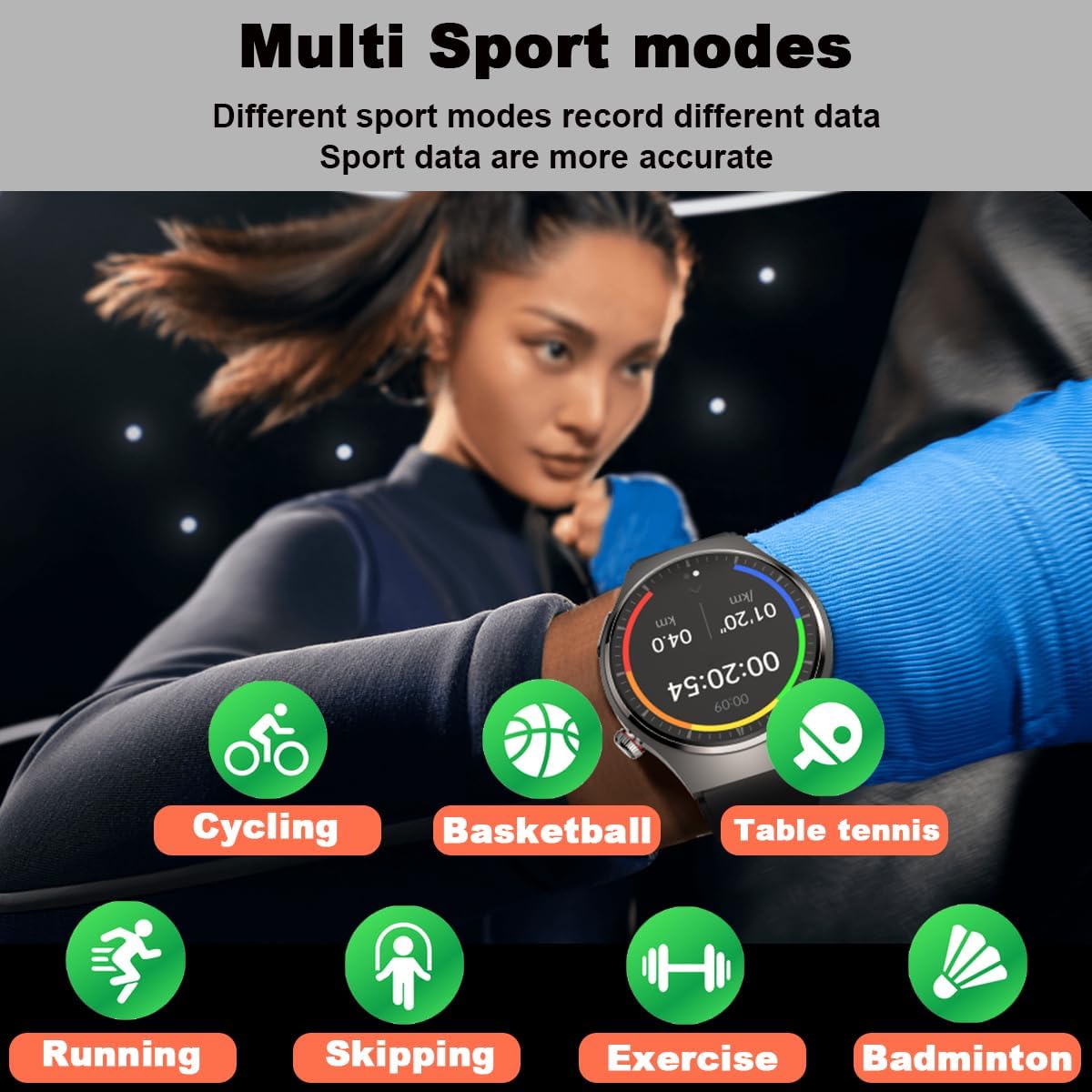
This visual highlights the multi-sport tracking capabilities of the smartwatch. A user is shown engaged in physical activity, and surrounding icons represent different sports modes the watch can track, including running, cycling, skipping, basketball, table tennis, badminton, and general exercise, each designed to record specific data for more accurate analysis.
6.4 通知と通話
通知を受信したり、通話を管理したりして、手首から直接接続を維持します。
- メッセージ通知: Receive alerts for SMS, email, and messages from social apps (e.g., WhatsApp, WeChat, Facebook, Twitter, LinkedIn, Instagram, Skype). Enable these notifications in the SmartHealth app settings.
- Inbound Call Notification: The watch will vibrate and display caller ID for incoming calls.
- Dial & Answer Calls: With the built-in speaker and microphone, you can dial numbers and answer calls directly from the smartwatch.
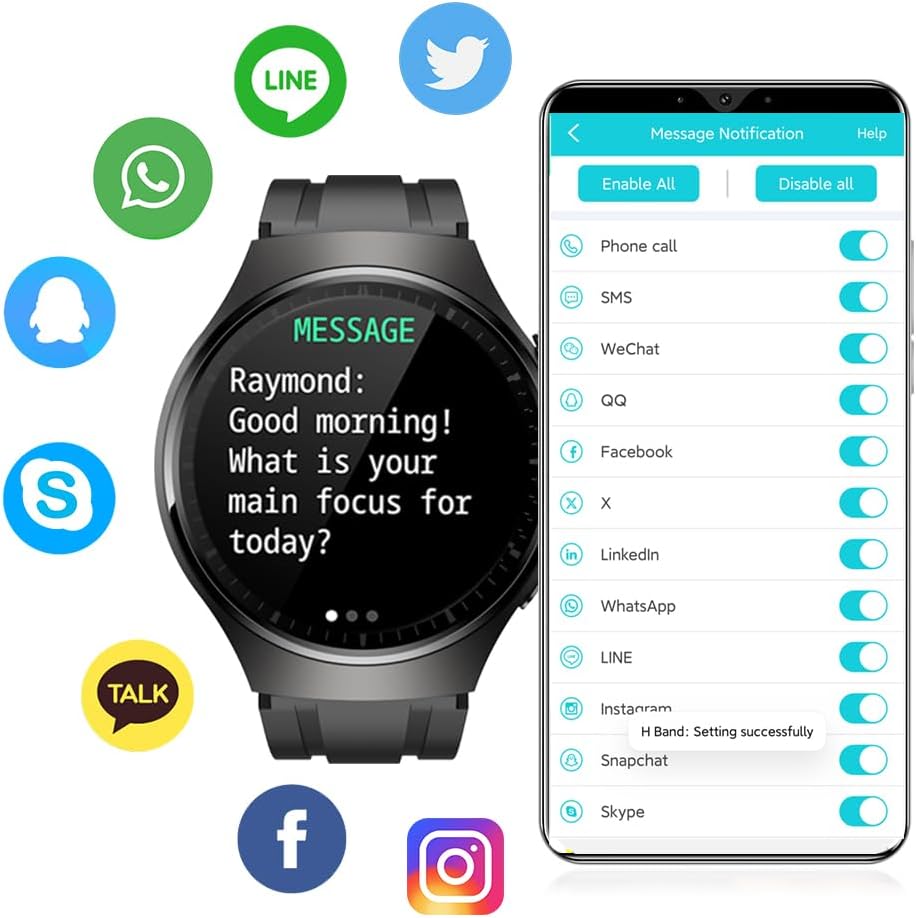
The image illustrates the smartwatch's message notification feature. The watch face displays an incoming message, and around it are logos of popular communication applications such as WhatsApp, WeChat, Facebook, Twitter, LinkedIn, and Instagram, indicating compatibility for receiving notifications from these platforms.
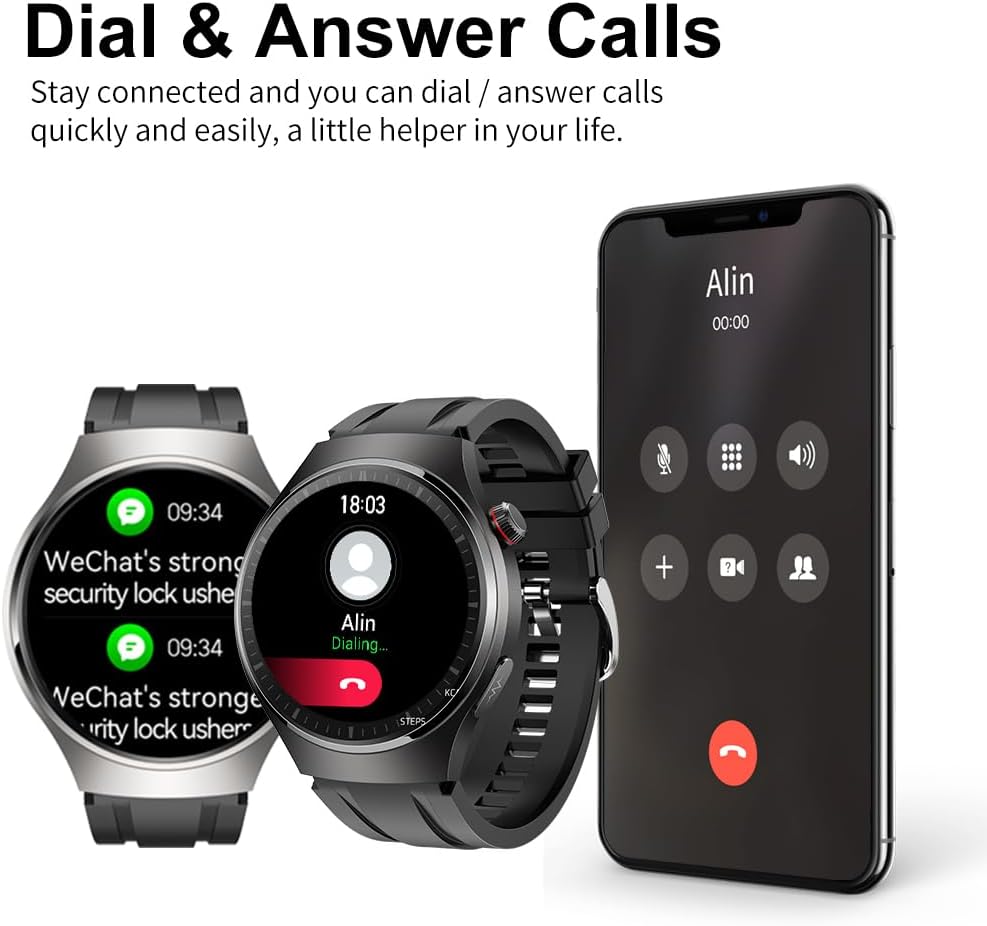
The image demonstrates the smartwatch's ability to handle calls. Two smartwatches are shown alongside a smartphone displaying an incoming call, indicating that users can dial and answer calls directly from the watch, acting as a convenient communication assistant.
6.5 その他の機能
- 歩数計: 毎日の歩数を追跡します。
- カロリーカウンター: アクティビティに基づいて消費カロリーを推定します。
- 距離表示: Shows distance covered.
- カメラコントロール: 携帯電話のカメラをリモート制御します。
- ストップウォッチ: ストップウォッチ機能内蔵。
- 座りすぎ注意: 一定期間活動していない後に動くように通知します。
- 呼吸トレーニング: ガイド付きの呼吸法。
- リモートケア機能: Share real-time health data with family members via the app.
7. メンテナンス
7.1 クリーニング
スマートウォッチとストラップを定期的にクリーニングすることで、肌への刺激を防ぎ、デバイスの寿命を延ばすことができます。柔らかくて乾いた布を使用してください。amp cloth to wipe the watch body and strap. Do not use harsh chemicals or abrasive materials.
7.2 耐水性
The smartwatch has an IP68 water resistance rating, meaning it is protected against dust and can withstand immersion in water up to 1.5 meters for 30 minutes. It is suitable for daily use, such as hand washing or light rain. However, it is 推奨されません for swimming, diving, hot showers, or saunas, as steam and hot water can damage the seals.

The smartwatch is depicted with water droplets on its surface, emphasizing its IP67 waterproof capability. Text overlays indicate its 1.43-inch AMOLED screen with a resolution of 466x466 pixels, ensuring clear and vibrant visuals.
7.3 ストレージ
When not in use for extended periods, store the smartwatch in a cool, dry place. Ensure it is fully charged before storing to preserve battery health.
8。 トラブルシューティング
- 時計がオンにならない: 時計が完全に充電されていることを確認してください。充電器に接続し、数分間待ってから電源を入れてください。
- 携帯電話とペアリングできません:
- 携帯電話で Bluetooth が有効になっていることを確認してください。
- 時計が Bluetooth 範囲内(通常は 10 メートル)にあることを確認します。
- 時計と携帯電話の両方を再起動します。
- Check if the SmartHealth app is updated to the latest version.
- 以前にペアリングしていた場合は、デバイスのペアリングを解除してから再度ペアリングしてみてください。
- 不正確な健康測定値:
- 時計が手首にぴったりとフィットし、きつすぎたり緩すぎたりしていないことを確認してください。
- 測定中は腕を動かさないでください。
- 時計の裏側にあるセンサーを清掃してください。
- Note that readings can be affected by skin tone, hair, and movement.
- 通知を受信できませんでした:
- 時計が Bluetooth 経由で携帯電話に接続されていることを確認します。
- Check notification permissions for the SmartHealth app in your phone's settings.
- Verify that app notifications are enabled within the SmartHealth app itself.
- 短いバッテリー寿命:
- 画面の明るさを下げます。
- 必要ない場合は継続的な心拍数モニタリングを無効にします。
- 時計に通知を送信するアプリの数を制限します。
9. 仕様
| 特徴 | 仕様 |
|---|---|
| モデル | MT200 (DK E80) |
| 画面 | 1.43-inch AMOLED Full Color Touch Screen, IPS TFT 240*240 (Note: Product description states 1.3" and 240*240, while specifications state 1.43" and 466x466. Using 1.43" AMOLED 466x466 as per specifications and image.) |
| 互換システム | Android 4.4以降 / iOS 8.2以降 |
| ブルートゥース | 4.2BLE (Low Power) |
| 電池のタイプ | リチウムポリマー電池 |
| バッテリー容量 | 200mAh (Description) / 400mAh (Specifications) - Using 400mAh as per specifications. |
| 充電タイプ | 磁気吸収 |
| 充電時間 | 約3~4時間 |
| 使用時間 | 6-13 days (Description) / 5-13 days (Feature Bullet) / 7 days (Specifications) - Using 5-13 days range. |
| 待機時間 | 20~40日 |
| 水位 | IP68 |
| 振動 | Speaker, Sound Dampening, Vibration |
| ケース素材 | 金属合金 |
| ボトムシェルの材質 | PC + ABS |
| ストラップ素材 | Environment Friendly TPU |
| 寸法 | 245 x 43.5 x 10 mm (L x W x H) (Description) / 4.8 x 4.6 x 1.4 cm (Product Dimensions) - Using Product Dimensions. |
| 重さ | 150グラム |
10. 保証とサポート
For warranty information and customer support, please refer to the documentation provided with your purchase or contact DigiKuber customer service through their official web製品をご購入いただいたサイトまたはプラットフォームでご確認ください。保証請求のために購入証明書を保管してください。