
1. はじめに
ご購入ありがとうございますasing the JVC XS-N2239TC Wireless Stereo Speaker System. This manual provides essential information for the safe and efficient use of your new speaker system. Please read these instructions thoroughly before operating the device and retain them for future reference.
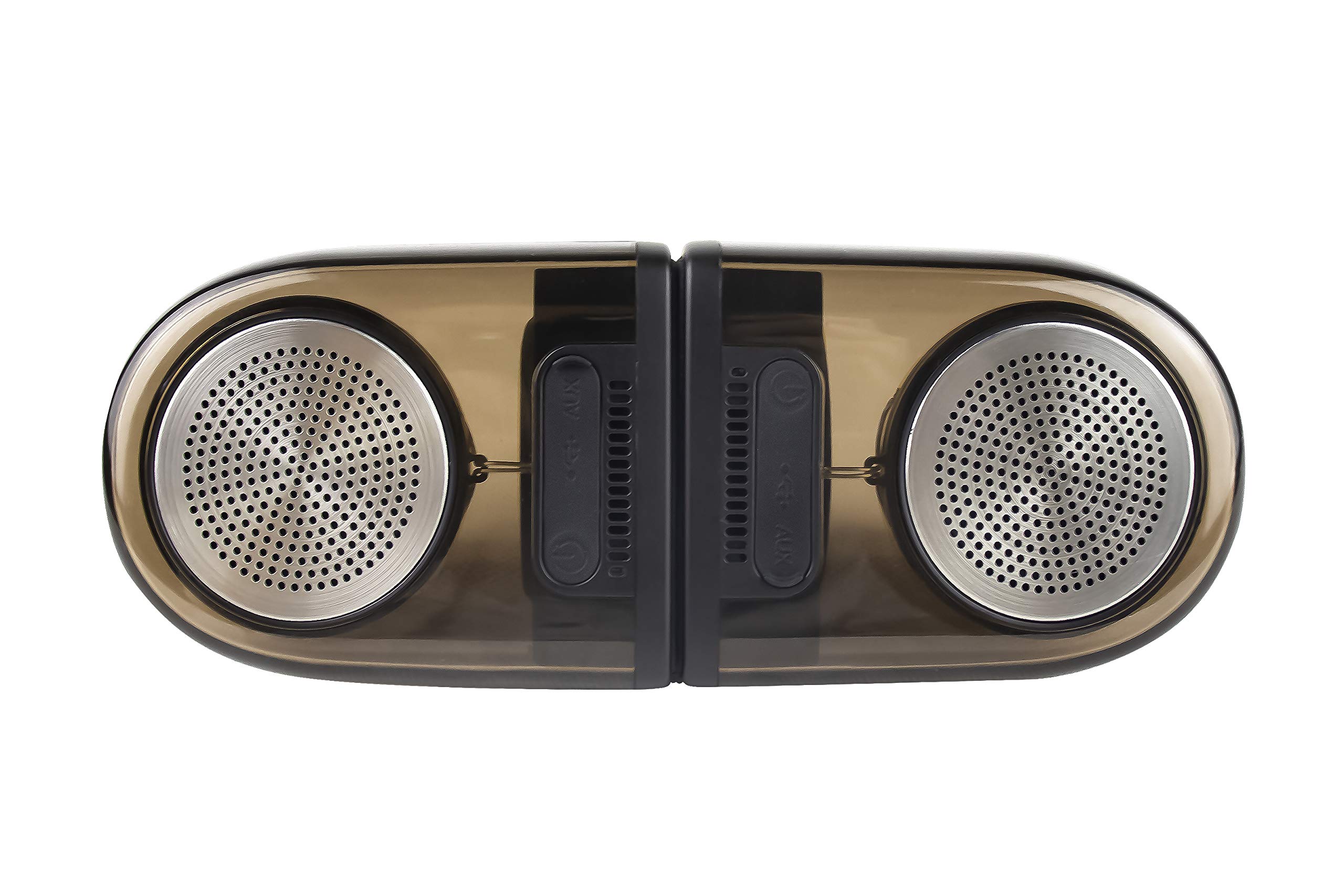
Image of the JVC XS-N2239TC speaker system, showcasing の設計とコンポーネント。
2.ボックスの内容
パッケージに以下のすべてのアイテムが含まれていることを確認してください。
- 1 x JVC XS-N2239TC Speaker Unit
- 1 x AUXケーブル
- ユーザーマニュアル (本書) x 1
- 充電ケーブル x 1
- 保証カード x 1
3. セットアップ
3.1 配置
The JVC XS-N2239TC speakers are designed for versatile placement, suitable as Bookshelf or Floor Standing units. Ensure the speakers are placed on a stable, flat surface or floor, away from direct sunlight, heat sources, and moisture. For optimal stereo sound, position the two speakers appropriately within your listening area.
3.2電源接続
- Connect the charging cable to the speaker's power input port.
- 充電ケーブルのもう一方の端を適切な電源コンセントに差し込みます。
- Ensure the speaker is fully charged before initial use for optimal battery life.
4. 操作手順
4.1 電源のオン/オフ
Locate the power button on the speaker unit. Press and hold the button for a few seconds to power the speaker on or off. An indicator light will typically confirm the power status.
4.2 接続性
4.2.1ワイヤレス接続
The speaker supports wireless streaming. To connect wirelessly:
- Ensure the speaker is powered on and in pairing mode (refer to the speaker's indicator lights for status).
- On your device (e.g., smartphone, tablet, television), enable wireless functionality.
- 検索する available devices and select "JVC XS-N2239TC" from the list.
- Once connected, you can stream audio wirelessly to the speaker system.
4.2.2 USB接続
The speaker features a plug-and-play USB card reader. Insert a USB storage device containing audio files into the designated USB port on the speaker. The speaker will automatically detect and begin playing compatible audio files.
4.2.3AUX接続
Use the provided AUX cable to connect the speaker to devices with a 3.5mm audio output jack, such as televisions or other audio sources. Plug one end of the AUX cable into the speaker's AUX input and the other end into your audio source's output.
4.3 コントロール
4.3.1 Multifunctional Panel Keys
The speaker unit is equipped with multifunctional panel keys. These keys allow you to:
- Adjust volume (increase/decrease).
- オーディオの再生/一時停止。
- Navigate tracks (forward/backward) when playing from USB or wireless sources.
4.3.2リモコン
The included remote control provides convenient access to various functions from a distance. Use the remote to:
- スピーカーの電源をオン/オフにします。
- 音量を調整します。
- 再生を制御します(再生、一時停止、トラックのスキップ)。
- Switch input modes (e.g., Wireless, USB, AUX).
5. メンテナンス
5.1 クリーニング
To clean the speaker, use a soft, dry cloth. Do not use abrasive cleaners, waxes, or solvents as they may damage the finish. Ensure the speaker is powered off and unplugged before cleaning.
5.2 耐水性
The JVC XS-N2239TC speaker is designed with water resistance. While it can withstand splashes, it is not intended for submersion. Avoid exposing the speaker to excessive moisture or direct water jets to prevent damage.
6。 トラブルシューティング
If you encounter issues with your speaker system, please refer to the following common solutions:
- 電源なし: Ensure the charging cable is securely connected to both the speaker and a working power outlet. Check if the power button has been pressed correctly.
- 音が出ない: Verify the volume level on both the speaker and your connected device. Ensure the correct input mode (Wireless, USB, AUX) is selected. Check all cable connections.
- ワイヤレス接続の問題: Make sure the speaker is within range of your device. Try unpairing and re-pairing the speaker with your device. Ensure no other devices are interfering with the wireless signal.
- USB 再生の問題: Confirm the USB device is formatted correctly and contains compatible audio files. 別のUSBデバイスを試してください。
- リモコンが動作しない: Check the remote control's batteries and replace them if necessary. Ensure there are no obstructions between the remote and the speaker's sensor.
問題が解決しない場合は、カスタマー サポートにお問い合わせください。
7. 仕様
| 特徴 | 詳細 |
|---|---|
| ブランド | JVC |
| モデル名 | JVC XS-N2239TC |
| 接続技術 | USB、ワイヤレス |
| 無線技術の種類 | 無線 |
| 接続プロトコル | USB |
| オーディオ出力モード | ステレオ |
| スピーカータイプ | 本棚 |
| 取り付けタイプ | 床立ち |
| 製品の特徴 | リモートコントロール |
| 制御方法 | リモート |
| 対応デバイス | テレビ |
| オーディオチャンネルの数 | 2.1 |
| スピーカーサイズ | 7.5センチ |
| Subwoofer Speaker Diameter | 5インチ |
| Tweeter Driver Diameter | 1インチ |
| オーディオドライバータイプ | ダイナミックドライバ |
| 色 | 黒 |
| 防水です | 真実 |
| 耐水性レベル | 防水 |
| 製品の具体的な用途 | ホームエンターテイメントシステム |
| バッテリーの平均寿命 | 6時間 |
| アイテム重量 | 0.56キログラム |
8. 保証とサポート
8.1 保証情報
この製品には、 1年間保証 ご購入日からメーカーより提供される保証が適用されます。保証請求の際に必要となるため、ご購入時のレシートと保証書を保管してください。
8.2 カスタマーサポート
For any complaints, technical assistance, or support regarding your JVC XS-N2239TC speaker system, please contact JVC customer care:
- カスタマーケア番号: +91-9910332380
サポートにお問い合わせいただく際は、製品のモデル番号と購入の詳細をご用意ください。