
ASUS RT-AX55(Black)
ASUS RT-AX55 AX1800 デュアルバンド WiFi 6 ギガビット ルーター ユーザーマニュアル
Brand: ASUS | Model: RT-AX55(Black)
導入
The ASUS RT-AX55 Dual-band WiFi 6 router is designed to deliver ultrafast WiFi speeds up to 1800 Mbps. It incorporates advanced technologies such as MU-MIMO and OFDMA to efficiently allocate channels and communicate with multiple devices simultaneously, ensuring optimal performance in busy network environments. This router is equipped with AiProtection, providing lifetime free security for your home network, and is compatible with other ASUS AiMesh routers to create a seamless whole-home mesh WiFi coverage. The product supports multiple voltage inputs ranging from 100-240V.
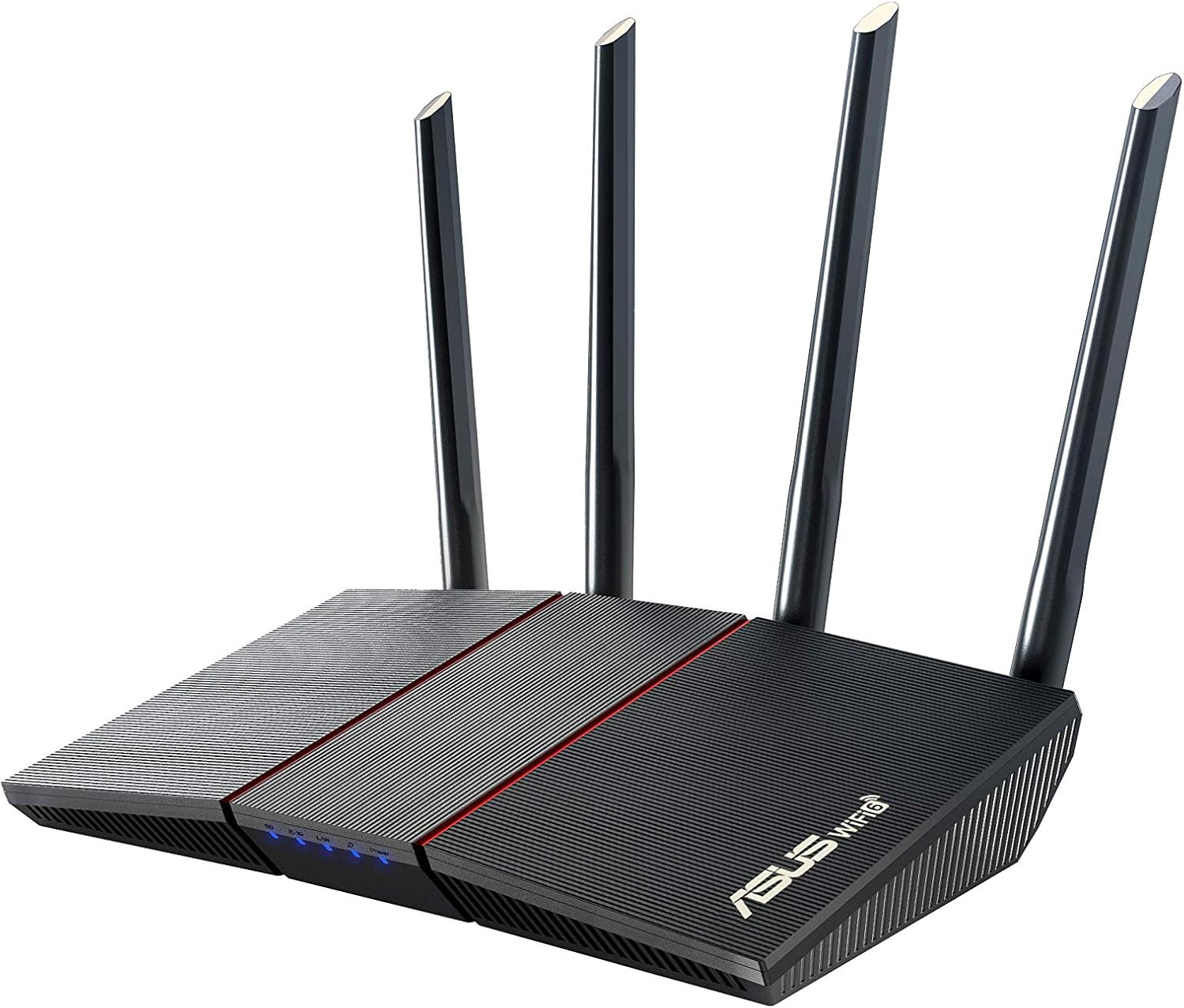
図1: 前面 view of the ASUS RT-AX55 AX1800 Dual Band WiFi 6 Gigabit Router.
設定
箱の中身
- RT-AX55(Black) Router
- RJ-45ケーブル
- 電源アダプター
- 保証書
- クイックスタートガイド
物理的なセットアップ
Follow these steps to physically set up your ASUS RT-AX55 router:
- Connect the power adapter to the router's DC-IN socket and plug it into a power outlet.
- Connect one end of the provided RJ-45 Ethernet cable to the WAN port (usually blue) on the router and the other end to your modem's LAN port.
- For initial setup or wired connection, connect another RJ-45 Ethernet cable from one of the LAN ports (yellow) on the router to your computer's Ethernet port.
- Press the power button to turn on the router. Wait for the LED indicators to stabilize, indicating successful power-on and connection.

図2:背面 view of the ASUS RT-AX55 router, showing the power switch, reset button, WPS button, WAN port, and LAN ports.
オペレーティング
The ASUS RT-AX55 router offers a range of features to enhance your network experience. Below are some key functionalities:
主な特徴
- 次世代 WiFi 規格: Supports the latest WiFi standard 802.11AX (WiFi 6) and 80MHz bandwidth for improved capacity and efficiency.
- Ultra-fast WiFi Speed: Achieves dramatically faster wireless connections with a total networking speed of about 1800Mbps (574 Mbps on 2.4GHz band and 1201 Mbps on 5GHz band).
- Increased Capacity and Efficiency: Utilizes both MU-MIMO and OFDMA techniques to efficiently allocate channels and communicate with multiple devices simultaneously, reducing latency.
- Commercial-grade Security (AiProtection Classic): Protects your home network with built-in security powered by Trend Micro, offering features like malicious address blocking and intrusion prevention.
- ペアレンタルコントロール: Manage and monitor internet usage for connected devices, ensuring a safe online environment for your family.
- Mesh WiFi Support (AiMesh): Compatible with other ASUS AiMesh routers to form a seamless whole-home mesh coverage, eliminating WiFi dead zones.
- インスタントガードVPN: Provides a one-click secure VPN connection when you are away from home, protecting your online privacy.
- 最大範囲: Capable of covering up to 3000 Sq Ft.
- プロセッサ: Equipped with a 1.5GHz quad-core processor for robust performance.

Figure 3: Illustration of the router's coverage for large homes and its ability to connect up to 25 devices simultaneously.

Figure 4: AiProtection provides commercial-grade security, blocking malicious addresses and intrusions, and alerting you if an infected device is connected.

Figure 5: Easily connect multiple compatible ASUS routers to create a seamless whole-home WiFi network with AiMesh.
メンテナンス
定期的なメンテナンスにより、ルーターの最適なパフォーマンスとセキュリティが確保されます。
Firmware Updates and Reset
Keeping your router's firmware updated is crucial for security and performance. If you encounter issues or wish to clear all settings, you can restore the router to its default settings. The following video demonstrates how to restore your ASUS router to its default settings, either through the web setting page or by using the physical reset button.
Video 1: Instructions on how to restore the ASUS router to default settings. This process can be done via the web interface or by pressing the physical reset button on the device.
重要: Do not power off or shut down the router during the restore process to prevent damage or data corruption.
トラブルシューティング
If you experience issues with your ASUS RT-AX55 router, consider the following common troubleshooting steps:
- インターネット接続なし:
- すべてのケーブル接続 (電源、WAN、LAN) が安全であることを確認します。
- モデムが正しく動作していることを確認します。
- モデムとルーターの両方を再起動します。
- ルーターの web interface (router.asus.com) to check the WAN status.
- Wi-Fi信号が弱い、またはデッドゾーンがある場合:
- ルーターを、障害物や干渉源 (電子レンジ、コードレス電話など) から離れた中央の場所に移動します。
- 最適な信号方向になるようにルーターのアンテナを調整します。
- Consider utilizing the AiMesh feature with compatible ASUS routers to extend coverage.
- インターネット速度が遅い:
- デバイスが適切な Wi-Fi 帯域に接続されていることを確認します (速度を上げるには 5GHz、より広い範囲をカバーするには 2.4GHz)。
- Check for any background downloads or applications consuming bandwidth.
- Perform a speed test to verify your internet service provider's speed.
- ルーターのファームウェアを最新バージョンに更新します。
- ルーターの設定にアクセスできません:
- デバイスがルーターのネットワーク (有線または無線) に接続されていることを確認します。
- Verify you are typing the correct address (router.asus.com) in your browser.
- ブラウザのキャッシュをクリアするか、別のブラウザを使用してみてください。
- If you forgot your login credentials, refer to the "Firmware Updates and Reset" section for instructions on restoring factory default settings.
仕様
| 特徴 | 詳細 |
|---|---|
| ワイヤレスタイプ | 802.11n、802.11ax、802.11a、802.11g、802.11ac |
| ブランド | エイスース |
| シリーズ | RT-AX55(Black) |
| 商品型番 | RT-AX55(Black) |
| オペレーティング·システム | Microsoft Windows, Linux, Mac OS, Apple iOS |
| アイテム重量 | 13.1オンス |
| 製品寸法 | 9.06 x 5.28 x 2.2インチ |
| 色 | 黒 |
| 巻tage | 110ボルト(AC) |
| メーカー | エイスース |
| 初回利用可能日 | 16年2020月XNUMX日 |
| 特集 | QoS, Alexa Compatible, Guest Mode, Internet Security, Parental Control |
| 周波数帯域クラス | デュアルバンド |
| 無線通信規格 | 802.11n、802.11ax、802.11a、802.11g、802.11ac |
| 対応デバイス | Personal Computer, Laptop, Tablet, Printer, Gaming Console, Smart Television, Smartphone |
| 頻度 | 5GHz帯 |
| 製品の推奨用途 | ホーム、ビジネス |
| 接続技術 | Wi-Fi、イーサネット |
保証とサポート
Your ASUS RT-AX55 router comes with a manufacturer's warranty. For specific details regarding the warranty period and coverage, please refer to the warranty card included in your product packaging.
さらに、保護範囲を拡張する保護プランもご利用いただけます。
- 3年間の保護プラン
- 4年間の保護プラン
- Complete Protect(月額課金オプション)
For further assistance, technical support, or to download the full user guide in PDF format, please visit the official ASUS support website or refer to the "User Guide (PDF)" link provided with your product documentation.
公式ユーザーガイドにアクセスできます ここ.
Ask a question about this manual
Ask about setup, troubleshooting, compatibility, parts, safety, or missing instructions. Manuals+ will review the question and use this page’s manual context to help answer it.