
JJC PFT-Cable
JJC シャッターコネクタケーブル取扱説明書
ブランド: JJC | モデル: PFT-Cable
1.製品オーバーview
The JJC Shutter Connector Cable is designed to connect specific JJC remote controls to compatible Pentax and Fujifilm DSLR cameras. This cable facilitates remote shutter release, offering convenience and stability for various photographic applications, including long exposures, macro photography, and self-portraits. Its coiled design allows for flexible use and compact storage.
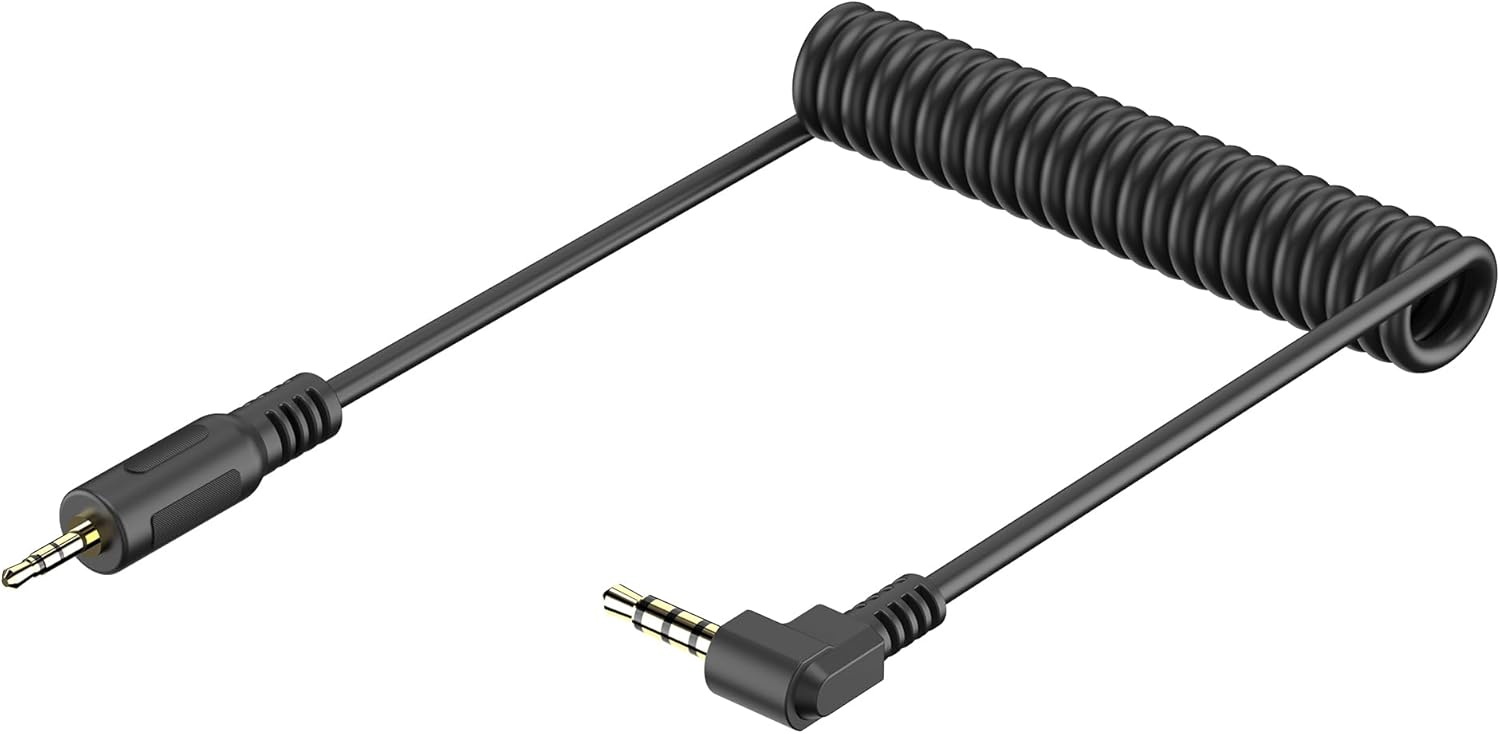
Figure 1.1: The JJC Shutter Connector Cable, featuring a coiled design for flexibility and compact storage. It has a straight 2.5mm jack on one end and a right-angle 3.5mm jack on the other.
2. 主な特徴
- ケーブル長さ: Approximately 25cm (straightening up to 90cm), providing ample reach while remaining compact.
- 幅広い互換性: Connects select JJC remote controls to Pentax 3.5mm type remote socket cameras, including Pentax K-70, Pentax KP, and Fujifilm X-T200, X-E4, X-S10, X-S20.
- 耐久性に優れたデザイン: Features a curved, elastic design for enhanced durability and ease of use.
- シームレスな統合: Ensures reliable communication between your camera and JJC remote control for precise shutter activation.
3. 互換性
This shutter connector cable is specifically designed to replace the PENTAX CS-310 cable and is compatible with a range of Pentax and Fujifilm cameras, as well as various JJC remote controls.
3.1 対応カメラ
- ペンタックスK-70
- Pentax KP
- 富士フイルム X-E4
- 富士フイルム X-S20
- 富士フイルム X-S10
- 富士フイルム X-T200

Figure 3.1: Visual representation of compatible camera models for the JJC Shutter Connector Cable.
3.2 Compatible JJC Remote Controls
The cable is designed to work with JJC remote controls that feature a 2.5mm remote opening cable port. These include:
- JJC JM-II Series Wireless Remote
- JJC ES-628 Series Wireless Remote
- JJC ES-898 Bluetooth Receiver
- JJC HR Remote (Note: The HR remote control itself does not include a remote opening cable; this cable must be purchased separately for use with your camera.)

Figure 3.2: The JJC Shutter Connector Cable shown with various compatible JJC remote controllers, illustrating its broad applicability within the JJC product range.
4. セットアップとインストール
Follow these steps to properly connect the JJC Shutter Connector Cable to your camera and remote control:
- ポートを識別します: Locate the remote control port on your camera (typically a 3.5mm jack) and the 2.5mm remote opening cable port on your JJC remote control.
- カメラに接続: Insert the right-angle 3.5mm jack of the JJC Shutter Connector Cable into the remote control port of your compatible camera. Ensure it is fully seated.
- Connect to Remote: Insert the straight 2.5mm jack of the JJC Shutter Connector Cable into the corresponding 2.5mm port on your JJC remote control.
- 接続を確認します: Ensure both ends of the cable are securely connected to prevent accidental disconnections during use.

図 4.1: 拡大図 view of the right-angle 3.5mm jack being inserted into a camera's remote control port.

Figure 4.2: Diagram illustrating the connection points: the 2.5mm end connects to the JJC Remote, and the 3.5mm end connects to the camera (Pentax CS-310 / Fuji 3.5mm equivalent).
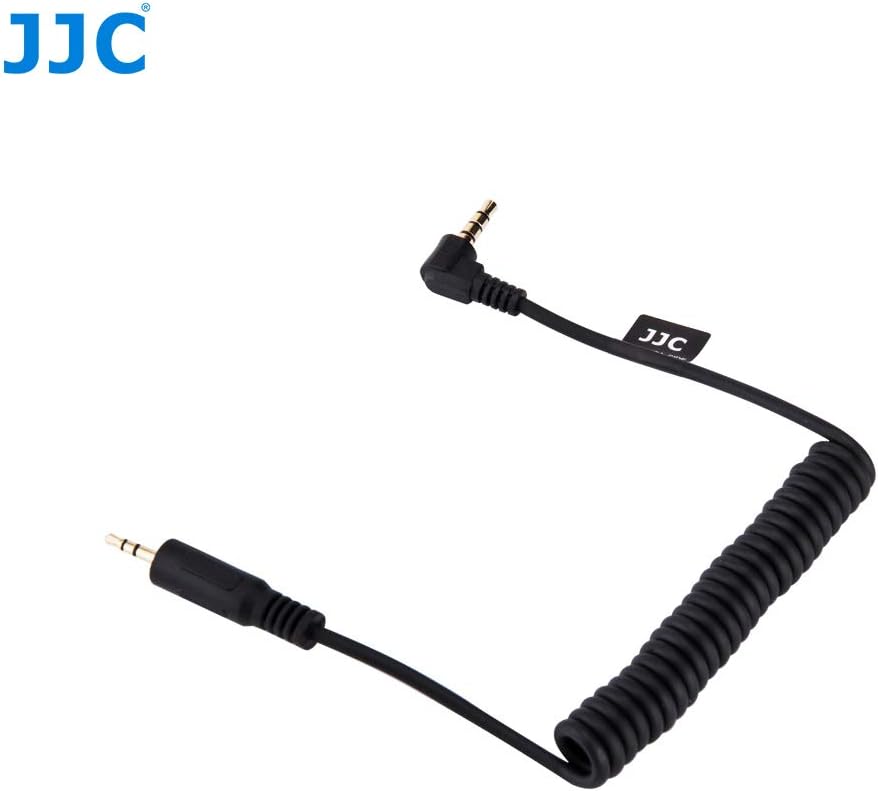
Figure 4.3: The JJC Shutter Connector Cable, showcasing its coiled form and both connector ends, ready for connection.
5. 操作
Once the JJC Shutter Connector Cable is securely connected between your camera and the JJC remote control, the remote control will function according to its specific operational instructions. The cable acts as a direct link, transmitting the remote's signals to the camera's shutter mechanism.
- シングルショット: Press the shutter button on your remote control to trigger a single exposure.
- 連続撮影: If supported by your remote and camera, activate continuous shooting mode on your camera and use the remote to initiate a burst of photos.
- バルブモード: For long exposures, engage Bulb mode on your camera and use the remote's lock function (if available) to keep the shutter open for the desired duration.
Refer to your specific JJC remote control's instruction manual for detailed operational procedures and advanced features.
6. 仕様
| 特徴 | 説明 |
|---|---|
| モデル名 | PFT-Cable |
| ケーブル長さ | Approx. 25cm (coiled), extends up to 90cm (straightened) |
| カメラコネクター | 3.5mm right-angle jack (replaces Pentax CS-310) |
| リモートコネクタ | 2.5mm straight jack |
| 対応カメラ | Pentax K-70, Pentax KP, Fujifilm X-E4, X-S20, X-S10, X-T200 |
| 互換性のあるリモコン | JJC JM-II, ES-628, ES-898, HR series (with 2.5mm port) |
| 製品寸法 | 12 x 15 x 1.2 cm(パッケージ) |
| アイテム重量 | 20グラム |
| 接続技術 | Wired (for remote connection) |
7. パッケージ内容
The package for the JJC Shutter Connector Cable includes the following item:
- 1 x JJC Shutter Release Cable (PFT-Cable)

Figure 7.1: The JJC Shutter Connector Cable as packaged, showing the cable and its clear plastic bag with branding.
8. お手入れとメンテナンス
To ensure the longevity and optimal performance of your JJC Shutter Connector Cable, please observe the following care and maintenance guidelines:
- ストレージ: ケーブルは直射日光や極端な温度を避け、涼しく乾燥した場所に保管してください。ケーブルを強く巻き付けたり、強く曲げたりしないでください。内部の配線が損傷する恐れがあります。
- クリーニング: Use a soft, dry cloth to wipe the cable and connectors. Do not use liquid cleaners or solvents, as these can damage the insulation or contacts.
- 取り扱い: Always grasp the connector plug, not the cable itself, when plugging or unplugging to prevent strain on the wire connections.
- 保護: コネクタを埃、汚れ、湿気から守ってください。ケーブルを長期間保管する場合は、保護キャップの使用を検討してください。
9。 トラブルシューティング
If you encounter issues while using your JJC Shutter Connector Cable, consider the following troubleshooting steps:
- No Response from Camera:
- Ensure both ends of the cable are fully and securely inserted into the camera and remote control ports.
- Verify that your camera is powered on and set to a compatible shooting mode (e.g., single shot, continuous, bulb).
- 該当する場合は、リモコンの電池を確認してください。
- Confirm that your camera model is listed as compatible with this specific cable.
- 断続的な接続:
- Inspect the cable for any visible damage, kinks, or frayed wires.
- Clean the metal contacts on both the cable connectors and the camera/remote ports with a dry, lint-free cloth.
- Ensure no debris is obstructing the ports.
- Remote Control Not Functioning:
- Test the remote control with another compatible cable or camera, if possible, to isolate the issue.
- Refer to the remote control's own instruction manual for troubleshooting specific to the remote unit.
If problems persist after attempting these steps, contact JJC customer support for further assistance.
10. 保証とサポート
JJC products are manufactured to high-quality standards. For information regarding warranty coverage, technical support, or service inquiries, please refer to the warranty card included with your product or visit the official JJC webサイトでご確認ください。保証請求の際に必要となりますので、購入証明書を保管してください。
Ask a question about this manual
Ask about setup, troubleshooting, compatibility, parts, safety, or missing instructions. Manuals+ will review the question and use this page’s manual context to help answer it.