
1. はじめに
This user manual provides essential information for the safe and efficient installation, operation, and maintenance of your TOA Electronics PC-1860 5-Inch Ceiling Mount Speaker. Please read this manual thoroughly before using the product and retain it for future reference.
The PC-1860 is designed for clear audio reproduction in various indoor environments, featuring a compact design suitable for ceiling installation.
2. 安全上の注意
警告:
- すべての電気接続は資格のある人員によって行われ、地域の電気規則に準拠していることを確認してください。
- Do not install the speaker in locations exposed to direct water spray or excessive humidity, as the product is not waterproof.
- インストール、メンテナンス、トラブルシューティングを実行する前に、必ず電源を切ってください。
- Use appropriate mounting hardware and ensure the ceiling structure can support the speaker's weight (approximately 10 pounds).
- Avoid placing heavy objects on the speaker or subjecting it to strong impacts.
注意:
- Do not attempt to modify or repair the speaker yourself. Refer all servicing to qualified service personnel.
- Keep the speaker away from heat sources and direct sunlight to prevent damage.
- 過熱を防ぐために、スピーカーの周囲に適切な換気を確保してください。
3. パッケージ内容
以下にリストされているすべてのアイテムがパッケージに含まれていることを確認してください。
- 1 x TOA Electronics PC-1860 5-Inch Ceiling Mount Speaker
- 1 x Mesh Filter
- このユーザーマニュアル
4. セットアップとインストール
最適な性能と安全性を確保するには、適切な設置が不可欠です。設置は資格を持った技術者に依頼することをお勧めします。
4.1 開梱
Carefully remove the speaker and all accessories from the packaging. Inspect for any signs of damage during transit. If damage is found, contact your supplier immediately.
4.2 取り付け場所の選択
Choose a suitable location in the ceiling that can structurally support the speaker's weight. Ensure there are no obstructions such as electrical conduits, water pipes, or structural beams in the chosen area. Maintain adequate clearance for wiring and ventilation.
4.3 インストール手順
- 天井の開口部を準備します。 Cut a circular hole in the ceiling at the selected location, ensuring the diameter matches the speaker's mounting requirements. Refer to the speaker's physical dimensions for precise measurements.
- 配線を接続: スピーカーケーブルを amplifier or audio source to the ceiling opening. Connect the wires to the speaker terminals, observing correct polarity (+ to + and - to -). Ensure connections are secure.
- Insert Speaker into Opening: Carefully insert the speaker into the prepared ceiling opening. The mounting clips (visible in the image) are designed to secure the speaker in place.
- スピーカーを固定する: Engage the mounting clips by tightening the screws (if applicable) or by pushing them outwards until they firmly grip the ceiling material. Ensure the speaker is flush with the ceiling surface and securely held.
- Attach Mesh Filter: If not pre-installed, attach the included mesh filter to the speaker grille. This helps protect the speaker from dust and debris.
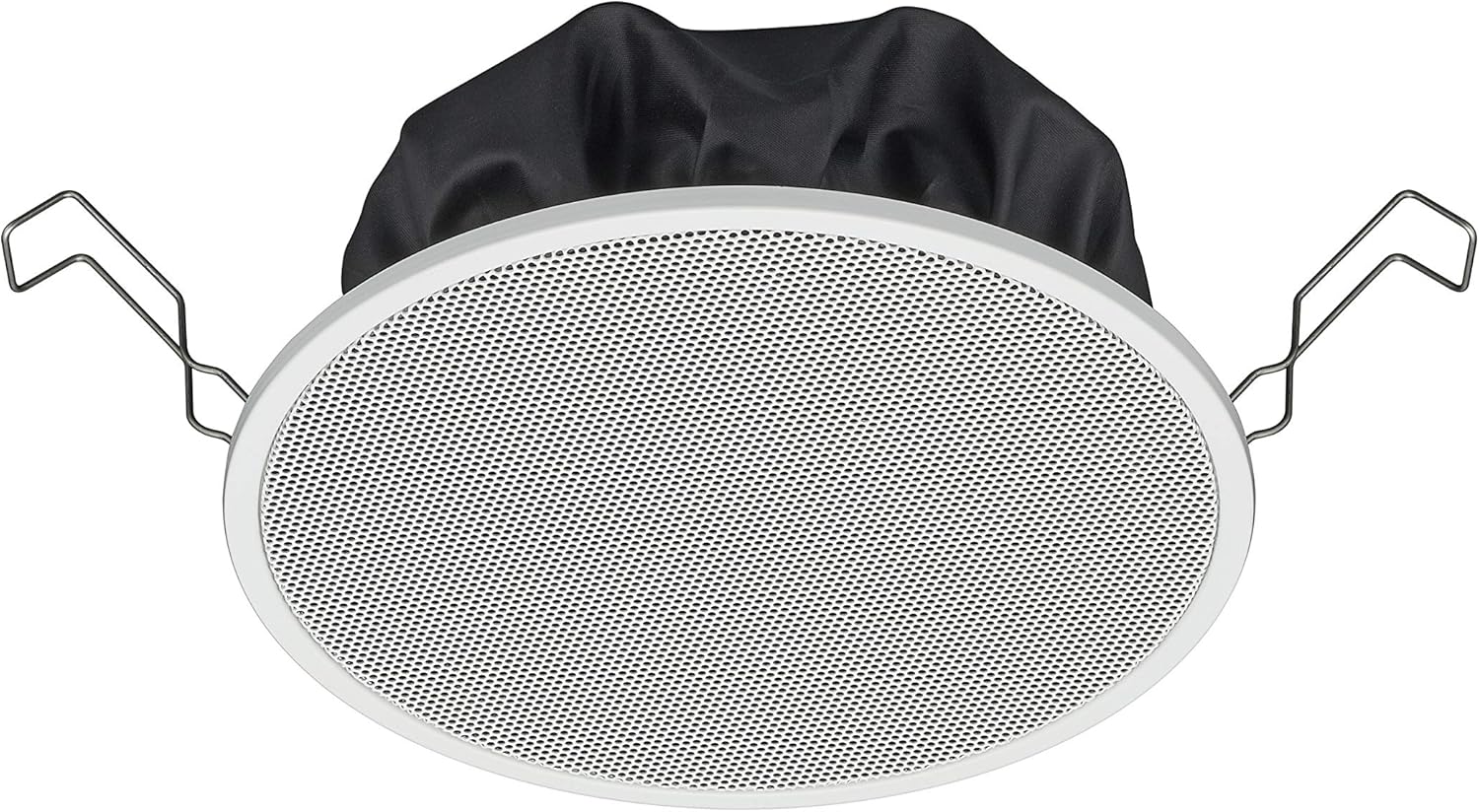
Figure 1: TOA Electronics PC-1860 5-Inch Ceiling Mount Speaker, showing the white grille, black rear enclosure, and metal mounting clips. This image illustrates the speaker's design for flush ceiling installation.
5. 操作手順
The TOA Electronics PC-1860 is a passive speaker designed to reproduce audio from an external amplifier or audio source. It does not require direct power or complex controls.
5.1 基本的なオーディオ再生
- 電源オン Amplifier: オーディオを確保する amplifier or receiver is powered on and connected to your audio source (e.g., MP3 player, desktop, projector, television).
- 音量を調整: Use the volume controls on your amplifier or audio source to set the desired listening level.
- 音声コントロール(該当する場合): If your connected audio system supports voice control, you may be able to manage playback and volume through voice commands directed at your audio source device. The speaker itself does not have integrated voice control functionality but can reproduce audio from devices that do.
- Radio Functionality (if applicable): If your connected audio source is a radio receiver, the speaker will reproduce the radio broadcast. The speaker itself does not contain a radio tuner.
The PC-1860 is designed for straightforward audio output. All primary controls for audio source selection, volume, and equalization will be managed through your connected ampライファイアまたはオーディオシステム。
6. メンテナンス
Regular maintenance ensures the longevity and optimal performance of your speaker.
- クリーニング: Gently wipe the speaker grille and frame with a soft, dry cloth. For stubborn dirt, a slightly damp cloth can be used, followed by a dry cloth. Avoid using harsh chemicals, solvents, or abrasive cleaners.
- ほこりの除去: Periodically use a soft brush or a vacuum cleaner with a brush attachment to remove dust from the grille, especially the mesh filter.
- 検査: Occasionally inspect the speaker for any visible damage or loose connections. If any issues are found, refer to the troubleshooting section or contact support.
- 環境: Ensure the installation environment remains within recommended temperature and humidity levels.
7。 トラブルシューティング
If you encounter issues with your PC-1860 speaker, refer to the following common problems and solutions:
| 問題 | 考えられる原因 | 解決 |
|---|---|---|
| スピーカーから音が出ない |
|
|
| 歪んだ音や不明瞭な音 |
|
|
| スピーカーがしっかりと取り付けられていない |
|
|
If the problem persists after attempting these solutions, please contact TOA Electronics customer support.
8. 仕様
Below are the key technical specifications for the TOA Electronics PC-1860 5-Inch Ceiling Mount Speaker:
| 特徴 | 詳細 |
|---|---|
| モデル名 | PC-1860 |
| ブランド | TOAエレクトロニクス |
| スピーカータイプ | 天井に |
| 取り付けタイプ | 天井マウント |
| スピーカーサイズ | 5インチ |
| オーディオドライバータイプ | ダイナミックドライバ |
| オーディオ出力モード | Stereo (when paired with another speaker) |
| 色 | 白 |
| 含まれるコンポーネント | 1 x Mesh Filter |
| 防水です | 間違い |
| アイテム重量 | 10ポンド(おおよそ) |
| 電源 | コード式電気(経由 amplifier) |
| 制御方法 | Voice (via compatible external devices) |
| 推奨用途 | Construction, Industrial |
| 対応デバイス | Desktop, MP3 Player, Projector, Television (via amplifier) |
9. 保証情報
The TOA Electronics PC-1860 speaker comes with a Limited Warranty. Specific terms and conditions of the warranty, including coverage period and claim procedures, are subject to the policies of TOA Electronics.
For detailed warranty information, please refer to the official TOA Electronics web販売店のウェブサイトをご覧いただくか、カスタマーサービスに直接お問い合わせください。保証請求の際は、購入証明書を保管してください。
10. カスタマーサポート
If you require further assistance, have questions not covered in this manual, or need technical support, please contact TOA Electronics customer service.
- オンラインサポート: Visit the official TOA Electronics webFAQ、製品ドキュメント、お問い合わせフォームのサイト。
- 連絡先: Refer to the TOA Electronics website for current phone numbers and email addresses for your region.
When contacting support, please have your product model (PC-1860) and purchase information readily available.