
導入
This manual provides essential information for the safe and efficient operation of your APC Back-UPS Pro Gaming UPS, model BGM1500B. This Uninterruptible Power Supply (UPS) is designed to protect your gaming console, PC, and other electronic equipment from power outages、サージ、およびボリュームtage fluctuations, ensuring continuous power and data integrity.
安全情報
Read these instructions carefully before installing or operating the unit. Save this manual for future reference.
- 電気安全: UPSは必ずアース付きのコンセントに接続してください。アース線を取り外さないでください。
- バッテリーの安全性: The battery is user-replaceable. Refer to the maintenance section for proper replacement procedures. Do not dispose of batteries in a fire; they may explode.
- 配置: Install the UPS indoors in a protected area, away from excessive moisture, heat, or conductive contaminants. Ensure adequate airflow around the unit.
- オーバーロード: Do not overload the UPS. Ensure the total power draw of connected equipment does not exceed the UPS's capacity (900W).
パッケージ内容
パッケージに次のアイテムが含まれていることを確認してください。
- APC Back-UPS Pro Gaming UPS (Model BGM1500B)
- USB通信ケーブル
- 同軸ケーブル
- ユーザーマニュアルと安全情報
製品の特徴
The APC Back-UPS Pro Gaming UPS BGM1500B offers advanced features for power protection and convenience:
- 1500VA / 900W Sine Wave Output: Provides clean and stable power, ideal for sensitive electronics and Active PFC power supplies.
- Interactive LCD Display: Features a Reactor Circle that changes color to indicate power status, surges, dips, and remaining battery power.
- Customizable RGB Ambient LED Lighting: Personalize the look of your UPS to match your gaming setup.
- 合計10店舗: Includes 6 battery backup outlets and 4 surge-only outlets for comprehensive protection.
- 3つのUSB充電ポート: Two Type-A and one Type-C port (5V/3A shared) for convenient device charging.
- 自動巻tage規制(AVR): Corrects high and low voltage fluctuations without using battery power, preserving battery life.
- Surge-Protected Dataline Ports: 1 Gb dataline ports and gold-plated co-axial ports protect network and cable connections.
- Hot-Swappable, User-Replaceable Battery: Allows for easy battery replacement without powering down connected equipment.
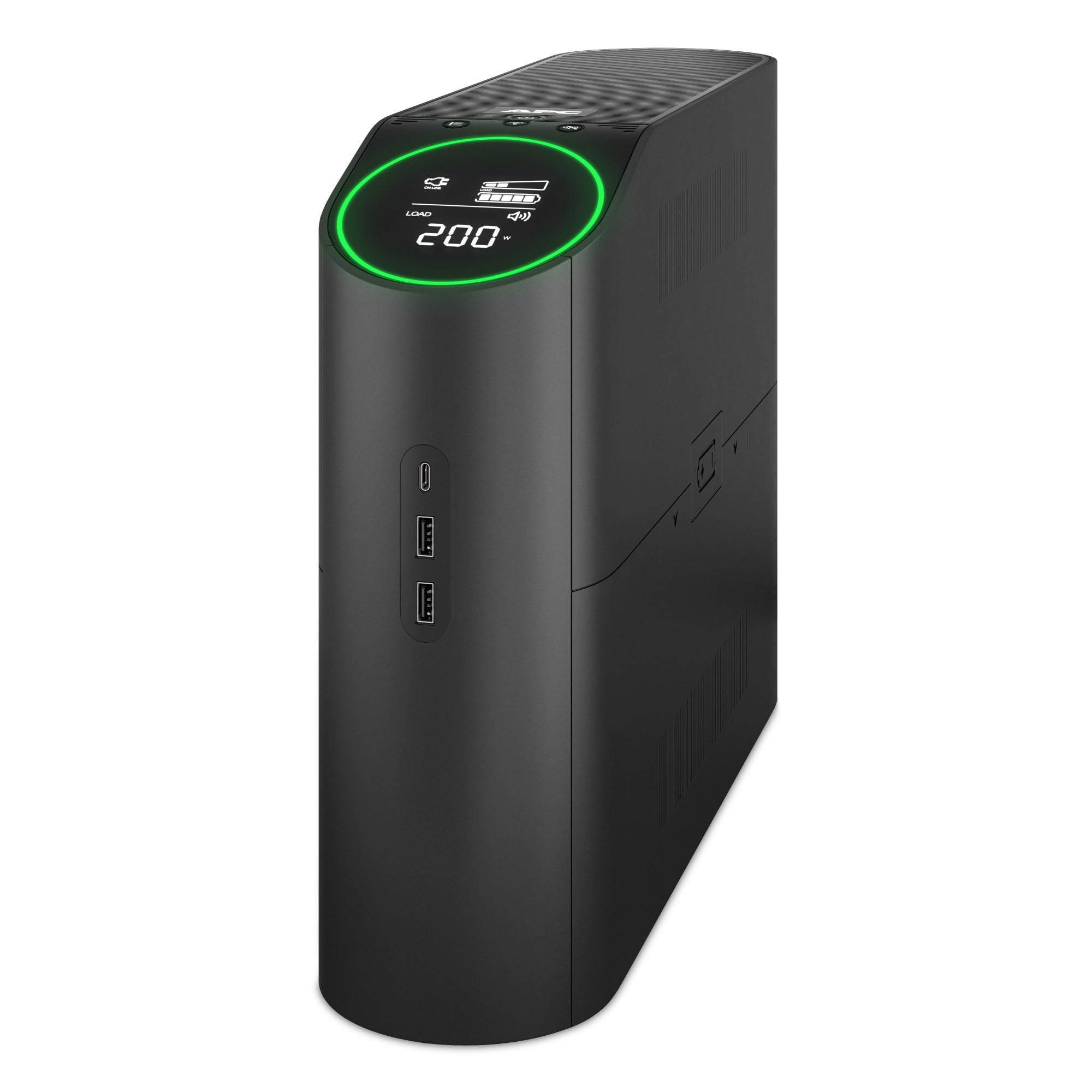
図1: 前面 view of the APC Back-UPS Pro Gaming UPS BGM1500B, showcasing the interactive LCD display and overall design.
Video 1: An official video from APC highlighting the key features and benefits of the APC Back-UPS Pro Gaming UPS.
設定
1. バッテリーの接続
The UPS is shipped with the battery disconnected for safety. Before use, you must connect the internal battery.
- UPS を安定した場所に設置します。
- Locate the battery access panel, typically on the side or bottom of the unit.
- パネルを取り外してバッテリー収納部にアクセスします。
- Connect the red battery cable to the red terminal. Ensure a secure connection.
- Replace the battery access panel.
2.配置
Choose a suitable location for your UPS:
- Avoid direct sunlight, heat sources, and areas with high humidity.
- Ensure proper ventilation by keeping at least 1 inch (2.5 cm) of space around the unit.
- UPS を平らで安定した面に設置します。
3. 機器の接続
Connect your devices to the appropriate outlets on the rear of the UPS.

Figure 2: Rear panel of the UPS, illustrating the battery backup and surge-only outlets, data ports, and circuit breaker.
- Battery Backup + Surge Protected Outlets: These 6 outlets provide power from the battery during outages and protect against surges. Connect your critical equipment such as your gaming PC, console, monitor, and external hard drives here.
- サージ専用コンセント: These 4 outlets provide surge protection but no battery backup. Connect less critical devices like printers, speakers, or lampここです。
- USB充電ポート: Use the two USB-A and one USB-C ports on the side of the unit to charge mobile devices, controllers, or other USB-powered accessories.
- データライン保護: Connect your network cable (RJ45) and coaxial cable to the respective IN and OUT ports for surge protection on your data lines.
4. 初期充電
After connecting the battery and plugging the UPS into a wall outlet, allow the unit to charge for at least 16 hours before connecting any equipment. This ensures the battery is fully charged and ready to provide maximum runtime.
5. PowerChute Personal Edition Software (Optional)
For advanced monitoring and management features, install the PowerChute Personal Edition software on your PC. Connect the UPS to your computer using the provided USB communication cable. The software allows you to:
- Monitor power events and energy consumption.
- Configure alarms and notifications.
- Perform automatic and safe shutdown of your computer during extended power outages。
UPSの操作
1. 電源のオン/オフ
- 電源を入れるには: Press the power button located on the top panel. The LCD display will illuminate.
- 電源を切るには: Press and hold the power button until the unit powers down.
2. LCD Display and Reactor Circle
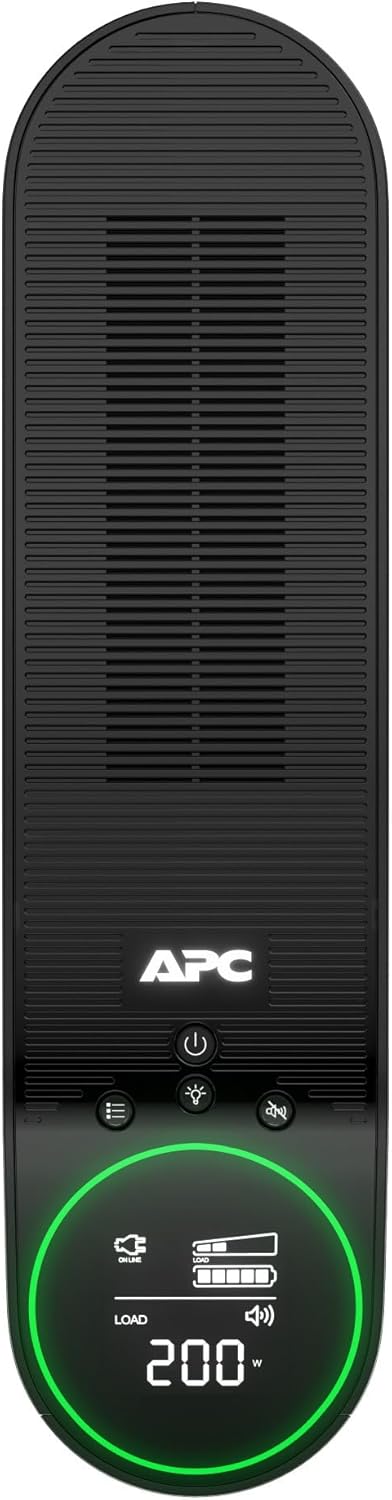
図3:上 view of the UPS, highlighting the LCD display and control buttons for easy interaction.
The interactive LCD display provides real-time information about the UPS status. The Reactor Circle around the display changes color to indicate different operational states:
- 緑: Normal operation, providing power.
- 黄色/オレンジ: Warning, indicating a power event (e.g., voltage fluctuation) or low battery.
- 赤: Critical alert, indicating a significant issue or very low battery.
Use the navigation buttons next to the LCD to cycle through various display screens, showing information such as input/output voltage、負荷率tage, battery charge level, and estimated runtime.
3. カスタマイズ可能なRGB照明
The ambient LED lighting can be customized to match your preference. Refer to the specific controls on the unit or the PowerChute software for options to change colors and lighting effects.
4。 USB充電

図4:側面 view of the UPS, showing the convenient USB-A and USB-C charging ports.
The USB ports provide 5V/3A shared power for charging devices. These ports are always active when the UPS is powered on, regardless of battery backup status.
メンテナンス
1. バッテリーの交換
The battery in your UPS has an average life of 4 years. When the battery needs replacement, the UPS will indicate this on the LCD display. The replacement battery part number is APCRBC163.
- Ensure the UPS is powered off and disconnected from the wall outlet.
- Remove the battery access panel.
- Disconnect the battery cables (black first, then red).
- Carefully slide out the old battery.
- Insert the new battery (APCRBC163).
- Connect the battery cables (red first, then black).
- Replace the battery access panel.
- Recycle the old battery responsibly.
2. 清掃
UPSの外装は、定期的に柔らかく乾いた布で拭いてください。液体洗剤や溶剤は使用しないでください。通気口に埃やゴミが付着していないことを確認してください。
トラブルシューティング
UPS で問題が発生した場合は、次の一般的な問題と解決策を参照してください。
| 問題 | 考えられる原因 | 解決 |
|---|---|---|
| UPSが起動しない | バッテリーが接続されていないか、充電量が少ない | Ensure battery cables are securely connected. Charge the UPS for 16 hours. |
| UPSが頻繁にビープ音を鳴らす | On battery power, low battery, or overload | Check utility power. Reduce connected load. Allow battery to recharge. |
| LCD shows 'Overload' | Too many devices connected to battery backup outlets | 重要でない機器をバッテリー バックアップ コンセントから取り外します。 |
| Building Wiring Fault indicator is lit | Wiring problem in the wall outlet | 資格のある電気技師に相談して、建物の配線を点検してください。 |
仕様
Key technical specifications for the APC Back-UPS Pro Gaming UPS BGM1500B:
- モデル: 型番
- 容量: 1500VA/900W
- 入力ボリュームtage: 120ボルト
- 出力巻tage: 120ボルト
- 波形: サイン波
- 電池のタイプ: 密閉型鉛蓄電池
- バッテリー充電時間: 16時間
- バッテリーの平均寿命: 4年
- サージ保護定格: 1080ジュール
- コンセント数: 10 (6 バッテリ バックアップ + サージ、4 サージのみ)
- USB充電ポート: 2x Type-A, 1x Type-C (5V/3A shared)
- 寸法 (奥行×幅×高さ): 16.06インチ x 4.13インチ x 11.45インチ (40.8 cm x 10.5 cm x 29.1 cm)
- 重さ: 25.35ポンド(11.5kg)
- 動作温度: 32°F ~ 104°F (0°C ~ 40°C)
- 認定: エネルギースター
保証とサポート
This APC Back-UPS Pro Gaming UPS BGM1500B comes with a 3年間のメーカー保証. For warranty claims, technical support, or further assistance, please contact APC customer service or visit the official APC webサイトをご覧ください。サポートにお問い合わせの際は、製品のモデル番号とシリアル番号をご用意ください。
最新のサポート情報とリソースについては、次の Web サイトをご覧ください。 www.apc.com/support