
1.製品オーバーview
The BALDR Digital Thermometer Hygrometer is a compact device designed to monitor indoor temperature and humidity levels. It provides real-time readings and comfort level indicators to help maintain an optimal environment. This device is suitable for various indoor settings, including homes, offices, and greenhouses.
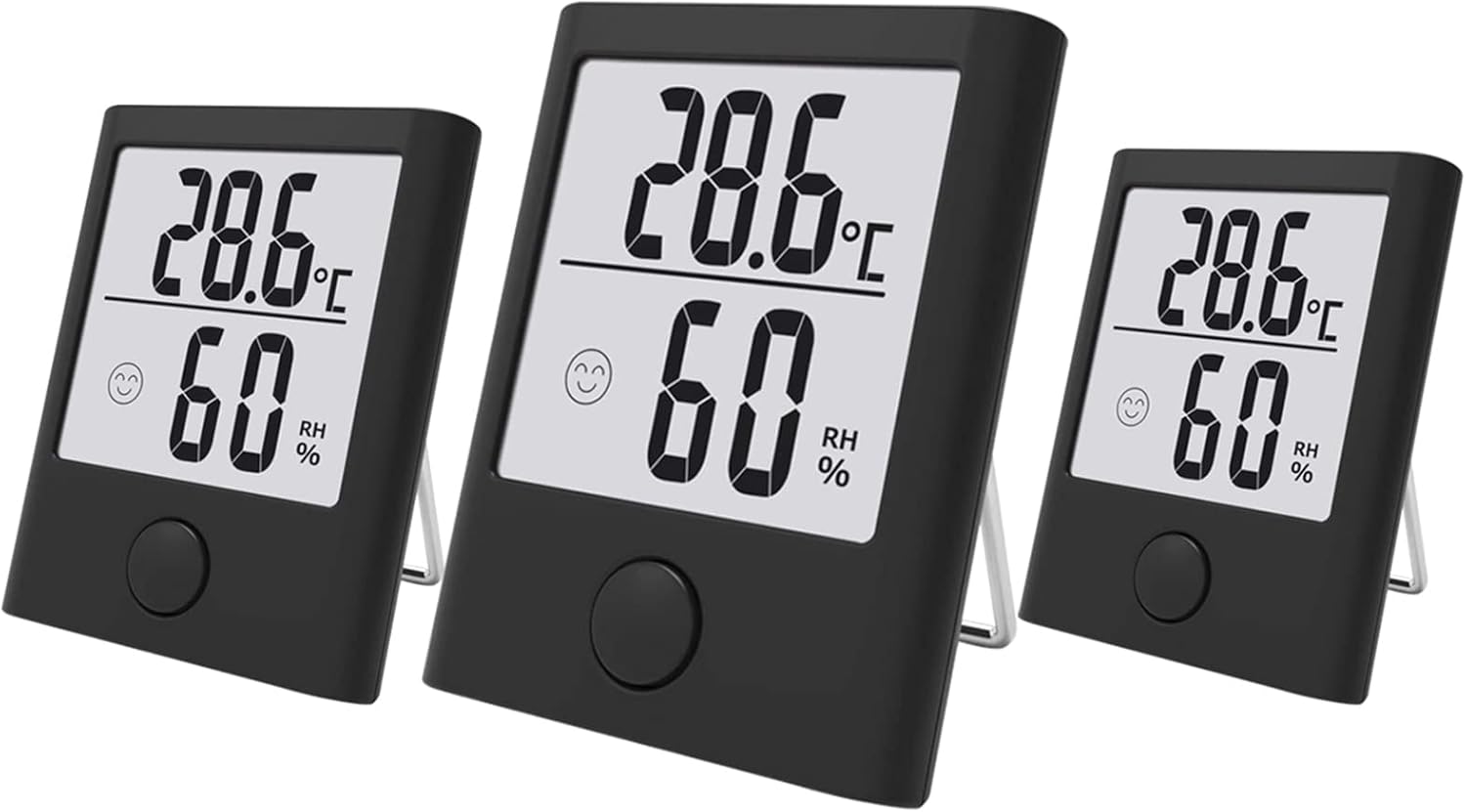
Image 1.1: Three BALDR Digital Thermometer Hygrometers. Each unit displays temperature in Celsius (28.6°C) and humidity (60% RH), along with a comfort level indicator.
- 温度と湿度の監視: 現在の室内温度と湿度を表示します。
- 快適レベル指標: Features visual icons (smiley face, water drops) to indicate comfort levels based on temperature and humidity.
- 切り替え可能なユニット: Easily switch between Celsius (℃) and Fahrenheit (℉) readings.
- コンパクトなデザイン: Palm-sized for convenient placement and portability.
- 通気性のあるデザイン: Engineered with vents for accurate and swift readings.

Image 1.2: Feature icons for the BALDR Digital Thermometer Hygrometer, including thermometer, hygrometer, comfort indicator, °C/°F selector, 10-second refresh, and strong magnet.
2. セットアップ
2.1 バッテリーの取り付け
- デバイスの背面にあるバッテリー収納部を見つけます。
- 電池カバーを開きます。
- 極性マーク (+/-) に従って、必要な電池 (通常は AAA、別売) を挿入します。
- Close the battery cover securely. The device should power on automatically.
2.2 配置オプション
The BALDR Digital Thermometer Hygrometer offers multiple mounting options for versatile placement:
- テーブルスタンド: Utilize the integrated kickstand for desktop or shelf placement.
- ウォールマウント: Use the hanging hole on the back to mount the device on a wall.
- 磁気バック: Attach the device to metallic surfaces like refrigerators using the built-in magnet.

図2.1: 例amples of the three mounting options: Table Stand, Wall Mount, and Magnetic Back, shown in various home settings.
For accurate readings, place the device away from direct sunlight, heat sources, and strong drafts.
3. 操作手順
3.1 温度と湿度の読み方
Once powered on, the device will immediately display the current temperature and relative humidity on its LCD screen. Readings are updated approximately every 10 seconds to ensure accuracy.
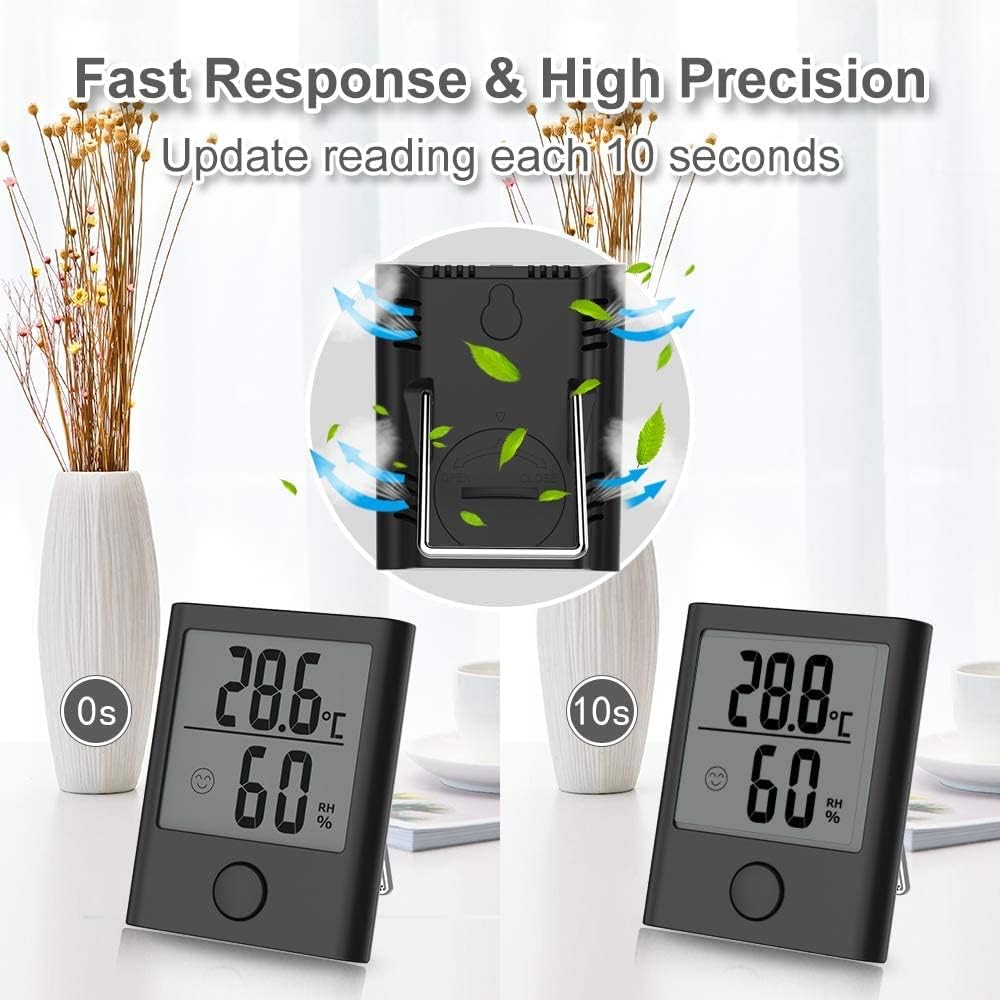
Image 3.1: The device updates readings every 10 seconds, demonstrating its fast response and high precision.
3.2 温度単位の切り替え(℃/℉)
To switch between Celsius (℃) and Fahrenheit (℉), locate the small button on the back of the device. Press this button once to toggle the temperature display unit.
3.3 Understanding Comfort Level Indicators
The device features a comfort level indicator to provide a quick visual assessment of the indoor environment. The icons represent different comfort zones:

Image 3.2: Detailed explanation of comfort level indicators. A smiley face indicates comfort, one water drop indicates normal comfort, and three water drops indicate an uncomfortable environment.
- Smiley Face (Comfort): Indicates optimal conditions (Temperature: 50°F - 86°F / 10°C - 30°C, Humidity: 40% - 60% RH).
- One Water Drop (Normal Comfort): Indicates slightly less comfortable conditions (Temperature: 50°F - 64.2°F or 78.9°F - 86°F / 10°C - 17.9°C or 26.1°C - 30°C, Humidity: 30% - 39% RH or 61% - 70% RH).
- Three Water Drops (Uncomfortable): Indicates conditions outside the comfortable range (Temperature: <50°F or >86°F / <10°C or >30°C, Humidity: <30% RH or >70% RH).
4. メンテナンス
4.1 クリーニング
To clean the device, use a soft, dry cloth. Do not use abrasive cleaners, solvents, or immerse the device in water. Ensure the ventilation holes on the back remain clear of dust and debris for accurate readings.
4.2 電池の交換
When the display becomes dim or the device stops functioning, it is time to replace the batteries. Follow the battery installation steps in Section 2.1. Dispose of old batteries responsibly according to local regulations.
5。 トラブルシューティング
- 表示なし: 電池の取り付けを確認し、電池が新しいものであることを確認します。
- 不正確な読み取り: Ensure the device is not placed in direct sunlight, near heat sources, or in strong drafts. Verify that the ventilation holes are not obstructed. Allow the device to stabilize for 15-30 minutes after initial setup or relocation.
- ディスプレイが暗い: 電池を交換してください。
6. 仕様
| ブランド | バルドル |
| モデル | B-134-3P-BLA1 |
| 寸法 | 17.8 x 7.6 x 2.7 cm(7.0 x 3.0 x 1.1インチ) |
| 重さ | 139 g (4.9 オンス) |
| 色 | Pitch-black |
| 初回利用可能日 | 13年2020月XNUMX日 |

Image 6.1: The device dimensions are 44mm x 55.5mm (1.73" x 2.18"). Monitoring indoor climate can help prevent issues like colds, arthritis, tracheitis, and headaches.
7. 保証とサポート
Specific warranty information for the BALDR Digital Thermometer Hygrometer (Model B-134-3P-BLA1) is not provided in this manual. Please refer to the product packaging or the official BALDR web詳細な保証条件については、サイトをご覧ください。
For technical support or further assistance, please contact BALDR customer service through their official channels.