
導入
The Razer Pro Glide is a soft mouse mat designed for enhanced office productivity. It features a thick, high-density rubber foam construction for comfort and durability, a textured micro-weave cloth surface for precise mouse movements, and an anti-slip base to ensure stability during use. This manual provides instructions for setting up, operating, and maintaining your Razer Pro Glide mouse mat.
設定
- Unpack the Mouse Mat: Carefully remove the Razer Pro Glide mouse mat from its packaging.
- Flatten the Mat: If the mat is rolled, gently unroll it and allow it to lie flat on your desk surface. It may take a short period for the mat to completely flatten.
- ポジショニング: Place the mouse mat on a clean, dry, and flat surface where you intend to use your mouse. The anti-slip rubber base will help secure the mat in place.
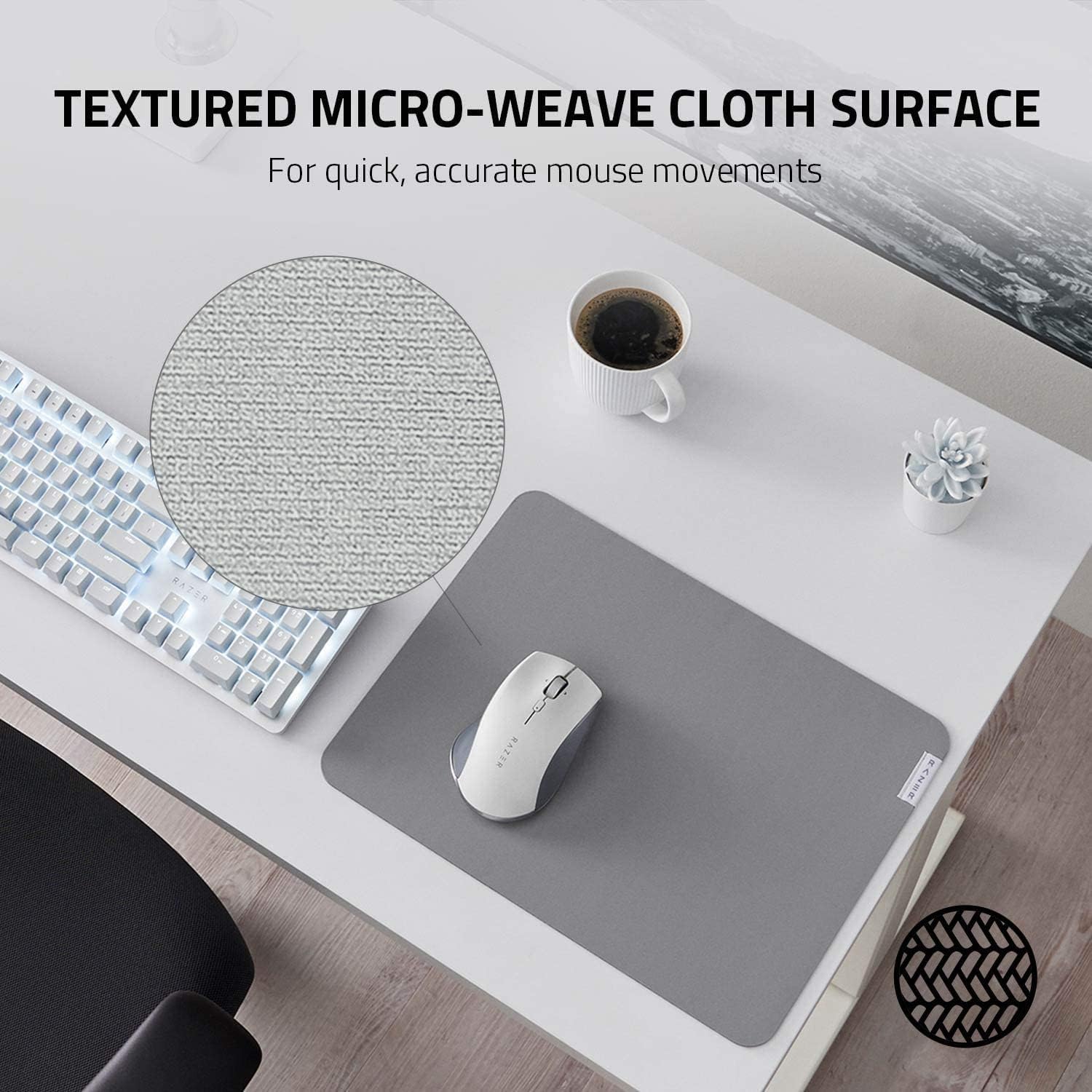
Image: The anti-slip base ensures the mat remains stable on your desk.
オペレーティング
The Razer Pro Glide is designed for immediate use. Simply place your mouse on the mat and begin your work or gaming activities. The textured micro-weave cloth surface is optimized for all mouse sensors, providing precise tracking and smooth gliding for accurate and efficient movements.
- 強化されたコントロール: The surface texture allows for quick and accurate mouse movements, crucial for productivity tasks.
- 快適: The 3mm thick, high-density rubber foam provides a comfortable cushioning effect for your hand and wrist during extended use.
- 安定性: The anti-slip rubber base prevents the mat from shifting, ensuring consistent performance.

Image: The textured micro-weave cloth surface provides optimal tracking for your mouse.
メンテナンス
To ensure the longevity and optimal performance of your Razer Pro Glide mouse mat, follow these cleaning guidelines:
- スポットクリーニング: For minor spills or dirt, use a soft, damp 少量の低刺激性石鹸を含ませた布で、患部を優しく拭いてください。
- 刺激の強い化学物質を避ける: Do not use harsh detergents, bleach, or abrasive cleaners, as these can damage the mat's surface and materials.
- 自然乾燥: After cleaning, allow the mat to air dry completely before reuse. Do not machine wash or tumble dry.
- 定期的なダスティング: Periodically dust the surface with a dry, soft cloth to prevent dust buildup.
トラブルシューティング
- マットが平らでない: If the mat does not immediately lie flat after unrolling, place heavy, flat objects (like books) on the edges for a few hours to help it flatten.
- マウストラッキングの問題: Ensure the mouse mat surface is clean and free of debris. If issues persist, try cleaning your mouse sensor.
- Mat Slipping: Verify that the desk surface beneath the mat is clean and dry. The anti-slip base requires a clean surface for optimal grip.
仕様
| 特徴 | 詳細 |
|---|---|
| モデル番号 | RZ02-03331500-R3M1 |
| 寸法(L x W) | 14.17インチ x 10.83インチ (360 mm x 275 mm) |
| 厚さ | 3ミリメートル |
| 材料 | High-density rubber foam (base), Textured micro-weave cloth (surface) |
| 色 | グレー |
| 特集 | Durability, Non-slip base |
| 重さ | 290グラム |

Image: The thick, high-density rubber foam provides comfort and durability.
保証とサポート
保証情報およびテクニカルサポートについては、Razerの公式ウェブサイトをご覧ください。 website or contact Razer customer service directly. Keep your purchase receipt for warranty claims.
Razer公式 Webサイト: www.razer.com