
導入
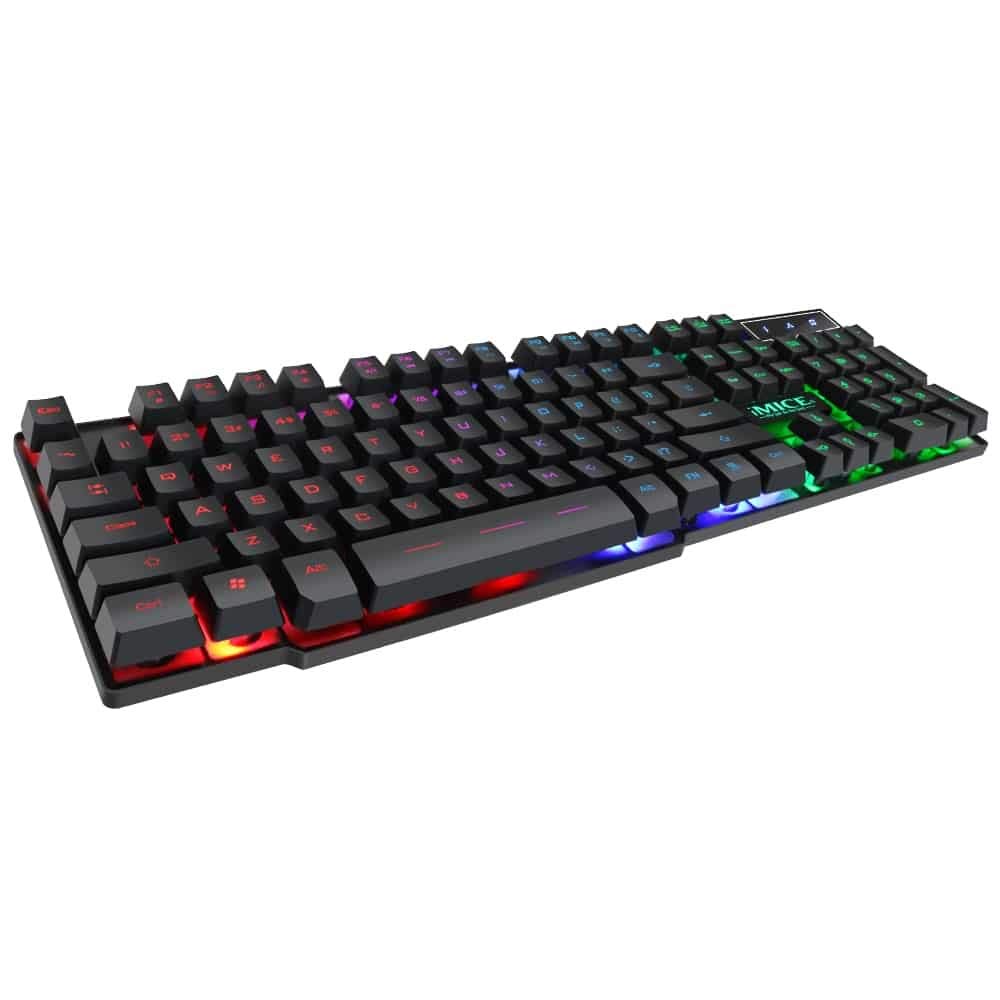
This manual provides instructions for the iMICE AK-600 Backlit USB Wired Gaming Keyboard. It covers setup, operation, maintenance, and troubleshooting to ensure optimal performance and longevity of your device. Please read this manual thoroughly before using the keyboard.
設定
箱の中身
The iMICE AK-600 keyboard package includes:
- iMICE AK-600 Backlit USB Wired Gaming Keyboard (with integrated USB cable)
キーボードの接続
To connect your iMICE AK-600 keyboard:
- コンピューターで使用可能なUSBポートを見つけます。
- Plug the integrated USB cable from the keyboard into the USB port.
- The keyboard is plug-and-play and should be automatically recognized by your operating system without requiring additional drivers for basic functionality.
操作手順
基本的なキーボード機能
The iMICE AK-600 features a standard 104-button layout, providing all essential keys for typing and gaming.
バックライト制御
The keyboard is equipped with a three-color backlight system (red, blue, green). The key characters are illuminated for visibility in low-light conditions.
- To change the backlight color or cycle through modes, use the dedicated backlight control key (often labeled with a light bulb icon or similar).
- Pressing the key repeatedly will switch between red, blue, green, and off modes.
マルチメディアキー
The keyboard includes 12 groups of multimedia function keys, typically accessed by pressing the Fn key in combination with the F1-F12 keys. These provide quick access to functions such as volume control, media playback, and more.
アンチゴースト
The iMICE AK-600 supports 19-key anti-ghosting. This feature ensures that multiple key presses are registered simultaneously and accurately, preventing input conflicts during fast-paced gaming or typing.
メンテナンスとケア
適切なメンテナンスを行うとキーボードの寿命が延びます。
- クリーニング: Regularly wipe the keyboard surface with a soft, dry, lint-free cloth to remove dust and debris. For deeper cleaning, use a slightly damp 布に中性洗剤をつけて拭き、キーボードに液体が入らないようにします。
- 液体のこぼれ: The keyboard features an integrated liquid guide hole design to help with minor spills. However, it is not fully waterproof. In case of a spill, immediately disconnect the keyboard from your computer and allow it to dry completely before reconnecting.
- 刺激の強い化学物質を避ける: Do not use abrasive cleaners, solvents, or strong detergents, as these can damage the keyboard's finish and key legends.
- ケーブルのお手入れ: Ensure the USB cable is not excessively bent, twisted, or placed under heavy objects, which could damage the internal wires.
トラブルシューティング
キーボードが応答しない
- Ensure the USB cable is securely connected to both the keyboard and an active USB port on your computer.
- キーボードをコンピューターの別の USB ポートに接続してみてください。
- コンピュータを再起動します。
- 別のコンピューターでキーボードをテストして、問題がキーボードにあるか、コンピューターの USB ポート/ドライバーにあるかを判断します。
バックライトが機能しない
- キーボードが正しく接続され、電源が供給されていることを確認します。
- Press the backlight control key (often labeled with a light bulb icon) to cycle through backlight modes and ensure it is not turned off.
特定のキーが登録されない
- 影響を受けるキーの周りを丁寧に掃除して、キーの機構を妨げている可能性のあるほこりやごみを取り除きます。
- 問題が解決しない場合は、カスタマー サポートに連絡してサポートを受けてください。
仕様
| 特徴 | 詳細 |
|---|---|
| ブランド | OEM (iMICE) |
| モデル | AK-600 |
| 接続技術 | USB (有線) |
| キーボードの説明 | ゲーム |
| 特集 | Backlit (Red, Blue, Green) |
| 材料 | プラスチック |
| 含まれるコンポーネント | 一体型USBケーブル |
| スイッチタイプ | 触覚 |
| 手の向き | 両利き |
| ボタン/キーの数 | 104 |
| 互換性のあるオペレーティングシステム | Windows (XP/2000/Vista/7/8/10), Android, Linux |
| ケーブル長さ | 1.3メートル |
| キーの寿命 | 最大5万回のプレス |
保証とサポート
For information regarding product warranty, returns, or technical support, please refer to the retailer's policy where the product was purchased. It is recommended to retain your purchase receipt as proof of purchase for any warranty claims. For direct manufacturer support, please visit the official OEM or iMICE webサイト。