
1. はじめに
Thank you for choosing the KSIX Thermometer HR Fitness Band. This device is designed to help you monitor your physical activity, body temperature, heart rate, and sleep patterns. Please read this manual carefully before using the product to ensure proper operation and maintenance.
2. パッケージ内容
- KSIX Thermometer HR Fitness Band
- ユーザーマニュアル
- 充電ケーブル
3.製品オーバーview
The KSIX Thermometer HR Fitness Band features a 1.4-inch TFT color display and a durable design. It includes sensors for continuous body temperature and heart rate monitoring. The band is also water-resistant up to 1 meter for 30 minutes.

図3.1: 前面 view of the KSIX Thermometer HR Fitness Band with a clock display.
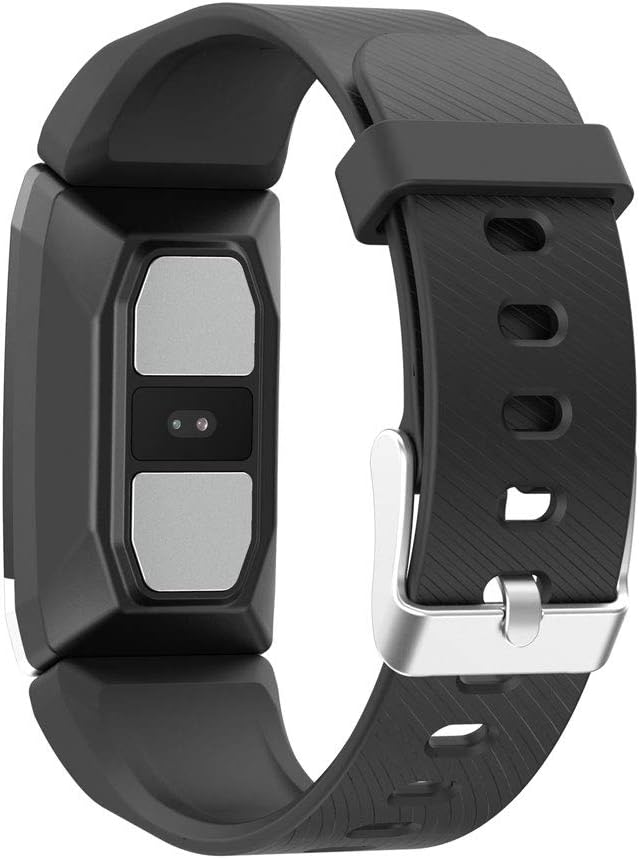
図3.2:背面 view of the fitness band, highlighting the integrated sensors for health monitoring.
主な特徴:
- 体温モニタリング: Integrated sensor for continuous temperature tracking.
- Dynamic Heart Rate Monitoring: 24時間連続心拍数追跡。
- マルチスポーツモード: Records duration, steps, and heart rate during various sports activities.
- 睡眠追跡: 睡眠時間と質を監視します。
- 耐水性: IP67 rated, submersible up to 1 meter for 30 minutes.
- 通知: Receive alerts for calls and messages when connected to your smartphone.
4. セットアップ
4.1デバイスの充電
Before first use, fully charge your fitness band. Connect the charging cable to the designated port on the band and to a USB power source. The battery icon on the screen will indicate charging status. A full charge typically takes approximately 2 hours.
4.2 アプリのインストールとペアリング
- ダウンロード ウェアフィット2.0 スマートフォンのアプリ ストアからアプリをダウンロードします (Android 5.1 以降および iOS 8.0 以降と互換性があります)。
- スマートフォンでBluetoothが有効になっていることを確認します。
- Open the Wearfit 2.0 app and follow the on-screen instructions to create an account or log in.
- Navigate to the device pairing section within the app and search for your KSIX Thermometer HR Fitness Band.
- Select your device from the list to establish a Bluetooth 4.0 connection.
- Once paired, the band will synchronize with your smartphone, and you can customize settings and view データ。
5. 操作手順
5.1 インターフェースの操作
The fitness band features a touch-sensitive screen. Swipe up, down, left, or right to navigate through different functions and menus. Tap to select an option or confirm an action.
5.2 Monitoring Body Temperature
The band continuously monitors your body temperature. To view your current temperature, navigate to the temperature screen on the device. Historical data and trends can be viewed in the Wearfit 2.0 app.
5.3心拍数のモニタリング
The dynamic heart rate monitor tracks your pulse 24 hours a day. Access the heart rate screen on the band to see your real-time heart rate. Detailed graphs and average readings are available in the Wearfit 2.0 app.
5.4マルチスポーツモード
Activate multi-sport mode from the device menu to track specific activities. This mode records duration, step count, and heart rate during your workout. End the activity to save the data, which will then sync to the Wearfit 2.0 app.
5.5 睡眠追跡
Wear the band while sleeping to automatically track your sleep patterns. The device records sleep duration and quality. View detailed sleep analysis in the Wearfit 2.0 app.
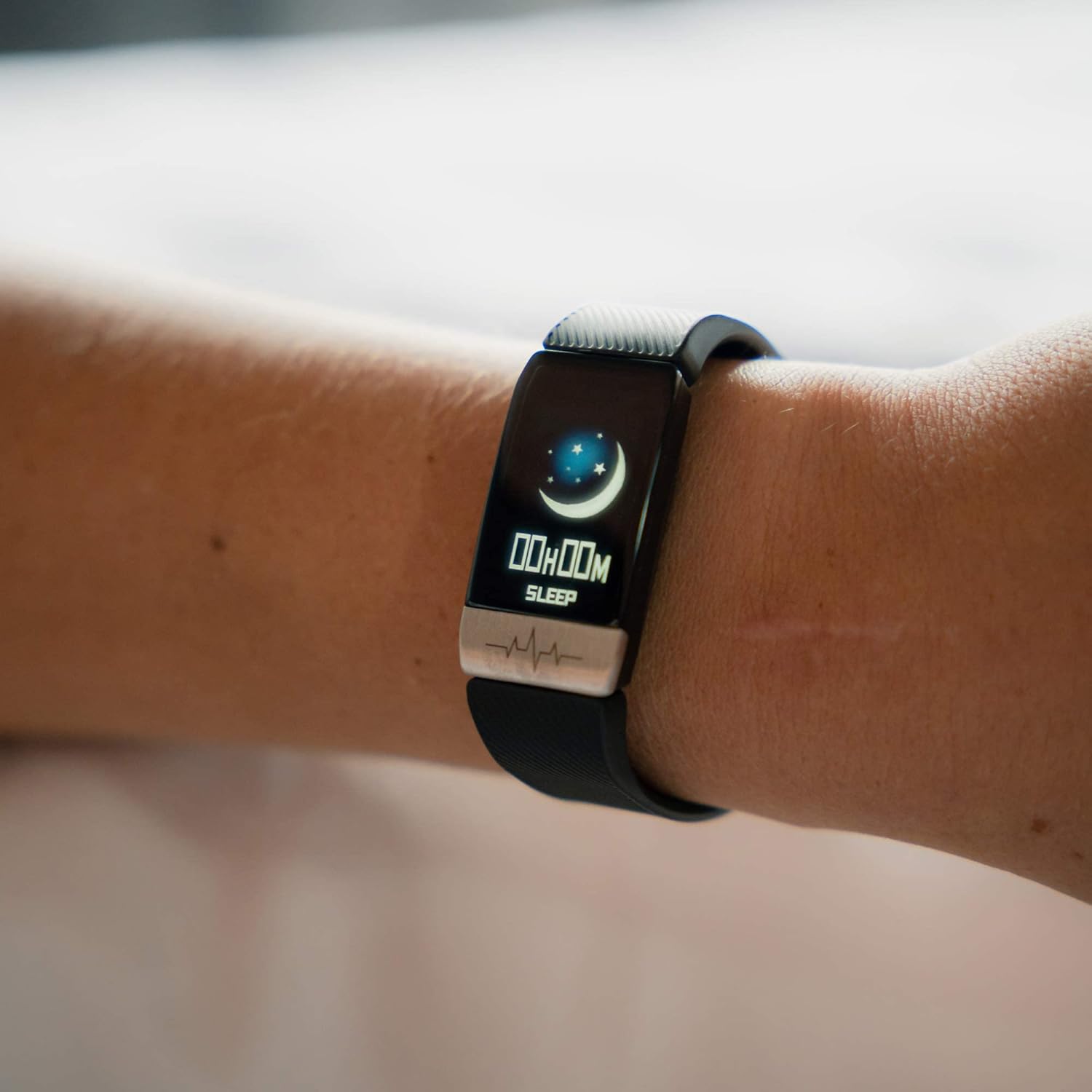
Figure 5.1: The fitness band displaying sleep tracking information on the user's wrist.
5.6 通知
Once paired with your smartphone, the band can display notifications for incoming calls, messages, and app alerts. Ensure notification permissions are enabled in the Wearfit 2.0 app and your phone's settings.
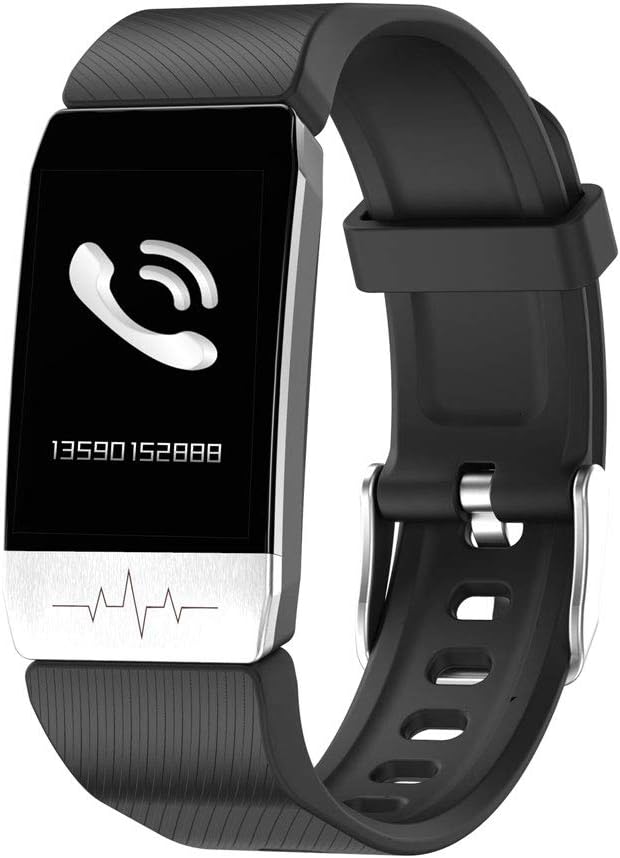
Figure 5.2: The fitness band showing an incoming call notification.
6. メンテナンス
6.1 クリーニング
Regularly clean your fitness band with a soft, damp 布で拭いてください。刺激の強い化学薬品や研磨剤はデバイスを損傷する可能性があるため、使用しないでください。充電前に、充電端子が清潔で乾いていることを確認してください。
6.2 耐水性
The KSIX Thermometer HR Fitness Band is IP67 water-resistant, meaning it can be submerged in water up to 1 meter deep for a maximum of 30 minutes. It is suitable for daily use, such as washing hands or showering. However, it is not recommended for diving, high-pressure water activities, or prolonged submersion.

Figure 6.1: The fitness band submerged in water, showcasin防水設計です。
7。 トラブルシューティング
- デバイスの電源が入らない: デバイスが完全に充電されていることを確認してください。充電器に接続し、数分待ってから再度電源を入れてください。
- スマートフォンとペアリングできない:
- 携帯電話で Bluetooth が有効になっていることを確認してください。
- Make sure the Wearfit 2.0 app is installed and running.
- Check if the band's battery is not critically low.
- Try restarting both your phone and the fitness band.
- Ensure the band is not already paired with another device.
- Inaccurate readings (temperature/heart rate):
- バンドが手首にぴったりとフィットしていることを確認しますが、締めすぎないようにしてください。
- バンドの裏側にあるセンサーを清掃してください。
- Avoid extreme temperatures or rapid changes in environment.
- これらのデバイスは医療機器ではなく、測定値は参考用のみであることに注意してください。
- 通知が表示されない:
- Verify that the band is successfully paired with your phone.
- Check notification settings within the Wearfit 2.0 app.
- Ensure your phone's system settings allow the Wearfit 2.0 app to send notifications.
8. 仕様
| 特徴 | 詳細 |
|---|---|
| モデル番号 | TP-8427542106342_BXSTBAND_Vendor |
| 画面 | 1.4インチTFTカラー |
| バッテリー容量 | 90mAh |
| バッテリー寿命 | 最長5日間 |
| 接続性 | ブルートゥース4.0 |
| 耐水性 | IP67(水深1mまで30分間) |
| 互換性 | Android 5.1以降 / iOS 8.0以降 |
| センサー | Body Temperature, Heart Rate, Micro Vibration |
| ストラップ素材 | ステンレス鋼 |
| ケース素材 | ステンレス鋼 |
| 寸法(パッケージ) | 13.2 x 10.1 x 4.8 cm |
| 重さ | 60グラム |
9. 保証とサポート
The KSIX Thermometer HR Fitness Band comes with a 2年間保証 ご購入日から製造上の欠陥が対象となります。本保証は、誤用、事故、不正な改造、または通常の摩耗による損傷には適用されません。
For technical support, warranty claims, or further assistance, please contact your retailer or visit the official KSIX web連絡先情報のサイト。
メーカー: ATLANTIS INTERNACIONAL