
導入
This manual provides essential information for the installation, operation, and maintenance of your ANNKE 16-Channel PoE Security Camera System. This system includes a 12MP NVR and 8pcs 5MP IP67 PoE IP Cameras, designed for reliable home and business surveillance. Please read this manual thoroughly before using the product to ensure proper setup and functionality.
箱の中身
パッケージにすべてのコンポーネントが含まれていることを確認します。
- 1 x 16CH 12MP PoE NVR with 4TB Hard Drive
- 8 x 5MP Turret IP PoE Cameras & Screw Kits
- 1 x HDMI & Ethernet Cable & Power Adapter
- 4 x 60ft & 100ft Network Cables
- USBマウス×1、ユーザーマニュアル
設定
1. PoE Connection
The ANNKE PoE system simplifies installation by using a single Ethernet cable for both power and data transmission to each camera. This eliminates the need for separate power cables or adapters for the cameras.

Image: Easy Plug & Play PoE Connection. A single network cable transmits both data and power to the camera from the NVR.
2. NVR and Camera Installation
- 付属の電源アダプターを使用して NVR を電源に接続します。
- Connect the NVR to a monitor via the HDMI cable for initial setup.
- USB マウスを NVR に接続します。
- Connect each PoE camera to an available PoE port on the NVR using the provided network cables.
- Mount the cameras in desired locations, ensuring a clear field of view and secure attachment using the screw kits. The IP67 weatherproof rating allows for outdoor installation without concern for weather conditions.
3. ANNKE Vision App Setup
For remote access and control, download the ANNKE Vision App from the Google Play Store or Apple App Store. Follow the in-app instructions to add your NVR system and access live views, recordings, and settings from your mobile device.

Image: Complete Control on ANNKE Vision App. The app allows viewing live feeds and managing devices.
システムの操作
1. 24時間7日録画
The system is equipped with a 4TB surveillance-grade HDD, engineered for continuous 24/7 recording across all 16 channels. This ensures constant monitoring and reliable storage of footage.
2. Smart Human & Vehicle Detection
Utilize AI motion detection 2.0 to minimize false alarms. The system intelligently distinguishes between human and vehicle movements, providing alerts only for genuine threats.
3. Motion Zone Customization
Define specific motion detection zones to focus on critical areas and reduce unnecessary alerts. This feature allows you to tailor the detection sensitivity and coverage to your environment.

Image: Customize Motion Zones for Relevant Alerts Only. Users can define specific areas for motion detection.
4.内蔵マイク
Each 5MP IP camera includes a built-in microphone for audio recording, complementing the video surveillance. Audio recording can be enabled or disabled via the system menu.
5. 夜間視力機能
The cameras offer advanced night vision, providing clear surveillance even in low-light conditions. With external lighting, the system can achieve color night vision, enhancing detail and identification.

Image: Color Night Vision with External Lighting. Demonstrates the difference between color and black/white night vision.
6. ワイドダイナミックレンジ(WDR)
Enhanced by 120 dB true WDR, the cameras provide clear images in challenging lighting conditions, such as strong backlighting, by balancing bright and dark areas within the same frame.
7. リモート Viewing and Browser Control
Access your security system remotely through the ANNKE Vision App or via web browsers. The system supports live viewing, recording playback, snapshots, and zoom functions directly from your computer or mobile device.
8. Alexaとの統合
The system is compatible with Amazon Alexa, allowing for voice control commands to view カメラは互換性のあるスマート ディスプレイに映像を映します。

Image: Works with Alexa. Demonstrates voice control for viewing camera feeds on an Echo Show.
メンテナンス
1. カメラのお手入れ
The cameras feature an IP67 weatherproof rating, ensuring durability against dust and water. Regularly clean the camera lenses with a soft, damp cloth to maintain optimal image clarity. Avoid using harsh chemicals.
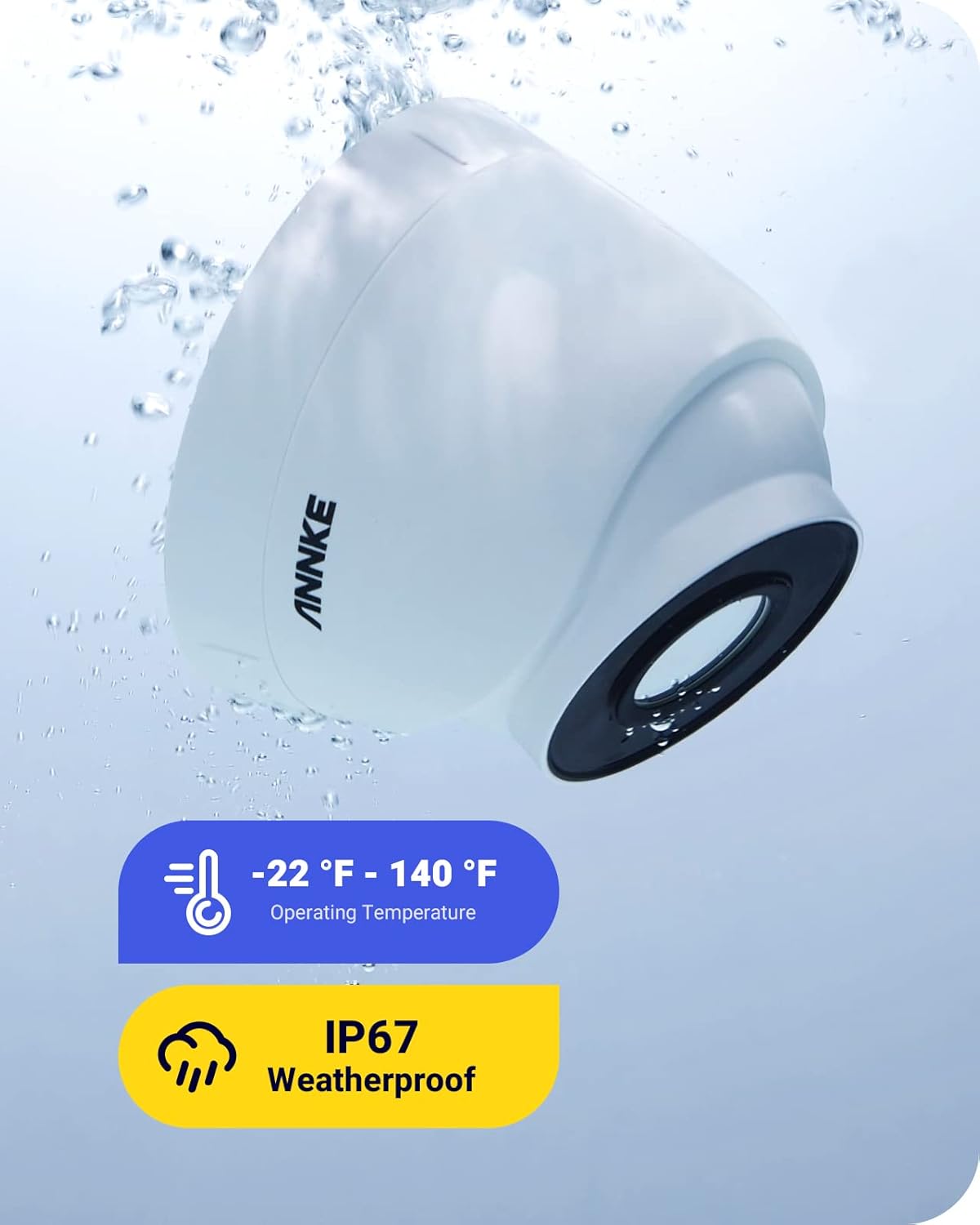
Image: IP67 Weatherproof. The camera is shown resistant to water, indicating its suitability for outdoor use.
2. ハードドライブ管理
The NVR includes a 4TB surveillance-grade hard drive for continuous recording. Ensure the NVR is placed in a well-ventilated area to prevent overheating. Periodically review 保存されたfootage and back up important data as needed.

Image: ANNKE Professional Security Grade Hard Drive. Built for 24/7 surveillance.
トラブルシューティング
If you encounter issues with your ANNKE security system, consider the following basic troubleshooting steps:
- ビデオ出力なし: Check all cable connections (HDMI, Ethernet, power). Ensure the NVR and cameras are powered on.
- 録音なし: Verify the hard drive status in the NVR settings. Ensure recording schedules are correctly configured.
- リモート アクセスの問題: Confirm your NVR is connected to the internet. Check network settings and firewall configurations. Ensure the ANNKE Vision App is updated to the latest version.
- 画質が悪い: Clean camera lenses. Adjust camera position or angle. Check for obstructions.
For more detailed troubleshooting guides and technical support, please visit the official ANNKE support webサイトをご覧いただくか、カスタマーサービスにお問い合わせください。
仕様
| 特徴 | 仕様 |
|---|---|
| ブランド | アンケ |
| モデル番号 | N46PCK0-V4-5CDS |
| 接続技術 | 有線(PoE) |
| ビデオキャプチャ解像度 | 1080p, 1536p, 1944p, 2160p (up to 12MP NVR) |
| チャンネル数 | 16 |
| メモリストレージ容量 | 4TB (Built-in HDD) |
| 特集 | App Control, Audio Recording, Human Detection, Motion Sensor, Night Vision, IP67 Weatherproof |
| 暗視範囲 | 100フィート |
| フレームレート | 15、30、60 fps |
| 録画モード | 連続 |
| ハードウェアインターフェイス | イーサネット、HDMI |
| View角度 | 99 Degrees (2.8MM wide-angle lens) |
| スマートホームの互換性 | アマゾンアレクサ |
| アイテムの寸法 | 20.47 x 17.13 x 11.61インチ |
| アイテム重量 | 27.56 ポンド |
セキュリティ機能
1. Bank-Level Encryptions & Protocols
The ANNKE system incorporates bank-level encryption and private protocols to safeguard your data. This includes verification codes and activation passwords to ensure secure access and protect your surveillance footage from unauthorized access.

Image: Bank-Level Encryptions & Protocols. Illustrates the multi-layered security measures protecting the system.
2. Counterfeit Prevention
To verify the authenticity of your ANNKE product, you can scan the unique Transparency code. This helps prevent counterfeits and ensures you have a genuine ANNKE device.

Image: Proactively Prevent Counterfeits. Scan the Transparency code to verify product authenticity.
保証とサポート
ANNKE is committed to providing comprehensive customer support for its products.
- アフターサポート: Dedicated support is available to assist with any post-purchase inquiries or issues.
- クイックレスポンス: Expect timely responses to your support requests.
- 生涯にわたる技術サポート: ANNKE は、自社製品に対して生涯にわたる技術サポートを提供します。
For detailed warranty information, product registration, and to access support resources, please visit the official ANNKE webサイト。

Image: Customer First. Highlights ANNKE's commitment to customer support.