
1. はじめに
This manual provides detailed instructions for the safe and effective use of the Walfront PM6508 Digital Temperature Humidity Meter. This device is designed for high-precision measurement of ambient temperature and relative humidity, offering features such as data hold, backlight display, and wet bulb/dew point temperature calculations. It is suitable for various applications including home, office, industrial settings, and environmental monitoring.
2. 安全情報
Please read and understand all safety warnings and operating instructions before using this instrument. Failure to follow these instructions may result in electric shock, fire, or injury.
- メーターが損傷しているように見える場合、または電池カバーがきちんと閉まっていない場合は、メーターを操作しないでください。
- Avoid exposing the meter to extreme temperatures, direct sunlight, or high humidity for prolonged periods.
- Do not attempt to repair or modify the meter. Refer all servicing to qualified personnel.
- 液漏れを防ぐため、メーターを長期間使用しない場合は電池を取り外してください。
- Keep the sensor area clean and free from obstructions to ensure accurate readings.
3.製品オーバーview
The Walfront PM6508 is a compact and portable digital meter designed for accurate environmental measurements. It features an easy-to-read LCD display with backlight and intuitive button controls.

図3.1: フロント view of the Walfront PM6508 meter with key components labeled. This includes the temperature and humidity sensor at the top, the HD display, various control buttons (Power, Max/Min, Data Hold, Data Storage, Unit Switch, Backlight), and an anti-fall protective sleeve.
3.1 主な特徴
- 高精度センサー: Provides accurate temperature and humidity readings.
- バックライト付きLCDディスプレイ: さまざまな照明条件で明瞭な読みやすさを確保します。
- データホールド機能: ディスプレイ上の現在の読み取り値を固定します。
- データストレージ: Stores up to 100 groups of measurement data.
- Wet Bulb & Dew Point Temperature: Calculates and displays these critical environmental parameters.
- 単位切り替え: 摂氏 (°C) と華氏 (°F) を簡単に切り替えることができます。
- 自動シャットダウン: バッテリー寿命を節約します。
- 低電力インジケータ: 電池の交換が必要な場合に警告します。
3.2 パッケージ内容

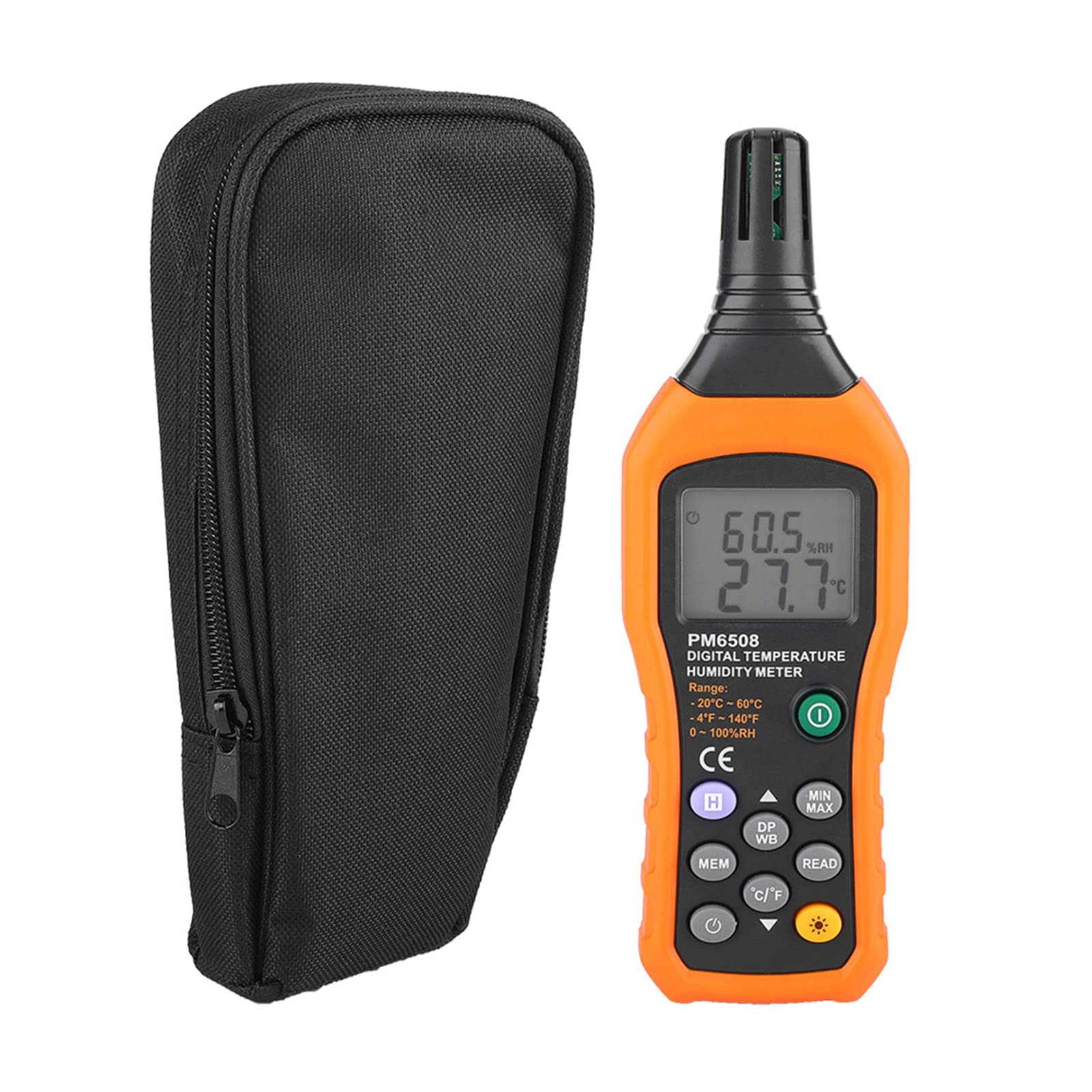
図3.2: The Walfront PM6508 meter shown alongside its portable storage bag, indicating typical package contents.
- Walfront PM6508 Digital Temperature Humidity Meter
- ポータブル収納袋
- ユーザーマニュアル
4. セットアップ
4.1 バッテリーの取り付け
The PM6508 meter requires 4 x 1.5V AAA batteries (not included) for operation.
- メーターの背面にある電池ボックスのカバーを見つけます。
- 電池カバーを下方向にスライドさせて開きます。
- Insert four AAA batteries, ensuring correct polarity (+ and -) as indicated inside the compartment.
- 電池カバーをカチッと音がするまで元の位置に戻して、しっかりと固定します。
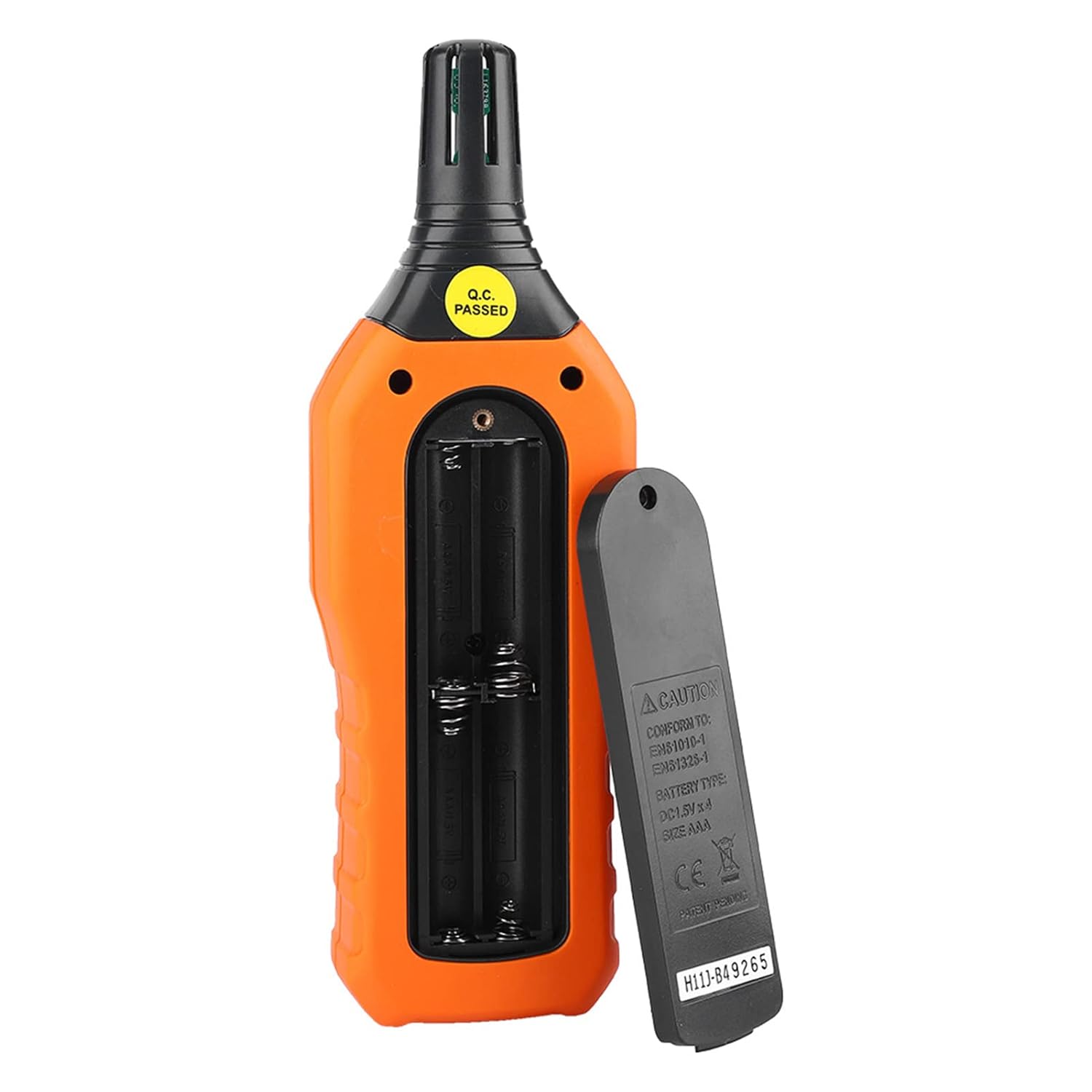
図4.1: 後方 view of the meter showing the open battery compartment for AAA battery installation.
5. 操作手順
5.1 電源オン/オフ
- を押す 緑色の電源ボタン (
 )を押してメーターをオンにします。
 - を押し続けます gray power button () for approximately 2 seconds to turn the meter off. The meter also features an automatic shut-down function to conserve battery life.
5.2測定を行う
Once powered on, the meter will immediately begin displaying real-time temperature and humidity readings on the LCD screen. Ensure the sensor at the top of the device is exposed to the environment you wish to measure.

図5.1: The meter in use, displaying temperature and humidity readings on its LCD screen.
5.3 単位の切り替え(°C/°F)
摂氏 (°C) と華氏 (°F) の温度単位を切り替えるには:
- を押す °C/°Fボタン () located on the keypad. The display will update to show readings in the selected unit.
5.4 バックライト機能
To activate or deactivate the display backlight:
- を押す バックライトボタン () to toggle the backlight on or off. This is useful for reading in low-light conditions.
5.5 データホールド(H)
To freeze the current readings on the display:
- を押す Hボタン (). The "H" icon will appear on the display, indicating that the data is held.
- を押す Hボタン もう一度押すとデータホールドが解除され、リアルタイム測定が再開されます。
5.6 Maximum/Minimum (MIN/MAX) Measurement
に view the maximum or minimum recorded values:
- を押す 最小/最大ボタン () once to display the maximum temperature and humidity recorded since the meter was powered on or the function was reset.
- を押す 最小/最大ボタン again to display the minimum temperature and humidity.
- を押す 最小/最大ボタン a third time to exit the MIN/MAX mode and return to real-time readings.
5.7 Data Storage (MEM) and Retrieval (READ)
The meter can store up to 100 groups of measurement data.
- データを保存するには: を押す MEMボタン () to save the current temperature and humidity readings. The display will briefly show a memory location number.
- データを取得するには: を押す READボタン () to enter data retrieval mode. Use the MEMボタン to scroll through stored data records.
- To Exit Retrieval: を押す READボタン again to exit data retrieval mode.
5.8 Wet Bulb (WB) and Dew Point (DP) Temperature
To display Wet Bulb or Dew Point temperatures:
- を押す DP/WB button () once to display the Dew Point temperature.
- を押す DP/WB button again to display the Wet Bulb temperature.
- を押す DP/WB button a third time to return to standard temperature and humidity display.
6. メンテナンス
6.1 クリーニング
- メーターのcを拭くasingを柔らかく、damp 布で拭いてください。研磨剤や溶剤は使用しないでください。
- Keep the sensor area clean and free from dust or debris to ensure accurate readings. Do not insert any objects into the sensor opening.
6.2 ストレージ
- 長期間使用しない場合は、液漏れやデバイスの損傷を防ぐために電池を取り外してください。
- メーターは直射日光や極端な温度を避け、涼しく乾燥した場所に保管してください。
- Utilize the provided portable storage bag for protection during storage and transport.
7。 トラブルシューティング
| 問題 | 考えられる原因 | 解決 |
|---|---|---|
| メーターの電源が入りません。 |
|
|
| 不正確な測定値。 |
|
|
| ディスプレイが暗くなったり、ちらついたりします。 |
|
|
| Cannot store or retrieve data. |
|
|
8. 仕様
The following table outlines the technical specifications for the Walfront PM6508 Digital Temperature Humidity Meter.


図8.1: Detailed technical specifications including ranges, resolution, and precision for temperature, humidity, wet bulb, and dew point measurements, along with general parameters.
| パラメータ | 価値 |
|---|---|
| モデル | PM6508 |
| 周囲温度範囲 | -20 ~ 60 °C (-4 ~ 140 °F) |
| Ambient Temperature Precision | ±1.5 °C (-20 to 0 °C, 45 to 60 °C), ±0.5 °C (0 to 45 °C) |
| 相対湿度範囲 | 0% - 100% RH |
| Relative Humidity Precision | ±4.0% (0-20%, 80-100%), ±3.0% (20-80%) |
| 湿球温度範囲 | -20 ~ 60 °C (4 ~ 140 °F) |
| Wet Bulb Temperature Precision | ±1.5 °C (-20 to 0 °C, 45 to 60 °C), ±0.5 °C (0 to 45 °C) |
| 露点温度範囲 | -50 ~ 60 °C (-58 ~ 140 °F) |
| Dew Point Temperature Precision | ±1.5 °C (-50 to 0 °C, 45 to 60 °C), ±0.5 °C (0 to 45 °C) |
| 解決 | 0.1 °C / °F / %RH |
| データストレージ | 100グループ |
| 電源 | 1.5V AAA電池4本(別売) |
| 寸法(長さ×幅×高さ) | 180 x 60 x 29 mm (7.1 x 2.4 x 1.1 インチ) |
| 重さ | 254 g (9 オンス) |
| 動作湿度 | 0% - 100% (結露なし) |
9. アプリケーション
The Walfront PM6508 is suitable for a wide range of applications requiring accurate temperature and humidity monitoring.

図9.1: Examples of environments where the PM6508 meter can be effectively used for temperature and humidity monitoring.
- Residential and Office Environments: Monitoring indoor climate for comfort and health.
- Industrial Production: Ensuring optimal conditions for manufacturing processes.
- Warehousing and Storage: Protecting goods sensitive to temperature and humidity, such as in wine cellars or general storage.
- 農業: Monitoring conditions in planting sheds, greenhouses, and aquaculture.
- Research and Development Laboratories: Maintaining precise environmental controls for experiments.
- HVAC システム: Assisting in the evaluation and maintenance of heating, ventilation, and air conditioning systems.
10. 保証とサポート
Walfront products are designed for reliability and performance. For warranty information, technical support, or service inquiries, please refer to the contact information provided with your purchase or visit the official Walfront webサイトでご確認ください。保証請求のために購入証明書を保管してください。