
iKiKin L3
iKiKin OBD2 Car HUD Display L3 Instruction Manual
モデル:L3
1.製品オーバーview
The iKiKin OBD2 Car HUD Display L3 is a head-up display system designed to project essential driving information directly onto your car's windshield. This device enhances driving safety by allowing drivers to view speed, RPM, voltage, and other critical data without diverting their eyes from the road. It features a clear 3D display, multiple display interfaces, and various alarm functions to alert the driver to potential issues.
2. パッケージ内容
以下にリストされているすべてのアイテムがパッケージに含まれていることを確認してください。
- 1x iKiKin Car HUD Display (Model L3)
- OBD2ケーブル1本
- 滑り止めマット1枚
- ユーザーマニュアル x 1
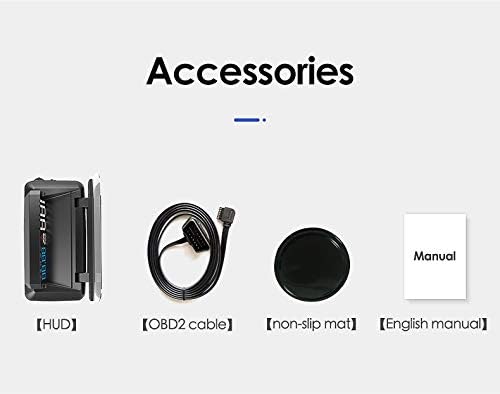
Image: The package includes the HUD unit, an OBD2 cable, a non-slip mat, and a user manual.
3. 特徴
- 3D Display Technology: Projects information clearly onto the windshield without creating a double image, ensuring optimal readability.
- 多機能ディスプレイ: Offers six different display interfaces to show various combinations of speed, clock, water temperature, engine RPM, fuel consumption, and single driving distance.
- 5つのアラーム機能: Includes speed alarm, high water temperature alarm, low voltage alarm, fatigue driving alarm, and engine fault alarm to enhance driving safety.
- Integrated Glare Shield: Designed with a glare shield to improve visibility in bright conditions and reduce reflections.
- Updated Software: Incorporates updated software for reliable performance and accurate data display.

Image: Comparison showing the clear 3D display of the L3 HUD without double imaging, contrasted with other HUDs that may produce double images.
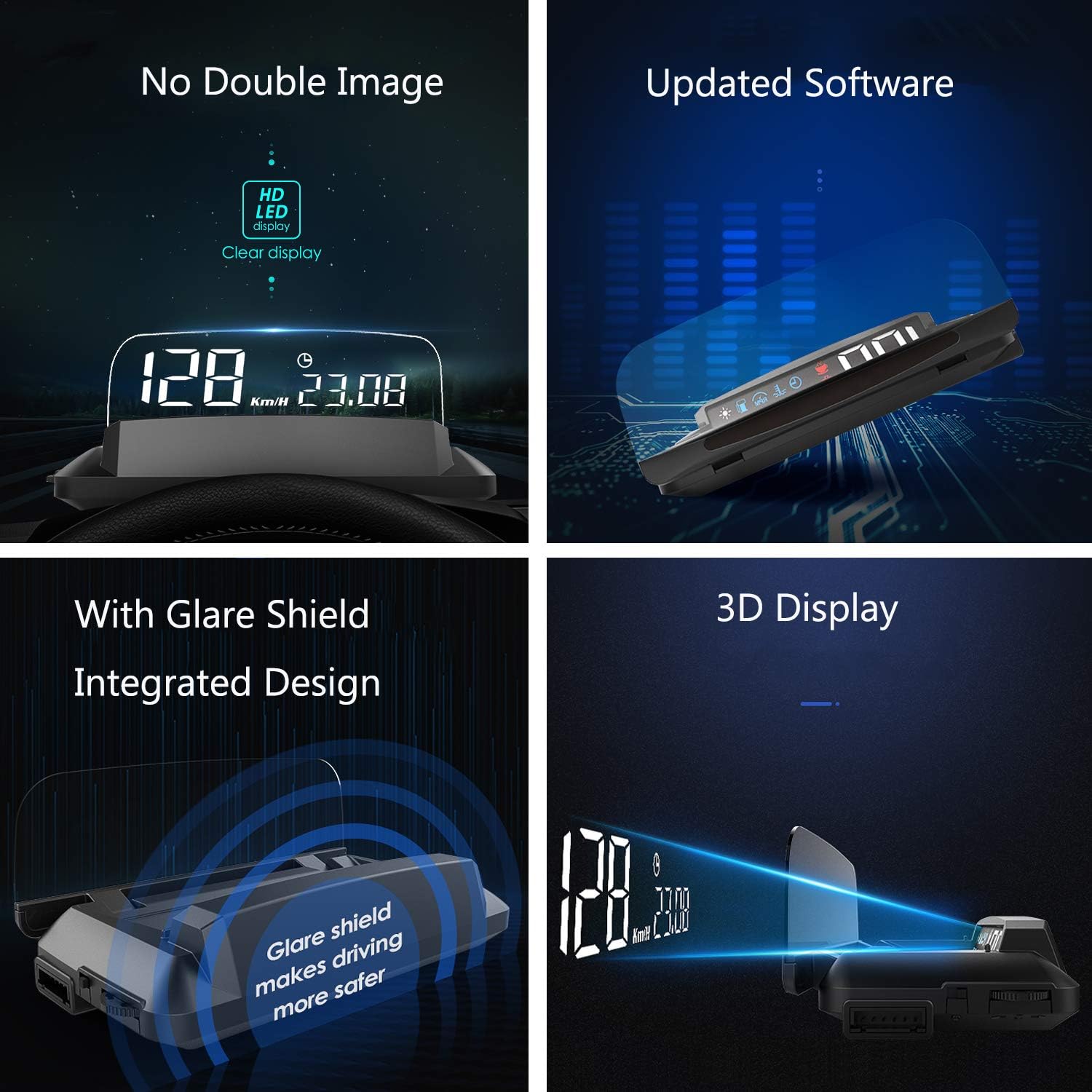
Image: A collage highlighting key features including no double image, updated software, integrated glare shield, and 3D display technology.
4. セットアップ
- OBD2 ポートを見つけます。 車のOBD2診断ポートを確認します。通常、運転席側のダッシュボードの下、ステアリングホイールの近くにあります。
- OBD2ケーブルを接続します。 Plug one end of the provided OBD2 cable into the vehicle's OBD2 port and the other end into the iKiKin HUD unit. Ensure a secure connection.
- HUD の位置: Place the HUD unit on your dashboard. Use the included non-slip mat to prevent it from moving during driving. Position it so that the projected display is clearly visible on your windshield without obstructing your view 道路の。
- 電源オン: Start your vehicle's engine. The HUD unit should power on automatically and begin displaying information.
- 調整する View角度: Adjust the angle of the HUD unit or your seating position to achieve the clearest possible projection on the windshield. The integrated glare shield can be adjusted to minimize reflections.
5. 操作手順
The iKiKin HUD L3 is designed for simple operation. Once powered on, it will automatically display driving data. Use the control buttons on the unit (refer to the physical unit for exact button locations) to navigate through different display modes and settings.
5.1. 表示モード
The HUD offers six distinct display interfaces. You can cycle through these modes using the designated button on the unit to find your preferred information layout:
- モード1: スピード
- モード2: スピード + クロック
- モード3: Speed + Water Temperature
- モード4: Speed + Engine RPM
- モード5: Speed + Fuel Consumption
- モード6: 片道走行距離

Image: Visual representation of the six different display interfaces available on the iKiKin HUD L3, showing various combinations of driving data.
5.2. アラーム機能
The HUD is equipped with five alarm functions to alert you to critical vehicle conditions:
- 速度アラーム: 車両が事前に設定された速度制限を超えた場合に警告します。
- 高水温警報: Notifies you if the engine's water temperature becomes excessively high.
- 低ボリュームtageアラーム: 車両のバッテリー容量が不足している場合に警告しますtag安全レベル以下に低下します。
- 疲労運転警報: Reminds you to take a break after a prolonged period of driving.
- エンジン故障アラーム: Indicates a detected engine fault, prompting you to check your vehicle.
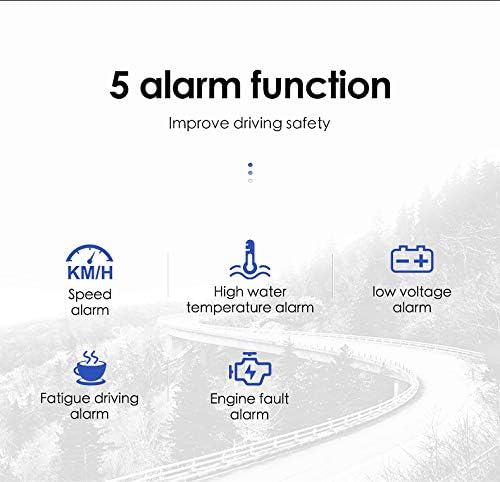
Image: Icons representing the five alarm functions: Speed alarm, High water temperature alarm, Low voltage alarm, Fatigue driving alarm, and Engine fault alarm.
6. メンテナンス
- クリーニング: Use a soft, dry cloth to clean the HUD unit and its display surface. Avoid using abrasive cleaners or solvents that could damage the device.
- 温度: Do not expose the unit to extreme temperatures (hot or cold) for extended periods, as this may affect its performance and lifespan.
- ストレージ: If storing the device for a long time, disconnect it from the OBD2 port and store it in a cool, dry place.
7。 トラブルシューティング
- ディスプレイなし/電源なし:
- OBD2 ケーブルが HUD ユニットと車両の OBD2 ポートの両方にしっかりと接続されていることを確認します。
- Verify that the vehicle's engine is running.
- Check the vehicle's fuse box for any blown fuses related to the OBD2 port.
- Inaccurate Speed/RPM Readings:
- The HUD typically calibrates automatically. If readings are consistently off, consult the full user manual for specific calibration steps or factory reset options.
- Ensure your vehicle is compatible with OBD2 standards.
- フロントガラスの二重像:
- The L3 model is designed to minimize double imaging. Ensure the unit is positioned correctly and the glare shield is adjusted.
- Some windshields may have properties that contribute to reflections.

Image: Visual comparison demonstrating the iKiKin HUD L3's clear display in sunlight and its integrated display board that eliminates the need for a reflection film, enhancing safety.
8. 仕様
| ブランド | iKiKin |
| モデル | L3 |
| ASIN | B089Y68ZLL |
| メーカー | iKiKin |
| 接続性 | OBD2 |
| 表示タイプ | 3D LED Display |
| 寸法(約) | 135mm (長さ) x 67mm (幅) x 54mm (高さ) |
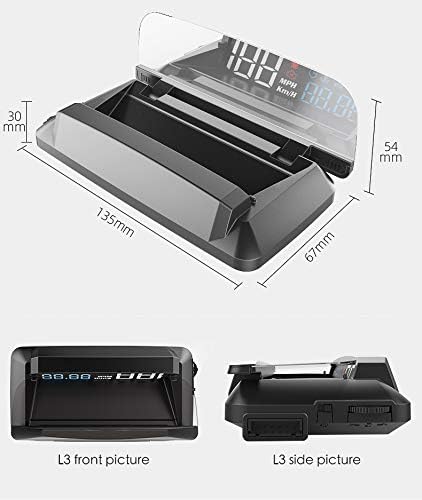
Image: Diagram illustrating the approximate dimensions of the iKiKin HUD L3 unit: 135mm length, 67mm width, and 54mm height.
9. 保証とサポート
For warranty information and technical support, please refer to the contact details provided in the original product packaging or visit the official iKiKin webサイトでご確認ください。保証請求の際は購入証明として領収書を保管してください。
Ask a question about this manual
Ask about setup, troubleshooting, compatibility, parts, safety, or missing instructions. Manuals+ will review the question and use this page’s manual context to help answer it.