
1. はじめに
ご購入ありがとうございますasing the EVICIV 15.6-inch Portable Touch Panel Monitor. This manual provides essential information for setting up, operating, and maintaining your new portable display. Please read this manual thoroughly before use to ensure optimal performance and longevity of your device.
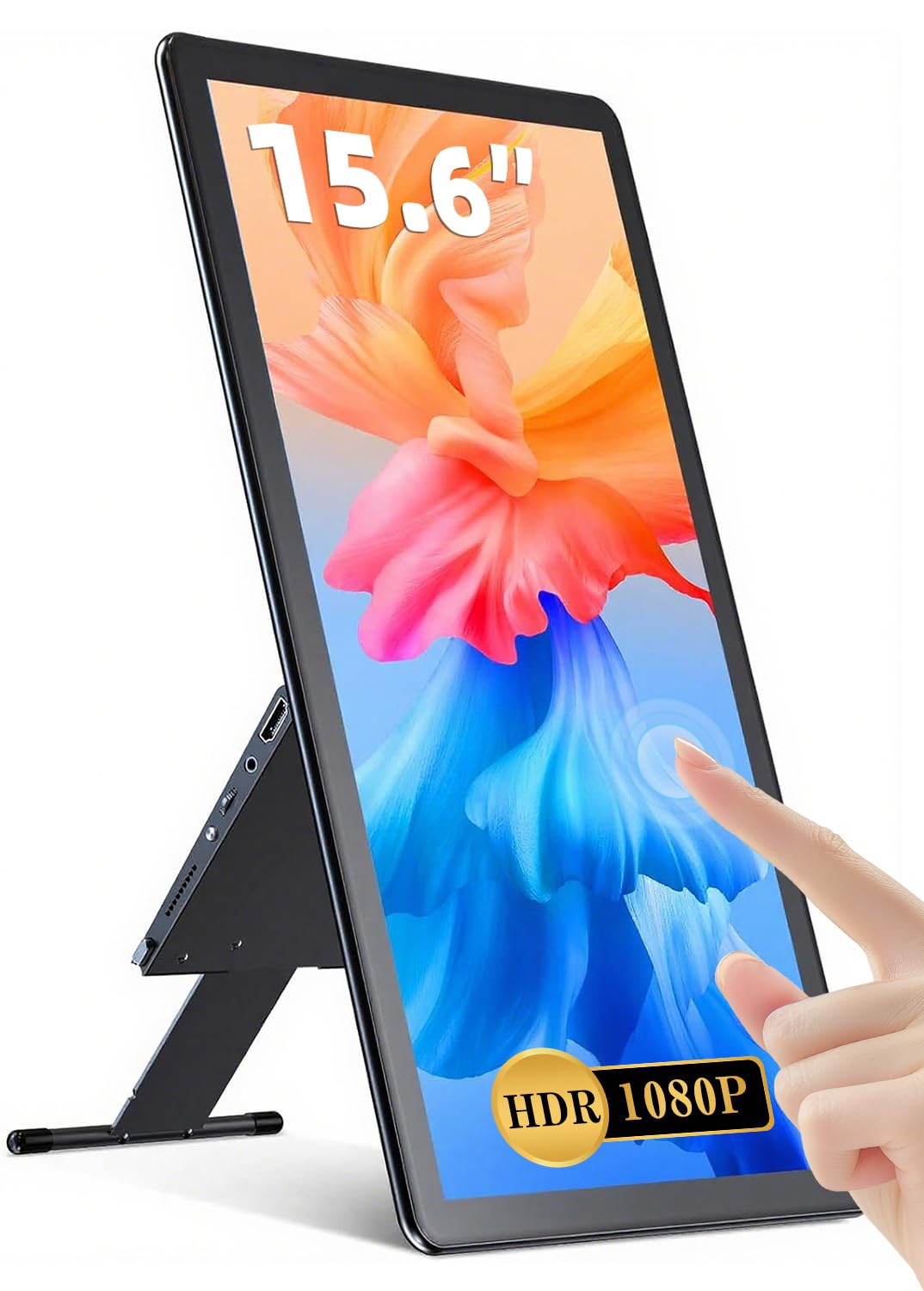
Image: The EVICIV 15.6-inch Portable Touch Panel Monitor, showcasin洗練されたデザインとコンパクトなフォームファクターが特徴です。
2 製品の特徴
- 5点タッチ機能: Experience interactive and seamless operation with highly accurate and responsive 5-point multi-touch support. Ideal for document editing, drawing, and gaming. Note: Touch functionality is supported only on Windows systems. Smartphones not compatible with USB 3.1 cannot utilize touch features.
- High-Quality Full HD Display: Enjoy clear movie screens and vivid photos with 1920x1080 resolution. The IPS LCD panel offers an ultra-wide 178° viewing angle, ensuring sharp and vibrant images from various perspectives. A 2000:1 contrast ratio provides detailed brightness and color reproduction, even in dark scenes.
- Wide Color Gamut & Gaming Performance: Features a high-quality glossy IPS panel with 100% sRGB coverage and 16.7 million colors for photo-realistic color reproduction. Supports Full HD for immersive gaming and video playback. Includes blue light reduction technology for eye protection and consistent image quality.
- 多彩な接続性: Equipped with a PD port, standard HDMI, two full-function Type-C ports, and a 3.5mm earphone jack. Compatible with laptops, desktops, smartphones, PS3/PS4, XBOX ONE, Wii, and Nintendo Switch.
- Single Cable Connection: If your device supports Type-C Alternate Mode, a single included Type-C cable can provide both video output and power. Note: The connected device must support DP ALT MODE for video output. If drawing power from the connected device, ensure adequate power supply; otherwise, use a power adapter.
- 一体型折りたたみスタンド: The sleek design includes an integrated smart stand made of durable aluminum alloy. It allows for free vertical or horizontal adjustment. Non-slip rubber on the bottom ensures stability, minimizing the risk of tipping even at large angles.
3. パッケージ内容
パッケージに以下の項目が含まれているか確認してください。
- EVICIV 15.6-inch Portable Touch Panel Monitor
- USB-C to USB-C Cable (for video/power/touch)
- HDMI - Mini HDMI ケーブル(ビデオ用)
- USB-A to USB-C Cable (for power/touch data)
- 電源アダプター
- ユーザーマニュアル
4. セットアップ
4.1 Connecting to a Laptop/PC (Type-C)
- Ensure your laptop's Type-C port supports DP ALT MODE (DisplayPort Alternate Mode) for video output.
- Connect one end of the included USB-C to USB-C cable to your laptop's compatible Type-C port.
- Connect the other end of the USB-C to USB-C cable to one of the full-function Type-C ports on the monitor.
- The monitor should automatically detect the signal and display your laptop's screen. If touch functionality is desired, ensure your Windows system is configured for touch.
- If the monitor does not power on or flickers, connect the power adapter to the monitor's PD port for external power.
4.2 ノートパソコン/PCへの接続(HDMI)
- Connect one end of the included HDMI to Mini HDMI cable to your laptop's HDMI output port.
- ケーブルのミニ HDMI 端をモニターのミニ HDMI ポートに接続します。
- Connect the power adapter to the monitor's PD port using a USB-C cable for power.
- For touch functionality, connect the USB-A to USB-C cable from your laptop's USB-A port to the monitor's other full-function Type-C port.
4.3 スマートフォンへの接続(Type-C)
- Ensure your smartphone's Type-C port supports DP ALT MODE for video output.
- Connect one end of the included USB-C to USB-C cable to your smartphone's compatible Type-C port.
- Connect the other end of the USB-C to USB-C cable to one of the full-function Type-C ports on the monitor.
- The monitor should mirror or extend your smartphone's display.
- If the monitor does not power on or flickers, connect the power adapter to the monitor's PD port for external power.
4.4 ポートオーバーview

Image: Diagram illustrating the various ports on the EVICIV portable monitor, including Mini HDMI, Type-C (full-function), Type-C (power only), 3.5mm audio jack, and control buttons.
4.5 スタンドの使用

Image: The integrated foldable stand being adjusted to support the monitor at various angles for comfortable viewing。

Image: The monitor displayed in both horizontal (landscape) and vertical (portrait) orientations, demonstrating the versatility of the integrated stand.
5. 操作手順
5.1 電源のオン/オフとメニューナビゲーション
- 電源ボタン: Press and hold the power button to turn the monitor on or off. A short press may activate/deactivate standby mode.
- メニューボタン: メニュー ボタンを押して、オンスクリーン ディスプレイ (OSD) メニューにアクセスします。
- ナビゲーションボタン: Use the navigation buttons (usually + and -) to move through menu options and adjust settings.
- 確認/終了: Press the menu button again to confirm a selection or exit the OSD menu.
5.2 表示設定
OSD メニューからさまざまな表示設定を調整します。
- 輝度コントラスト: 自分に合ったものを調整しましょう viewing環境。
- 色温度: Select from preset options (e.g., Warm, Cool, User) or fine-tune RGB values.
- アスペクト比: Choose between 16:9, 4:3, or other available options to match your content.
- 画像モード: Select modes like Standard, Game, Movie, etc., for optimized viewing。
- HDR/FreeSync: Enable or disable these features if supported by your connected device.
5.3 タッチ操作

Image: A hand demonstrating 5-point multi-touch gestures on the monitor screen, such as tapping, swiping, and pinching.
The monitor supports 5-point multi-touch gestures for intuitive interaction. Ensure the touch data cable (USB-A to USB-C or full-function Type-C) is connected to a compatible Windows system for touch functionality.
5.4 色域

Image: A split screen demonstrating the monitor's wide color gamut, showing vibrant and accurate color reproduction compared to a standard display.
6. メンテナンス
- クリーニング: 柔らかく糸くずの出ない布で画面を優しく拭いてください。頑固な汚れには、軽くamp布に水または画面洗浄液を含ませて拭いてください。刺激の強い化学薬品や研磨剤は使用しないでください。
- ストレージ: When not in use, store the monitor in a cool, dry place. Use the protective cover or case to prevent scratches and dust accumulation.
- 取り扱い: モニターを落としたり、強い衝撃を与えたりしないでください。モニターの上に重い物を置かないでください。
- 力: Always use the provided power adapter. Disconnect the power cable during thunderstorms or when not in use for extended periods.
7。 トラブルシューティング
7.1 よくある問題
- 表示/信号なし:
- すべてのケーブル(ビデオと電源)がしっかりと接続されていることを確認します。
- Verify the input source on the monitor matches your connection (HDMI, Type-C).
- Check if your device's output settings are correctly configured for an external display.
- If using a single Type-C cable, confirm your device's Type-C port supports DP ALT MODE.
- 画面のちらつき:
- This can be caused by insufficient power. Connect the external power adapter to the monitor's PD port.
- ケーブル接続が緩んでいないか確認してください。
- タッチ機能なし:
- Ensure the touch data cable (USB-A to USB-C or full-function Type-C) is connected to a compatible Windows system.
- Verify your operating system settings for touch input.
- Smartphones not compatible with USB 3.1 may not support touch.
- 音声なし:
- Check the monitor's volume settings and your connected device's audio output settings.
- Ensure the 3.5mm audio jack is properly connected if using external speakers/headphones.
- 明るさの問題:
- If your laptop's battery is below 30% and not plugged in, the screen may dim to save power and cannot be made brighter. Connect external power.
7.2 ビデオデモ
Video: Demonstration of portable display connection and usage with various devices, including laptops and smartphones.
ビデオ: 簡単にview of the portable monitor's features and connectivity options.
Video: A short demonstration of touch screen functionality on a portable monitor.
8. 仕様
| 特徴 | 仕様 |
|---|---|
| ブランド | エビシブ |
| モデル | B089W8CT63 |
| 画面サイズ | 15.6インチ |
| 解決 | 1920x1080 (FHD 1080p) |
| アスペクト比 | 16:9 |
| パネルタイプ | IPS |
| スクリーン表面 | 光沢のある |
| タッチ機能 | 5-point Multi-touch (Windows only) |
| 接続性 | PD Port, Standard HDMI, 2x Full-function Type-C, 3.5mm Earphone Jack |
| アイテム重量 | 2.18キログラム |
| 寸法(パッケージ) | 40.7 x 25.6 x 7.2 cm |
9. 保証とサポート
This EVICIV product comes with a standard manufacturer's warranty. For detailed warranty information, please refer to the warranty card included in your package or contact EVICIV customer support.
If you encounter any issues not covered in this manual or require further assistance, please contact our customer support team through the official EVICIV webサイトまたは小売業者。