
Micool 52161554
Micool Bluetooth Headset V5.0 Instruction Manual
モデル: 52161554
1. はじめに
Thank you for choosing the Micool Bluetooth Headset V5.0. This manual provides detailed instructions for setting up, operating, and maintaining your new headset. Designed for clear communication and comfort, this headset features advanced noise cancellation, long-lasting battery life, and multi-device connectivity.
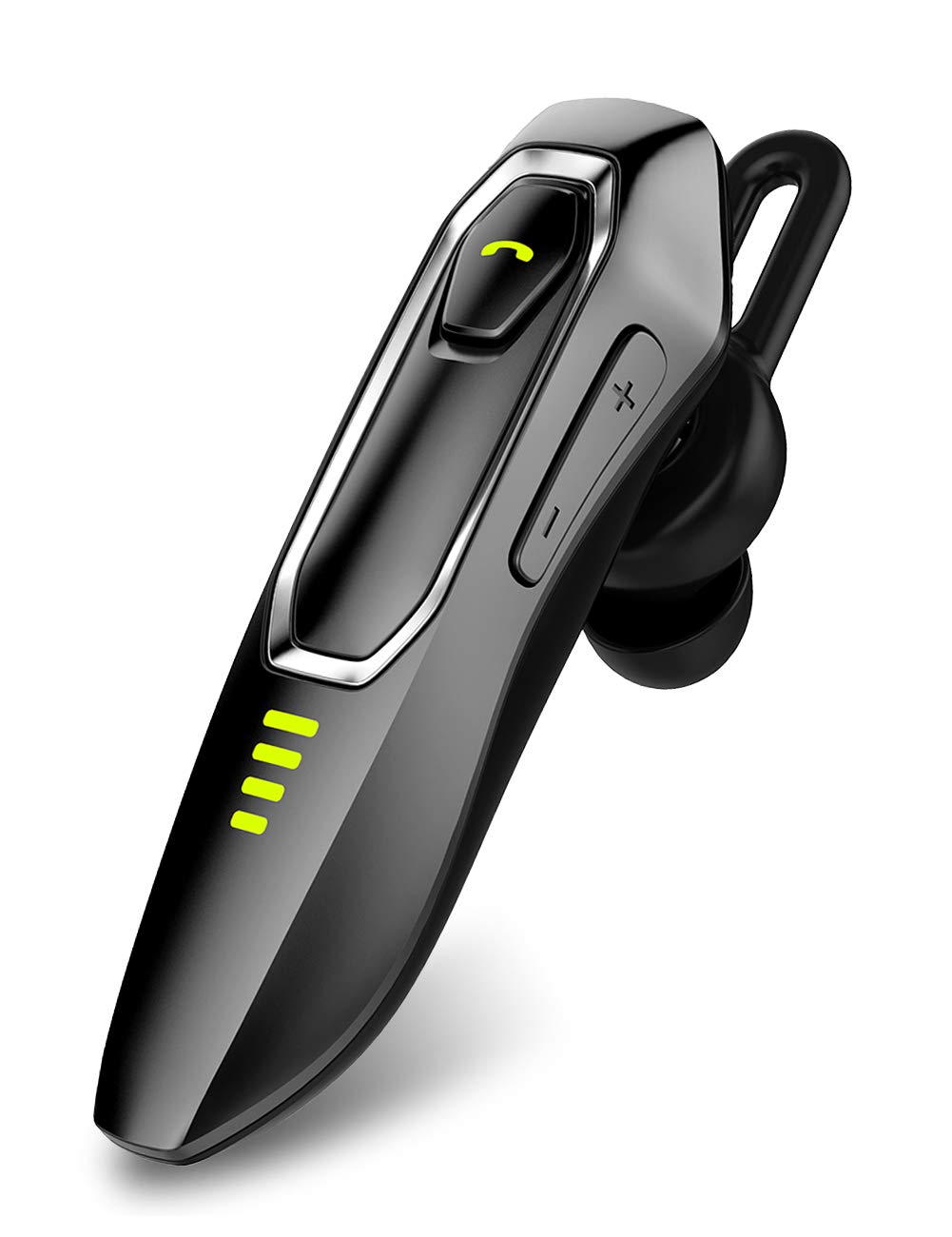
Image: Micool Bluetooth Headset V5.0, showcasin洗練されたデザイン。
2. 箱の中身
Upon opening your Micool Bluetooth Headset package, you should find the following items:
- 1 x Micool DY20 Headset
- USB充電ケーブル x 1
- 耳かけフック1個
- 3 x EarGels (S/M/L sizes)
- クイックスタートガイド(このマニュアル)1冊
- 2 x Flat EarGels
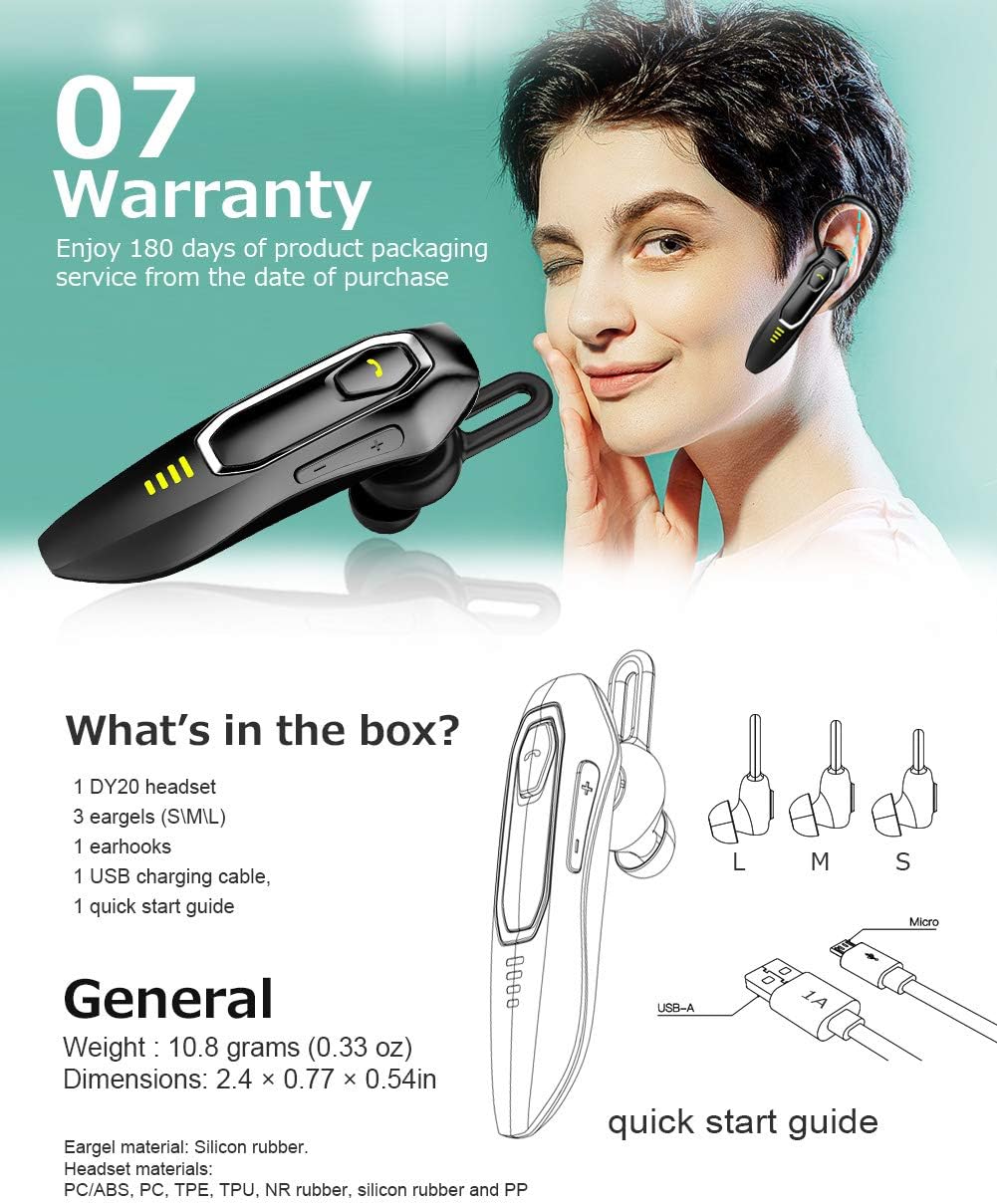
Image: All components included in the Micool Bluetooth Headset package, including the headset, charging cable, ear hook, and various EarGels.
3 製品の特徴
- 通話時間の延長: Built-in 220mAh battery provides up to 30 hours of talk time and 48 hours of music playback on a single charge. Standby time is up to 15 days.
- HD Voice & Powerful Noise Cancellation: Features CVC8.0 noise cancellation and an omnidirectional silicon microphone for clear calls in noisy environments. The 10mm dynamic speaker ensures stereo sound quality.
- 音声アシスタントのサポート: Easily activate Siri or Google Assistant with a dedicated button for hands-free control.
- マルチデバイス接続: Connect to two devices simultaneously, allowing you to listen to music on one and answer calls on another.
- 快適なデザイン: Ergonomically designed and weighing only 10.8g, the headset offers a secure and comfortable fit for all-day wear. Includes professional ear cap type ear canal mouth design for optimized bass.
機能の詳細:
HD Voice & Noise Cancellation

The headset utilizes CVC8.0 noise cancellation and an omnidirectional MEMS silicon microphone for superior call clarity. A 10mm dynamic speaker delivers rich audio.
長持ちバッテリー

Enjoy up to 30 hours of talk time and 48 hours of music. The 220mAh battery charges in approximately 2-3 hours via the included Micro USB cable, offering up to 15 days of standby time.
Siri/Google Assistant & Multi-Use

Activate your preferred voice assistant with ease. The headset also supports connecting to two devices simultaneously for seamless switching between calls and media.
快適なフィット感

The ergonomic design allows for comfortable wear throughout the day, with or without the ear hook. Multiple EarGel sizes ensure a perfect fit for optimal sound and comfort.
4. セットアップ
4.1 ヘッドセットの充電
Before first use, fully charge the headset. Connect the provided USB charging cable to the headset's charging port and to a USB power source (e.g., computer, wall adapter). The charging indicator light will show the charging status. A full charge typically takes 2-3 hours.
4.2Bluetoothペアリング
- ヘッドセットがオフになっていることを確認します。
- インジケーター ライトが赤と青に交互に点滅し、ペアリング モードを示すまで、マルチファンクション ボタンを押し続けます。
- モバイル デバイスで Bluetooth を有効にし、利用可能なデバイスを検索します。
- Select "Micool DY20" from the list of devices.
- 接続されると、インジケーター ライトが青色でゆっくり点滅します。
To connect to a second device, disable Bluetooth on the first device after successful pairing. Put the headset back into pairing mode and connect to the second device. Then, re-enable Bluetooth on the first device; the headset should automatically connect to both.
5. 操作手順
5.1 基本的な制御
| 関数 | アクション |
|---|---|
| 電源オン/オフ | マルチファンクションボタンを長押しします |
| 音楽の再生/一時停止 | Single click Multi-function button |
| 通話の応答/終了 | Single click Multi-function button |
| 通話を拒否 | マルチファンクションボタンを長押しします |
| Siri / Googleアシスタントを有効にする | Double-click Multi-function button |
| 音量を上げる/下げる | Click Volume + / - button |
| 次/前の曲 | Press and hold Volume + / - button for 3 seconds |
| 残量を確認する | Double-click Volume + button |
6. メンテナンス
To ensure the longevity and optimal performance of your Micool Bluetooth Headset, follow these maintenance guidelines:
- クリーニング: ヘッドセットを拭く際は、柔らかく乾いた布をご使用ください。刺激の強い化学薬品や研磨剤は使用しないでください。
- ストレージ: ヘッドセットは、極端な温度や直射日光を避け、涼しく乾燥した場所に保管してください。
- 充電: Always use the provided USB charging cable. Avoid overcharging the battery.
- EarGels: Regularly clean or replace EarGels for hygiene and optimal sound quality.
7。 トラブルシューティング
ヘッドセットで問題が発生した場合は、次の一般的な解決策を参照してください。
| 問題 | 解決 |
|---|---|
| デバイスとペアリングできません | Ensure the headset is in pairing mode (red and blue flashing light). Turn off and on your device's Bluetooth. Try restarting both devices. |
| 低音量 | Adjust the volume on both the headset (Volume + button) and your connected device. Ensure the EarGel is properly seated in your ear. |
| 断続的な接続 | Ensure the headset is within the 10-15m wireless range of your device. Avoid obstacles between the headset and device. Re-pair the headset. |
| ヘッドセットが不快 | Try different sizes of EarGels to find the best fit. Adjust the ear hook for optimal comfort and stability. |
| Cannot activate voice assistant | Ensure your device's voice assistant (Siri/Google Assistant) is enabled and configured. Double-click the Multi-function button firmly. |
8. 仕様
| 特徴 | 詳細 |
|---|---|
| ブランド | ミクール |
| モデル番号 | 52161554 |
| 接続性 | ブルートゥース V5.0 |
| バッテリー容量 | 220mAh |
| 充電時間 | 約2~3時間 |
| 通話時間 | 最大30時間 |
| 音楽再生時間 | 最大48時間 |
| 待機時間 | 最長15日間 |
| 騒音制御 | アクティブノイズキャンセリング(CVC8.0) |
| マイクロフォン | Omnidirectional Silicon Microphone |
| スピーカー | 10mmダイナミックスピーカー |
| 重さ | 10.8グラム(0.33オンス) |
| 寸法 | 2.4 × 0.77 × 0.54インチ |
| 材料 | PC/ABS, PC, TPE, TPU, NR rubber, silicon rubber and PP |
9. 保証とサポート
The Micool Bluetooth Headset comes with a 180日間の保証 ご購入日から1年間。この保証は製造上の欠陥をカバーし、製品の品質を保証します。
If you experience any issues or have questions regarding your headset, please refer to the troubleshooting section of this manual. For further assistance, contact Micool customer support through the retailer's platform or the official Micool webサイト。
保証請求のために購入証明書を保管してください。
Ask a question about this manual
Ask about setup, troubleshooting, compatibility, parts, safety, or missing instructions. Manuals+ will review the question and use this page’s manual context to help answer it.