
EDUP EP-8568-WG
EDUP USB 3.0 WiFi 6 AX1800Mbps Wireless Network Adapter User Manual
1.製品オーバーview
The EDUP USB 3.0 WiFi 6 AX1800Mbps Wireless Network Adapter is designed to provide high-speed wireless connectivity for desktop PCs and laptops. Utilizing the latest Wi-Fi 6 (IEEE 802.11ax) technology, it offers enhanced performance, lower latency, and improved network efficiency. This adapter supports dual-band operation (2.4GHz and 5GHz) and features a USB 3.0 interface for fast data transfer.
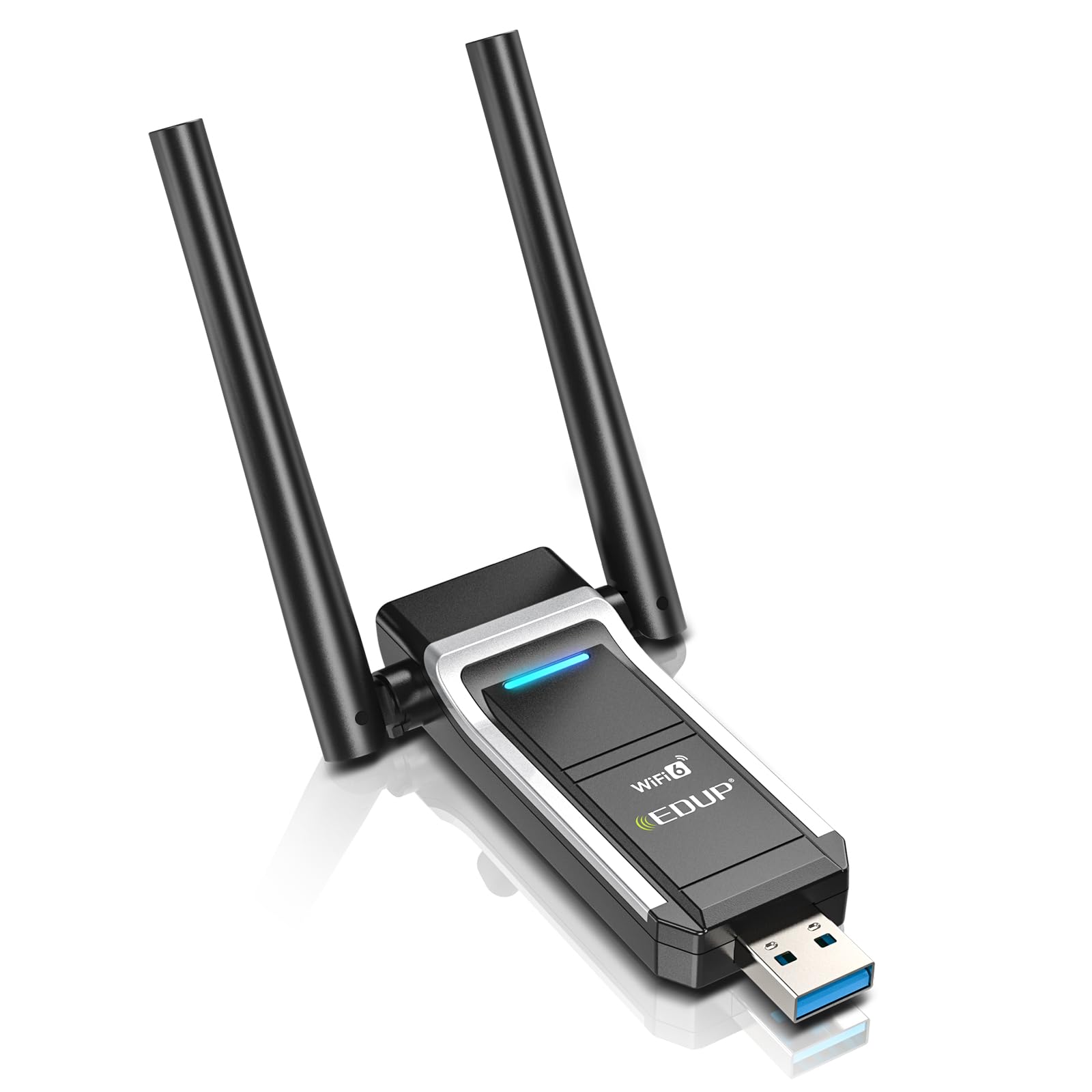
Image 1.1: The EDUP USB 3.0 WiFi 6 AX1800Mbps Wireless Network Adapter, illustrating its compact design and highlighting the speed advantages of WiFi 6 over WiFi 5 on both 5GHz and 2.4GHz bands.
2. 主な特徴
- AX1800 WiFi 6 High-Speed Performance: Delivers up to 1800Mbps wireless speed (574Mbps on 2.4GHz + 1201Mbps on 5GHz) for faster throughput and lower latency.
- Dual-Band 2.4GHz & 5GHz: Supports both frequency bands to reduce interference and provide stable connections.
- USB 3.0インターフェイス: Ensures high-speed data transmission and is backward compatible with USB 2.0.
- Enhanced Signal Strength: Integrated FEM (PA + LNA) and high-gain antennas improve signal reception and RF performance.
- プラグアンドプレイ: Built-in driver for Windows 11/10, eliminating the need for manual driver installation.
- 高度なセキュリティ: Supports WPA/WPA2 and WPA-PSK/WPA2-PSK (AES) for secure network connections.
- MU-MIMOテクノロジー: Efficiently manages bandwidth for multiple devices simultaneously.
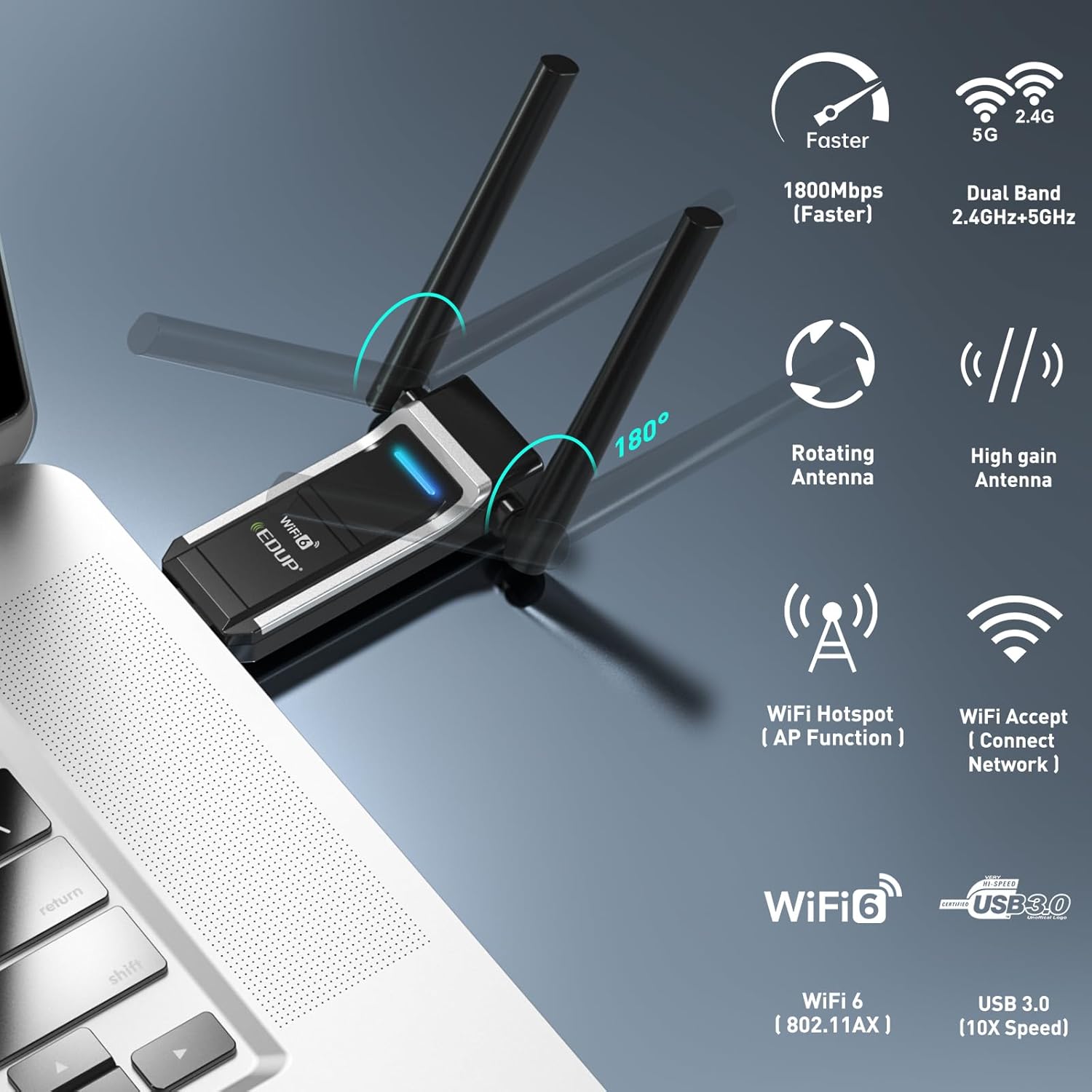
Image 2.1: Visual representation of the adapter's key features, including 1800Mbps speed, dual-band capability, rotating antennas, Wi-Fi hotspot function, and USB 3.0 interface.

Image 2.2: An infographic detailing the AX1800 speeds, MU-MIMO technology, USB 3.0, WPA3 security, and range booster capabilities of the adapter.
3. パッケージ内容
パッケージにすべてのアイテムが含まれていることを確認します。
- 1x EDUP USB 3.0 WiFi 6 AX1800Mbps Wireless Network Adapter (Model: EP-8568-WG)
4. 仕様
| 特徴 | 説明 |
|---|---|
| ブランド | 教育 |
| モデル番号 | EP-8568-WG |
| ハードウェアインターフェイス | USB3.0 について |
| ワイヤレス標準 | IEEE 802.11ax (Wi-Fi 6) |
| データ転送速度 | 最大1800Mbps(2.4GHzで574Mbps、5GHzで1201Mbps) |
| 周波数帯域 | 2.4GHz、5GHz |
| 対応デバイス | デスクトップ、ラップトップ |
| オペレーティングシステムの互換性 | Windows 11/10 (32/64ビット) |
| セキュリティプロトコル | WPA/WPA2, WPA-PSK/WPA2-PSK (AES) |
| 色 | 黒 |

Image 4.1: The physical dimensions of the EDUP USB WiFi 6 Adapter, showing its length, width, and height for reference.
5.セットアップガイド
5.1 システム要件
- Operating System: Windows 11 or Windows 10 (32-bit or 64-bit).
- Available USB 3.0 port (compatible with USB 2.0, but performance may be limited).

Image 5.1: The adapter's compatibility with Windows 11, Windows 10, and Windows 7. Note that Hotspot/AP mode is not supported on Windows 7, and the device is recognized as USB 2.0 on Windows 7.
5.2 Installation Steps (Plug & Play)
The EDUP USB WiFi 6 Adapter features a built-in driver for Windows 11 and Windows 10, allowing for a simple plug-and-play installation.
- アダプタを挿入します: Plug the EDUP USB WiFi 6 Adapter into an available USB 3.0 port on your desktop PC or laptop.
- 自動ドライバーインストール: For Windows 11/10, the operating system will automatically detect the device and install the necessary driver from the adapter's built-in memory. A notification may appear indicating the driver installation progress.
- インストールの確認: Once the driver is installed, the adapter will be ready for use. You can verify its status in your computer's Device Manager under "Network adapters."

Image 5.2: A three-step visual guide demonstrating how to install the adapter: 1. Insert into USB port, 2. Wait for driver recognition and auto-load, 3. Scan and connect to networks.

Image 5.3: Illustrates the plug-and-play nature of the adapter, emphasizing that it is driver-free, requires no download, and is easy to install.
6. 操作手順
6.1Wi-Fiネットワークへの接続
- After successful driver installation, click on the Wi-Fi icon in your computer's system tray (usually in the bottom-right corner of the screen).
- 利用可能なワイヤレスネットワークの一覧が表示されます。ご希望のネットワークを選択してください。
- If prompted, enter the network security key (password) and click "Connect."
- Once connected, the Wi-Fi icon will indicate a successful connection, and you can access the internet.
6.2 Using as a Wi-Fi Hotspot (AP Mode)
The adapter supports Access Point (AP) mode, allowing your computer to act as a Wi-Fi hotspot to share its internet connection with other devices. This feature is available on Windows 10 and Windows 11. For Windows 7, Hotspot/AP mode is not supported.
- コンピュータにアクティブなインターネット接続(例:イーサネット経由)があることを確認します。
- へ移動 設定 > ネットワークとインターネット > モバイルホットスポット on Windows 10/11.
- Toggle the "Share my Internet connection with other devices" switch to On.
- モバイル ホットスポット設定でネットワーク名 (SSID) とパスワードをカスタマイズできます。
7. メンテナンス
- 清潔に保ちます: Periodically clean the adapter with a soft, dry cloth to prevent dust accumulation, especially around the USB connector.
- 適切な保管: 使用しないときは、アダプターを直射日光や極端な温度を避け、涼しく乾燥した場所に保管してください。
- 物理的損傷を避ける: Do not bend, drop, or expose the adapter to excessive force. Ensure the antennas are not subjected to undue stress.
- ドライバーの更新: While the adapter is plug-and-play, occasionally check the EDUP official website for potential driver updates that may offer performance improvements or bug fixes.
8。 トラブルシューティング
- Wi-Fiネットワークが検出されません:
- アダプタが USB ポートにしっかりと差し込まれていることを確認してください。
- コンピューターで Wi-Fi が有効になっていることを確認します。
- Check Device Manager to confirm the adapter driver is installed correctly and the device is recognized without errors.
- アダプタを別の USB ポートに接続してみてください。
- 接続速度が遅い:
- Ensure you are connected to a Wi-Fi 6 compatible router for optimal performance.
- Check if you are connected to the 5GHz band for higher speeds, if available.
- Reduce the distance between your computer and the wireless router.
- 他の電子機器からの干渉を最小限に抑えます。
- Ensure your USB port is USB 3.0 for maximum data transfer rates.
- 断続的な接続:
- ルーターのファームウェアを最新バージョンに更新します。
- 信号受信を改善するために、アダプタのアンテナの位置を調整します。
- Disable any power-saving features for the USB port or network adapter in your computer's settings.
- Driver Installation Failure (Windows 7/Older OS):
- For operating systems other than Windows 11/10, manual driver installation may be required. Visit the EDUP support website to download the appropriate driver.
9. 高度なセキュリティ
The EDUP USB WiFi 6 Adapter supports advanced wireless security standards to protect your network from unauthorized access. It is compatible with WPA3, the latest and most robust security protocol, offering enhanced encryption and protection against brute-force attacks.
- WPA3: Provides stronger encryption and improved privacy compared to older protocols like WPA2, WPA, and WEP.
- WPA2: Still widely used, offering strong encryption for most home and office networks.
Always use the strongest available security protocol (WPA3 recommended) on your wireless router to ensure the highest level of network security.

Image 9.1: A timeline illustrating the progression of Wi-Fi security standards from WEP to WPA3, highlighting the enhanced protection offered by WPA3.
10. 保証とサポート
10.1 保証情報
This EDUP product comes with a one-year manufacturer replacement warranty. Additionally, a 45-day no-questions-asked return policy is provided. Please retain your proof of purchase for warranty claims.
10.2 テクニカルサポート
For technical assistance, troubleshooting, or further inquiries, please visit the official EDUP support website or contact their customer service. Refer to the product packaging or the EDUP web最新の連絡先情報については、サイトをご覧ください。
Ask a question about this manual
Ask about setup, troubleshooting, compatibility, parts, safety, or missing instructions. Manuals+ will review the question and use this page’s manual context to help answer it.