
1. セットアップ手順
1.1 パッケージ内容
- Srihome SH004 USB Webカム
- USBケーブル(一体型)
1.2接続 Webカム
The Srihome SH004 webcam is designed for plug-and-play operation, requiring no additional driver installation on most compatible systems.
- USBポートに接続します: 挿入する webcam's USB cable into an available USB 2.0 or USB 3.0 port on your computer (PC, laptop, or desktop).
- システム認識: Your operating system (Windows 7/8/10, LINUX, Mac OS, Android TV) should automatically detect and configure the webcam. A notification may appear indicating successful device installation.
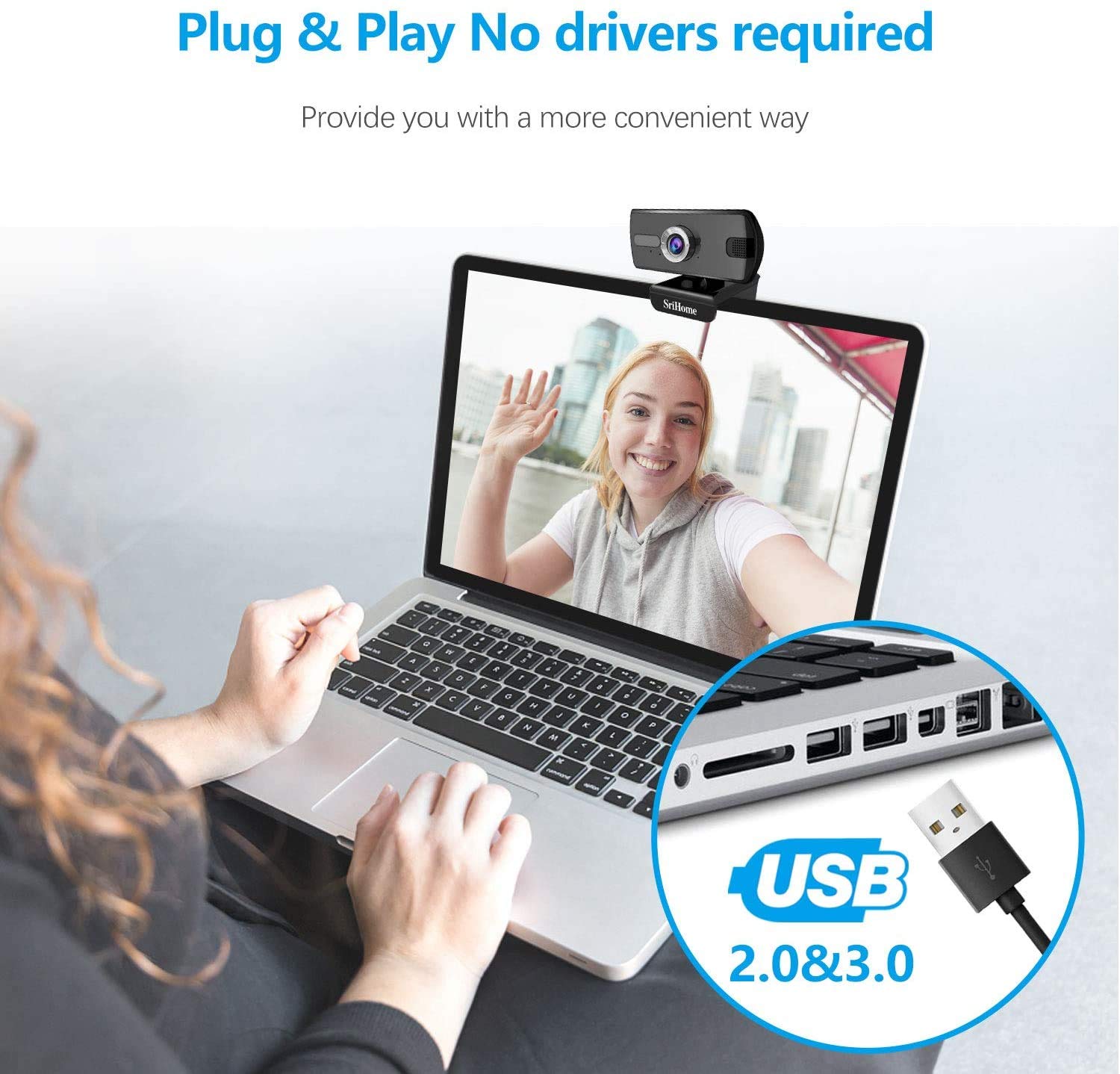
図1: 接続 webcam to a USB port. The device is plug-and-play, requiring no driver installation.
1.3 取り付け Webカム
の webcam features a versatile clip that allows it to be securely mounted on various devices, such as laptop screens, desktop monitors, or placed on a flat surface.
- クリップを調整する: Open the clip to fit over the top edge of your monitor or laptop screen.
- 配置する Webカム: 確実に webカムは中央に配置され、安定しています。
- Rotate for Optimal Angle: の webcam's bracket allows for 360-degree rotation, enabling you to adjust the camera angle as needed.

図2: webcam features a 360-degree rotatable bracket for flexible positioning.
1.4 フォーカス調整
For optimal image clarity, the webcam features a manual focus adjustment. If the image appears blurred, gently rotate the silver-colored ring around the lens until the picture becomes sharp.
2. 操作手順
2.1 Video Calls and Conferencing
The Srihome SH004 webcam is suitable for various communication platforms and applications.
- アプリケーションの互換性: Use with popular applications such as Skype, Yahoo, FaceTime, Hangouts, YouTube, Zoom, and other video conferencing software.
- 選択する Webカム: In your chosen application's settings, ensure "Srihome SH004" is selected as the primary video and audio input device.

Figure 3: Key features of the Srihome SH004 webcam, including HD video, 3MP resolution, wide-angle lens, built-in microphone, and plug-and-play functionality.
2.2 画像と音声の品質
- 高解像度ビデオ: の webcam provides a maximum resolution of 3 Megapixels (2048x1536) with H.264 video compression, ensuring clear and detailed images.
- 幅広い分野 View: A 110° wide-angle lens captures a broad perspective, ideal for group calls or presentations.
- 内蔵マイク: The integrated stereo microphone features noise cancellation, designed to capture your voice clearly even in moderately noisy environments.

Figure 4: The 110-degree wide-angle field of view provides extensive coverage.

Figure 5: The built-in microphone with noise cancellation enhances audio clarity.
3. メンテナンス
To ensure the longevity and optimal performance of your Srihome SH004 webcam の場合は、次の簡単なメンテナンス ガイドラインに従ってください。
- レンズの掃除: カメラのレンズは、柔らかく糸くずの出ない布で優しく拭いてください。レンズを傷つける可能性のある、刺激の強い化学薬品や研磨剤の使用は避けてください。
- 本体のクリーニング: 乾いたまたは少し乾いたamp 柔らかい布で拭いてください webcam's body. Do not immerse the device in water or any other liquid.
- ストレージ: 使用しないときは、 web直射日光や極端な温度を避け、清潔で乾燥した場所に保管してください。
- ケーブルのお手入れ: 内部の損傷を防ぐため、USB ケーブルを過度に曲げたりねじったりしないでください。
4。 トラブルシューティング
If you encounter issues with your Srihome SH004 webcam の場合は、次の一般的な問題と解決策を参照してください。
- Problem: The system does not detect the webカム。
解決:
- USBケーブルを取り外してから再接続します。
- 接続してみてください webカメラをコンピューターの別の USB ポートに接続します。
- Restart the application you are trying to use with the webcam (e.g., Skype, Zoom).
- コンピュータを再起動します。
- オペレーティング システムが最新であることを確認してください。
- Problem: The image appears blurred or out of focus.
解決:
- Gently rotate the silver-colored ring around the webcam lens to manually adjust the focus until the image is clear.
- レンズがきれいで、汚れやほこりがないことを確認してください。
- 問題: webcam frequently disconnects during use.
解決:
- USBケーブルが両方のコンピュータにしっかりと接続されていることを確認してください。 webカメラとコンピューター。
- Try a different USB port, preferably a USB 3.0 port if available, to ensure sufficient power and stable connection.
- 長い USB 延長ケーブルの使用は避けてください。接続に問題が発生する場合があります。
- Problem: The built-in microphone is not working or audio quality is poor.
解決:
- Check your computer's sound settings to ensure the "Srihome SH004" is selected as the default recording device.
- Verify microphone settings within your video conferencing application (e.g., Zoom, Skype).
- Ensure there are no physical obstructions blocking the microphone on the webカム。
- 過度のバックグラウンドノイズを排除するために、静かな環境でマイクをテストします。
5. 製品仕様
| 特徴 | 詳細 |
|---|---|
| ブランド | スリホーム |
| モデル名 | SH004 |
| 実効静止画解像度 | 3 MP |
| ビデオキャプチャ解像度 | 2048x1536 (3MP), also supports 1080p, 720p, 480p |
| 画像キャプチャ速度 | 30fps |
| フォトセンサー技術 | シーモス |
| レンズタイプ | 広角(3.6mm) |
| 分野 View | 110° |
| フォーカスタイプ | マニュアルフォーカス |
| 接続技術 | USB2.0/3.0 |
| 内蔵マイク | Yes, with Noise Cancellation |
| 対応デバイス | PC, Laptop, Desktop, Android TV |
| オペレーティングシステム | Windows 7 / Win8 / Win10 / LINUX / Mac OS / Android TV |
| 特集 | ナイトビジョン |
| 色 | 黒 |
| アイテム重量 | 250グラム |
6. 保証とサポート
6.1 保証情報
The Srihome SH004 webcam comes with a standard manufacturer's warranty. Please refer to the warranty card included with your purchase or contact your retailer for specific terms and conditions regarding warranty coverage and duration.
6.2 カスタマーサポート
For technical assistance, product inquiries, or support, please contact Srihome customer service through their official website or the contact information provided in your product packaging. When contacting support, please have your product model (SH004) and purchase details ready.