
GOODaaa W12-MPLUS
GooDaaa Solar Wireless Power Bank User Manual
Model: W12-MPLUS
1. はじめに
Thank you for choosing the GooDaaa Solar Wireless Power Bank. This robust and versatile power bank is designed to provide reliable power for your mobile devices, especially in outdoor environments. Featuring a high-capacity battery, solar charging capabilities, wireless charging, and multiple output ports, it ensures your devices stay charged wherever you go.

Image: The GooDaaa Solar Wireless Power Bank, showcasing its foldable solar panels and the main unit with a wireless charging area.
2. 安全に関する注意事項
安全で最適なパフォーマンスを確保するために、製品を使用する前にこれらの安全に関する指示をよくお読みください。
- Do not expose the power bank to extreme temperatures (above 60°C / 140°F or below -10°C / 14°F).
- デバイスを落としたり、分解したり、自分で修理しようとしたりしないでください。
- 水、火、腐食性物質から遠ざけてください。
- パワーバンクが破損または膨張している場合は使用しないでください。
- 製品は地域の規制に従って責任を持って廃棄してください。
- お子様の手の届かない場所に保管してください。
3. パッケージ内容
パッケージにすべてのアイテムが含まれていることを確認します。
- 1 x GooDaaa Solar Wireless Power Bank
- USB-Cケーブル x 1
- カラビナ x 1
- ユーザーマニュアル (本書) x 1
4 製品の特徴
- 大容量: 複数のデバイスを充電できる 30,000 mAh バッテリー。
- Wireless Charging (Qi): Convenient cable-free charging for compatible devices.
- 複数の出力: Two USB-A outputs and one USB-C input/output for versatile charging.
- ソーラー充電: Integrated solar panels for emergency charging outdoors.
- 耐久性に優れたデザイン: Dustproof, waterproof, and drop-resistant for outdoor use.
- 内蔵LED懐中電灯: Powerful flashlight for illumination in dark environments.
- 統合コンパス: Useful for navigation during outdoor activities.
- ポータブル: Foldable design with a carabiner for easy transport.

Image: Detailed product diagram highlighting the wireless charging area, wireless charging indicator, compass, hanger, solar panel buckle, power button, battery indicator, USB-C input/output, USB outputs, LED flashlight, Micro-USB input, and carabiner.
5. セットアップ
5.1 初期充電
Before first use, fully charge the power bank using a wall adapter. This ensures the internal battery is conditioned for optimal performance.
- 付属の USB-C ケーブルをパワーバンクの USB-C 入力/出力ポートに接続します。
- Connect the other end of the cable to a USB wall adapter (not included).
- バッテリーインジケーターライトが点灯し、充電の進行状況を示します。完全に充電されると、すべてのライトが点灯します。

Image: The power bank can be charged via a wall adapter (approx. 8 hours) or via its solar panels (approx. 20 hours for a full charge under optimal sunlight).
5.2バッテリーインジケーター
The LED indicators show the remaining battery capacity:
- 1つのライト: 0~25%
- 2つのライト:25~50%
- 3つのライト:50~75%
- 4つのライト:75~100%
6. 操作手順
6.1 デバイスの充電(有線)
To charge your devices using a cable:
- デバイスの充電ケーブルを、パワーバンクの USB-A 出力ポートまたは USB-C 入力/出力ポートの 1 つに接続します。
- ケーブルのもう一方の端をデバイスに接続します。
- パワーバンクは自動的にデバイスの充電を開始します。
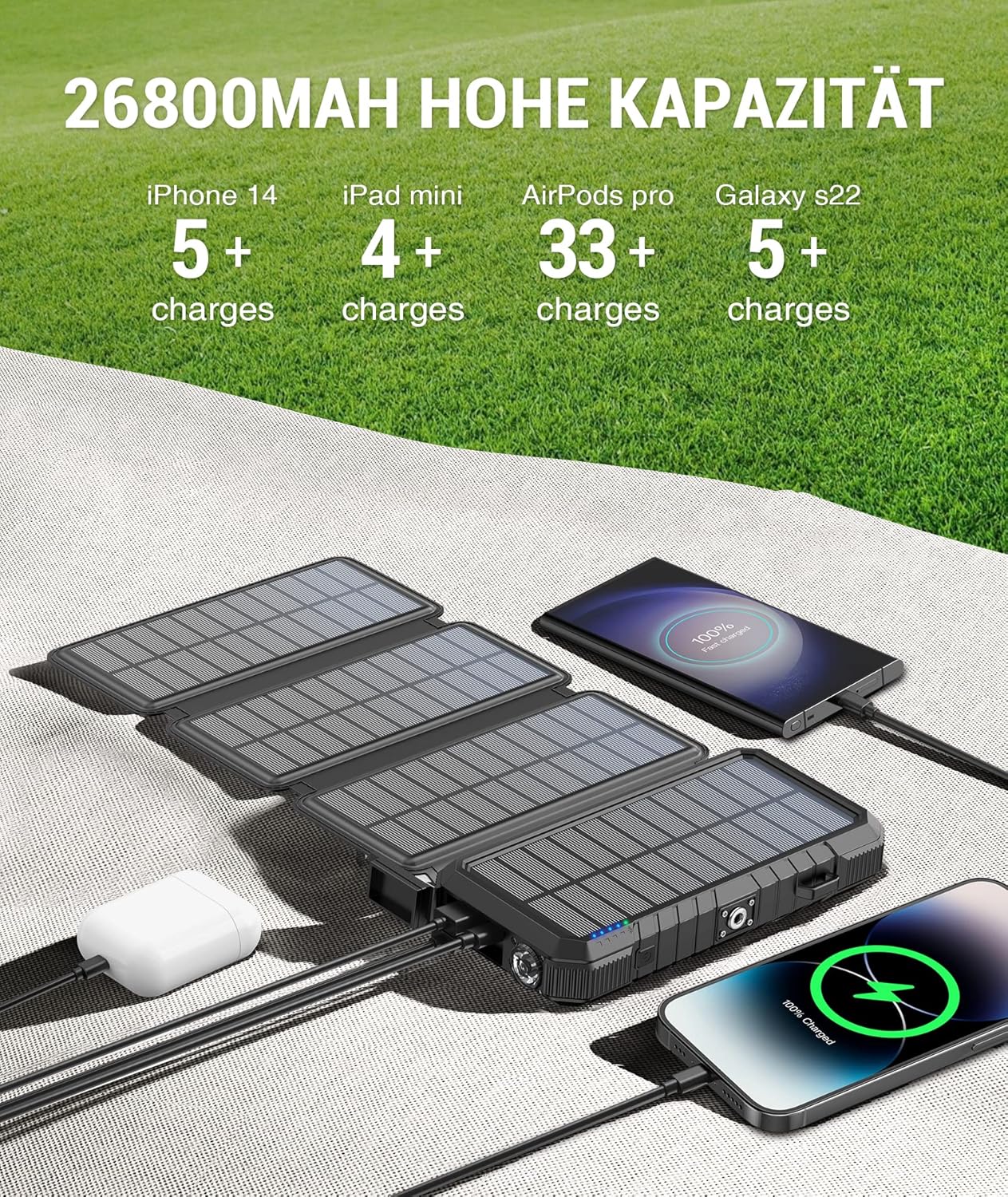
Image: The power bank can charge multiple devices simultaneously, demonstrating its high capacity for various gadgets like smartphones and tablets.
6.2 デバイスの充電(ワイヤレス)
For Qi-compatible devices:
- 電源ボタンを1回押すと、ワイヤレス充電機能が有効になります。
- Place your Qi-compatible device (e.g., smartphone, earbuds) on the wireless charging pad located on the back of the power bank.
- Ensure the device is centered on the pad for optimal charging. The wireless charging indicator light will illuminate.

Image: A smartphone wirelessly charging on the GooDaaa power bank, illustrating the convenience of cable-free charging for compatible devices.
6.3ソーラー充電
The solar panels are designed for emergency charging and maintaining battery levels, not as a primary charging method due to varying sunlight conditions.
- Unfold the solar panels and place them in direct sunlight.
- Ensure the panels are facing the sun for maximum efficiency.
- 太陽光で充電しているときは、ソーラー充電インジケーターライトが点灯します。
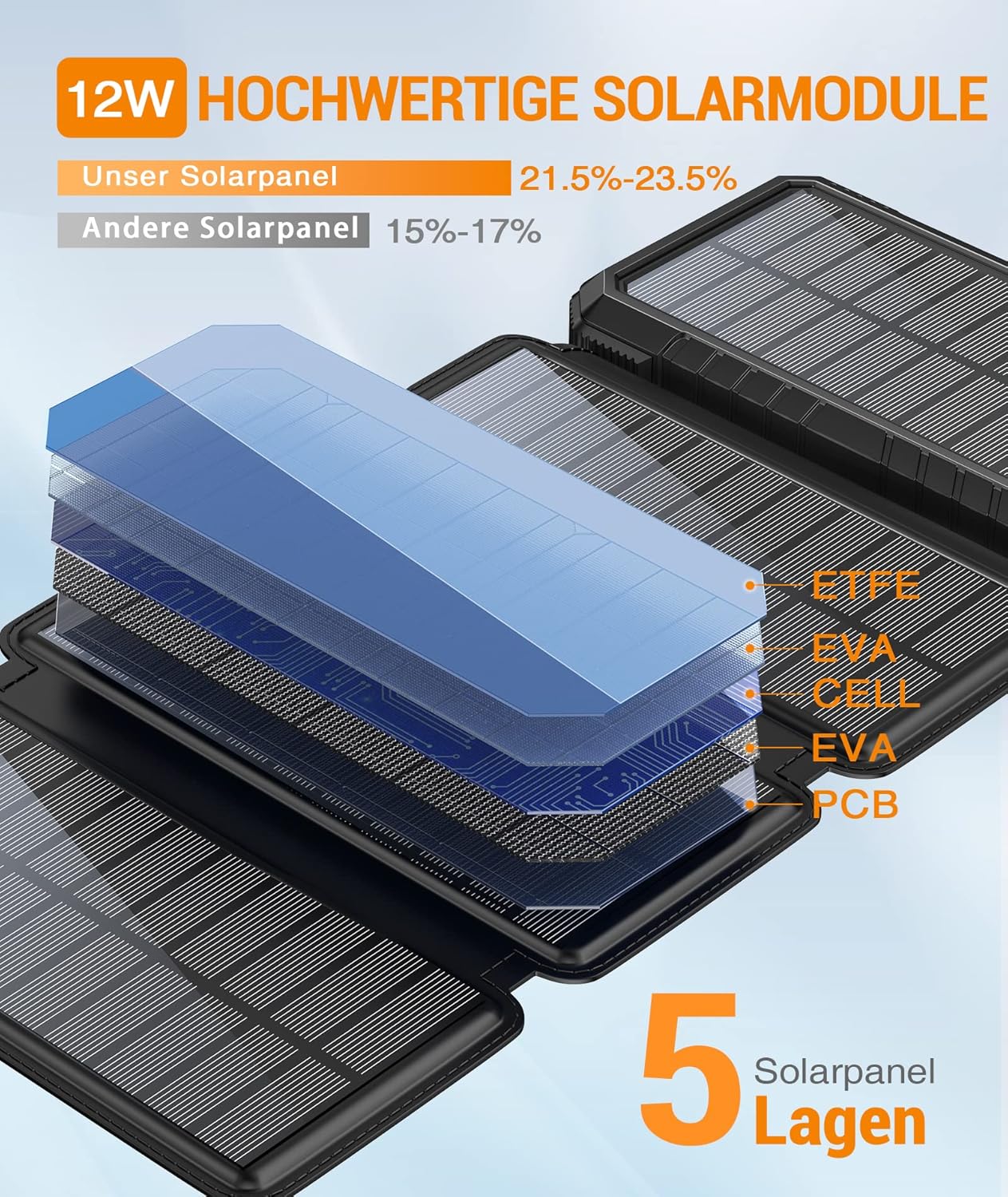
Image: An illustration detailing the 5-layer structure of the high-quality 12W solar modules, indicating their efficiency (21.5%-23.5%).
6.4 LED懐中電灯の使用
The power bank features a powerful LED flashlight:
- オン/オフにするには: 電源ボタンを2回押します。
- モードを切り替えるには: Once the flashlight is on, single-press the power button to switch between modes (e.g., steady, SOS, strobe).
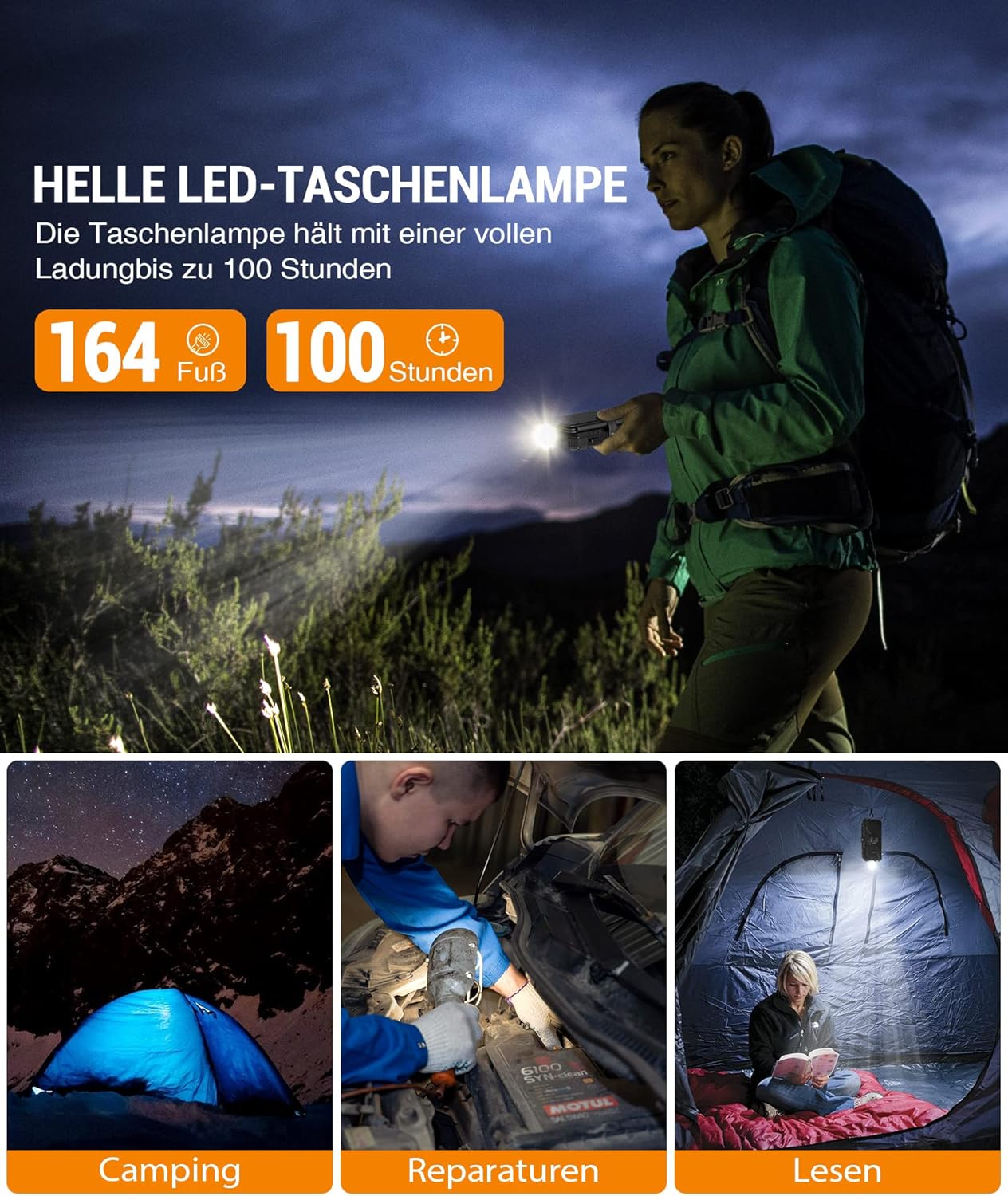
Image: The bright LED flashlight provides illumination for up to 100 hours on a full charge, useful for camping, repairs, and reading.
6.5 コンパスの使用
The integrated compass can assist with basic navigation. Ensure the power bank is held flat and away from strong magnetic fields for accurate readings.

画像: クローズアップ view of the power bank's integrated compass, designed for basic directional guidance during outdoor activities.
7. メンテナンス
- クリーニング: パワーバンクは柔らかく乾いた布で拭いてください。刺激の強い化学薬品や研磨剤入りの洗剤は使用しないでください。
- ストレージ: パワーバンクは、直射日光や極端な温度を避け、涼しく乾燥した場所に保管してください。長期保管の場合は、バッテリー寿命を延ばすため、3ヶ月ごとに50~75%程度まで充電してください。
- ソーラーパネル: Keep the solar panels clean and free of dust or debris to ensure efficient solar charging.
8。 トラブルシューティング
| 問題 | 考えられる原因 | 解決 |
|---|---|---|
| パワーバンクが充電されない | Cable issue, adapter issue, power bank fully charged, or internal fault. | Try a different USB-C cable and wall adapter. Ensure the power bank is not already full. If solar charging, ensure direct sunlight. |
| デバイスがパワーバンクから充電されない | Power bank low battery, cable issue, device not compatible, or power bank not activated. | Ensure power bank has sufficient charge. Try a different charging cable. For wireless charging, ensure device is Qi-compatible and centered. Press power button to activate output. |
| ソーラー充電が遅い、または機能しない | Insufficient sunlight, dirty solar panels, or solar charging is supplemental. | Place panels in direct, strong sunlight. Clean the solar panels. Remember solar charging is primarily for emergency use and trickle charging. |
| 懐中電灯が機能しない | 電池残量が少ないか、操作が間違っています。 | Charge the power bank. Double-press the power button to activate the flashlight. |
9. 仕様
| 特徴 | 詳細 |
|---|---|
| ブランド | GOODaaa |
| モデル番号 | W12-MPLUS |
| バッテリー容量 | 26800 mAh (Note: Product title states 30,000 mAh, but specifications list 26800 mAh. Using specification value for accuracy.) |
| バッテリー構成 | リチウムポリマー |
| 入力(マイクロUSB) | 5V / 2A (Typical) |
| 入力(USB-C) | 5V / 3A (Typical) |
| Output (USB-A x2) | 5V / 3A (Max per port) |
| 出力(USB-C) | 5V / 3A(最大) |
| ワイヤレス出力 | 5W(標準) |
| ソーラーパネル電源 | 12W(最大) |
| 寸法 | 20.9 x 13.4 x 5.2 cm |
| 重さ | 730グラム |
| 色 | 黒 |
| 欧州連合 | 778299536592 |
10. 保証とサポート
GooDaaa products are designed and manufactured to the highest quality standards. For warranty information or technical support, please refer to the contact details provided with your purchase or visit the official GooDaaa webサイトでご確認ください。保証請求のために購入証明書を保管してください。
Ask a question about this manual
Ask about setup, troubleshooting, compatibility, parts, safety, or missing instructions. Manuals+ will review the question and use this page’s manual context to help answer it.