
1. はじめに
Thank you for choosing the ipega PG-9083S Wireless Gamepad. This device is designed to enhance your mobile gaming experience on both iOS and Android smartphones and tablets. Please read this manual carefully before use to ensure proper operation and to maximize your enjoyment of the product.
2. 製品の特徴とその他view
The ipega PG-9083S offers a range of features for an immersive gaming experience:
- ワイヤレス 4.0 接続: Provides a stable and efficient connection to your mobile devices.
- Telescopic Holder: Adjustable holder accommodates devices from 5 to 10 inches, with a maximum extension of 28cm (11 inches).
- 幅広い互換性: Supports iOS (iPhone 8/XR/XS and newer) and Android mobile phones and tablets.
- 人間工学に基づいたデザイン: 長時間のゲームセッションでも快適なグリップを実現。
- カスタマイズ可能なボタンマッピング: Allows for personalized control settings to suit various game types and player preferences.
- 高精度ジョイスティック: Designed for accurate control and smooth operation in games.

Figure 2.1: The ipega PG-9083S Wireless Gamepad, showcasing its design with a tablet inserted. This image highlights the sleek feel and how it holds a device.

Figure 2.2: The gamepad's telescopic function, illustrating its ability to hold various devices including smartphones and tablets, with a maximum length of 28cm (11 inches).

Figure 2.3: Illustration of the gamepad's ergonomic design for comfort and its support for both vertical and horizontal screen orientations for tablets.

Figure 2.4: Depiction of the customizable button mapping feature, allowing users to set function keys according to personal habits for various game control needs.
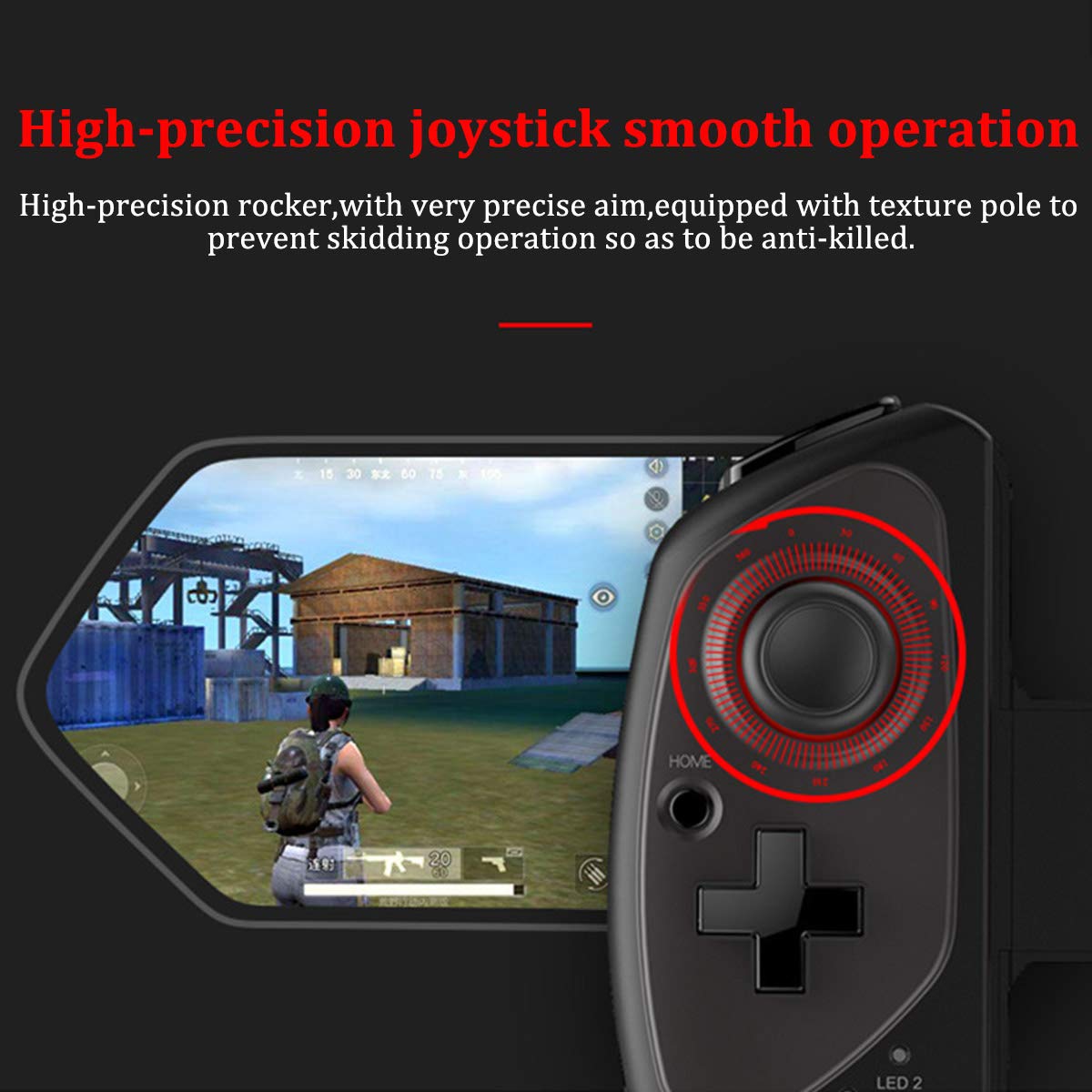
Figure 2.5: Close-up of the high-precision joystick, emphasizing its smooth operation and textured pole designed to prevent slipping during intense gameplay.
3.セットアップガイド
3.1 ゲームパッドの充電
Before initial use, fully charge the gamepad. Connect the provided USB charging cable to the gamepad's charging port and to a USB power source (e.g., computer, USB wall adapter). The LED indicator will show charging status and turn off or change color when fully charged.
3.2 デバイスの挿入
- Pull the telescopic arm outwards to unlock and extend it.
- Carefully place your smartphone or tablet into the holder, ensuring it is centered and securely seated.
- Release the telescopic arm to allow it to retract and firmly grip your device. Ensure the device is locked in place before gaming.

図3.1:詳細 view of the security lock mechanism for the telescopic arm, illustrating how to extend and secure your device.
3.3Bluetoothペアリング
ゲームパッドをデバイスに接続するには:
- 電源オン: Press and hold the Power button (usually the HOME button) for a few seconds until the LED indicator starts flashing, indicating it's in pairing mode.
- Bluetooth を有効にする: スマートフォンまたはタブレットで Bluetooth 設定に移動し、Bluetooth をオンにします。
- 検索する デバイス: デバイスが利用可能なBluetoothデバイスをスキャンします。リストで「PG-9083S」または類似の名前を探してください。
- ペア: Select the gamepad from the list to initiate pairing. Once connected, the LED indicator on the gamepad will typically become solid.
- モード選択(該当する場合): Some games or operating systems may require specific modes. Refer to your game's settings or the gamepad's quick start guide for specific mode switching instructions (e.g., Android Standard, iOS Direct Play).
4. 操作手順
4.1 電源オン/オフ
- 電源オン: を押し続けます 家 button for approximately 3 seconds. The indicator light will flash.
- 電源を切る: を押し続けます 家 button for approximately 5 seconds until the indicator light turns off. The gamepad will automatically power off after a period of inactivity to save battery.
4.2 Gamepad Modes
The PG-9083S supports different operating modes for optimal compatibility with various platforms. Typically, these modes are activated by holding a specific button combination while powering on the gamepad.
- Android標準モード: Often activated by holding X + ホーム. For general Android gaming.
- iOS Direct Play Mode: Often activated by holding Y + ホーム. For iOS games that support direct gamepad input.
- その他のモード: Consult the quick start guide included with your product for any additional specific modes or button combinations for advanced functionality or specific game titles.
4.3 In-Game Control
Once connected, the gamepad will function as your primary input device for compatible games. The layout includes:
- デュアルアナログスティック: 正確な動きとカメラ制御を実現します。
- 十字キー: 方向入力用。レトロゲームやメニューナビゲーションでよく使用されます。
- アクションボタン(A、B、X、Y): ゲーム内のアクション用。
- ショルダーボタン(L1、R1)とトリガー(L2、R2): For additional actions, often firing or accelerating.
- SELECT/BACK, START/MENU, HOME Buttons: For system functions and game menus.
Refer to individual game settings for specific button assignments and customization options.
5. メンテナンス
- クリーニング: ゲームパッドの表面を拭く際は、柔らかく乾いた布をご使用ください。刺激の強い化学薬品や研磨剤入りの洗剤は使用しないでください。
- ストレージ: ゲームパッドは、直射日光や極端な温度を避け、涼しく乾燥した場所に保管してください。
- バッテリーのケア: バッテリーの寿命を延ばすには、バッテリーを頻繁に完全に放電させないでください。長期間使用しない場合でも、ゲームパッドは定期的に充電してください。
- ドロップを避ける: 内部コンポーネントを損傷する可能性のある落下や衝撃からデバイスを保護します。
6。 トラブルシューティング
6.1 ゲームパッドが接続/ペアリングされない
- ゲームパッドが充電されていることを確認してください。
- デバイスで Bluetooth が有効になっていることを確認してください。
- 携帯電話の Bluetooth 設定でデバイスを削除し、再度ペアリングしてみてください。
- Ensure the gamepad is in the correct pairing mode for your operating system (Android/iOS).
- モバイルデバイスとゲームパッドの両方を再起動します。
6.2 Buttons or Joysticks Unresponsive/Inaccurate
- Verify the gamepad is properly connected and in the correct operating mode for the game.
- Some games may require specific controller configurations or do not fully support external gamepads. Check the game's settings.
- Ensure there are no physical obstructions preventing button presses or joystick movement.
- If experiencing issues with joystick sensitivity or "dead zones," check if the game offers in-game calibration or sensitivity adjustments.
6.3 ゲームパッドが充電されない
- Check the charging cable and USB power source. Try a different cable or adapter.
- ゲームパッドの充電ポートが清潔でゴミがないことを確認してください。
6.4 デバイスがしっかりと取り付けられていない
- Ensure your device's dimensions are within the specified telescopic holder range (5-10 inches, up to 28cm/11 inches).
- Remove any bulky cases from your device that might prevent a secure fit.
7. 仕様
| モデル番号: | PG-9083S |
| 接続性: | ワイヤレス 4.0 |
| Telescopic Holder Range: | 5 - 10 inches (up to 28 cm / 11 inches) |
| 互換性: | iOS (iPhone 8/XR/XS and newer), Android (Mobile Phones, Tablets) |
| 商品の重量: | 13.1オンス(約371グラム) |
| パッケージ寸法: | 9.53 x 6.81 x 2.44インチ |
8. 安全情報
- Do not expose the gamepad to extreme temperatures, humidity, or direct sunlight.
- Do not attempt to disassemble or modify the gamepad. This will void any potential warranty and may cause damage.
- デバイスを水やその他の液体から遠ざけてください。
- Dispose of the battery according to local regulations. Do not dispose of batteries in household waste.
- 小さなお子様の手の届かない場所に保管してください。