
1. はじめに
Thank you for choosing the COMICA BoomX-D D2 2.4G Wireless Microphone System. This manual provides detailed instructions for the proper setup, operation, and maintenance of your new wireless microphone system. Please read this manual thoroughly before use to ensure optimal performance and to prevent damage to the device. Keep this manual for future reference.
2.製品オーバーview
2.1 主な特徴
- 2.4G Digital Wireless Technology: Ensures stable and reliable audio transmission.
- Dual Transmitters, One Receiver: Allows simultaneous recording from two sources.
- Visual Power & Audio Dynamic Monitor: Real-time display of battery status and audio levels.
- Internal & External MIC Input Modes: Flexibility to use built-in microphone or external lavalier.
- Mono/Stereo Switchable Output: Adaptable for various recording needs.
- Broadcasting-Quality Audio: Delivers clear and crisp sound.
- 低遅延: Less than 20ms for synchronized audio and video.
- 動作範囲: オープンエリアでは最大 50 メートル (164 フィート)。
- Multi-functional Belt Clip: 取り付けや持ち運びも簡単。
- コンパクトで軽量なデザイン: Ideal for on-the-go recording.
- USB-C充電: 便利でユニバーサルな充電。
2.2 含まれるコンポーネント
The COMICA BoomX-D D2 system typically includes the following components:
- 1 x受信機(RX)
- 送信機 (TX) x 2
- 2 x 3.5mm TRS Lavalier Microphones
- 2 x Wind Muffs for Lavalier Microphones
- 3.5mm TRS-TRSオーディオケーブル(カメラ用)×1
- 3.5mm TRS-TRRSオーディオケーブル(スマートフォン用)×1
- 1 x USB-C to USB-A Charging Cable (may include multiple for simultaneous charging)
- ユーザーマニュアル x 1
- 1 x Storage Case (or packaging)
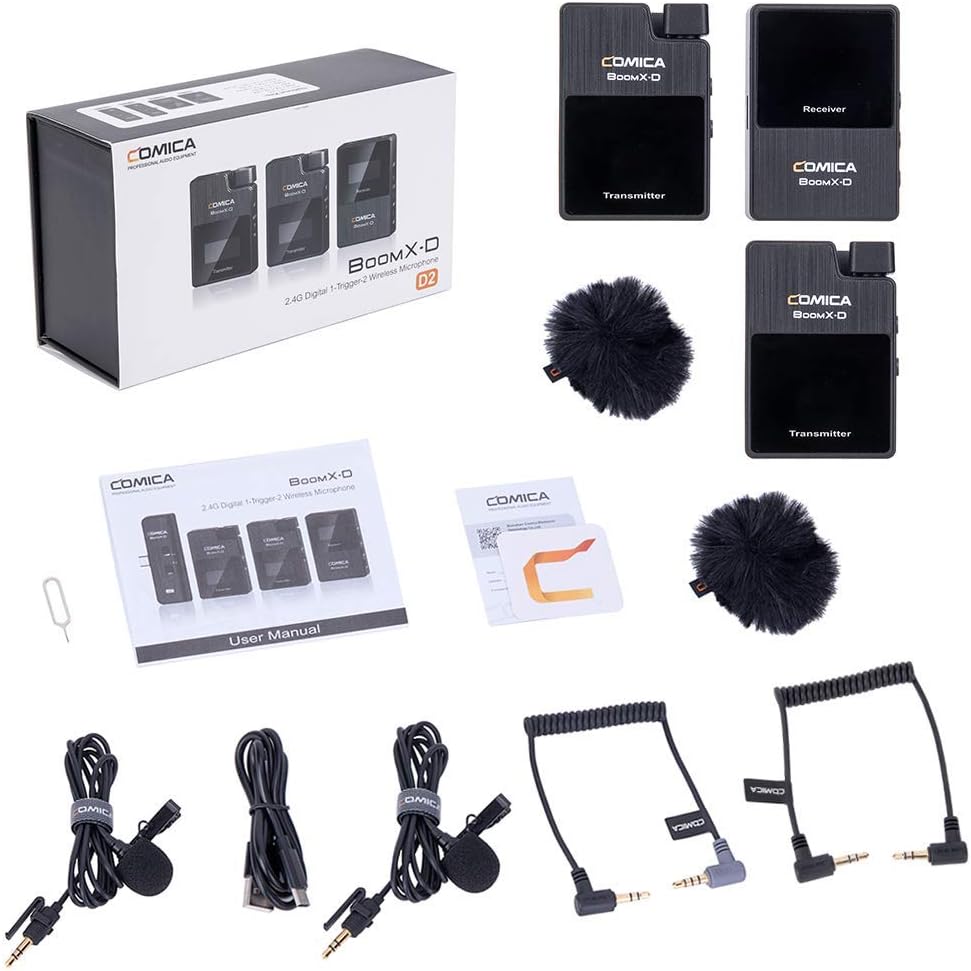
Figure 1: Complete contents of the COMICA BoomX-D D2 package, showing the receiver, two transmitters, lavalier microphones, wind muffs, various audio cables, and charging cable.
3.セットアップガイド
3.1 デバイスの充電
Before initial use, fully charge the receiver and both transmitters using the provided USB-C charging cable. Connect the USB-C end to the device and the USB-A end to a compatible USB power adapter (not included) or a computer USB port.
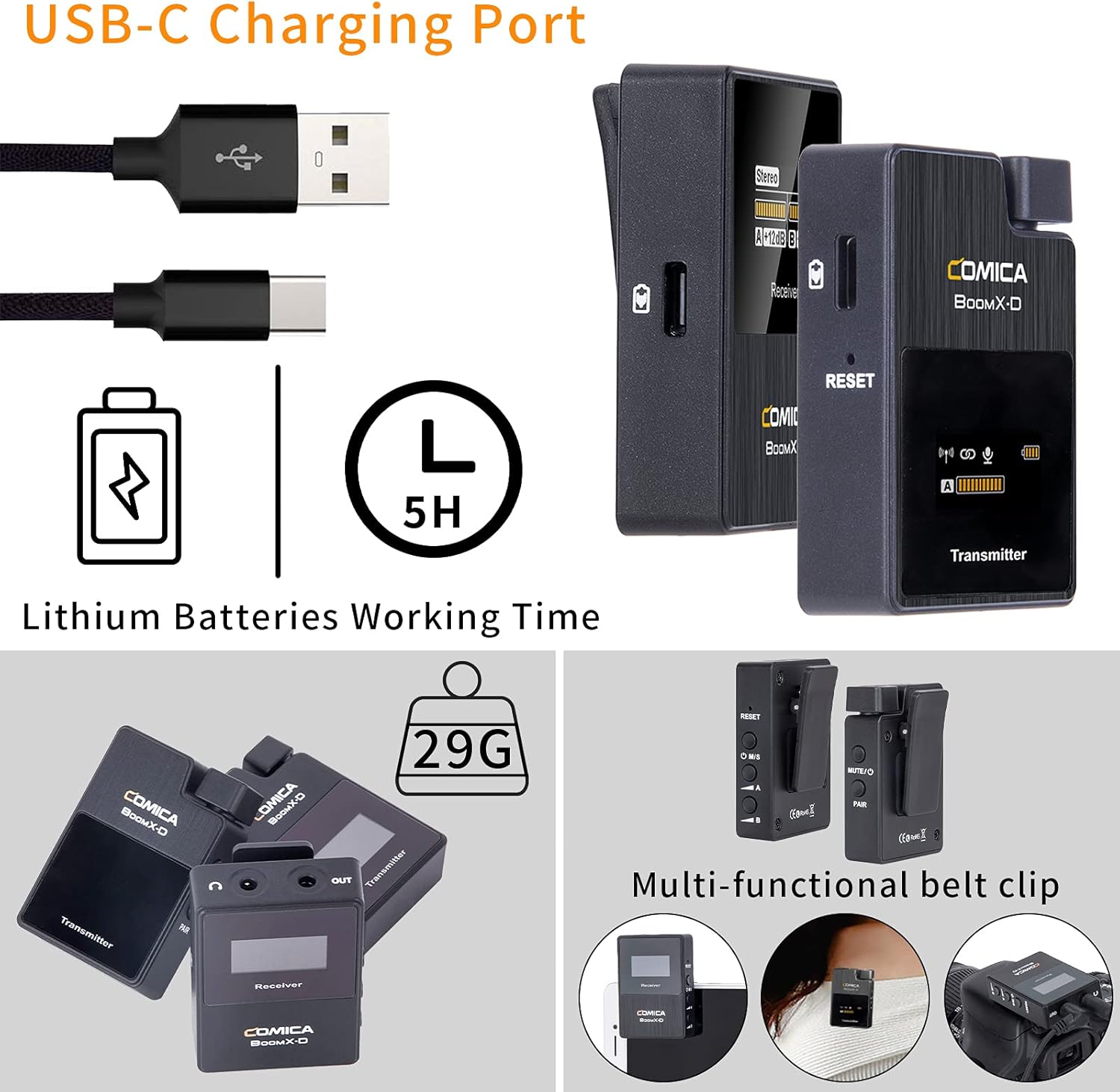
Figure 2: Illustration of the USB-C charging port on the COMICA BoomX-D D2 units, highlighting the charging process and battery life indication.
3.2 電源のオン/オフとペアリング
- 電源オン: Press and hold the power button on both the receiver and transmitters until the screen illuminates.
- 自動ペアリング: The units are designed to pair automatically upon power-on. Observe the screens for connection indicators. If pairing fails, refer to the troubleshooting section or the seller video for manual pairing instructions.
Video 1: A seller-provided video demonstrating the setup and pairing process of the COMICA BoomX-D D2 wireless microphone system, including how to connect to various devices.
3.3 録音機器への接続
Use the appropriate audio cable to connect the receiver to your recording device (camera, smartphone, etc.).
- カメラ(DSLR/ミラーレス)の場合: Use the 3.5mm TRS-TRS audio cable. Connect one end to the receiver's output and the other to your camera's microphone input.
- スマートフォン/タブレットの場合: Use the 3.5mm TRS-TRRS audio cable. Connect one end to the receiver's output and the other to your smartphone's headphone/microphone jack. For devices without a 3.5mm jack, an appropriate adapter (e.g., USB-C to 3.5mm or Lightning to 3.5mm) may be required (not included).

Figure 3: The COMICA BoomX-D D2 receiver connected to a smartphone, illustrating its use for mobile video recording with low latency and a 50-meter range.

Figure 4: A visual guide to the compatibility of the COMICA BoomX-D D2 with various devices, including Canon, Nikon, Sony, Panasonic, Fujifilm cameras, and iPhone, Huawei, Samsung smartphones, using different audio cables.
4. 操作手順
4.1 Using the Lavalier Microphone or Built-in Mic
Each transmitter has a built-in omnidirectional microphone. For discreet placement or improved audio quality, you can connect the included 3.5mm TRS lavalier microphone to the transmitter's MIC input port.
- With Lavalier Mic: Plug the lavalier microphone into the 3.5mm MIC input on the transmitter. Clip the lavalier mic to clothing, approximately 6-8 inches from the speaker's mouth.
- Without Lavalier Mic (Built-in): Ensure no external microphone is plugged in. Clip the transmitter directly onto clothing, ensuring the built-in microphone faces the sound source.

Figure 5: Demonstrates the flexibility of the COMICA BoomX-D D2, allowing users to choose between the external lavalier microphone or the built-in microphone on the transmitter, depending on their recording needs.
4.2 Mono/Stereo Output Switching
The receiver allows you to switch between mono and stereo output modes. This is useful for post-production flexibility or specific recording scenarios.
- モノモード: 両方の送信機からのオーディオを 1 つのモノラル トラックに結合します。
- ステレオモード: 各送信機からの音声を左チャンネルと右チャンネルに別々に録音します。
Refer to the receiver's display and control buttons to switch between these modes. The display will clearly indicate the selected mode.
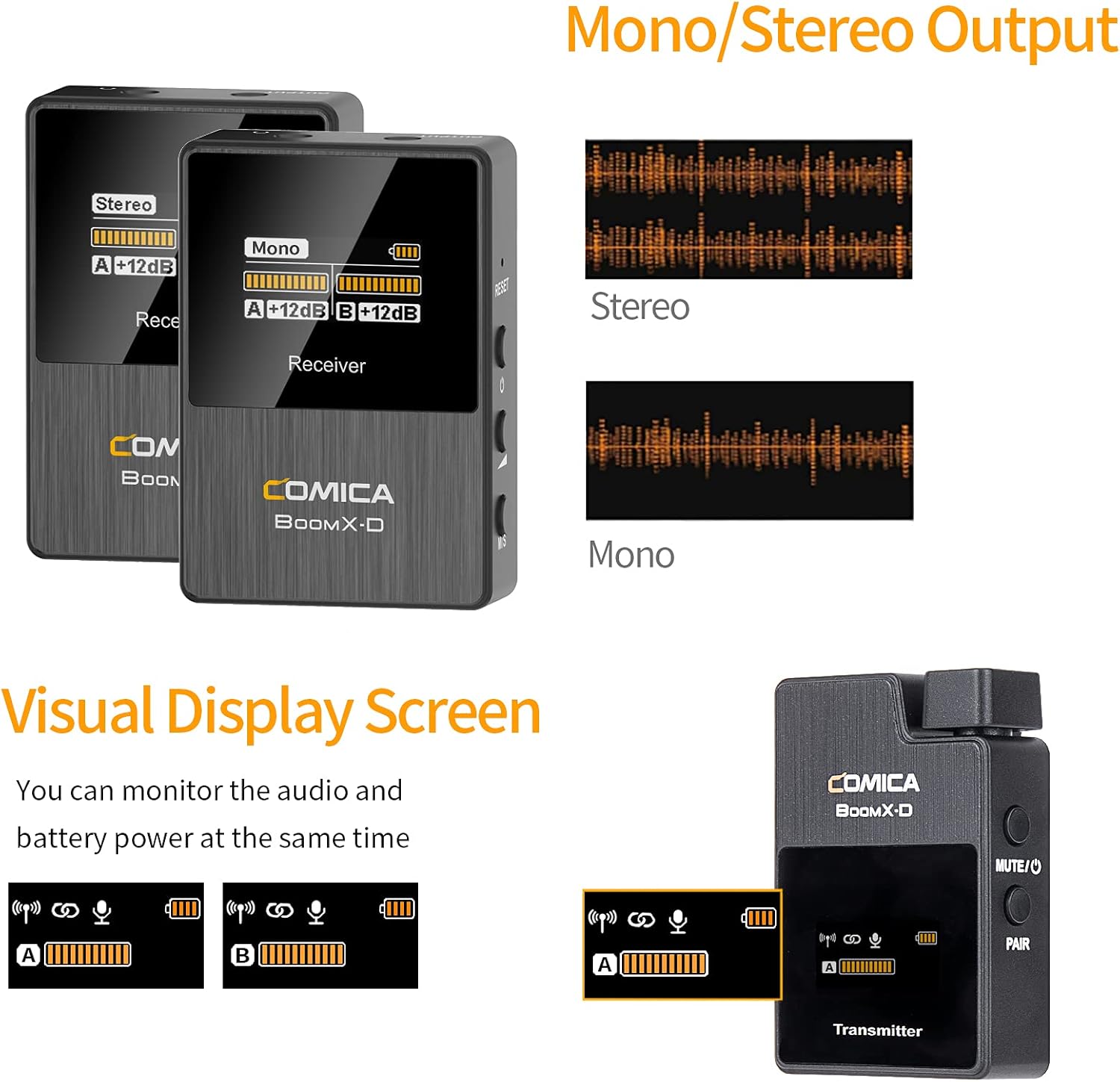
Figure 6: The visual display screen of the COMICA BoomX-D D2 receiver, showing options for Mono/Stereo output and real-time monitoring of audio levels and battery status for both transmitters.
4.3 リアルタイムオーディオモニタリング
Connect headphones to the receiver's 3.5mm headphone output jack to monitor your audio in real-time. This ensures that your audio is being recorded correctly and helps identify any potential issues during recording.

Figure 7: A user monitoring real-time audio through headphones connected to the COMICA BoomX-D D2 receiver, which is mounted on a camera, ensuring sound quality during recording.
5. メンテナンス
- クリーニング: デバイスの清掃には、柔らかく乾いた布をご使用ください。刺激の強い化学薬品や研磨剤は使用しないでください。
- ストレージ: マイク システムは、直射日光や極端な温度を避け、涼しく乾燥した場所に保管してください。
- バッテリーのケア: バッテリー寿命を最大限に延ばすには、デバイスを頻繁に完全に放電することは避けてください。長期間使用しない場合でも、定期的に充電してください。
- 湿気を避ける: 損傷を防ぐため、デバイスを水や高湿度から遠ざけてください。
6。 トラブルシューティング
| 問題 | 考えられる原因 | 解決 |
|---|---|---|
| 音が出ない | Low battery; Incorrect cable connection; Unpaired devices; Muted microphone. | Charge devices; Ensure cables are securely connected; Re-pair transmitter and receiver; Check if transmitter is muted. |
| 干渉/音質が悪い | Obstructions between TX/RX; Too far from receiver; Strong electromagnetic interference. | Reduce distance between TX/RX; Ensure clear line of sight; Move away from other wireless devices; Check external microphone connection. |
| Devices Not Pairing | Out of range; Pairing mode not activated. | Bring devices closer; Follow manual pairing instructions (if automatic fails); Ensure both are powered on. |
| バッテリー寿命が短い | Old battery; Frequent full discharge. | Ensure full charge before use; Avoid frequent full discharge; Consider battery replacement if significantly degraded. |
7. 仕様
- ブランド: コミカ
- モデル番号: D2
- 接続技術: USB, Wireless (2.4G Digital)
- コネクタタイプ: USB-C, 3.5mm (TRS/TRRS)
- 特集: クリップオンデザイン
- 極性パターン: 全方向
- オーディオ感度: 86デシベル
- マイクのフォームファクター: マイクシステム
- 電源: USB-C
- 信号対雑音比: 86デシベル
- チャンネル数: 2
- 動作範囲: 最大50m(164フィート)
- レイテンシー: <20ミリ秒
8. 保証とサポート
COMICA products are covered by a limited warranty against defects in materials and workmanship. For specific warranty terms, registration, and technical support, please visit the official COMICA web公式サイトをご覧いただくか、カスタマーサービスまでお問い合わせください。保証請求の際は、購入証明としてレシートを保管してください。
正式 Webサイト: www.comica-audio.com