
1。 オーバーview
The Samsung Galaxy Buds Plus SM-R175 are advanced wireless earbuds designed to deliver a premium audio experience. Featuring a 2-way speaker system tuned by AKG, an adaptive 3-microphone system for crystal clear calls, and long-lasting battery power, these earbuds are built for extended use and superior sound quality. They offer seamless compatibility with Samsung and other Android devices, ensuring a versatile listening experience.
2. 主な特徴
- 2-way speaker system by AKG: Delivers rich treble and bass for a balanced audio profile.
- Adaptive 3-microphone system: Ensures crystal clear call quality by isolating your voice from background noise.
- 長持ちバッテリー: Up to 11 hours of playback on a single charge, with additional charges from the case.
- Qi compatible wireless charging: Conveniently charge the case wirelessly.
- Power sharing: Share power directly from compatible Galaxy phones.
- Battery level monitoring: Check individual bud and case battery levels via your smartphone.
- タッチコントロール: Intuitive media and call control directly from the earbuds.
- 遮音性: Passive noise isolation for an immersive listening experience.
- 耐水性: 水しぶきや汗に耐えられるよう設計されています。
3. セットアップ
3.1 開梱と初期充電
Upon unboxing, ensure all components are present: the Galaxy Buds Plus earbuds, charging case, USB-C charging cable, and various ear-wing tips and silicone tips. It is recommended to fully charge the case and earbuds before first use.
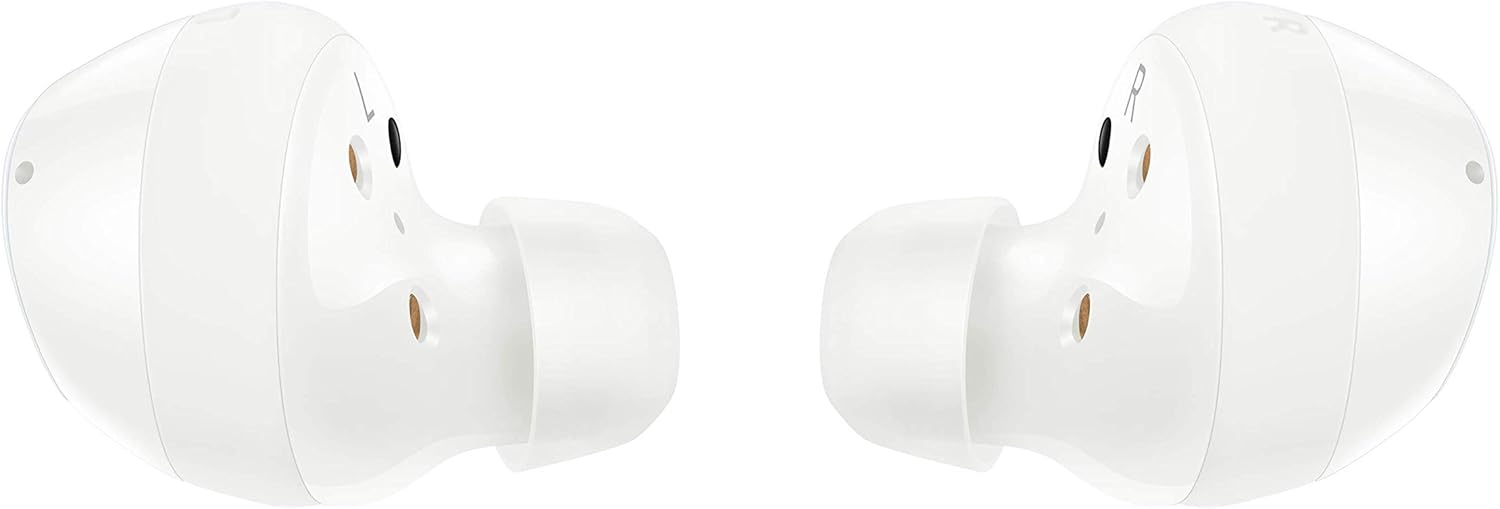
Figure 1: Samsung Galaxy Buds Plus earbuds and charging case, along with included accessories.
3.2 イヤホンの装着
Select the ear-wing tips and silicone tips that provide the most comfortable and secure fit for your ears. A proper fit is crucial for optimal sound quality and passive noise isolation. Gently insert each earbud into your ear canal and rotate slightly until it feels snug and stable.

Figure 2: A single white Samsung Galaxy Buds Plus earbud, highlighting its design for a secure fit.
3.3 デバイスとのペアリング
- イヤホンを入れた充電ケースを開けると、イヤホンは自動的にペアリングモードになります。
- On your Samsung or Android device (Android 5.0 or higher with 1.5GB RAM minimum), go to Bluetooth settings.
- Select "Galaxy Buds+ (SM-R175)" from the list of available devices.
- 画面上の指示に従ってペアリングプロセスを完了します。
4. 操作手順
4.1 基本的なタッチコントロール
The Galaxy Buds Plus feature intuitive touch controls on the outer surface of each earbud:
- シングルタップ: 音楽の再生/一時停止、通話の応答/終了。
- ダブルタップ: 次の曲を再生し、通話に応答/終了します。
- トリプルタップ: 前の曲を再生します。
- タッチして長押し: Activate customizable function (e.g., volume control, voice assistant, Ambient Sound mode).
4.2 通話管理
The adaptive 3-microphone system ensures your voice is heard clearly during calls, even in noisy environments. Use the touch controls to answer, end, or reject calls without needing to access your phone.
4.3 オーディオ再生
Enjoy high-fidelity audio with the 2-way speaker system by AKG, delivering rich treble and deep bass. Adjust volume and navigate tracks using the touch controls or your connected device.
ビデオ1: 公式製品ビデオショーasing the Samsung Galaxy Buds Plus Wireless Earbuds and their features.
5. メンテナンス
5.1 充電
Place the earbuds back into the charging case to recharge them. The case itself can be charged via the included USB-C cable or wirelessly using a Qi-compatible wireless charger. You can also use PowerShare from a compatible Galaxy phone.

Figure 3: The open charging case of the Samsung Galaxy Buds Plus, illustrating the charging contacts for the earbuds.
5.2 バッテリー寿命
The earbuds offer up to 11 hours of battery life on a single charge. The charging case provides additional charges, extending total listening time. Monitor battery levels for both earbuds and the case using the Samsung Wearable app on your smartphone.
5.3 クリーニング
Regularly clean your earbuds and charging case to maintain performance and hygiene. Use a soft, dry cloth to wipe the earbuds and charging contacts. Remove silicone tips and clean them with mild soap and water, ensuring they are completely dry before reattaching.
5.4 耐水性
The Galaxy Buds Plus are water resistant, making them suitable for workouts and light splashes. However, they are not waterproof. Avoid submerging them in water or exposing them to high-pressure water streams.
6。 トラブルシューティング
6.1 接続の問題
- イヤホンがペアリングされない: イヤホンが充電され、ペアリングモードになっていることを確認してください。デバイスのBluetooth設定を確認し、再接続をお試しください。
- 断続的な接続: 接続したデバイスに近づき、Bluetooth信号を妨害する可能性のある障害物を避けてください。
6.2 オーディオの問題
- 音が出ない: デバイスとイヤホンの両方の音量レベルを確認してください。イヤホンが耳に正しく装着されていることを確認してください。
- 音質が悪い: Clean the earbud mesh and silicone tips. Try different sized ear-wing and silicone tips for a better seal.
6.3 充電の問題
- イヤホンが充電されない場合: Ensure earbuds are correctly placed in the case and charging contacts are clean.
- ケースが充電されない: Verify the USB-C cable and power adapter are working. For wireless charging, ensure the case is correctly positioned on a Qi-compatible charger.
7. 仕様
| 特徴 | 仕様 |
|---|---|
| ブランド | サムスン |
| モデル名 | Galaxy Buds Plus (SM-R175) |
| 接続技術 | Wireless (Bluetooth 5.0, Infrared) |
| 耳の位置 | 耳に装着 |
| フォームファクター | 耳に装着 |
| 騒音制御 | 遮音性 |
| バッテリー寿命 | 11時間(イヤホン) |
| 充電時間 | 3分で1時間のプレイ時間 |
| 耐水性レベル | 耐水性 |
| 制御方法 | 触る |
| 対応デバイス | Samsung, other Android devices with Android 5.0+ & RAM 1.5GB+ |
| アイテム重量 | 4.9オンス |
| パッケージ寸法 | 4.72 x 3.39 x 1.65インチ |
8. 保証とサポート
詳細な保証情報とカスタマーサポートについては、製品に付属のマニュアルを参照するか、Samsungの公式サポートサイトをご覧ください。 website. You can find FAQs, troubleshooting guides, and contact information for technical assistance.