
1. はじめに
The Cloud b Tranquil Turtle is designed to create a calming and soothing environment, helping children fall asleep with its unique light projection and gentle sounds. This manual provides essential information for setup, operation, and maintenance of your Tranquil Turtle.

Figure 1: Cloud b Tranquil Turtle Nightlight (Pink)
2 製品の特徴
- 海洋波の予測: Projects moving ocean waves onto the ceiling, creating a serene underwater effect.
- 心地よい音: Offers two calming audio options: a gentle melody and whispering waves.
- 調整可能な設定: Allows for customization of light brightness and wave movement to suit individual preferences.
- 自動遮断: Features a 23-minute timer that automatically turns off the light and sound to conserve battery power and promote deep sleep.
- 柔らかいぬいぐるみボディ: The turtle's body is made from a soft, comforting plush material.
- Long-Life LEDs: Equipped with LEDs that do not heat up, ensuring safety.
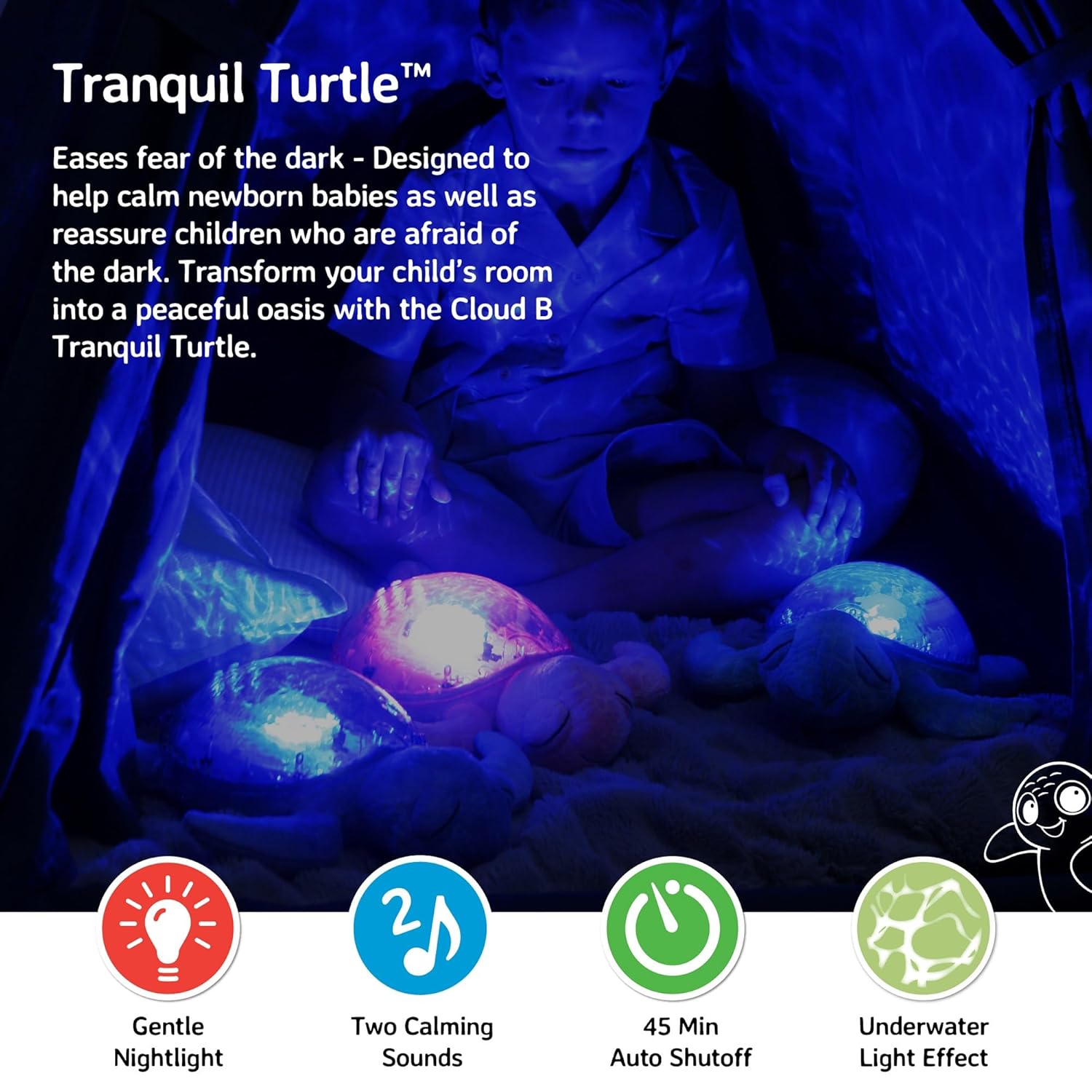
Figure 2: Ocean wave projection in a child's room
3. パッケージ内容
パッケージにすべてのアイテムが揃っていることを確認します。
- 1 x Cloud b Tranquil Turtle Nightlight
- 単三電池 3 本 (プリインストールまたは別途付属)
4. セットアップ
4.1 バッテリーの取り付け
The Tranquil Turtle requires 3 AA batteries. These are typically included with your purchase.
- Locate the battery compartment on the underside of the turtle. It is covered by a fabric flap secured with Velcro.
- Open the fabric flap to reveal the plastic battery cover.
- Using a Phillips head screwdriver, unscrew the small screw on the battery cover.
- 電池カバーを取り外します。
- 電池ボックス内の指示に従って、極性 (+/-) が正しいことを確認して、単 3 電池 3 本を挿入します。
- バッテリーカバーを元に戻し、ネジで固定します。
- 布のフラップを閉じます。

Figure 3: Battery compartment and controls on the underside
4.2 初期配置
Place the Tranquil Turtle on a flat surface in the room where it will be used. For optimal projection, place it on the floor or a low table in the center of the room.
5. 操作手順
The control buttons are located on the turtle's plastic shell.
5.1 電源オン/オフ
を押す 電源ボタン (usually marked with a power symbol) on the turtle's shell to turn the unit on or off.
5.2 Light Projection
The Tranquil Turtle projects a calming underwater light effect. You can adjust the light's characteristics:
- 輝度: Use the brightness adjustment wheel/switch (located near the battery compartment on the underside) to increase or decrease the intensity of the projected light.
- Wave Movement: を押す Wave Movement Button (often marked with a wave symbol) to toggle between static and moving ocean wave projections.

Figure 4: Control buttons on the turtle's shell
5.3つのサウンドモード
The Tranquil Turtle offers two soothing sound options:
- Gentle Melody: A soft, calming musical tune.
- Whispering Waves: Realistic ocean wave sounds.
を押す サウンドモードボタン (often marked with a music note) to switch between these two sounds. Use the 音量ボタン (marked with '+' and '-') to adjust the sound level.
5.4 自動シャットオフ
The Tranquil Turtle is designed to automatically shut off after 23 minutes. This feature helps ensure a completely dark and quiet environment for optimal sleep and conserves battery life.
Video 1: Tranquil Turtle Demo Video (Seller-provided demonstration of features)
This video demonstrates the light projection, sound options, and overall functionality of the Tranquil Turtle.
6. メンテナンス
6.1 クリーニング
To clean your Tranquil Turtle, gently wipe the surface with a damp cloth. Do not immerse the unit in water or use harsh cleaning agents, as this may damage the electronic components.
6.2 電池の交換
When the light dims or sounds become distorted, it's time to replace the batteries. Follow the battery installation steps in Section 4.1.
7。 トラブルシューティング
| 問題 | 考えられる原因 | 解決 |
|---|---|---|
| 光も音も出ない | 電池が切れているか正しく取り付けられていない、電源スイッチがオフになっています。 | Replace batteries, ensuring correct polarity; Ensure the main power switch (on underside) is in the 'ON' position. |
| 光が暗い | Low battery power; Brightness setting is too low. | Replace batteries; Adjust the brightness wheel/switch to a higher setting. |
| Waves are not moving | Wave movement setting is off. | Press the Wave Movement Button to activate movement. |
| 音が歪んでいるか低すぎる | Low battery power; Volume setting is too low. | Replace batteries; Use the Volume Buttons to increase the sound level. |
8. 仕様
- 製品寸法: 11.02 x 9.84 x 4インチ
- 商品の重量: 1.21ポンド
- モデル番号: CB7423-PK
- 材質タイプ: Plastic (shell), Plush (body)
- 電源: 単三電池3本(付属)
- 自動シャットオフタイマー: 23 minutes
- 原産国/地域: 中国
9. 保証とサポート
Cloud b products are manufactured with high-quality materials and undergo rigorous testing. For information regarding warranty coverage or product support, please visit the official Cloud b store or contact their customer service directly.