
1. はじめに
Welcome to your Garmin Approach S62 Premium GPS Golf Watch. This manual provides detailed instructions for setting up, operating, maintaining, and troubleshooting your device. Please read this manual thoroughly to ensure optimal performance and longevity of your watch.
2. 箱の中身
- Garmin Approach S62 Premium GPS Golf Watch
- 充電/データケーブル
- ドキュメント
- Wearable4U Power Bank (E-Bank)
- Wearable4U Wall Charger
- Wearable4U Car Charger

Image: Contents of the Wearable4U bundle, including the Garmin Approach S62 watch, power bank, wall charger, and car charger.
3.デバイスオーバーview
The Garmin Approach S62 is a premium GPS golf watch designed to provide essential golf course information and smart features directly on your wrist. It features a large, easy-to-read color touchscreen display.

Image: The Garmin Approach S62 watch displaying the time, steps count, and current date.

Image: The Garmin Approach S62 watch displaying detailed golf course information for a specific hole, including distances to the green.
4. セットアップ
4.1. デバイスの充電
Before first use, fully charge your Approach S62. Connect the charging clip to the watch and plug the USB cable into a power source. A full charge typically takes approximately 2 hours.
4.2.電源のオン/オフ
- 電源を入れるには: Press and hold the power button (usually the top right button) until the Garmin logo appears.
- 電源を切るには: Press and hold the power button until the power options menu appears, then select 'Power Off'.
4.3. 初期設定とペアリング
Upon first power-on, the watch will guide you through initial setup steps, including language selection and personal data input. To unlock full smart features, pair your watch with the Garmin Golf app on your smartphone via Bluetooth. Follow the on-screen instructions on both the watch and the app.
5. 操作手順
5.1. ゴルフ機能
The Approach S62 is preloaded with over 41,000 golf courses worldwide. Once you start a round, the watch automatically detects your location and displays course information.
5.1.1. Virtual Caddie
The Virtual Caddie feature suggests a club based on your typical hitting distance for each club, considering wind speed and direction. It also indicates where to aim on the course map.

Image: The Garmin Approach S62 watch showing the Virtual Caddie feature, suggesting a club and aim point for a shot.
5.1.2. Hazard View
Quickly scroll through each hazard on the map to view distances to the front and back of bunkers, water hazards, and other obstacles.
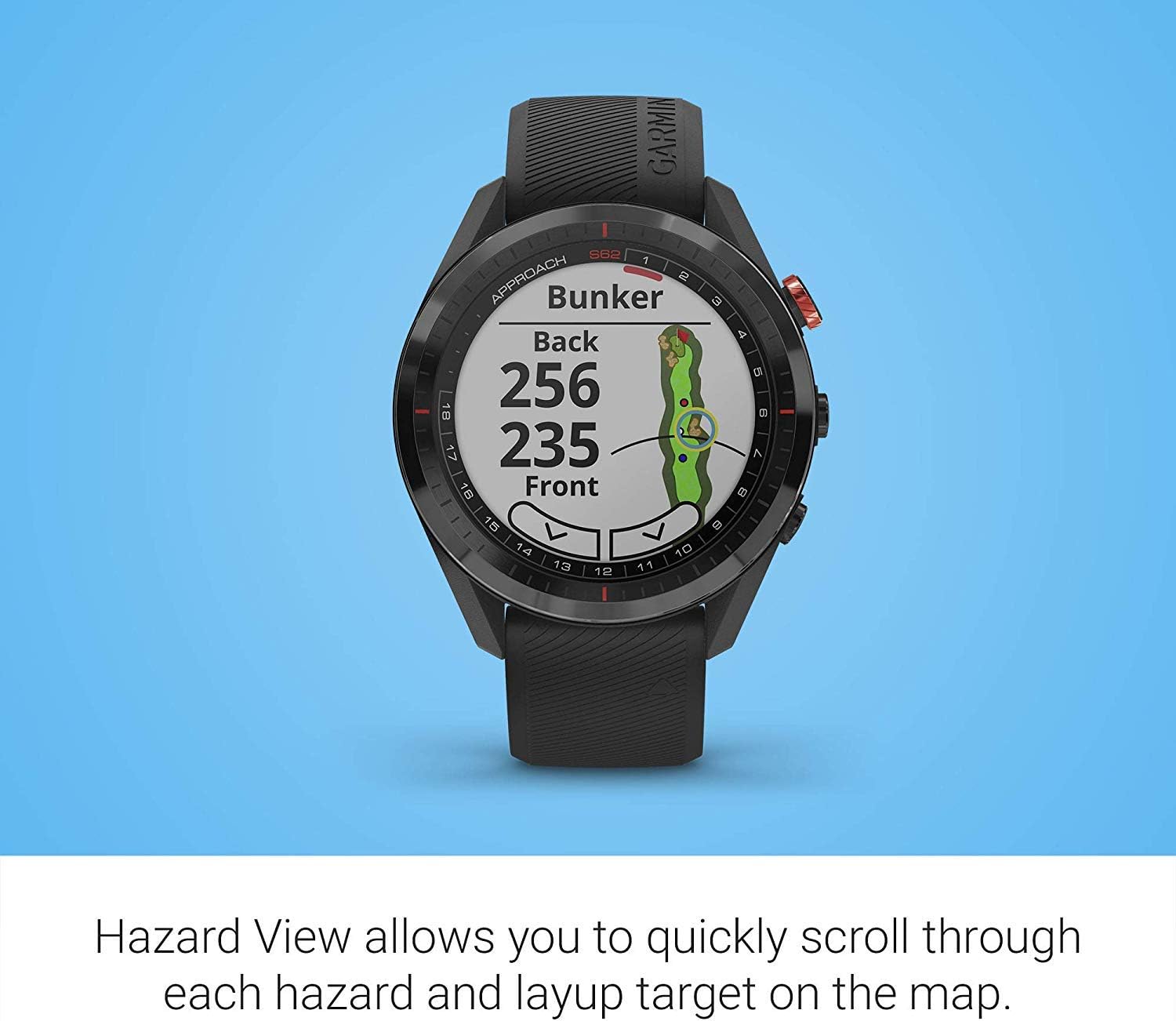
Image: The Garmin Approach S62 watch displaying the Hazard View, showing distances to the front and back of a bunker.
5.1.3. PlaysLike Distance
This feature adjusts yardage measurements to account for uphill and downhill shots, providing a more accurate distance to the target.
5.1.4. 緑 View
グリーン View feature allows you to manually position the pin for the day, providing precise distances to the front, middle, and back of the green, as well as to hazards and doglegs.

Image: The Garmin Approach S62 watch displaying the Green View, showing the green layout and allowing for manual pin positioning.
5.1.5. Course Selection and Scoring
The watch automatically detects nearby courses. Select your course and begin your round. The watch can track your score, shots, and other statistics, which can be reviewed on the watch or in the Garmin Golf app.
5.2. スマートな機能
5.2.1. Garmin Pay
Garmin Pay is a contactless payment solution that allows you to make convenient payments directly from your watch. Set up your cards in the Garmin Connect app.
5.2.2. 通知
Receive smart notifications for calls, texts, and app alerts directly on your watch when paired with your smartphone.
5.3. Customizing Your Watch
You can customize watch faces, widgets, and settings through the watch menu or the Garmin Connect app to suit your preferences.
6. メンテナンス
6.1.デバイスのクリーニング
定期的に時計を柔らかくて清潔な布で拭いてください。amp 布で拭いてください。刺激の強い化学薬品や研磨剤は使用しないでください。充電前に、充電端子が清潔で乾いていることを確認してください。
6.2. バッテリーのお手入れ
To maximize battery life, avoid exposing the watch to extreme temperatures. Charge the device regularly, but avoid leaving it fully discharged for extended periods. The battery life is approximately 20 hours in GPS mode.
6.3. ソフトウェアの更新
Keep your watch's software updated to ensure optimal performance and access to the latest features. Updates can be performed via the Garmin Connect app or Garmin Express on a computer.
7。 トラブルシューティング
7.1. よくある問題
- 時計の電源が入らない: Ensure the watch is fully charged. Try connecting it to a power source.
- GPS が信号を取得できません: 必ず開けた場所で、 view of the sky. Allow several minutes for the watch to acquire satellites.
- Bluetooth 接続の問題: 時計とスマートフォンの両方でBluetoothが有効になっていることを確認してください。両方のデバイスを再起動し、Garmin Connectアプリから再度ペアリングしてみてください。
- 不正確な距離: Ensure the course map is up-to-date. Perform a software update if available.
- タッチスクリーンが反応しない: Try restarting the device. If the issue persists, contact Garmin support.
8. 仕様
| 特徴 | 詳細 |
|---|---|
| アイテム重量 | 1.25ポンド |
| 製品寸法 | 1.85 x 0.58 x 1.85インチ |
| 商品型番 | wa001 |
| バッテリー | リチウムイオン電池2個必要 |
| 表示サイズ | 3インチ |
| バッテリー寿命(GPSモード) | 20時間 |
| 音声コマンド | タッチスクリーン |
| 接続技術 | Bluetooth Smart and ANT+ |
| マップタイプ | 北米 |
| 取り付けタイプ | リストマウント |
| 表示タイプ | 日光に見える半透過型メモリインピクセル(MIP) |
9. 保証とサポート
保証情報については、製品に付属のマニュアルを参照するか、Garminの公式ウェブサイトをご覧ください。 webテクニカルサポート、製品登録、その他のリソースについては、 garmin.com/サポート.
10. 公式製品ビデオ
Video: Official product video demonstrating key features and benefits of the Garmin Approach S62 Premium GPS Golf Watch.


