
1.製品オーバーview
The Lindy Single Display Short Bracket with Pole and Desk Clamp, Model 40656, provides a robust solution for mounting a single monitor to a standard office desk or table. This mount allows for easy adjustment of the display, including tilt, pivot, and rotation, to achieve an optimal viewing angle. It is compatible with most monitors adhering to VESA standards of 75 x 75mm or 100 x 100mm.
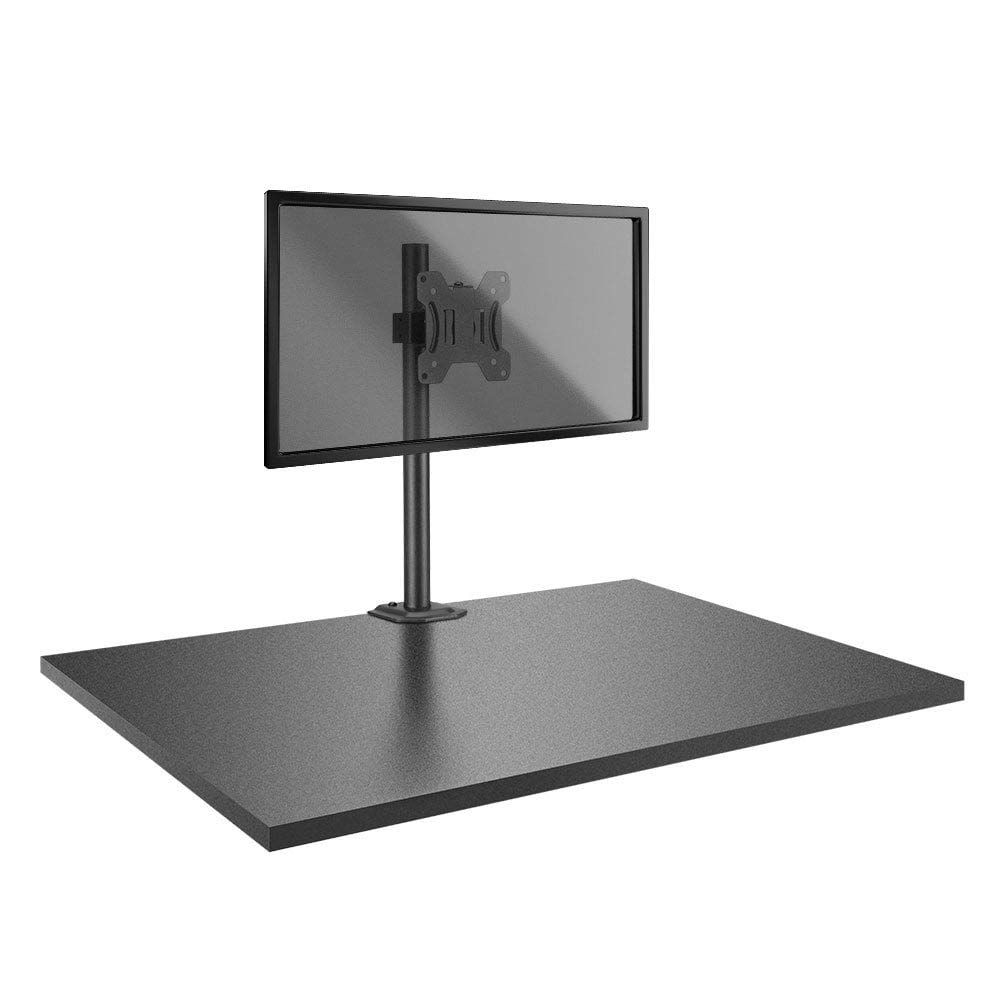
Image: The Lindy Single Display Short Bracket with Pole and Desk Clamp, Model 40656, shown installed on a desk with a monitor (monitor not included).
主な特徴:
- Mounts a single monitor to a standard office desk.
- Allows tilt, pivot, or rotate for simple maneuverability.
- Conforms to VESA standards (75 x 75mm and 100 x 100mm).
- Constructed with a robust, lightweight metal pole and an aluminum powder-coated bracket.
2. 安全情報
Please read and understand all instructions before attempting installation. Failure to follow these instructions may result in property damage, injury, or product malfunction.
- Ensure the desk surface is stable and can safely support the combined weight of the mount and your monitor.
- Do not exceed the maximum weight capacity of the mount. Refer to the 'Specifications' section for details.
- Ensure all screws are securely tightened to prevent accidental detachment of the monitor.
- 組み立て中は、設置場所から子供やペットを遠ざけてください。
- Avoid placing the mount in areas with excessive vibration, direct sunlight, or high humidity.
- 付属のハードウェアまたは製造元が承認した交換品のみを使用してください。
3. パッケージ内容
インストールを開始する前に、すべてのコンポーネントが揃っていることを確認してください。
- Pole with integrated desk clamp
- Short VESA bracket
4. セットアップ手順
Follow these steps to properly install your Lindy Single Display Short Bracket:
ステップ1:デスクClを取り付けるamp デスクへ
- デスクの位置を調整しますamp base on the edge of your desk, ensuring it is stable and flush.
- 締めるamp screw firmly until the mount is securely fastened to the desk. Do not overtighten.

画像: サイド view of the pole with the desk clamp, illustrating how it attaches to a desk surface.
Step 2: Assemble Pole and Bracket
- Slide the short VESA bracket onto the pole.
- Position the bracket at your desired height and secure it using the integrated locking mechanism or screws.

Image: The pole and desk clamp assembly with the short VESA bracket positioned on the pole.
Step 3: Attach VESA Bracket to Monitor
- 傷がつかないように、モニターの表面を下にして、柔らかくて清潔な表面に慎重に置いてください。
- Align the VESA mounting holes on the back of your monitor with the holes on the short bracket.
- Secure the bracket to the monitor using the appropriate screws (typically M4 or M5, not included with mount). Ensure they are tightened firmly but do not overtighten.

画像: クローズアップ view of the VESA mounting plate, showing the screw holes for monitor attachment.
Step 4: Mount Monitor to Pole
- With assistance, carefully lift the monitor (with the attached bracket) and slide the bracket onto the pole.
- Ensure the bracket is securely seated on the pole and tighten any locking screws on the bracket to prevent vertical movement.
5. 操作手順
Once installed, the Lindy Single Display Short Bracket allows for flexible monitor positioning:
- 傾き調整: Loosen the tilt knob on the VESA bracket, adjust the monitor to your desired vertical angle (up to 12 degrees), and then re-tighten the knob to secure the position.
- ピボット調整: The monitor can be rotated 360 degrees around the VESA plate, allowing for easy switching between landscape and portrait orientations.
- 回転調整: The entire monitor assembly can be rotated around the pole for horizontal view角度調整中。
6. メンテナンス
To ensure the longevity and safe operation of your monitor mount:
- Regularly check all screws and connections to ensure they remain tight. Re-tighten as necessary.
- Clean the mount with a soft, dry cloth. Avoid using abrasive cleaners, solvents, or chemical sprays.
- Inspect the mount periodically for any signs of wear, damage, or corrosion. If damage is found, discontinue use and contact support.
7。 トラブルシューティング
モニターのマウントで問題が発生した場合は、次の一般的な問題と解決策を参照してください。
- Monitor is wobbly:
- デスクの清潔さを確保するamp 机にしっかりと固定されます。
- Check all screws connecting the VESA bracket to the pole and the monitor.
- Monitor does not stay in desired position (e.g., tilts down):
- Tighten the tilt adjustment knob on the VESA bracket.
- Difficulty rotating or pivoting the monitor:
- Ensure no cables are obstructing the movement of the monitor or bracket.
- Check for any overtightened screws that might restrict motion.
8. 仕様
| 特徴 | 詳細 |
|---|---|
| ブランド | リンディ |
| モデル番号 | 40656 |
| アイテム重量 | 4.4ポンド |
| 製品寸法 | 4.17 x 4.33 x 20.08インチ |
| 材料 | アルミニウム、金属 |
| 取り付けタイプ | 卓上マウント |
| 移動タイプ | Rotate, Tilt |
| 対応デバイス | Monitors (Television) |
| 最大傾斜角度 | 12度 |
| VESA互換性 | 75 x 75mm、100 x 100mm |
9. 保証とサポート
保証情報:
This Lindy product is covered by a 2年間保証 ご購入日より1年間有効です。保証請求の際は購入証明書を保管してください。
カスタマーサポート:
For technical assistance, troubleshooting, or to make a warranty claim, please contact Lindy customer support. Visit the official Lindy website for up-to-date contact information and support resources.