
導入
The Aula S6 Multi-Mode Wireless Gaming Headset is designed to provide a versatile audio experience for gaming and multimedia. This headset features three connection options: 2.4GHz wireless, Bluetooth 5.3, and a traditional 3.5mm wired connection. Its ultra-lightweight design, weighing only 180 grams, ensures comfort during extended use. The integrated microphone with smart noise reduction technology delivers clear communication, and the headset offers up to 22 hours of battery life.
パッケージ内容
以下の項目のボックスにチェックを入れてください。
- 1 x Aula S6 Multi-Mode Wireless Gaming Headset
- 1 x 2.4GHz Wireless Connection Dongle
- 1 x Type-C to 3.5mm Audio Connection Cable (1.5 meters)
- 1 x USB Type-C充電ケーブル
- ユーザーマニュアル x 1
製品終了view
ヘッドセットのコンポーネントとコントロールについて理解しておきましょう。
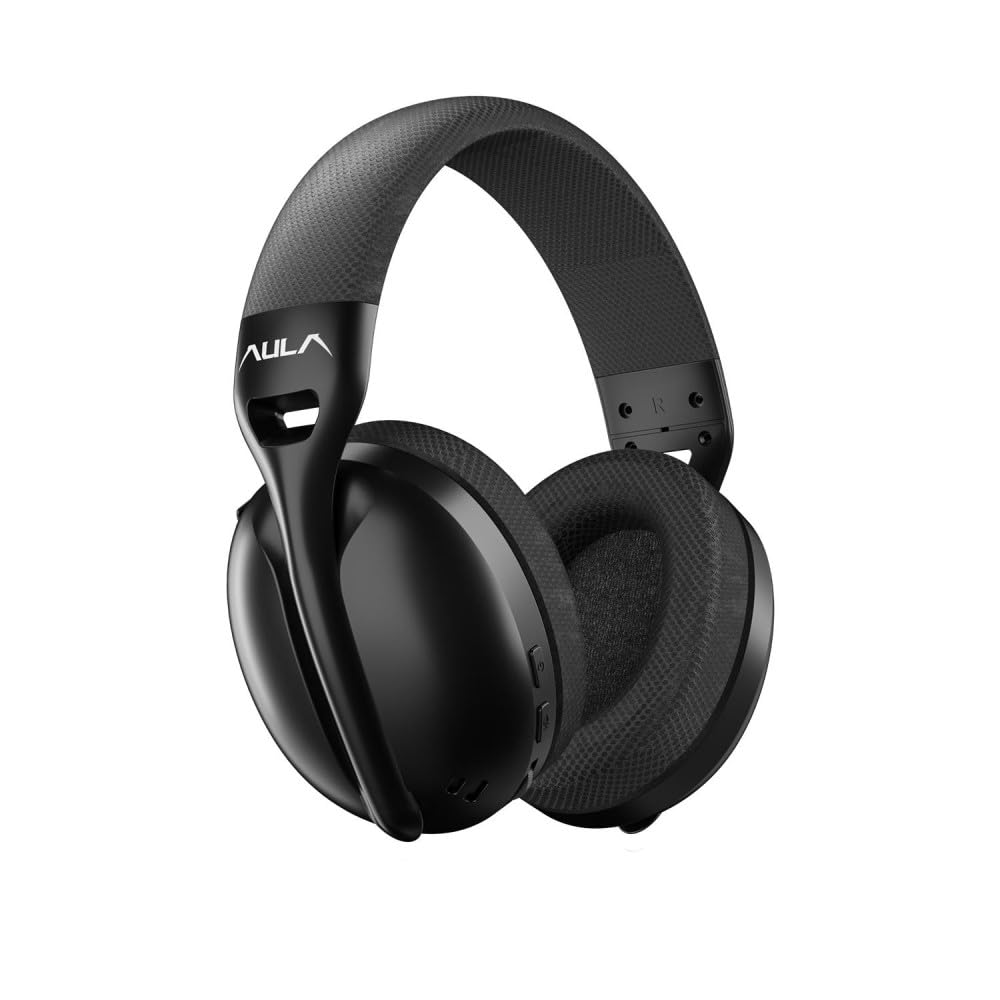
画像: フロント view of the Aula S6 Multi-Mode Wireless Gaming Headset. This image displays the overall design of the headset, highlighting its earcups and headband.
コントロールとポート

画像: 底 view of the Aula S6 headset. This image illustrates the location of the Type-C charging port, 3.5mm audio jack, volume wheel, and other control buttons on the earcups.
- 電源ボタン: Used to power the headset on/off and for pairing.
- モード切り替えボタン: Toggles between Game Mode and Music Mode for optimized audio profiles.
- ボリュームホイール: オーディオの音量を調整します。
- 多機能ボタン: For call management (accept/reject) and switching between Bluetooth and 2.4GHz connections.
- 格納式マイク: Mute by retracting into the earcup, unmute by extending.
- タイプCポート: ヘッドセットの充電用。
- 3.5mmオーディオジャック: For wired connection using the provided Type-C to 3.5mm cable.
設定
ヘッドセットの充電
Before first use, fully charge the headset. Connect the provided USB Type-C charging cable to the headset's Type-C port and the other end to a USB power source (e.g., computer, wall adapter). The LED indicator will show charging status and turn off when fully charged.
ヘッドセットの接続
The Aula S6 offers three connection methods:
1. 2.4GHz Wireless Connection (via Dongle)
- Insert the 2.4GHz wireless dongle into a USB port on your computer or compatible device.
- 電源ボタンを長押ししてヘッドセットの電源を入れます。
- ヘッドセットはドングルに自動的に接続されます。LEDインジケーターが接続成功を示します。
2. Bluetooth 5.3接続
- ヘッドセットの電源を入れます。
- LED インジケーターが高速点滅してペアリング モードを示すまで、電源ボタンを押し続けます。
- デバイス(スマートフォン、タブレット、ラップトップ)で Bluetooth を有効にし、利用可能なデバイスを検索します。
- Select "Aula S6" from the list of devices to pair. The LED indicator will show a solid light upon successful connection.
3. 3.5mm有線接続
- Connect the Type-C end of the provided audio cable to the headset's Type-C port.
- Connect the 3.5mm end of the cable to the audio jack of your device.
- ヘッドセットはワイヤレス機能をバイパスして有線モードで動作します。
操作手順
電源オン/オフ
- 電源を入れるには: LED インジケーターが点灯するまで、電源ボタンを約 3 秒間押し続けます。
- 電源を切るには: LED インジケーターが消えるまで、電源ボタンを約 5 秒間押し続けます。
Mode Switching (Game/Music)
Press the Mode Switch button to toggle between Game Mode and Music Mode. Each mode optimizes audio settings for its intended use.
マイクの使用

画像: 角度付き view of the Aula S6 headset with its retractable microphone extended. This shows the microphone in its active position for communication.
- ミュートを解除するには: Extend the microphone from the earcup.
- ミュートするには: Retract the microphone fully into the earcup.
The smart noise reduction technology helps minimize ambient noise for clearer voice transmission.
通話管理
When connected via Bluetooth or 2.4GHz wireless, use the multi-function buttons on the headset to manage calls:
- 電話を受ける: 多機能ボタンをXNUMX回押します。
- 通話を拒否: 多機能ボタンを2秒間押し続けます。
- 通話終了: 通話中に多機能ボタンを1回押します。
ボリュームコントロール
Rotate the Volume Wheel up or down to precisely adjust the audio output level.
マルチデバイス接続
The headset supports simultaneous wireless connection to two different devices. Use the multi-function buttons to switch between the connected devices as needed.
メンテナンス
To ensure the longevity and optimal performance of your Aula S6 headset, follow these maintenance guidelines:
- クリーニング: ヘッドセットのお手入れには、柔らかく乾いた布をご使用ください。刺激の強い化学薬品や研磨剤の使用は避けてください。
- ストレージ: ヘッドセットは、直射日光や極端な温度を避け、涼しく乾燥した場所に保管してください。
- 湿気を避ける: ヘッドセットは防水ではありません。水や湿気の多い場所には置かないでください。
- ケーブルのお手入れ: ケーブルは丁寧に扱ってください。損傷を防ぐため、急激に曲げたり、強く引っ張ったりしないでください。
トラブルシューティング
If you encounter issues with your Aula S6 headset, refer to the following common solutions:
- 音が出ない/音量が低い:
- ヘッドセットと接続されたデバイスの両方の音量レベルを確認します。
- Ensure the headset is properly connected (wired, Bluetooth, or 2.4GHz dongle).
- デバイスのサウンド設定で正しいオーディオ出力デバイスが選択されていることを確認します。
- マイクが機能しない:
- Ensure the microphone is extended and not muted.
- 接続されているデバイスのマイク入力設定を確認してください。
- 別のアプリケーションまたはデバイスでマイクをテストします。
- 接続の問題:
- Bluetoothの場合: Ensure the headset is in pairing mode and within range. Forget the device on your phone and re-pair.
- 2.4GHzの場合: Ensure the dongle is securely plugged in and the headset is powered on. Try a different USB port.
- Wiredの場合: 3.5mm ケーブルがヘッドセットとデバイスの両方に完全に挿入されていることを確認します。
- ヘッドセットの電源が入らない:
- ヘッドセットを少なくとも 30 分間充電してください。
- 別の充電ケーブルと電源を試してください。
仕様
| ブランド | アウラ |
| モデル | S6 |
| 接続性 | Bluetooth 5.3, 2.4GHz Wireless, 3.5mm Wired |
| ドライバーサイズ | 40ミリメートル |
| インピーダンス | 120オーム |
| ヘッドホン感度 | 120デシベル |
| マイク感度 | -38±2db |
| 周波数応答 | 20Hz – 20kHz |
| 重さ | 180グラム |
| バッテリー寿命 | 最大22時間 |
| 材料 | Breathable Fabric and ABS Plastic |
| 対応デバイス | Mobile Phone, Laptop, Desktop Computer, Game Console, Tablet, Television |
保証とサポート
The Aula S6 Multi-Mode Wireless Gaming Headset comes with a 2-Year Aula Turkey Warranty.
For warranty claims, technical support, or further assistance, please contact your local Aula authorized dealer or visit the official Aula webサポートの連絡先情報のサイト。