1. はじめに
This user manual provides detailed instructions for the DOOGEE S68 Pro rugged smartphone. It covers essential information regarding device setup, operation, maintenance, and troubleshooting to ensure optimal performance and longevity of your device. Please read this manual thoroughly before using your new smartphone.
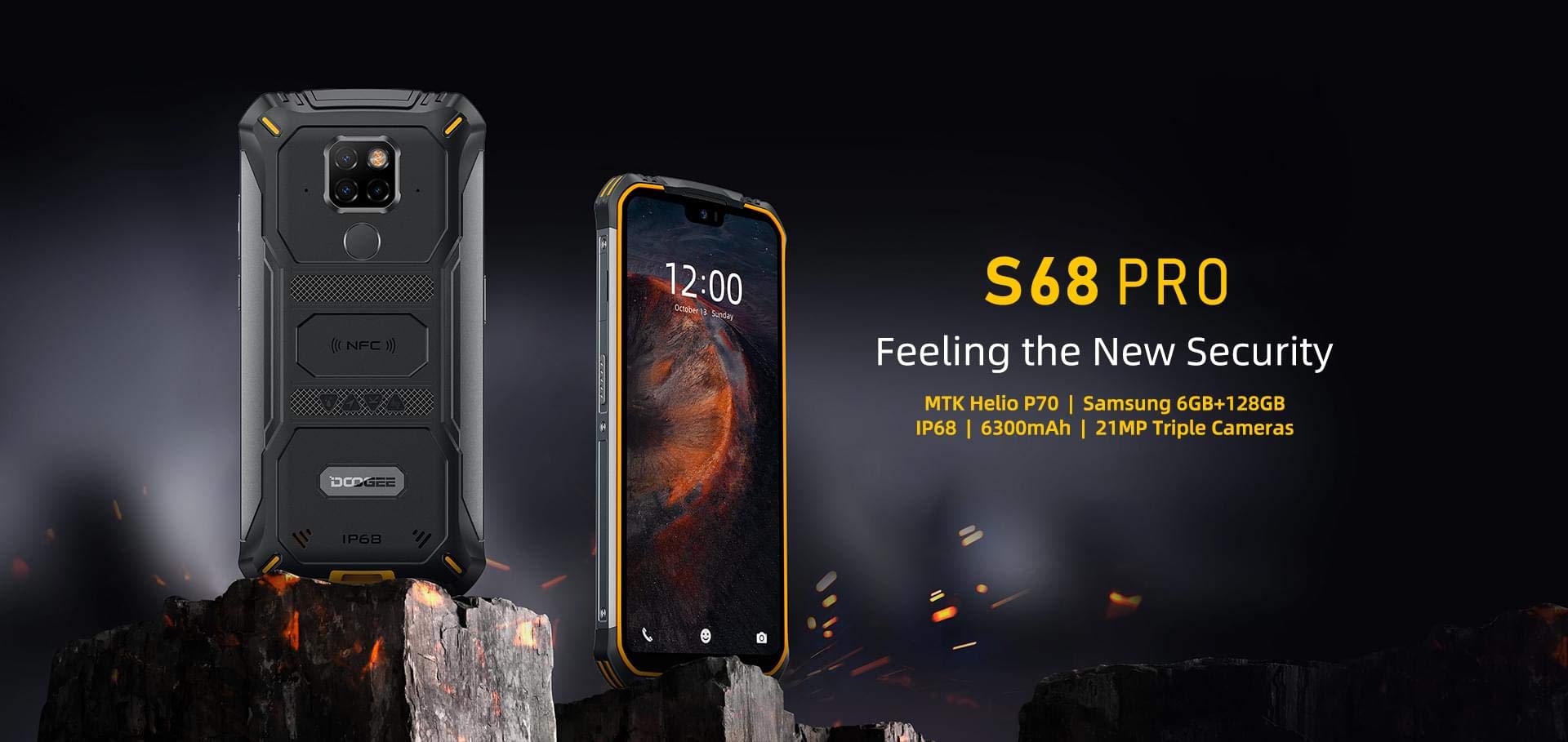
Image: The DOOGEE S68 Pro rugged smartphone, showcasin堅牢な設計です。
2.製品オーバーview
The DOOGEE S68 Pro is a rugged smartphone designed for durability and high performance. It features a 5.9-inch FHD+ display, a powerful Helio P70 Octa Core processor, 6GB RAM, and 128GB internal storage. The device is equipped with a triple rear camera system, NFC for payments, and a large 6300mAh battery with wireless charging capabilities. Its robust construction ensures resistance to water, dust, and drops.

画像: オーバーview of the DOOGEE S68 Pro's key features, including its display, processor, memory, battery, and camera.
2.1物理的特徴
- 画面: 5.9-inch FHD+ Notch Screen (1080*2280 pixels, ~428 ppi density).
- リアカメラシステム: Triple camera setup including a 21MP standard lens, 8MP telephoto lens, and 8MP 130° wide-angle lens, accompanied by a dual flash.
- フロントカメラ: 16MP wide-angle lens.
- NFC: Integrated for contactless payments and data transfer.
- 充電ポート: タイプCのUSB。
- センサー: G-sensor, Proximity sensor.
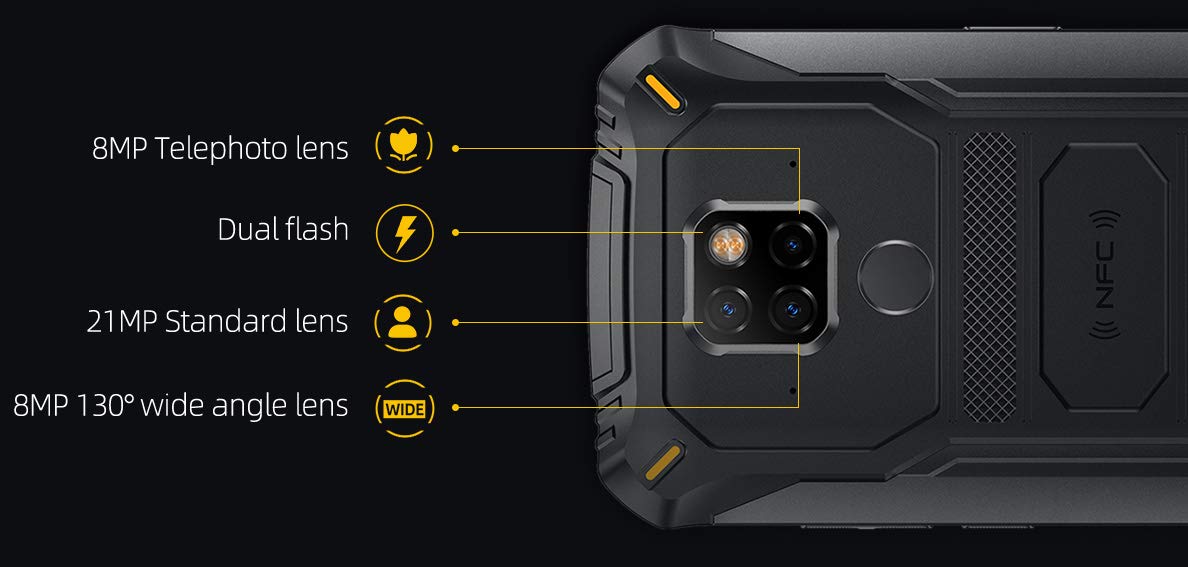
画像: 詳細 view of the DOOGEE S68 Pro's triple rear camera system, highlighting the telephoto, standard, and wide-angle lenses, along with the dual flash and NFC area.
3. セットアップ
3.1 SIMカードとTFカードのインストール
- デバイスの側面にある SIM カード トレイを見つけます。
- SIM イジェクタ ツールをトレイの横にある小さな穴に挿入し、トレイが飛び出すまでゆっくりと押します。
- Place your Nano SIM card(s) and/or TF card (microSD, up to 128GB) into the designated slots on the tray. Ensure the gold contacts are facing down.
- カチッと音がするまでトレイを慎重に電話機に差し込みます。
3.2初期電源オン
- DOOGEE ロゴが画面に表示されるまで、電源ボタン (通常は右側にあります) を押し続けます。
- 画面上の指示に従って、言語の選択、Wi-Fi 接続、Google アカウントのログイン、セキュリティ設定などの初期設定を完了します。
4. 操作手順
4.1オペレーティングシステム
DOOGEE S68 Proは Android 9.0 パイ, offering a user-friendly interface and access to a wide range of applications through the Google Play Store.
4.2 パフォーマンス
The device is powered by a Helio P70 Octa Core processor (4xCortex-A53 up to 2.0GHz, 4xCortex-A73 up to 2.0GHz) and an ARM Mali-G72-MP2 700MHz GPU, providing efficient performance for multitasking and gaming.

Image: The DOOGEE S68 Pro being used for gaming, demonstrating its processing capabilities.
4.3 メモリとストレージ
付属 6GBのRAM スムーズな操作と 128GB ROM for storing your files and applications. Storage can be expanded up to 128GB via a microSD card.
4.4 接続性
- Wi-Fi: インターネットにアクセスするには、ワイヤレス ネットワークに接続します。
- ブルートゥース: ヘッドフォンやスピーカーなどの他の Bluetooth 対応デバイスとペアリングします。
- NFC: Use for quick pairing, data exchange, and mobile payments.
- GPS: ナビゲーションおよび位置情報サービス用。
- OTG (オンザゴー): Connect USB devices such as flash drives or keyboards.
4.5 カメラ機能
The triple rear camera system allows for versatile photography, including standard shots, wide-angle landscapes, and telephoto close-ups. The 16MP front camera is suitable for selfies and video calls. The LED flash assists in low-light conditions.
4.6バッテリーと充電
この装置には 6300mAhバッテリー, providing extended usage time. It supports 12V2A fast charging そして 10Wワイヤレス充電. Additionally, it features 5Wリバースワイヤレス充電, allowing you to charge other compatible devices.
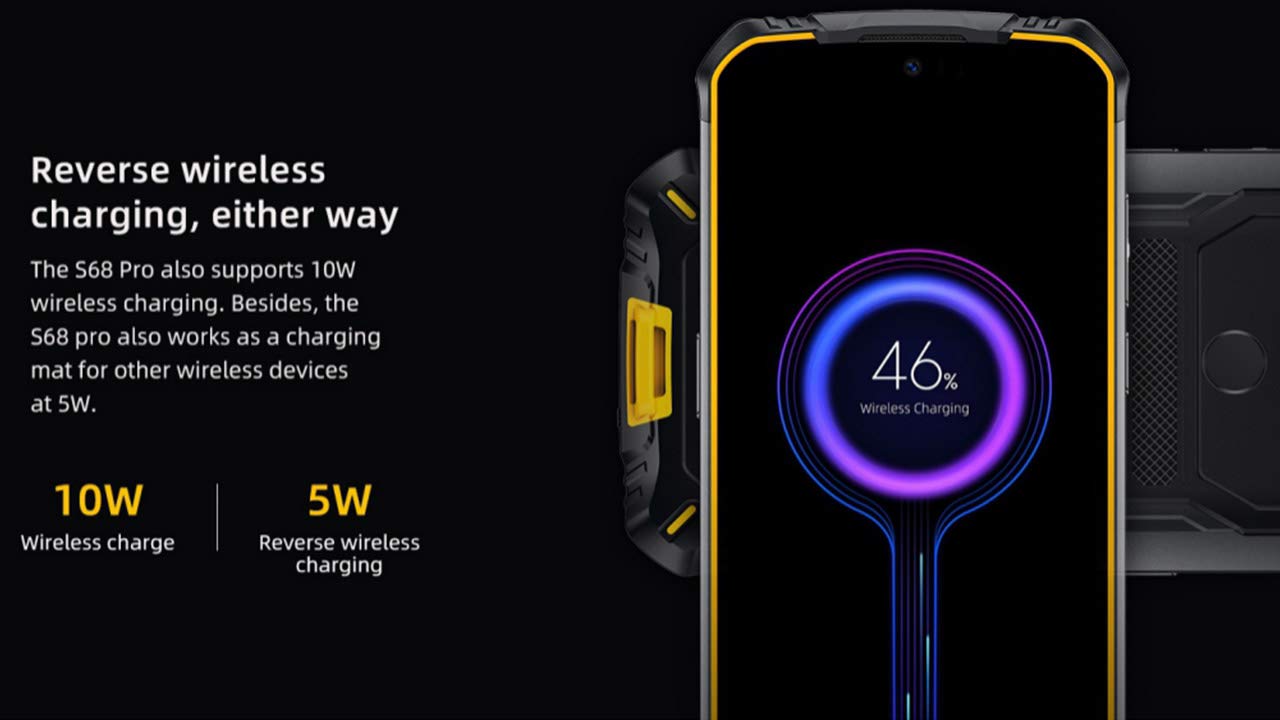
Image: The DOOGEE S68 Pro demonstrating its reverse wireless charging capability, charging another device.
4.7 堅牢な機能
The DOOGEE S68 Pro is designed to withstand harsh environments. It boasts an IP68 定格 for water and dust resistance and is built to be drop-proof, making it suitable for outdoor activities and demanding work conditions.

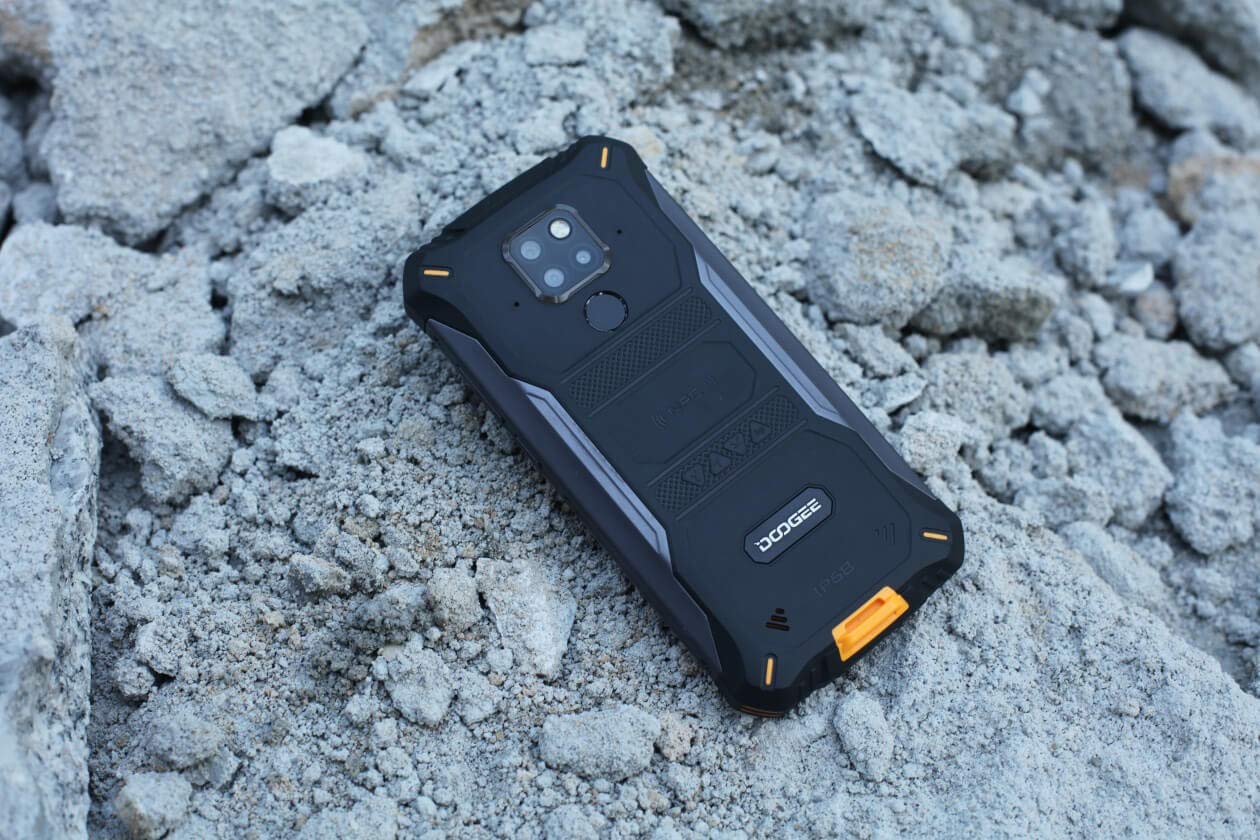
Images: The DOOGEE S68 Pro demonstrating its ruggedness by being submerged in mud and resting on rough terrain.
5. メンテナンス
To maintain your DOOGEE S68 Pro in optimal condition, follow these guidelines:
- クリーニング: 柔らかくてamp cloth to clean the device. For stubborn dirt, especially after exposure to mud or dust, rinse gently with clean water and ensure all ports are dry before charging.
- 極端な温度を避ける: Do not expose the phone to excessively high or low temperatures for prolonged periods.
- ポート保護: 携帯電話が水やほこりにさらされる場合は、すべてのポート カバーがしっかりと閉じられていることを確認してください。
- ソフトウェアアップデート: Regularly update your device's software to benefit from the latest security patches and performance improvements.
6。 トラブルシューティング
If you encounter issues with your DOOGEE S68 Pro, refer to the following common solutions:
- デバイスの電源が入らない: バッテリーが充電されていることを確認してください。携帯電話を充電器に接続し、数分間待ってから再度電源を入れてみてください。
- 充電の問題: Check the charging cable and adapter for damage. Ensure the Type-C port is clean and free of debris. Try a different charger if available.
- ネットワーク信号が弱い: ネットワークの電波状況が良い場所に移動してください。SIMカードが正しく挿入されているかご確認ください。
- アプリケーションがクラッシュする: 「設定」>「アプリ」で、問題のあるアプリのキャッシュとデータを消去してください。問題が解決しない場合は、アプリをアンインストールして再インストールしてください。
- タッチスクリーンが反応しない: デバイスを再起動してください。問題が解決しない場合は、工場出荷時設定にリセットしてください(注:これによりすべてのデータが消去されます)。
7. 仕様
| 特徴 | 仕様 |
|---|---|
| オペレーティング·システム | Android 9.0 パイ |
| プロセッサ | Helio P70 Octa Core (4xCortex-A53, 4xCortex-A73) |
| ラム | 6ギガバイト |
| 内部ストレージ (ROM) | 128ギガバイト |
| 拡張可能なストレージ | microSD最大128GB |
| 表示サイズ | 5.9 inch FHD+ Notch Screen |
| ディスプレイ解像度 | 1080*2280 pixels (~428 ppi) |
| リアカメラ | 21MP + 8MP + 8MPトリプルカメラ |
| フロントカメラ | 16MP |
| バッテリー容量 | 6300mAh |
| 充電 | 12V2A Fast Charge, 10W Wireless Charge, 5W Reverse Wireless Charge |
| 接続性 | Wi-Fi, Bluetooth, NFC, GPS, OTG |
| 凹凸 | IP68 Water & Dust Resistant, Drop-proof |
| 寸法 | 16.35 x 8 x 1.64 cm |
| 重さ | 260グラム |
8. 保証とサポート
Your DOOGEE S68 Pro comes with a standard brand warranty. For detailed warranty information, service, and support, please refer to the official DOOGEE website or the product detail page on the retailer's webサイト。
For further information, visit the product detail page: DOOGEE S68 Pro Product Page
9. 製品ビデオ終了view
ビデオ: 当局者がview of the DOOGEE S68 Pro Rugged Phone, highlighting its key features and specifications.