Welcome to your XClear Wireless Earbuds user manual. This guide provides essential information for setting up, operating, and maintaining your earbuds to ensure optimal performance and longevity. Please read this manual thoroughly before using your device.
箱の中身
ワイヤレス充電ケース
イヤーチップ(各種サイズ)
ユーザーマニュアル
2.製品オーバーview
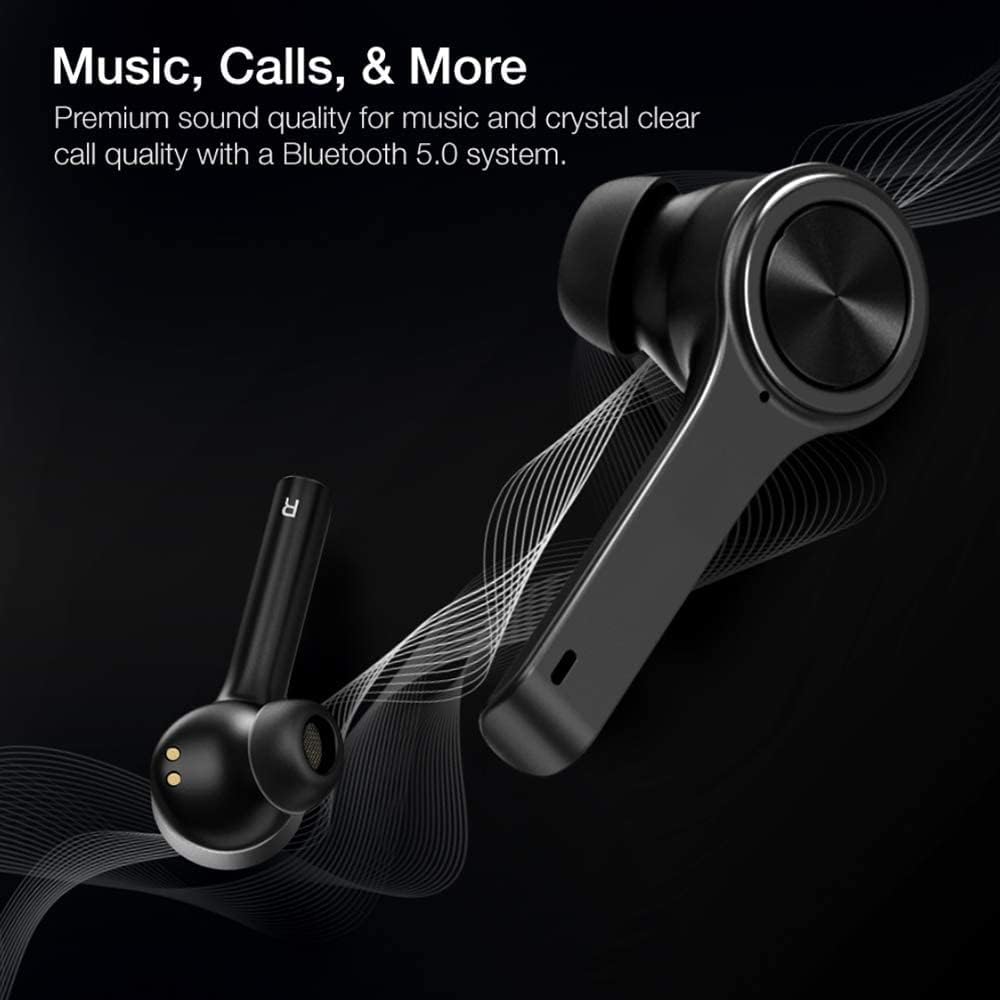
The XClear Wireless Earbuds (Model TT000082) are designed for an immersive audio experience with advanced features for convenience and durability. They feature Bluetooth 5.0 technology for stable connections and clear audio.
主な特徴
プレミアム音質: Enjoy clear music and calls via Bluetooth 5.0.
高速ペアリング: Quick and easy connection by opening the charging case.
コンパクトな充電ケース: Portable case with a digital LED battery indicator.
快適なフィット感: Ergonomic design for a secure fit during daily use and sports.
IPX5防汗: 汗や軽い水しぶきに耐えられるよう設計されています。
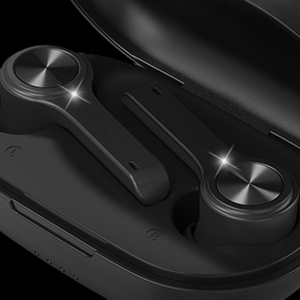
Image: XClear Wireless Earbuds and Charging Case. The earbuds are shown alongside their compact charging case, highlighting their sleek design.
Image: A person running while wearing XClear Wireless Earbuds, demonstrating a secure and comfortable fit during physical activity. A close-up inset shows an earbud in an ear.
3. セットアップ
初期充電
Before first use, fully charge the earbuds and the charging case. Place the earbuds into the charging case. Connect the charging case to a power source using a compatible USB-C cable. The digital LED battery indicator on the case will show the charging progress. A full charge provides up to 5 hours of playtime for the earbuds and an additional 14 hours with the charging case.
Image: The XClear Wireless Earbuds charging case displaying battery life. Graphics indicate 5 hours of playtime for earbuds and 14 hours with the case.
デバイスとのペアリング
イヤホンが充電されていることを確認します。
Open the charging case. The earbuds will automatically enter pairing mode, indicated by bright LED lights.
スマートフォンまたは Bluetooth 対応デバイスで、Bluetooth 設定に移動します。
Select "XClear Earbuds" from the list of available devices to connect.
Once connected, the LED lights on the earbuds will indicate a successful pairing.
Selecting the Right Eartips
For optimal sound quality and comfort, select the eartips that best fit your ear canals. An improper fit may result in reduced sound quality or call performance. Experiment with the different sizes provided to find the most snug and secure fit.
4. 操作手順
タッチコントロール
The XClear Wireless Earbuds feature intuitive touch controls for managing your audio and calls:
再生/一時停止: どちらかのイヤホンを 1 回タップします。
次のトラック: 右のイヤホンをダブルタップします。
前のトラック: 左のイヤホンをダブルタップします。
通話の応答/終了: 着信中にどちらかのイヤホンを 1 回タップします。
通話を拒否: 着信中にどちらかのイヤホンを 2 秒間押し続けます。
音声アシスタントを有効にする: どちらかのイヤホンをトリプルタップします。
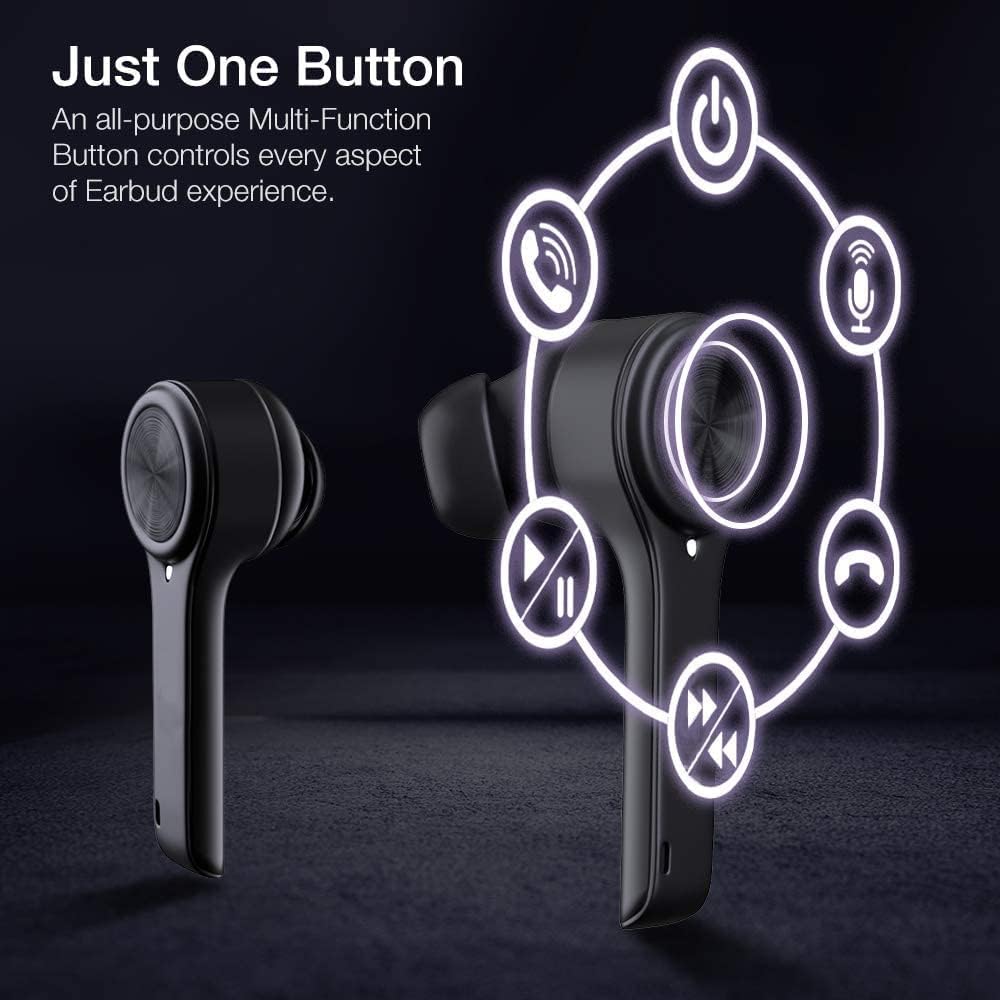
Image: A diagram illustrating the multi-function touch controls on the XClear Earbuds, showing icons for power, calls, microphone, play/pause, and track skipping.
Dual Mode Listening
You can use the XClear Wireless Earbuds in either Stereo Mode (both earbuds) or Single Ear Mode (one earbud). To properly use Single Ear Mode, ensure the unused earbud is placed in the charging case and the lid is closed.
Image: A man wearing a single XClear earbud, demonstrating the dual mode listening feature. The text indicates the ability to switch between stereo and single ear mode.
5. メンテナンス
清掃と保管
イヤホンと充電ケースは、定期的に柔らかく乾いた布で拭いてください。
強力な化学薬品や研磨材の使用は避けてください。
使用していないときは、ほこりや損傷から保護するために、イヤホンを充電ケースに保管してください。
バッテリーケア
バッテリー寿命を延ばすには、イヤホンと充電ケースを頻繁に完全に放電しないようにしてください。
Charge the device using only the provided cable or a certified USB-C charger.
デバイスを極端な温度にさらさないでください。
Image: A close-up of an XClear earbud with water droplets, illustrating its sweatproof and water-resistant design.
6。 トラブルシューティング
よくある問題と解決策
イヤホンが充電されない: Ensure the charging cable is securely connected to both the case and the power source. Verify that the earbuds are correctly seated in the charging case. Check the charging case's battery level.
イヤホンがペアリングされない: Make sure Bluetooth is enabled on your device. Place the earbuds back in the case, close the lid, then open it again to re-enter pairing mode. If issues persist, try forgetting the device in your Bluetooth settings and re-pairing.
音質が悪い: Ensure the eartips provide a snug fit in your ear canals. Clean any debris from the earbud speakers. Check the audio source for quality issues.
片方のイヤホンが動作しない: Place both earbuds back into the charging case, close the lid, and then open it again. This often re-syncs them. If the issue continues, try resetting the earbuds (refer to the full manual for specific reset instructions if available).
XClear offers a 1-Year Warranty on this product. Please retain your proof of purchase for warranty claims. For detailed terms and conditions, refer to the official XClear webサイトをご覧いただくか、カスタマー サポートにお問い合わせください。
カスタマーサポート
For further assistance, technical support, or warranty inquiries, please visit the XClear official web公式サイトまたはカスタマーサービス部門にお問い合わせください。連絡先は通常、製品パッケージまたはブランドのロゴに記載されています。 webサイト。
Ask a question about this manual
Ask about setup, troubleshooting, compatibility, parts, safety, or missing instructions. Manuals+ will review the question and use this page’s manual context to help answer it.