
1. はじめに
This manual provides essential instructions for the safe and effective installation, operation, and maintenance of your IBM X3550 M4 550W Hot Swap Power Supply. Please read this manual thoroughly before installation and keep it for future reference. This power supply is designed for use in compatible IBM X3550 M4 server systems.
2. 安全情報
怪我や機器の損傷を防ぐために、常に次の安全上の注意事項を守ってください。
- 電気による危険: Disconnect all power cords from the server before installing or removing the power supply. Ensure the server is completely powered off.
- 静電気放電: Use an electrostatic discharge (ESD) wrist strap or take other anti-static precautions when handling the power supply to prevent damage to sensitive electronic components.
- 換気: Ensure proper airflow around the server and power supply. Do not block ventilation openings.
- 有資格者: Installation and maintenance should only be performed by qualified service personnel.
- Hot-Swap Caution: While designed for hot-swapping, always follow server manufacturer guidelines for proper hot-swap procedures to avoid system disruption.
3.製品オーバーview
The IBM X3550 M4 550W Hot Swap Power Supply is a critical component designed to provide reliable power to your server. It features a hot-swap design, allowing for replacement without powering down the entire system, enhancing server uptime and serviceability.

図3.1: 側 view of the IBM X3550 M4 550W Hot Swap Power Supply, showing the extraction handle.

図3.2: トップ view of the power supply, illustrating its compact form factor.
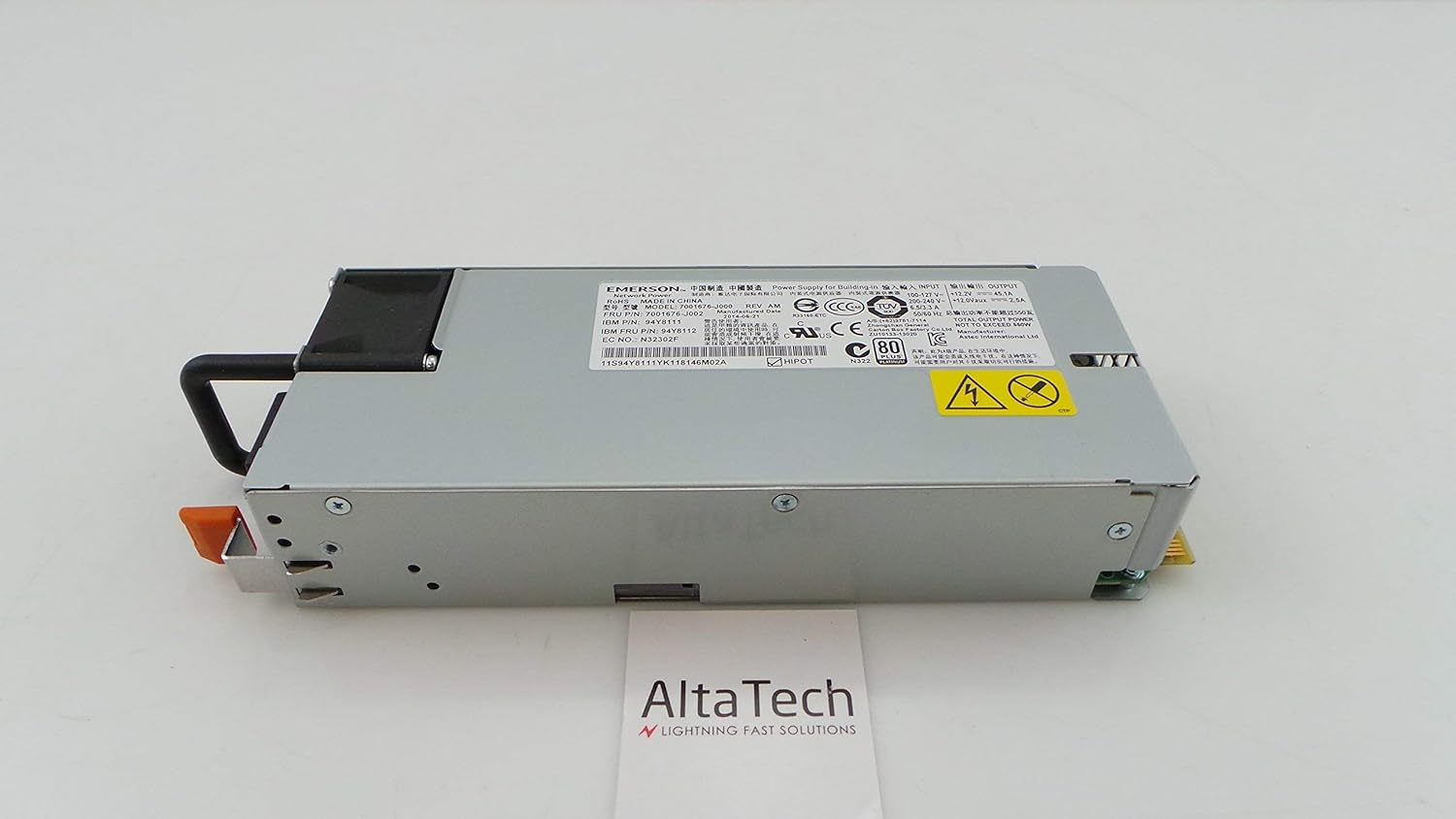
図3.3: 後方 view of the power supply, showing the electrical connectors designed for hot-swap functionality.

図3.4: 詳細 view of the product label, displaying model numbers (e.g., 94Y8111, 7001676-J002) and manufacturing information. The serial number for this unit is 11S94Y8111YK118146M02A.
4. セットアップとインストール
Follow these steps to properly install the hot-swap power supply into your IBM X3550 M4 server. Refer to your server's documentation for specific bay locations and procedures.
- 準備: Ensure the server is in a stable environment. If replacing an existing power supply, identify the faulty unit.
- 安全第一: Always wear an ESD wrist strap and ensure proper grounding.
- 古いユニットを削除します(該当する場合): If replacing, disconnect the power cord from the old power supply. Press the release latch (if present) and use the handle to slide the old power supply out of its bay.
- Insert New Unit: Align the new power supply with the empty bay. Gently slide the power supply into the bay until it clicks securely into place. Ensure it is fully seated.
- 接続電源: Connect the appropriate power cord to the newly installed power supply and then to a grounded electrical outlet.
- 確認する: Check the status indicator lights on the power supply and the server's control panel to confirm proper operation.
5. 操作手順
Once installed, the power supply operates automatically. It continuously provides power to the server and manages power distribution. Key operational aspects include:
- ステータスインジケータ: Most server power supplies include LED indicators. A green or amber light typically indicates operational status. Refer to your server's manual for specific LED meanings.
- 冗長性: In systems with multiple power supplies, this unit contributes to power redundancy, ensuring continuous operation even if one power supply fails.
- ホットスワップ機能: This power supply can be replaced while the server is running, provided the server supports hot-swap functionality and has sufficient remaining power capacity from other power supplies.
6. メンテナンス
Regular maintenance helps ensure the longevity and reliability of your power supply:
- ほこりの除去: Periodically inspect the power supply and server for dust accumulation. Use compressed air to gently clean vents and fan areas. Ensure the server is powered off and unplugged before cleaning.
- ケーブル管理 Ensure all power cables are securely connected and not obstructing airflow.
- 環境制御: Operate the server in a clean, temperature-controlled environment to prevent overheating and dust buildup.
- 検査: Visually inspect the power supply for any signs of damage, such as bulging capacitors or burnt components, during routine server maintenance.
7。 トラブルシューティング
電源に問題が発生した場合は、次の一般的なトラブルシューティング手順を検討してください。
- 電源なし:
- Verify the power cord is securely connected to both the power supply and the electrical outlet.
- 別のデバイスで電源コンセントをチェックして、機能していることを確認します。
- Ensure the server's main power switch is in the ON position.
- エラー表示灯:
- An amber or red indicator light typically signals a fault. Consult your server's documentation for specific error codes or patterns.
- Attempt to reseat the power supply by sliding it out and reinserting it firmly.
- If the issue persists, the power supply may be faulty and require replacement.
- システムの不安定性/予期しないシャットダウン:
- This could indicate an intermittent power supply issue or insufficient power.
- Ensure the server's cooling system is functioning correctly to prevent overheating, which can stress power components.
- If multiple power supplies are present, check if one is failing.
If troubleshooting steps do not resolve the issue, contact technical support or consider replacing the unit.
8. 仕様
| 特徴 | 詳細 |
|---|---|
| ブランド | IBM |
| モデル番号 | 94Y8112, 7001676-J002, 94Y8111 |
| 出力ワットtage | 550ワット |
| タイプ | ホットスワップ電源 |
| 対応デバイス | IBM X3550 M4 Personal Computer Servers |
| 欧州連合 | 714752780645 |
| 製造元部品番号 | 94Y8112-cr |
9. 保証とサポート
This IBM X3550 M4 550W Hot Swap Power Supply (Renewed) typically comes with a 30日間の保証 from the seller. Additionally, as an Amazon Renewed product, it is eligible for replacement or refund under the Amazon再生品保証 ご購入にご満足いただけない場合。
For technical support or warranty claims, please contact the seller directly or refer to the Amazon Renewed program details for assistance.